CVR Pilot

CVR Pilot

by CVR Pilot ApS

Qualified Danish B2B leads from the CVR register, checked against each company’s website and reklamebeskyttelse, pushed to Pipedrive with the reason.

Attract new leads, Qualify my leads

App screenshot
App screenshot
App screenshot
App screenshot
App screenshot

Description

CVR Pilot finds new B2B customers for Danish sales teams.

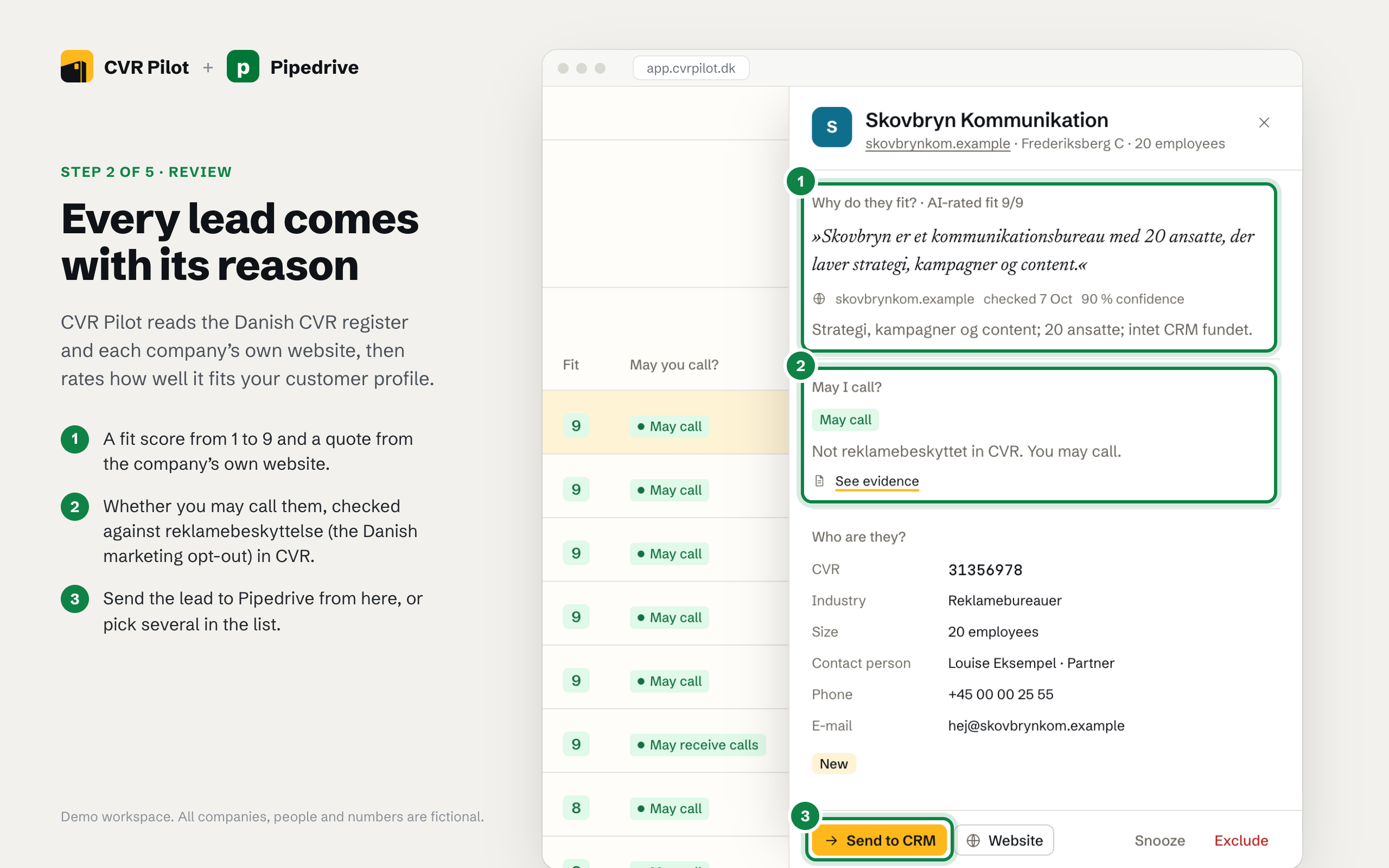
You describe your ideal customer (industry codes, signal keywords, tools they use). CVR Pilot walks the Danish business register (CVR), reads each company’s own website, and keeps only the companies that actually match – with the sentence from their site that justifies the lead. Every lead is checked against the CVR reklamebeskyttelse flag, so you know before you call which companies may be contacted for marketing.

With the Pipedrive integration, approved leads are pushed straight into your Pipedrive account:

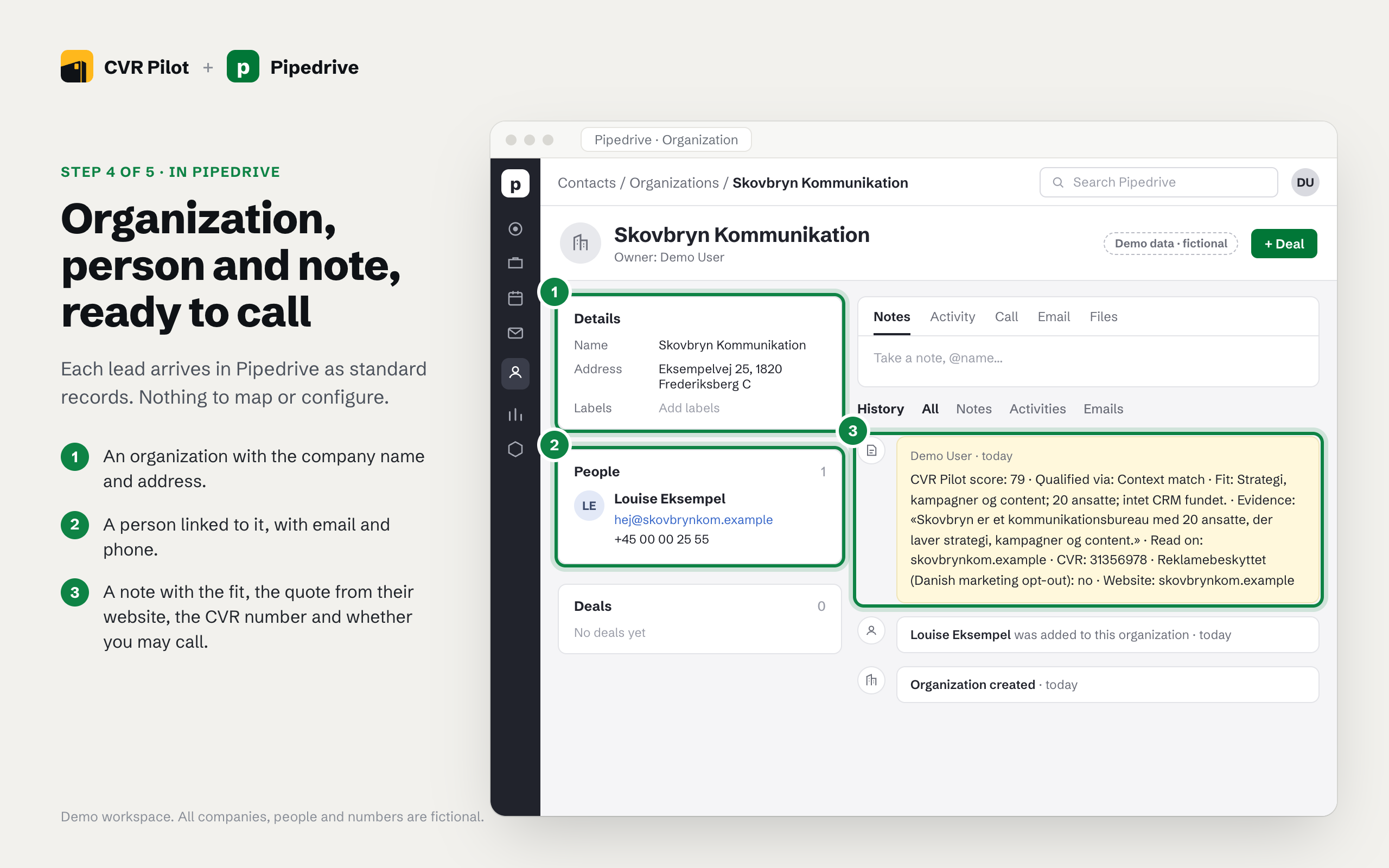
• One organization per company (name, CVR number, address, website, industry) • One person with the contact details found on the website (phone, email) when they are published • A note with the evidence: why this company matched your profile and where the data came from

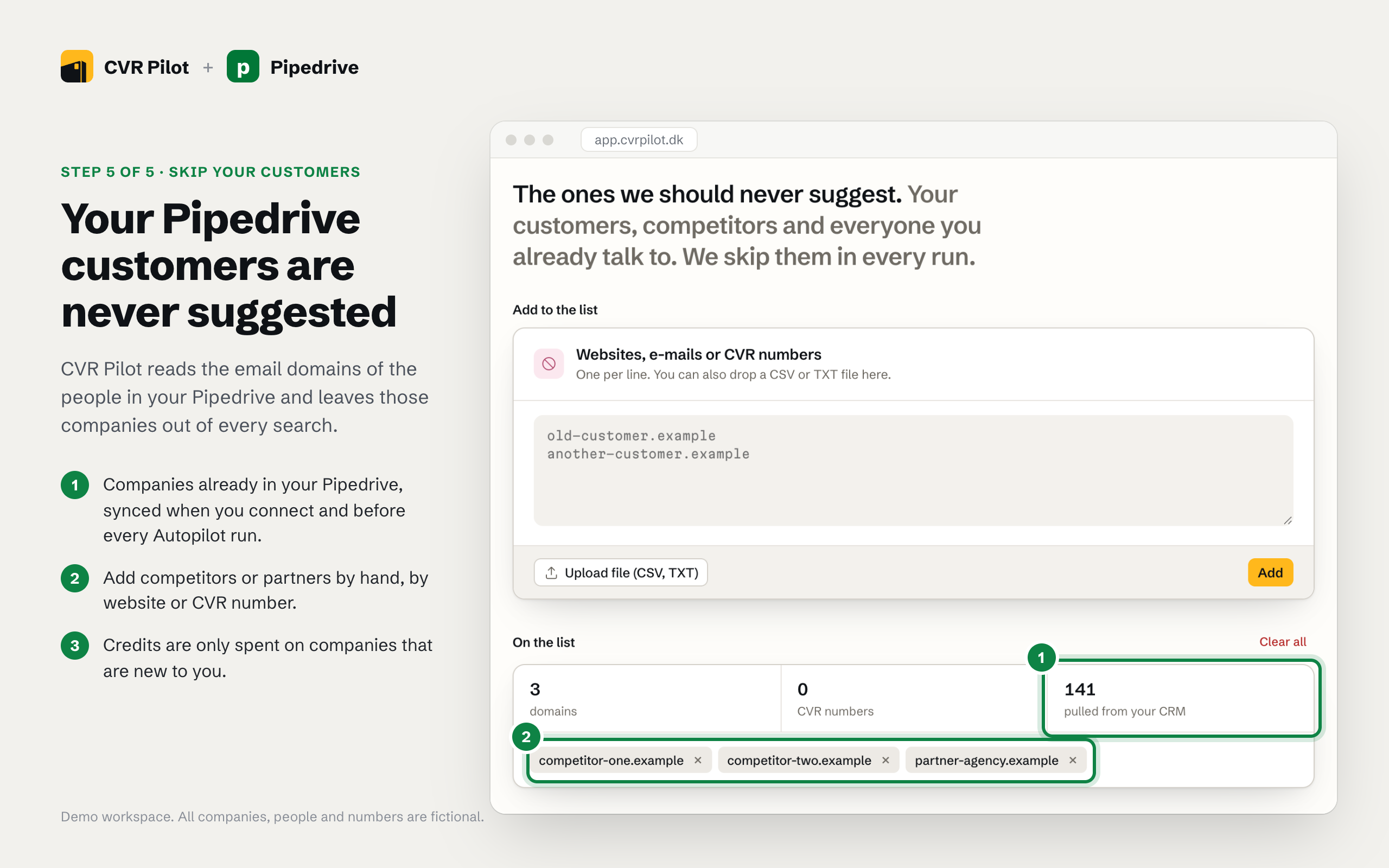
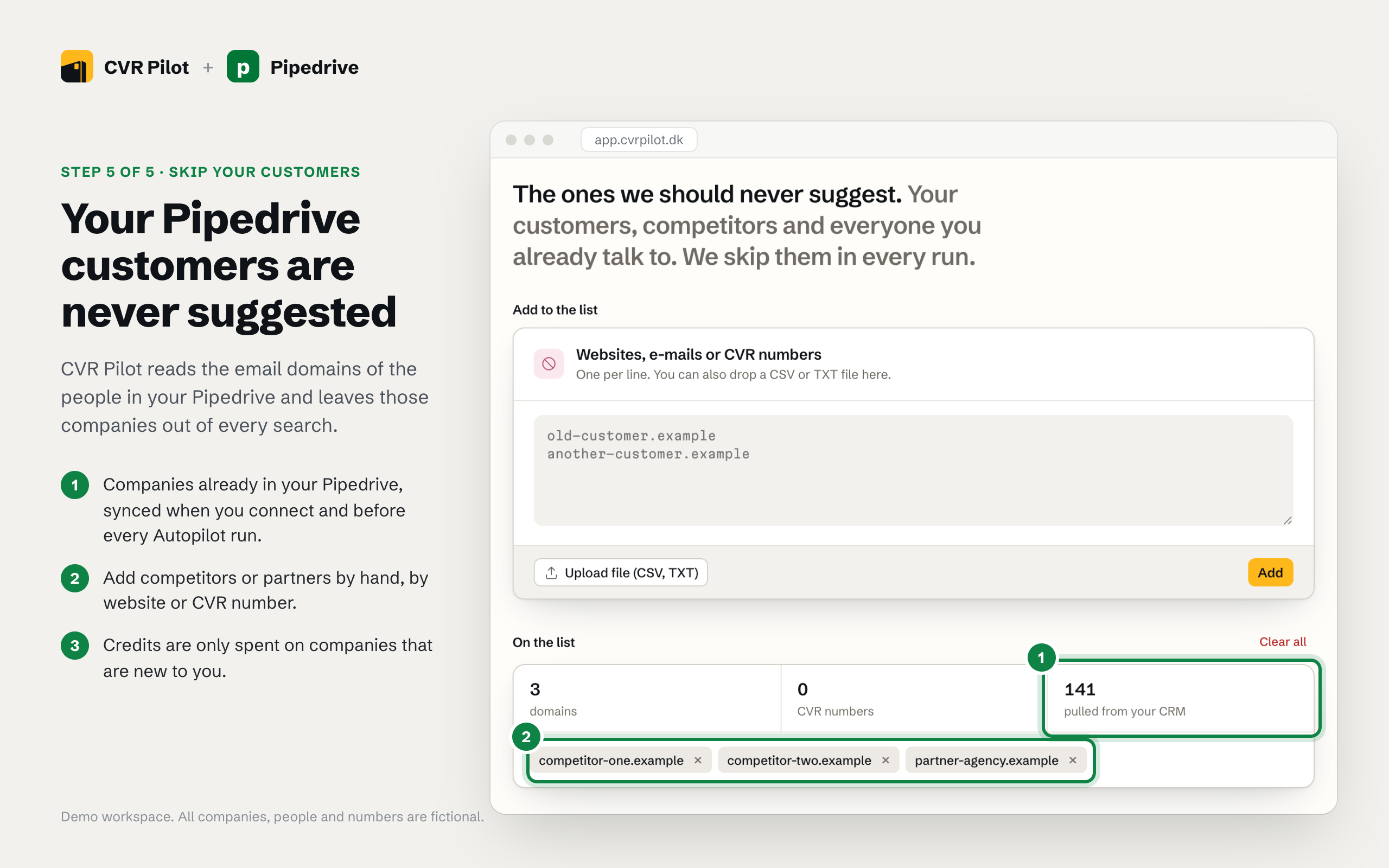
Companies that already exist in your Pipedrive are never suggested again: on connect, and before each search, CVR Pilot reads your organizations and skips them.

How it works

  1. Connect Pipedrive from CVR Pilot → Integrations (OAuth, no API keys).
  2. Run a search on your customer profile.
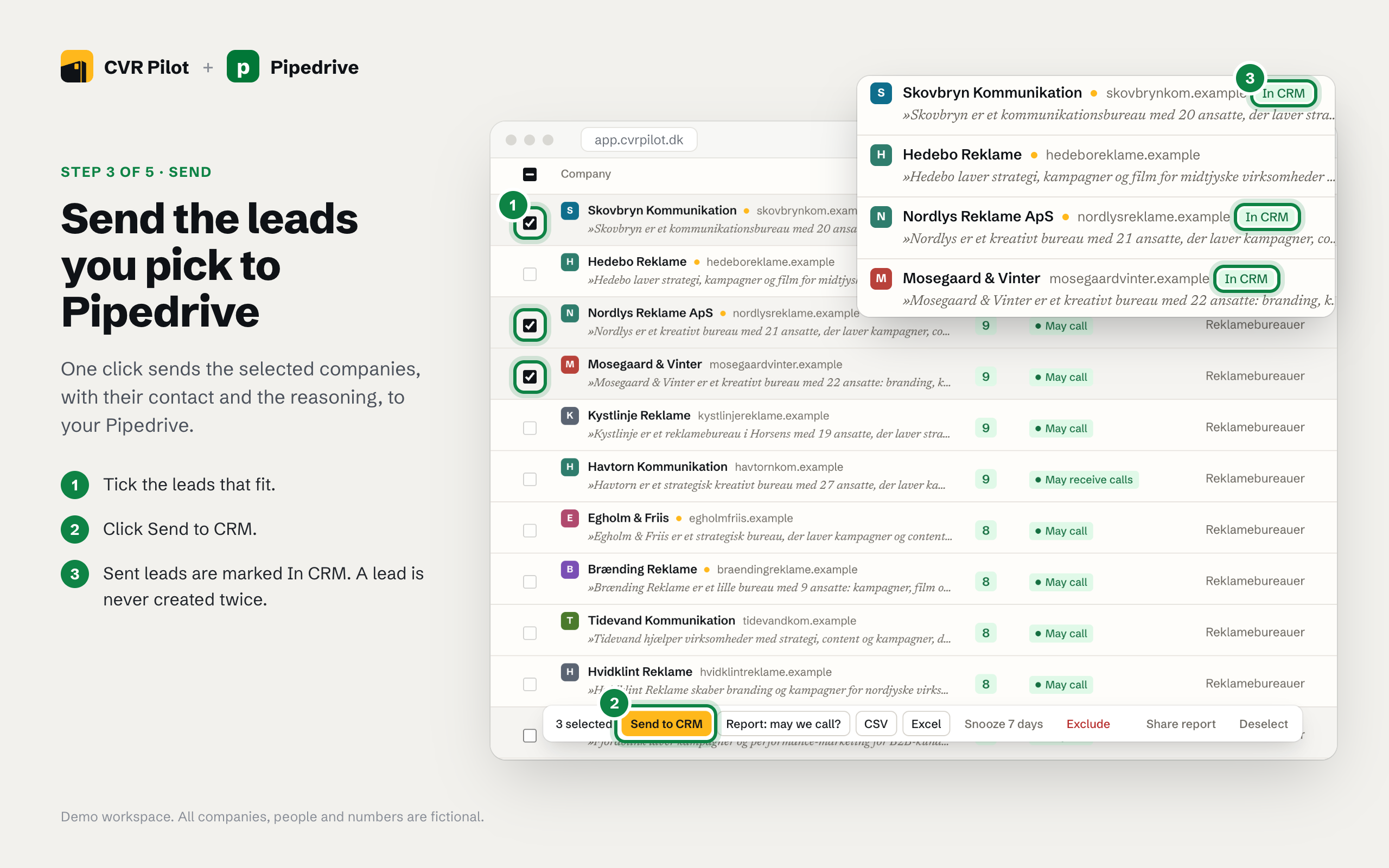
  3. Review the queue and send the leads you want to Pipedrive.

CVR Pilot is built for Denmark: Danish register data, Danish reklamebeskyttelse rules, GDPR-ready with a DPA. Made in Denmark.

Installation instructions

  1. Create a CVR Pilot account at https://app.cvrpilot.dk and start the trial month (a Danish CVR number is required at signup). Sending leads to a CRM is included in the paid plans.
  2. Under Find customers, describe your ideal customer in plain words or paste a few of your best customers' websites. CVR Pilot builds the customer profile: industry codes, size and area.
  3. Go to Integrations and click Connect on the Pipedrive card. Approve the app in Pipedrive (OAuth, no API keys to copy). You land back in CVR Pilot with Pipedrive shown as connected, and CVR Pilot stops suggesting companies that are already in your Pipedrive.
  4. Run a search. CVR Pilot goes through the CVR register, reads each company's own website and fills Your market with the leads that fit, each with a fit score from 1 to 9, the sentence from the site that justifies it and its reklamebeskyttelse status.
  5. Tick the leads you want and click Send to CRM. Each lead becomes an organization, a linked person (when contact details are published on the company's own site) and a note in Pipedrive. A lead that has already been sent is not created again.

To disconnect: click Disconnect on the Pipedrive card in Integrations, or uninstall the app in Pipedrive under Tools and apps, Marketplace apps.

Also popular in this category

If you’re interested in this app, you might also like:

CallHippo
free
CallHippo
Effortlessly Manage Sales with AI-Enhanced CallHippo and Pipedrive Integration, Featuring AI-powered Analytics, Click-to-Call, and Task Automation.
Paperflite
Paperflite
Paperflite is software for remote content collaboration. Use it to organize, distribute and share your content with prospects.
Outfunnel
Outfunnel
Unite your sales and marketing data and prioritize your leads. Works with tools like Mailchimp, ActiveCampaign, Klaviyo, Calendly, Brevo, and more.

User reviews

User reviews

Overall rating

No ratings yet

No installs

Can't find the app you need?

Use our powerful API to build awesome apps for either your company or for all Pipedrive users.

Build an app