
free
CallHippo
Effortlessly Manage Sales with AI-Enhanced CallHippo and Pipedrive Integration, Featuring AI-powered Analytics, Click-to-Call, and Task Automation.
(414)
384 reviews
Evertrace
by Evertrace
Evertrace is the AI-powered founder detection platform that surfaces early-stage entrepreneurs weeks or months before they appear in any startup database. We monitor multiple real-time signals like trade-registry incorporations, domain registrations, patent filings, GitHub stealth activity, research papers, grant awards, social media activity - and link them into unified founder profiles.
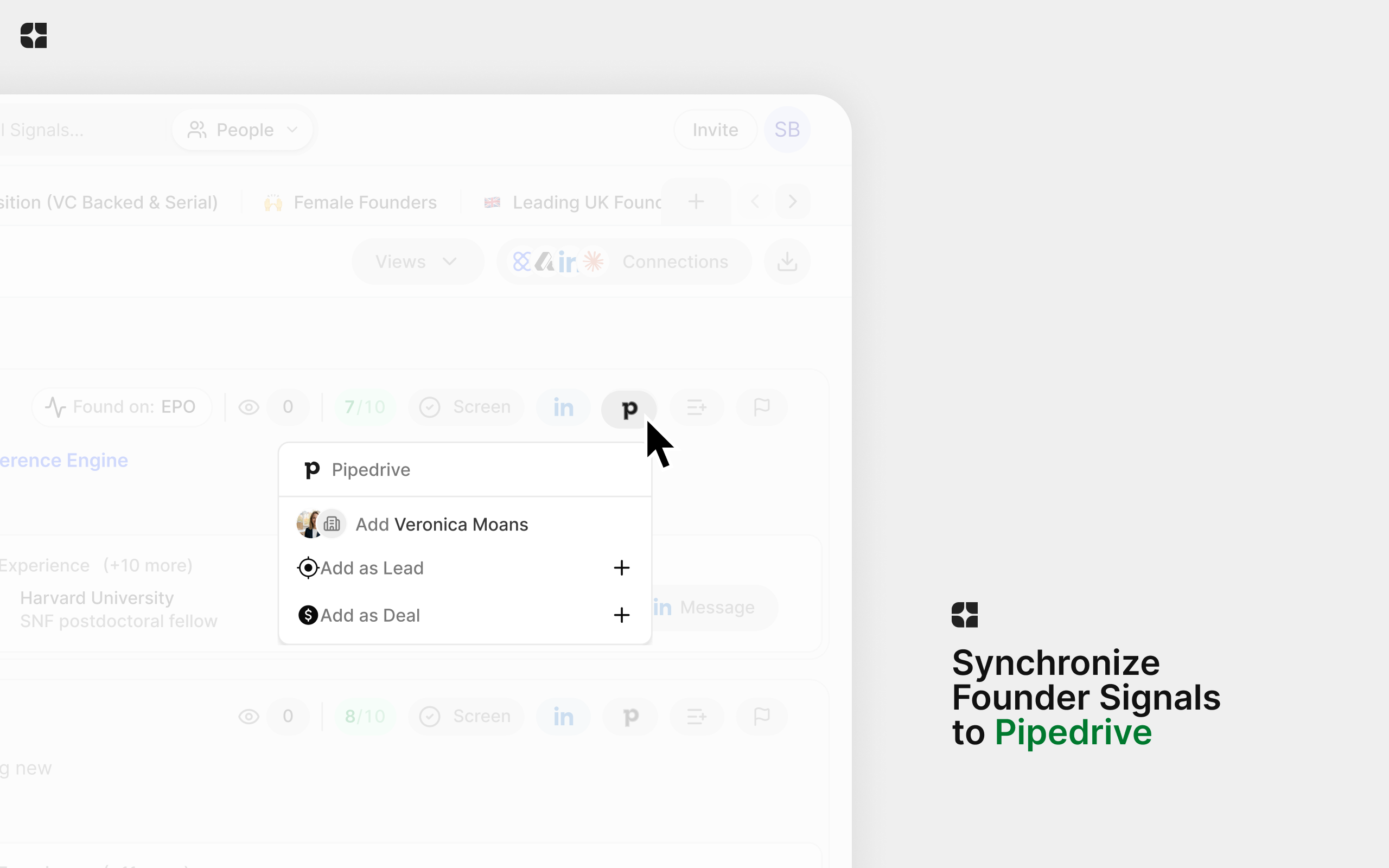
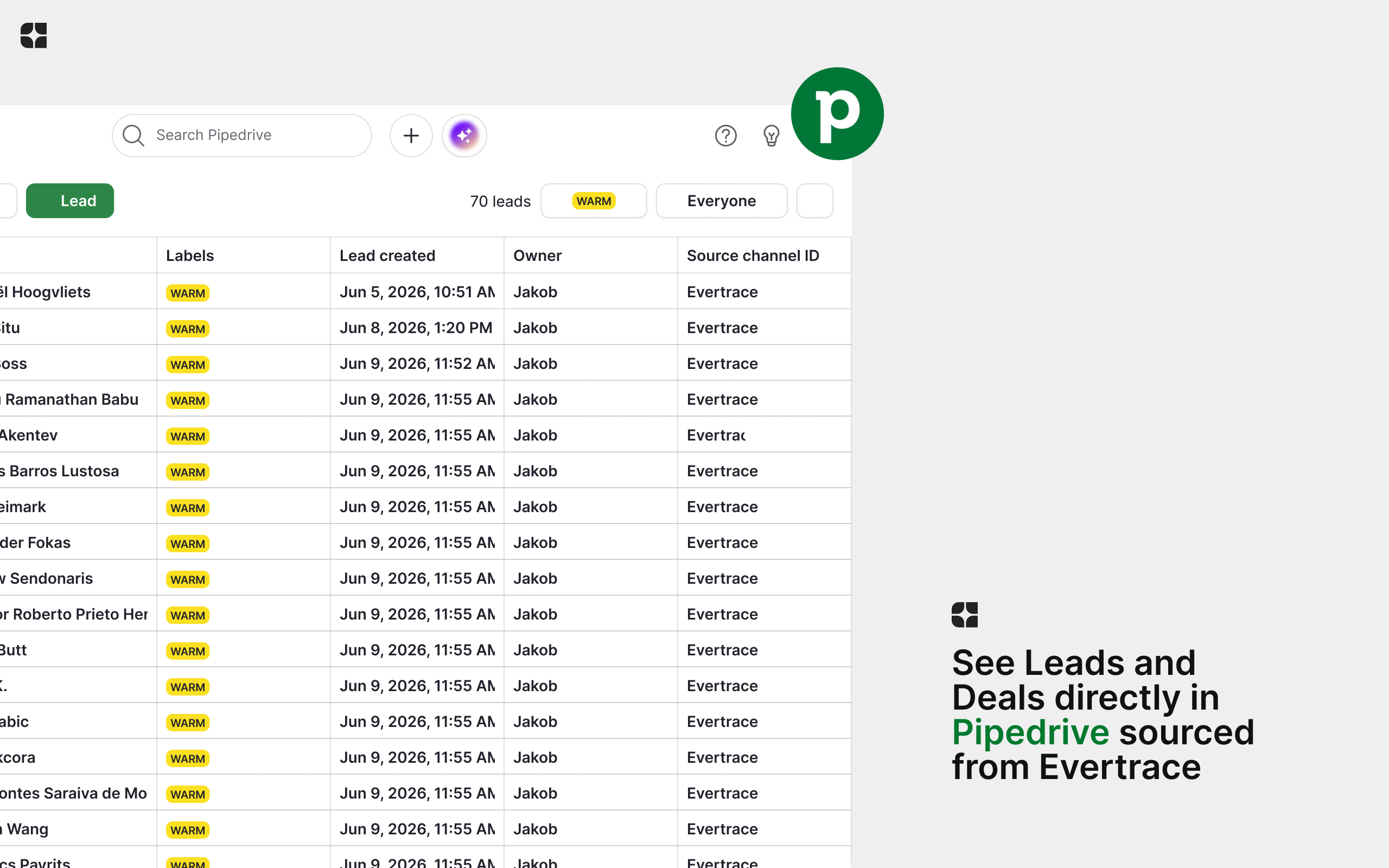
With the Pipedrive integration, you push the founders and companies you care about directly into your pipeline. Send any signal to Pipedrive as a Lead or a Deal in one click or in bulk, map Evertrace fields to your own, and keep your CRM ahead of the market instead of chasing announcements everyone else already saw.
Built for early-stage VCs, angels, and accelerators, Evertrace turns manual sourcing into an automated, data-driven workflow - so your team spends time on conversations, not lookups.
Setting up the Evertrace + Pipedrive integration takes about 1 minute.
Get an Evertrace account: Evertrace is available with personal onboarding — book a demo at evertrace.ai or write to [email protected]. If your team already uses Evertrace, ask your workspace admin for an invite.
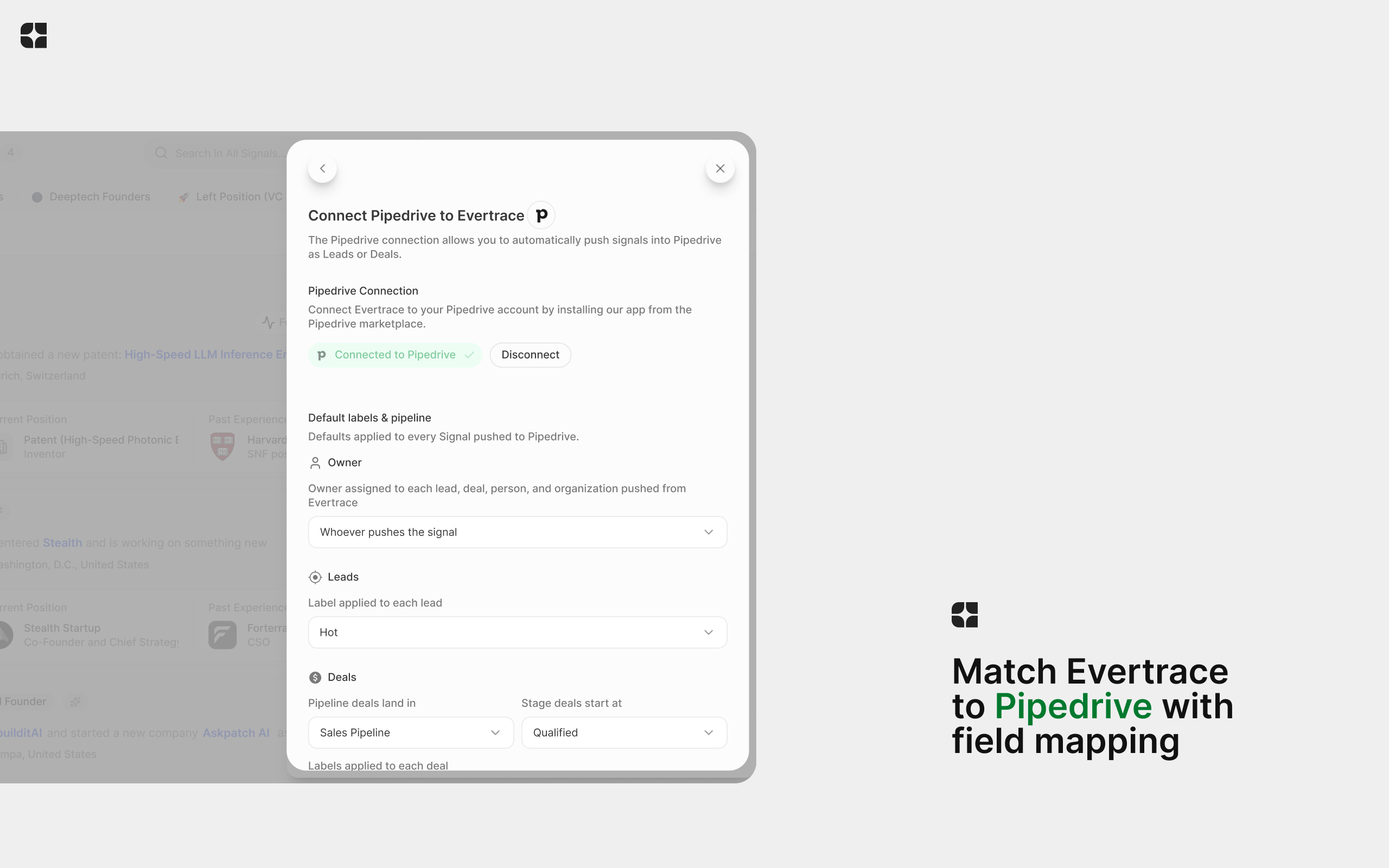
Connect Pipedrive: In Evertrace, open Settings then Connections and click "Connect" on the Pipedrive card. On the "Connect Pipedrive to Evertrace" screen, click "Connect to Pipedrive" - you will be redirected to Pipedrive to authorize access.
Set defaults: Under "Default labels and pipeline", choose a default owner, a label for Leads, and a pipeline + starting stage for Deals (required before pushing Deals), plus optional labels.
Map your fields (optional): Under "Field mappings", use the Lead and Deal tabs to fill any Pipedrive field from a signal property (name, email, LinkedIn, company, ...) or a fixed value. Titles default to the founder full name.
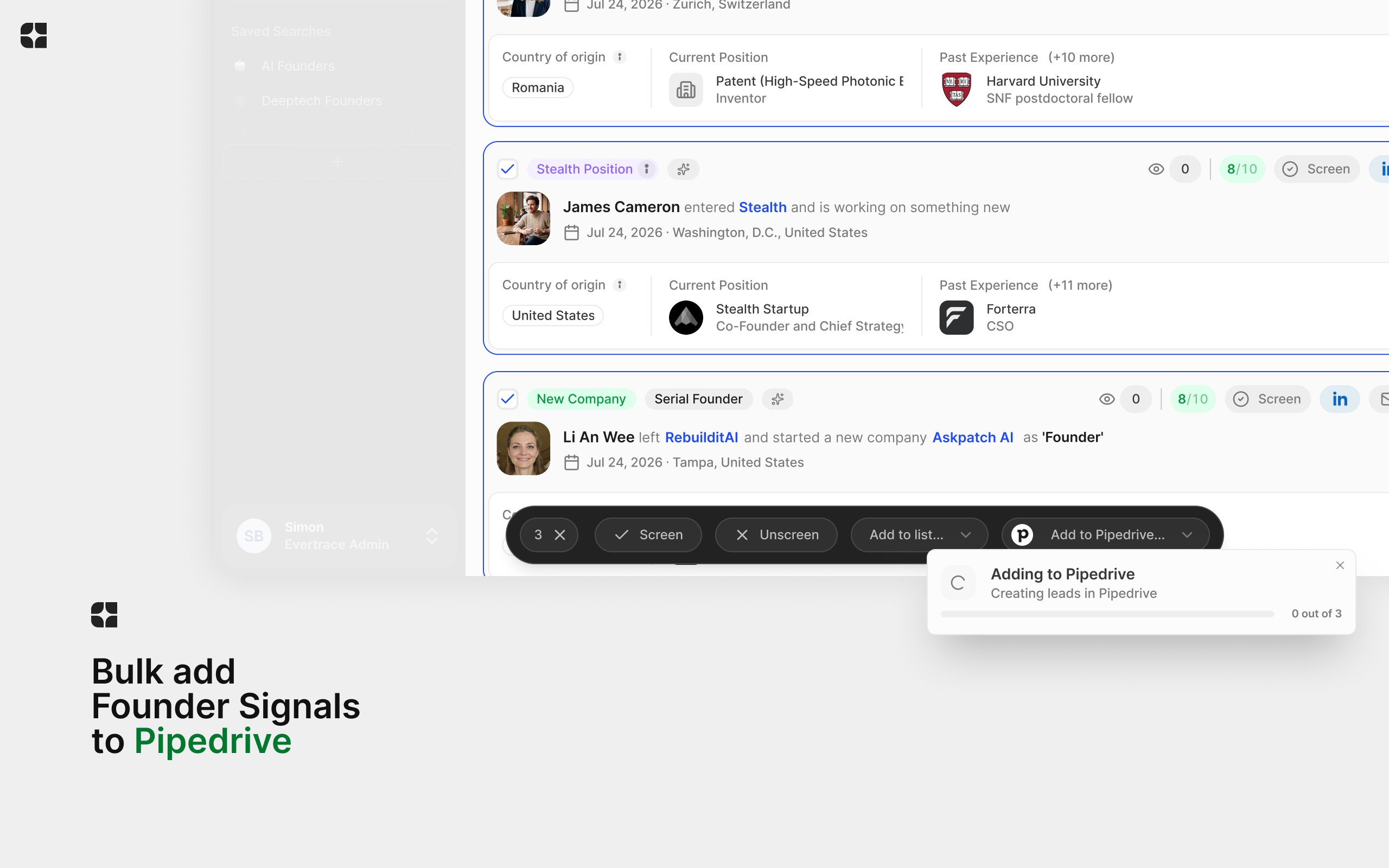
Push signals: On any signal, click the Pipedrive button and choose "Add as Lead" or "Add as Deal", then review and edit the new record before saving. Or select multiple signals or list entries and use "Add to Pipedrive..." to push in bulk with progress tracking.
You can disconnect anytime from the same screen - your Pipedrive data is never affected, and your settings are kept in case you reconnect.
If you start the installation from the Pipedrive Marketplace without an Evertrace account, you will be redirected to book an onboarding
If you’re interested in this app, you might also like:


Use our powerful API to build awesome apps for either your company or for all Pipedrive users.
Build an app