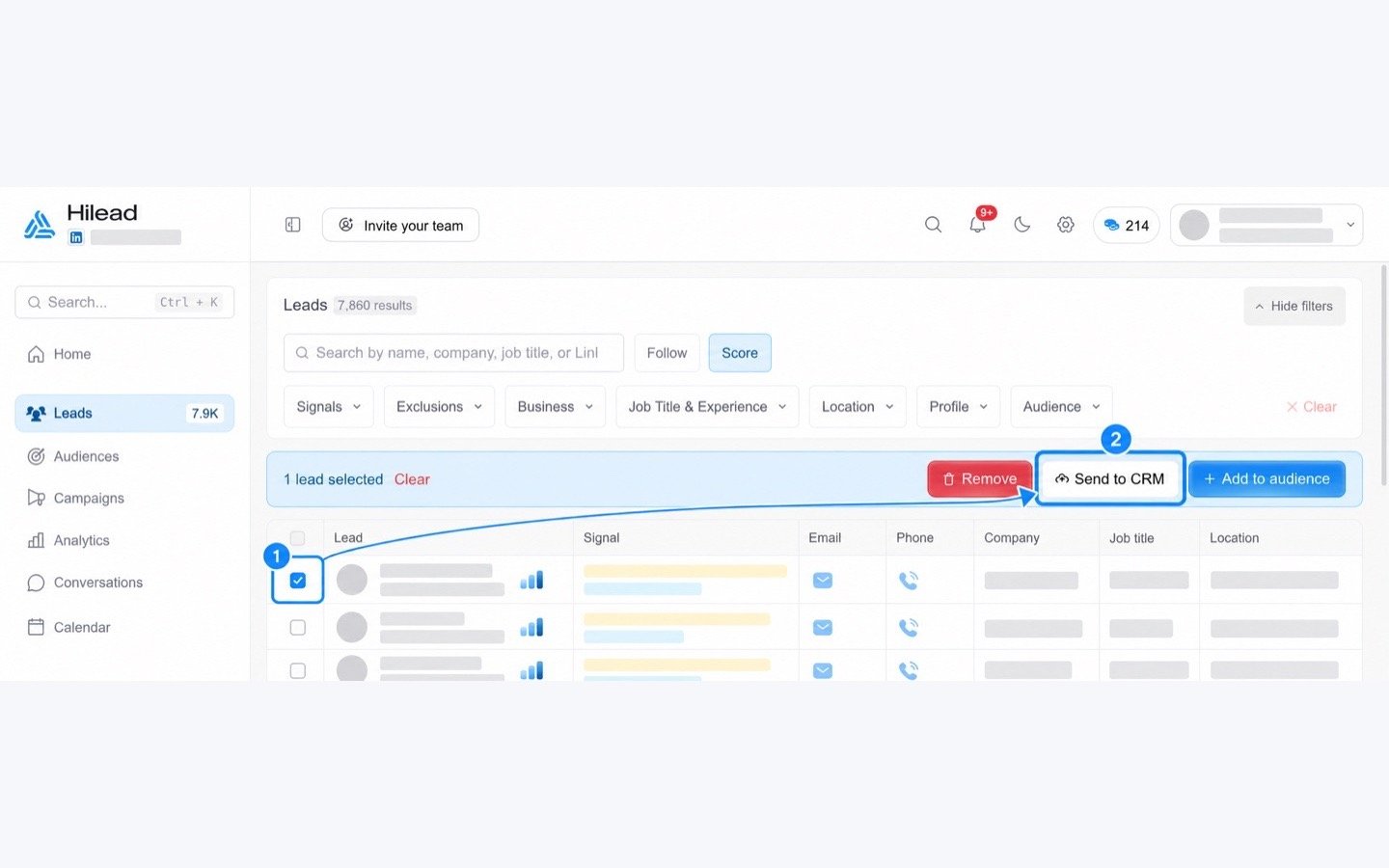
Hilead sends engaged prospects to Pipedrive when they reply or book a meeting, keeping contact records and sales context up to date.

Attract new leads, Qualify my leads

App screenshot
App screenshot
App screenshot

Description

Bring Hilead engagement into Pipedrive

Hilead helps outbound sales teams identify the prospects showing real intent. With the Pipedrive integration, the right context reaches your CRM automatically as soon as a prospect replies to a Hilead campaign or books a meeting.

What the integration does

  • Finds the matching Pipedrive contact using their email address.
  • Creates the contact when it does not already exist.
  • Keeps the contact name up to date without overwriting existing secondary email addresses.
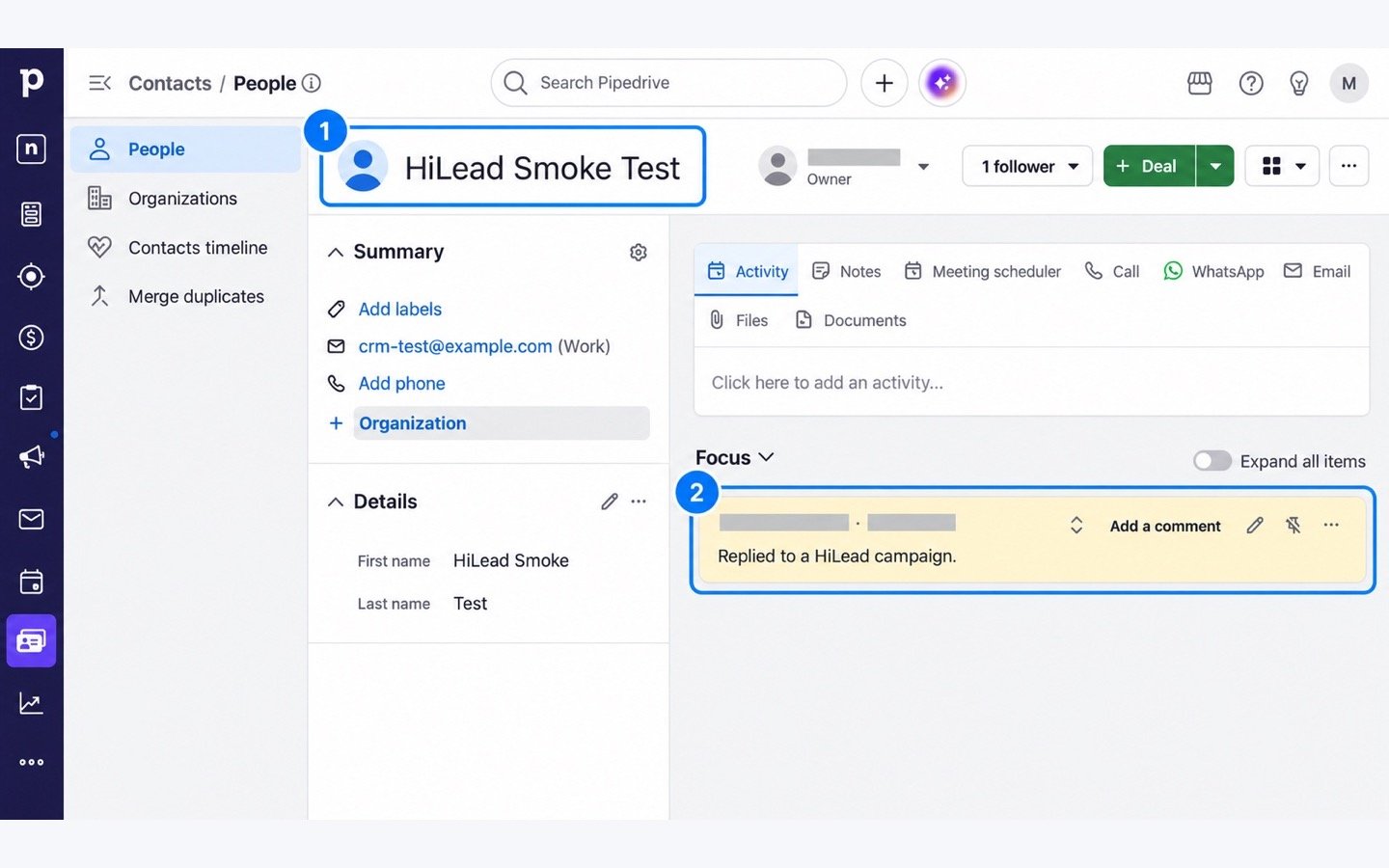
  • Adds a pinned note indicating that the prospect replied or booked a meeting.
  • Prevents duplicate events from being pushed more than once.

How it works

  1. Connect your Pipedrive account from Hilead.
  2. Continue running your outreach campaigns in Hilead.
  3. When a prospect replies or books a meeting, Hilead updates the corresponding person in Pipedrive and adds the event context.

This is a one-way sync from Hilead to Pipedrive. Disconnecting the integration stops future updates; contacts and notes already created in Pipedrive remain available.

Installation instructions

Before you start

You need an active Hilead account, a Pipedrive account, and permission to install apps in Pipedrive.

Install the Hilead-Pipedrive integration

  1. Click Install now in the Pipedrive Marketplace. You will be redirected to Hilead.
  2. Sign in to your existing Hilead account or create a new account.
  3. In Hilead, open Account → Integrations.
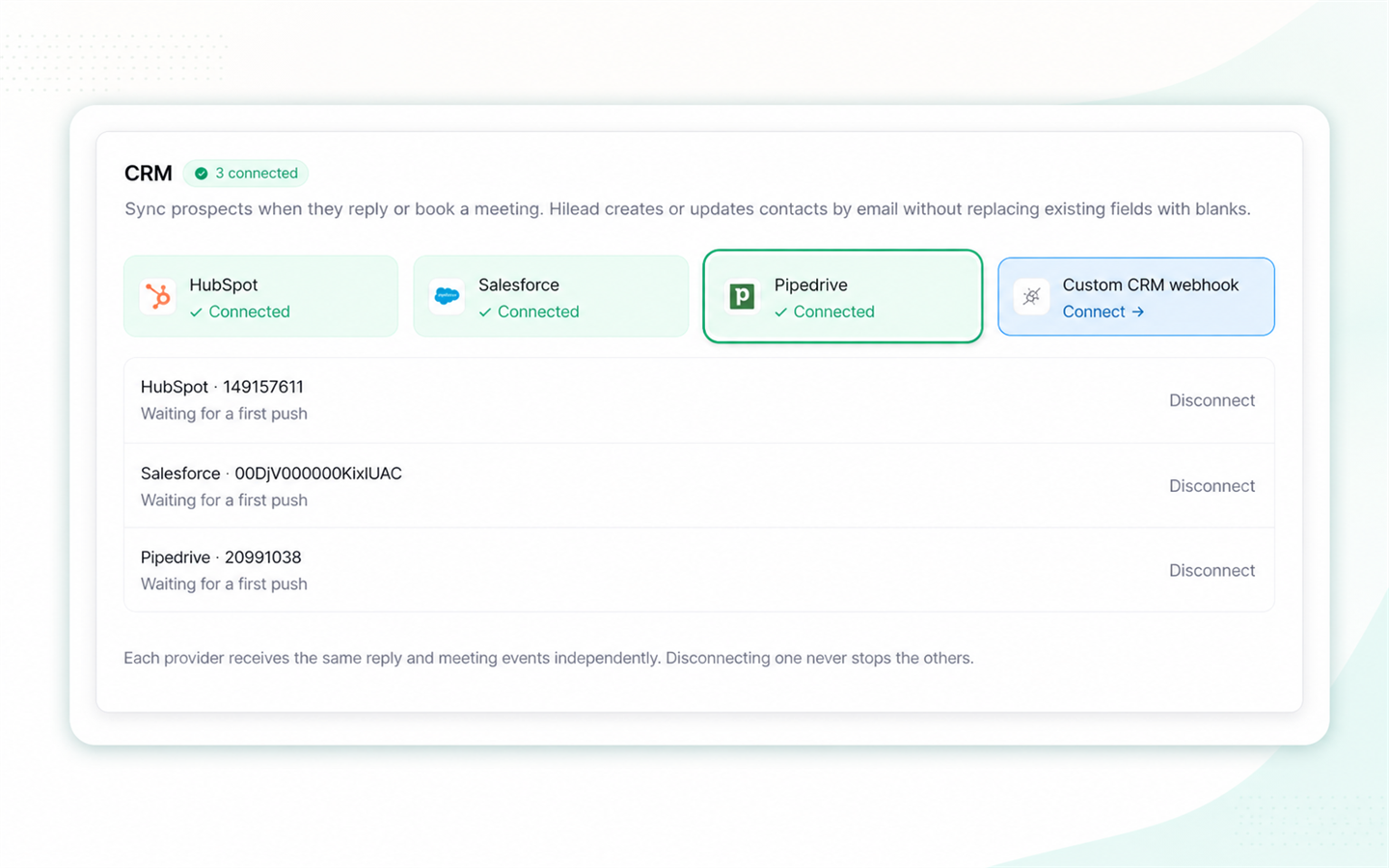
  4. Find Pipedrive and click Connect.
  5. Review the requested permissions in Pipedrive, then click Allow and install.
  6. You will be redirected to Hilead. The Pipedrive integration will now display Connected.

No additional field mapping or configuration is required.

What happens after installation?

When a prospect replies to a Hilead campaign or books a meeting, Hilead automatically finds the matching person in Pipedrive using their email address. If the person does not exist, Hilead creates the contact. A pinned note is then added to the contact with the relevant engagement context.

Disconnect the integration

Open Account → Integrations in Hilead and click Disconnect on Pipedrive. Future updates will stop immediately. Contacts and notes already created in Pipedrive will remain available.

Also popular in this category

If you’re interested in this app, you might also like:

CallHippo
free
CallHippo
Effortlessly Manage Sales with AI-Enhanced CallHippo and Pipedrive Integration, Featuring AI-powered Analytics, Click-to-Call, and Task Automation.
Paperflite
Paperflite
Paperflite is software for remote content collaboration. Use it to organize, distribute and share your content with prospects.
Outfunnel
Outfunnel
Unite your sales and marketing data and prioritize your leads. Works with tools like Mailchimp, ActiveCampaign, Klaviyo, Calendly, Brevo, and more.

User reviews

User reviews

Overall rating

No ratings yet

No installs

Can't find the app you need?

Use our powerful API to build awesome apps for either your company or for all Pipedrive users.

Build an app