Intedat

Intedat

by Intedat s.r.o.

Turn company websites into Pipedrive leads instantly. Intedat enriches your CRM with live, verified data so you stop researching and start selling.

Attract new leads

App screenshot
App screenshot
App screenshot
App screenshot
App screenshot

Description

Stop wasting time on manual data entry and stale databases. Intedat continuously monitors publicly available information from company websites and converts it into clean, structured records directly inside Pipedrive.

Unlike static databases, Intedat uses AI to read live websites. This means you get the most relevant inputs for prospecting and account management—without delays and without copy-pasting.

Key Features & Benefits:

  • Always current data: Information is sourced directly from company websites in real-time, ensuring you never work with outdated lists.
  • Target with precision: Filter prospects by website content, industry, specific keywords, and location to find your ideal customer profile (ICP).
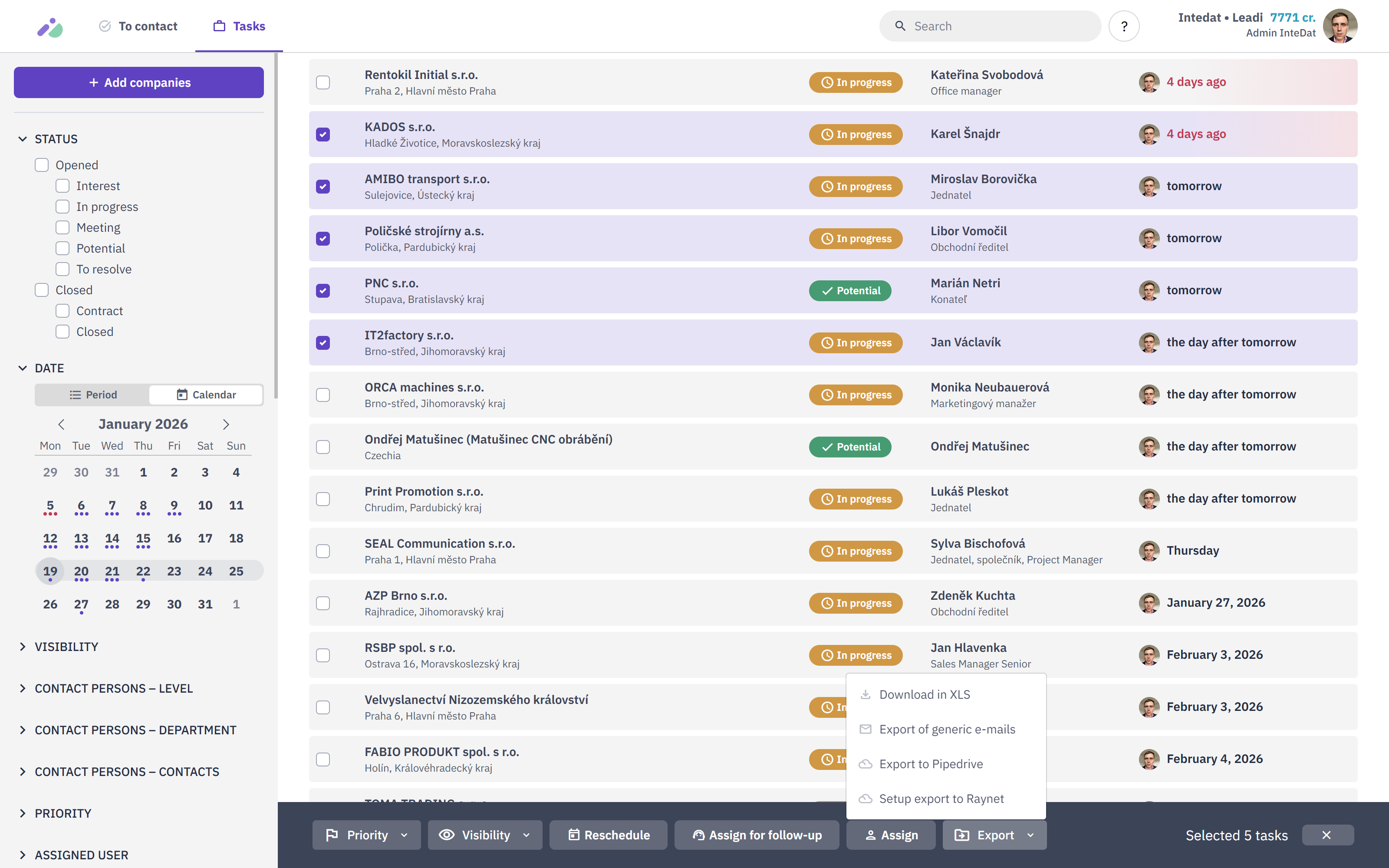
  • Instant Pipedrive Sync: Seamlessly create or update Organizations, People, and Deals in Pipedrive with a single click.
  • Rich Data Enrichment: Automatically fill in details like company size, description, contact emails, and social links.

How it works:

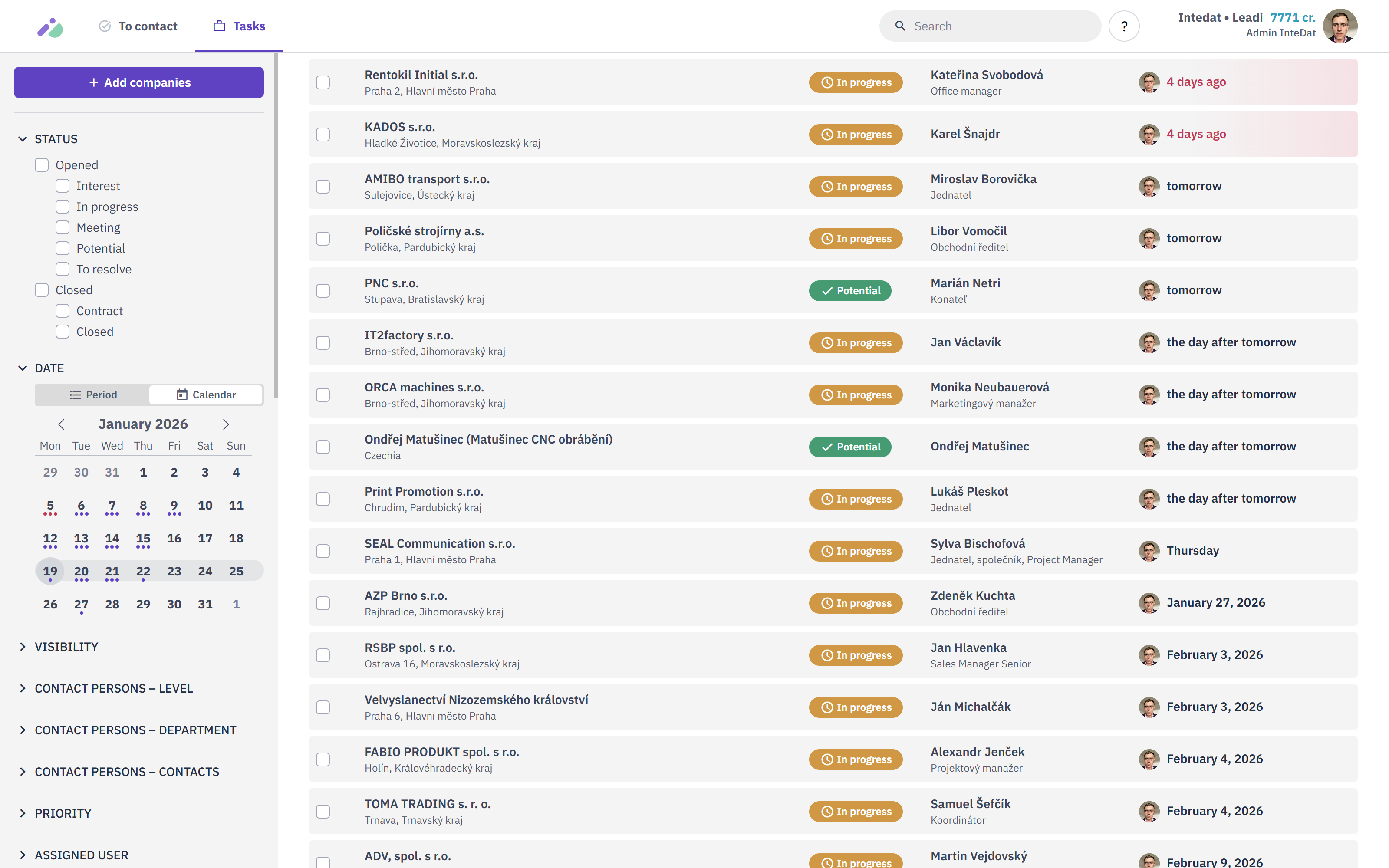
  1. Search: Use Intedat to find companies matching your specific criteria.
  2. Select: Choose the verified contacts or companies you want to engage.
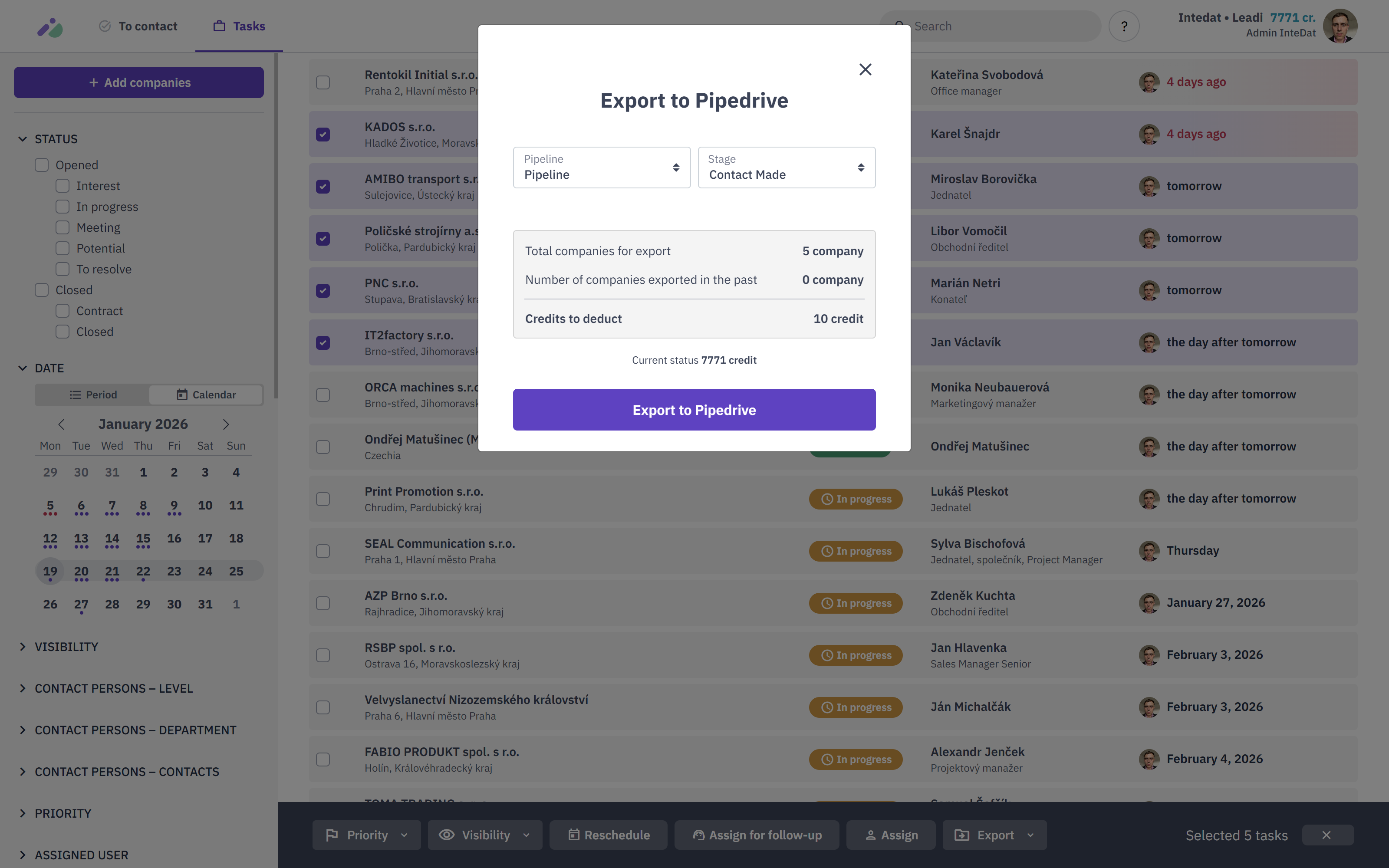
  3. Export: Click "Export to Pipedrive." Intedat checks for duplicates and instantly creates the records in your CRM pipeline.

Who is this for? Ideal for B2B Sales teams, Business Development Representatives, and Marketers who need high-quality, verified leads to feed their Pipedrive pipeline.

Installation instructions

Prerequisites

  • An active Pipedrive account.
  • An active Intedat account.

If you do not have Intedat account, contact our sales department using the contact form at https://intedat.com

1. Install and Connect

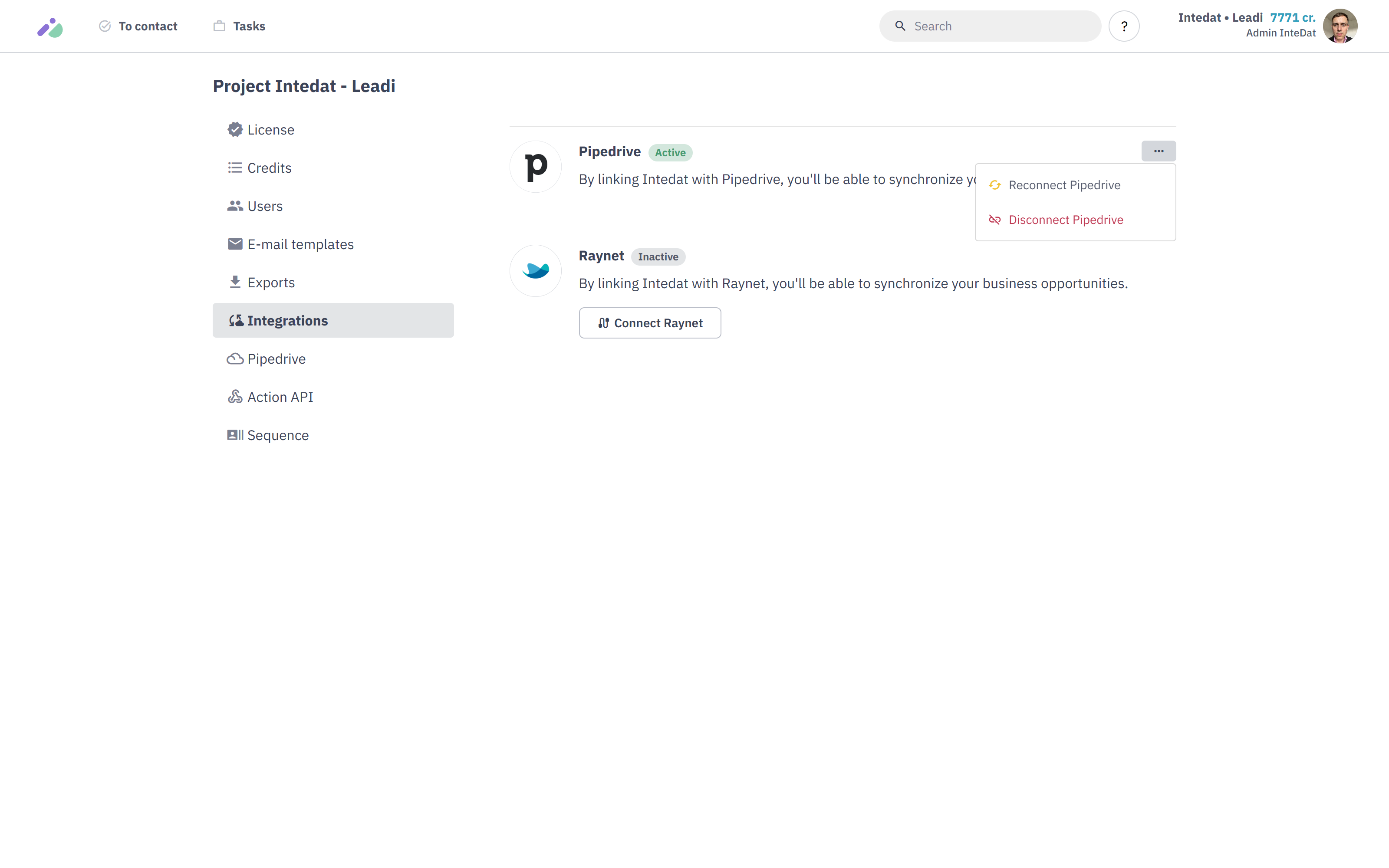
  1. Click the “Install Now” button at the top right of this Marketplace listing.
  2. You will be redirected to the Intedat login page. Log in with your credentials.
  3. Authorize the connection to allow Intedat to sync data to your Pipedrive account.
  4. Once authorized, you will be taken to the Integrations section within your Intedat dashboard.

2. Configure Data Mapping

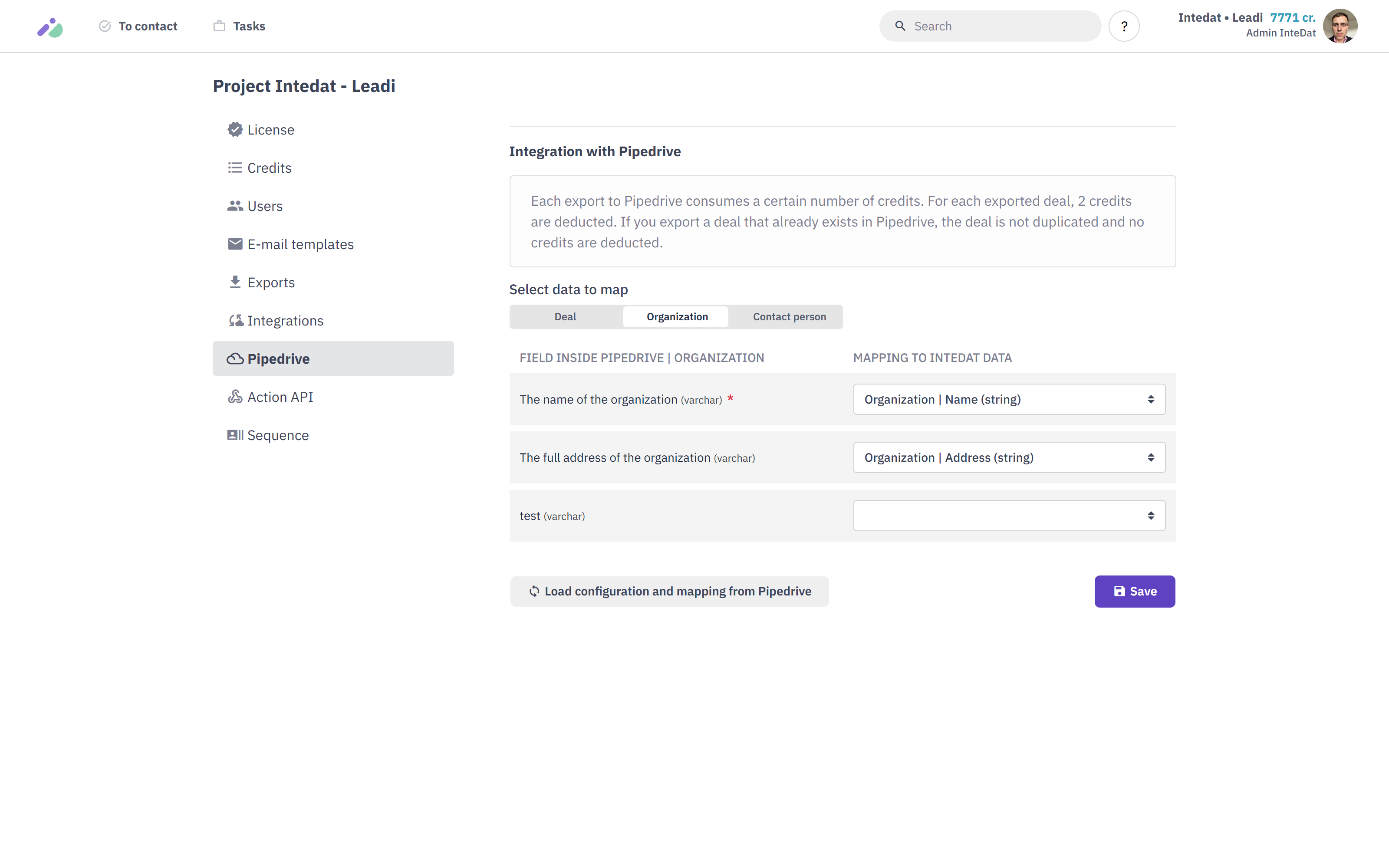
To ensure your data lands in the right place, you need to map Intedat data fields to your Pipedrive fields.

  1. In the Intedat dashboard, navigate to Project detail > Pipedrive.
  2. You will see three configuration tabs: Deal, Organization, and Contact person.
  3. For each tab, select the corresponding Intedat data field (e.g., Organization | Name) that matches your "Field inside Pipedrive".
  4. Click Save to finalize your configuration.

Also popular in this category

If you’re interested in this app, you might also like:

Paperflite
Paperflite
Paperflite is software for remote content collaboration. Use it to organize, distribute and share your content with prospects.
Jotform
free
Jotform
Need a faster way to gather leads? Create online lead gen or contact forms to instantly send new contacts or deals to your Pipedrive account.
Surfe
free
Surfe
Surfe saves you time and improves your outreach by bringing Pipedrive on top of LinkedIn.

User reviews

User reviews

Overall rating

No ratings yet

No installs

Can't find the app you need?

Use our powerful API to build awesome apps for either your company or for all Pipedrive users.

Build an app