
free
CallHippo
Effortlessly Manage Sales with AI-Enhanced CallHippo and Pipedrive Integration, Featuring AI-powered Analytics, Click-to-Call, and Task Automation.
(414)
384 reviews
FolioReady - AI
by FolioReady
Deals close, but the paperwork doesn't. Your client signs, and now you need their ID, bank statements, tax returns and compliance forms — chased over email, one reminder at a time.
FolioReady puts that process inside Pipedrive.
In the sidebar of every person and deal
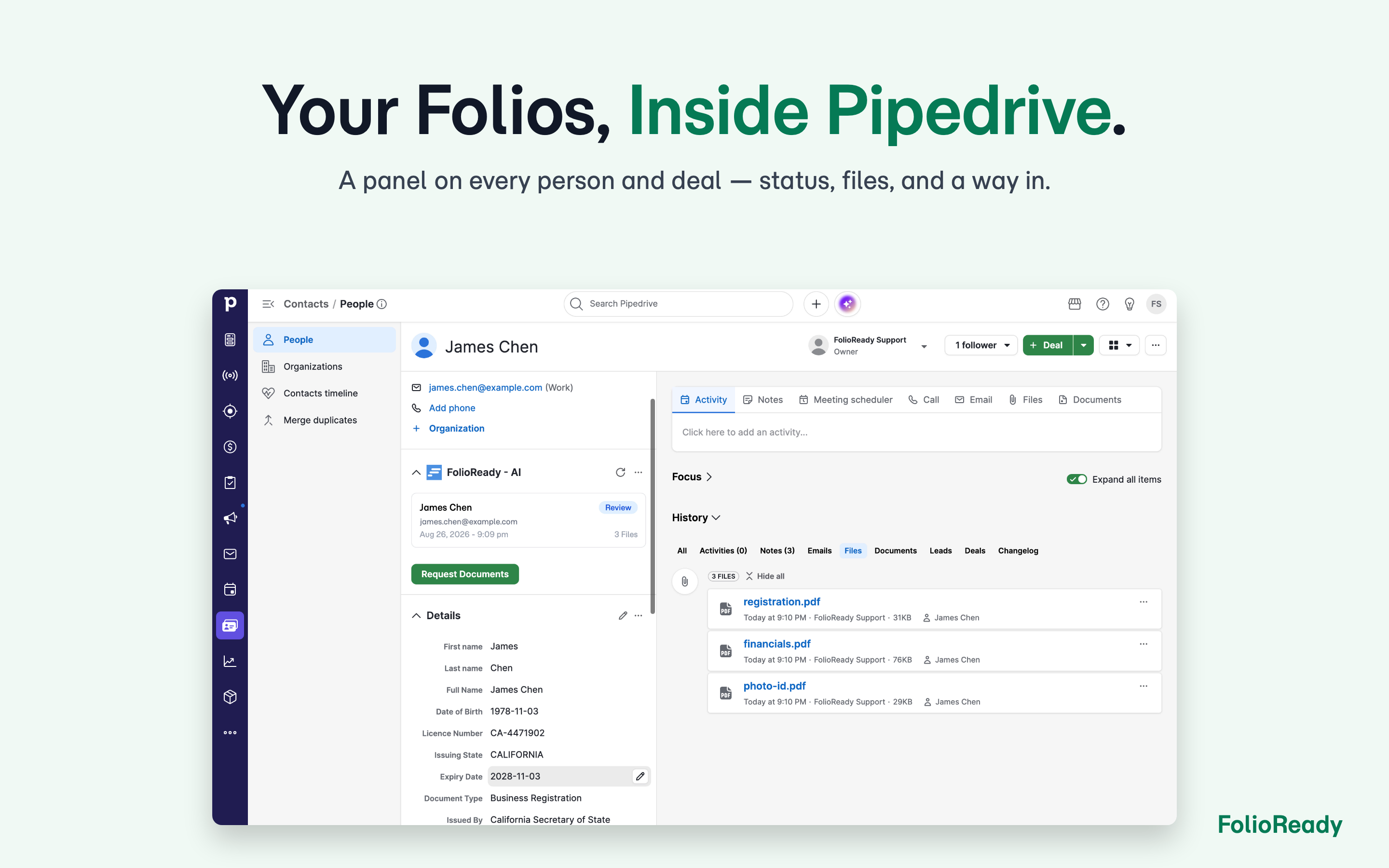
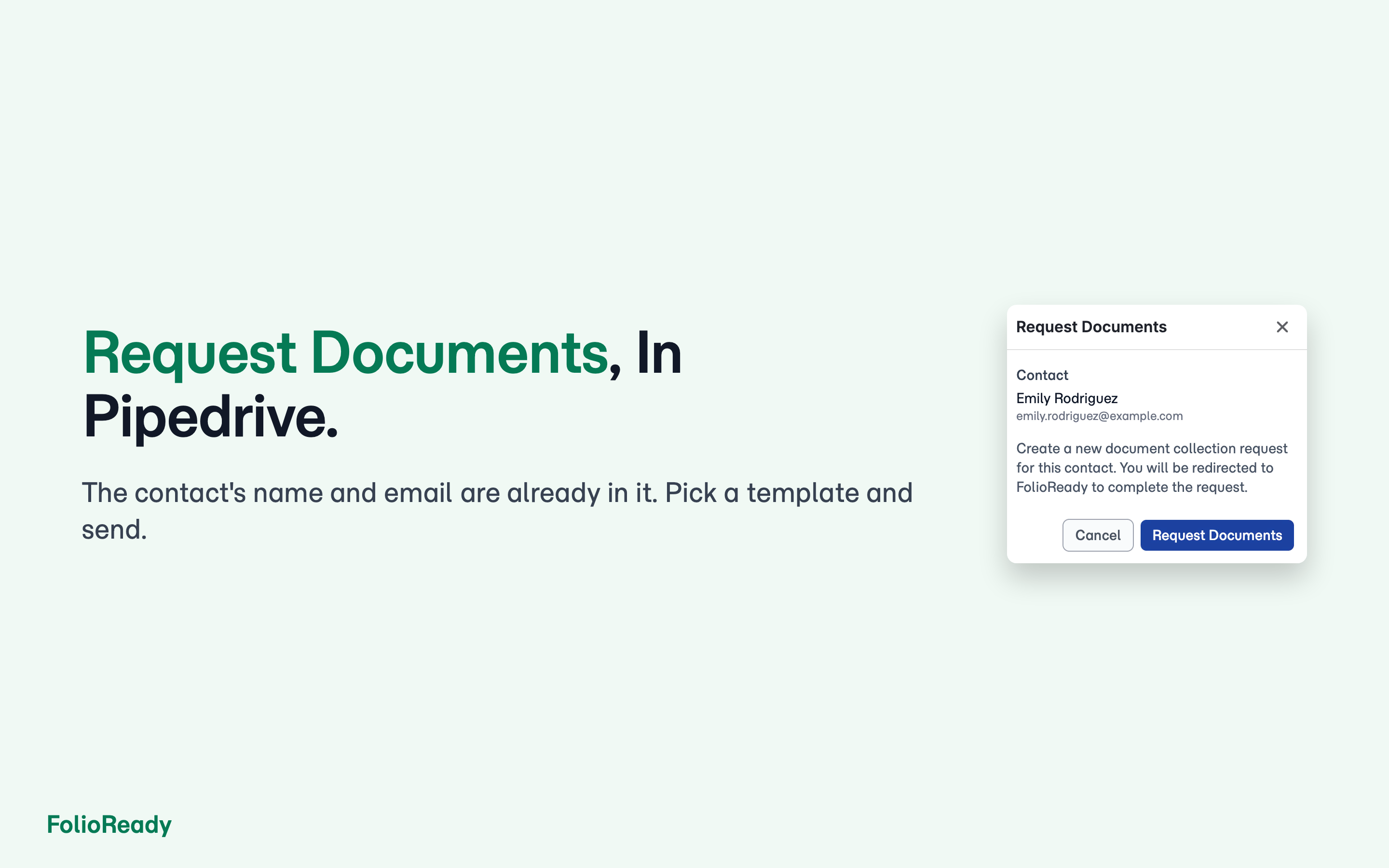
A panel shows the document requests linked to that record: what was asked for, what has arrived, and how far the client has got. Click Request Documents to raise a new request, pre-filled with the contact's name and email.
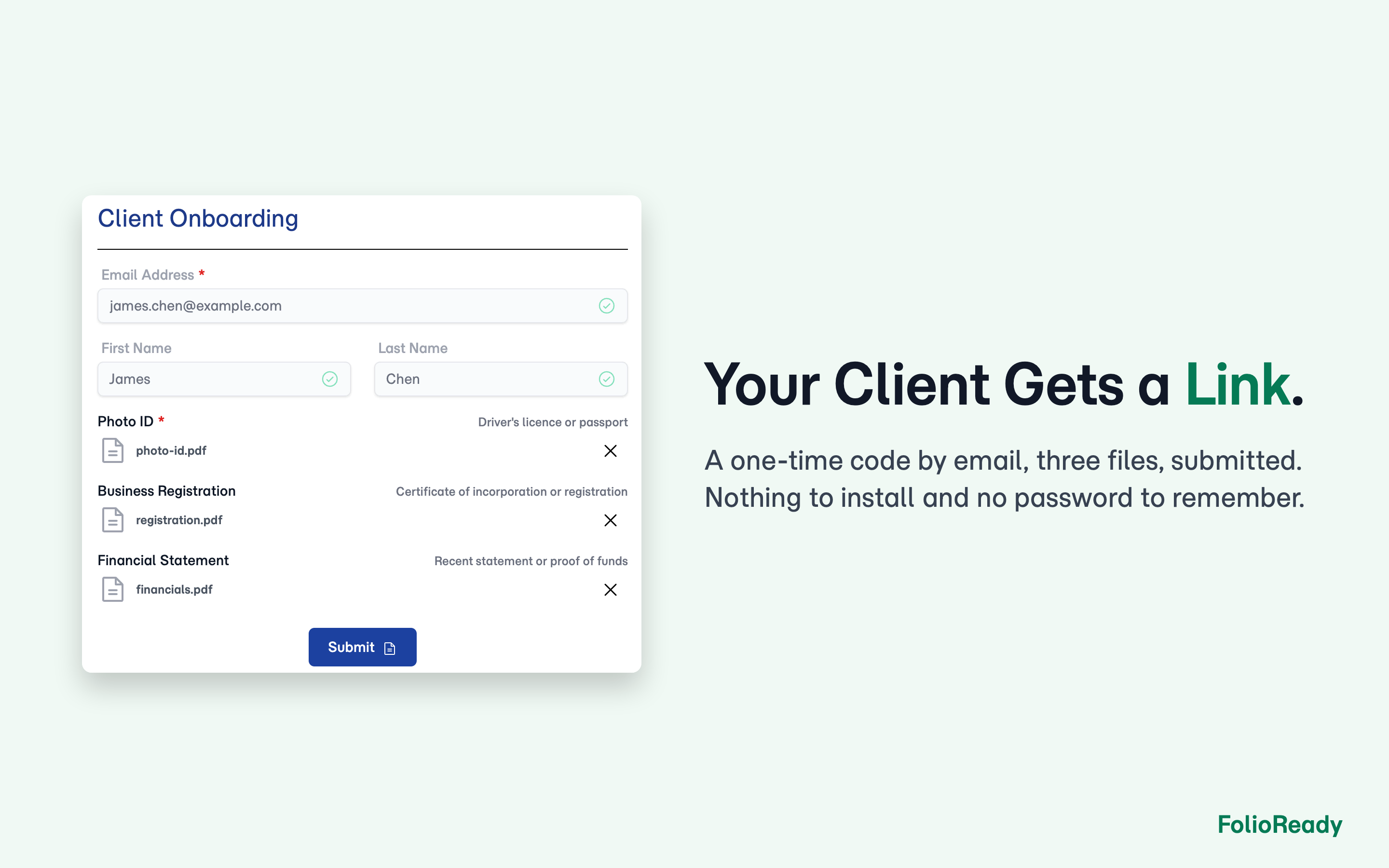
Your client uploads through a branded portal
They get a link and a checklist of exactly what is needed. FolioReady chases the missing items automatically.
What arrives comes back to Pipedrive
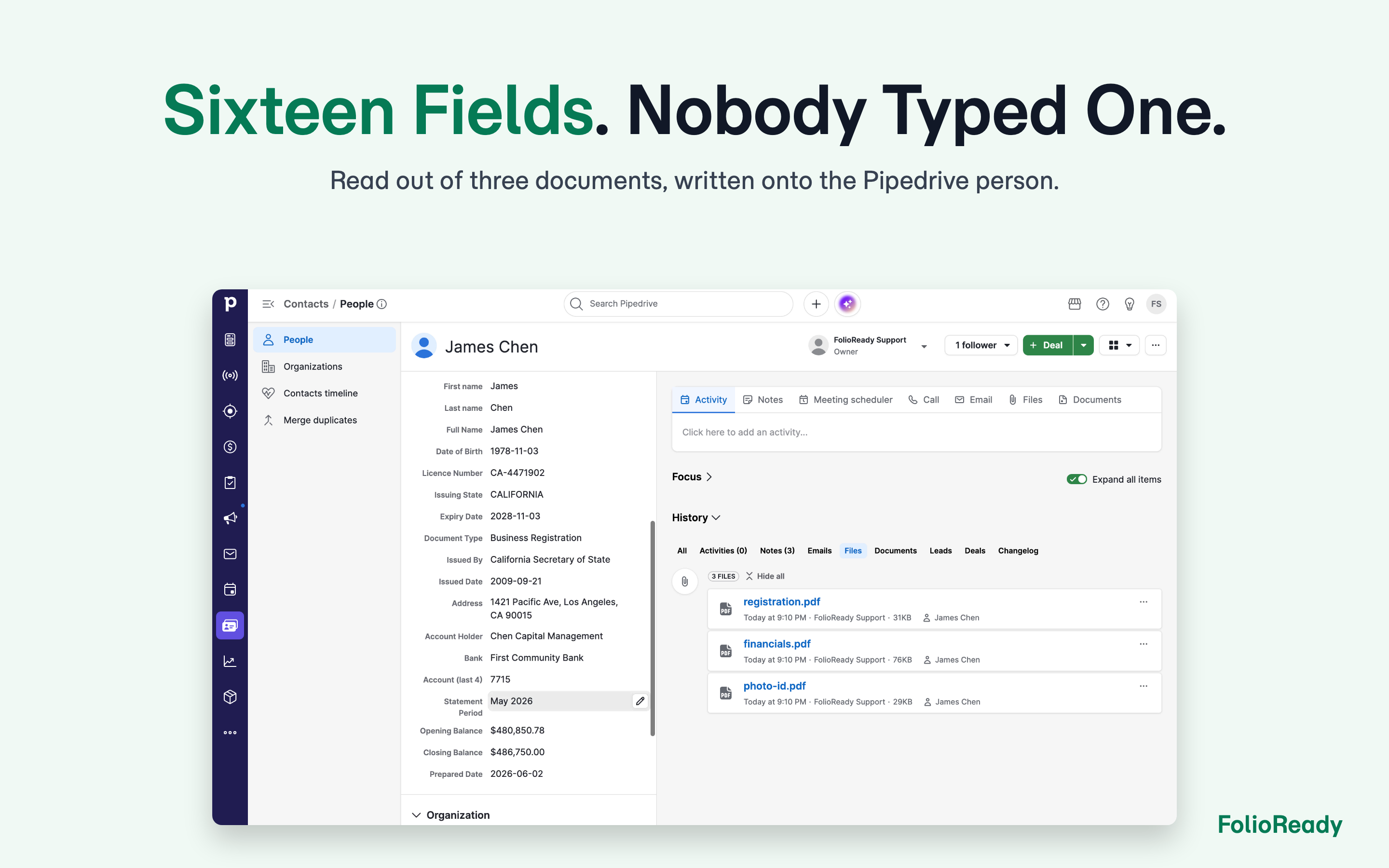
AI reads each document, classifies it, and posts a short synopsis note to the linked person or deal. Values you mapped in the template builder land on the record — including custom fields FolioReady creates for you. Files mirror to the record, and to Google Drive or Dropbox if you use them.
Contact changes stay in step
Update a name or email in Pipedrive and the linked FolioReady client follows, by webhook.
Built for accounting firms, law practices, financial advisors, insurance and mortgage brokers, and HR teams — anyone whose real work starts after the deal is won.

Panels
Instantly see and interact with FolioReady - AI as you dive into the details of your deals/contacts in Pipedrive.
FolioReady - AI
Locations:deal detailsperson details
See document requests linked to this person or deal — status, files received, what's still outstanding — and start a new request in two clicks.

Pop-up windows
Tackle complex tasks in FolioReady - AI without leaving Pipedrive via their customized pop-up windows.
Request Documents
Locations:deal detailsperson details
Create a document request for this contact, pre-filled with their name and email, and send them a branded portal link to upload what you need.
Before you start
FolioReady is a separate service — create an account at https://folioready.com.
1. Install the app
Install FolioReady - AI from the Pipedrive Marketplace and approve the permissions it asks for: read and update contacts, deals and their fields, plus a webhook for contact changes.
2. Connect Pipedrive
In FolioReady, open Settings → Integrations, choose Pipedrive, sign in and approve access. The connection is made for the whole workspace, so one person sets it up for the team.
3. Check the panel
Open any person or deal in Pipedrive. The FolioReady - AI panel appears in the sidebar. If that record is not a FolioReady client yet, the panel offers to import it.
4. Build a template
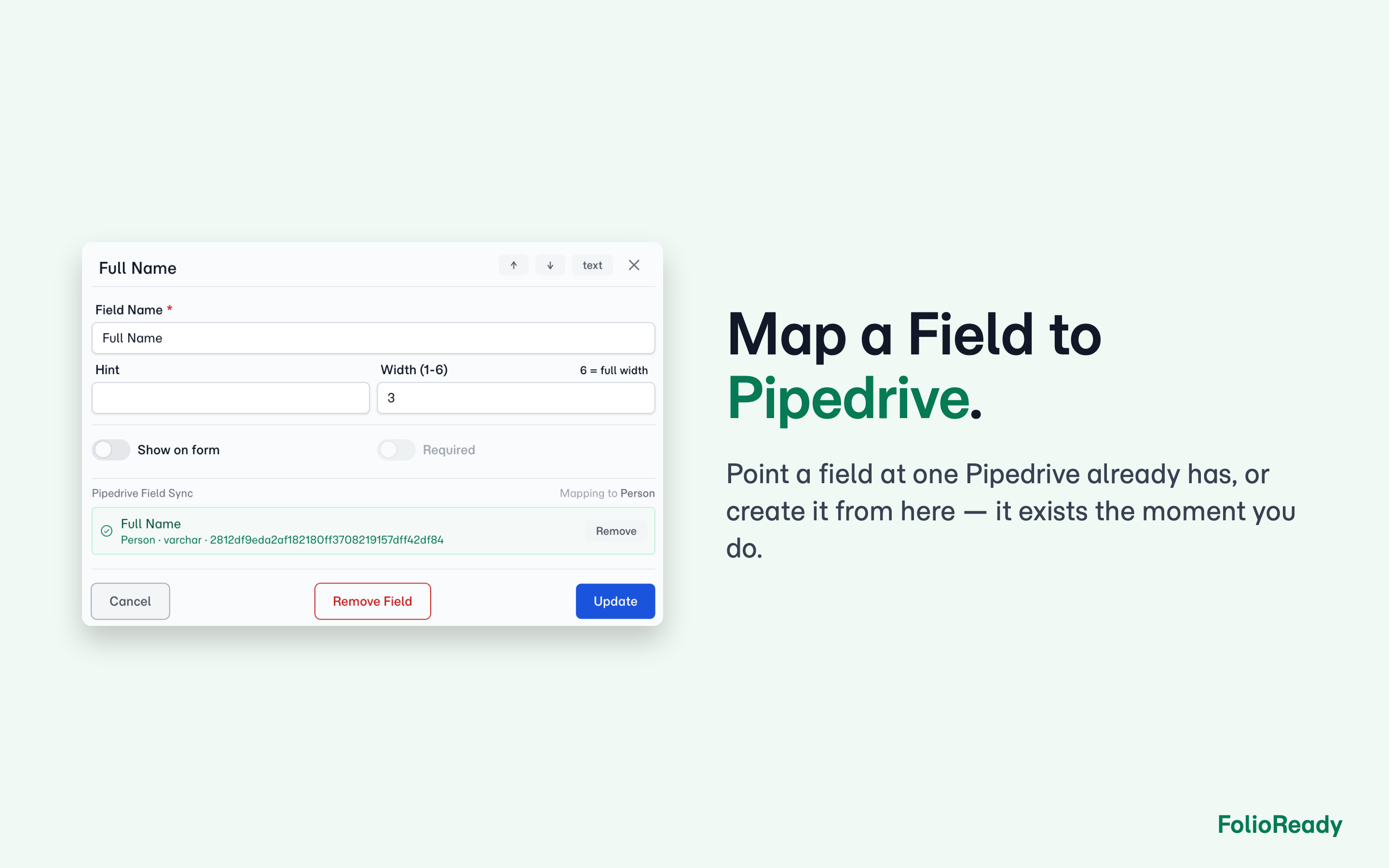
In FolioReady, create a template listing the documents you want to collect. Map any field to a Pipedrive person or deal field — pick an existing one, or have FolioReady create a custom field. This is what makes collected values land back on the record.
5. Send your first request
On the panel, click Request Documents, choose a template and create the request. Your client gets a link to a branded portal, and reminders go out automatically until everything arrives.
Uninstalling
Remove the app in Pipedrive's Marketplace settings, or disconnect Pipedrive from FolioReady's Integrations page. Either one stops all syncing. Documents already collected stay in FolioReady.
If you’re interested in this app, you might also like:


Use our powerful API to build awesome apps for either your company or for all Pipedrive users.
Build an app