HoduOCX
interactive features

HoduOCX

by HoduSoft Pvt Ltd

interactive features

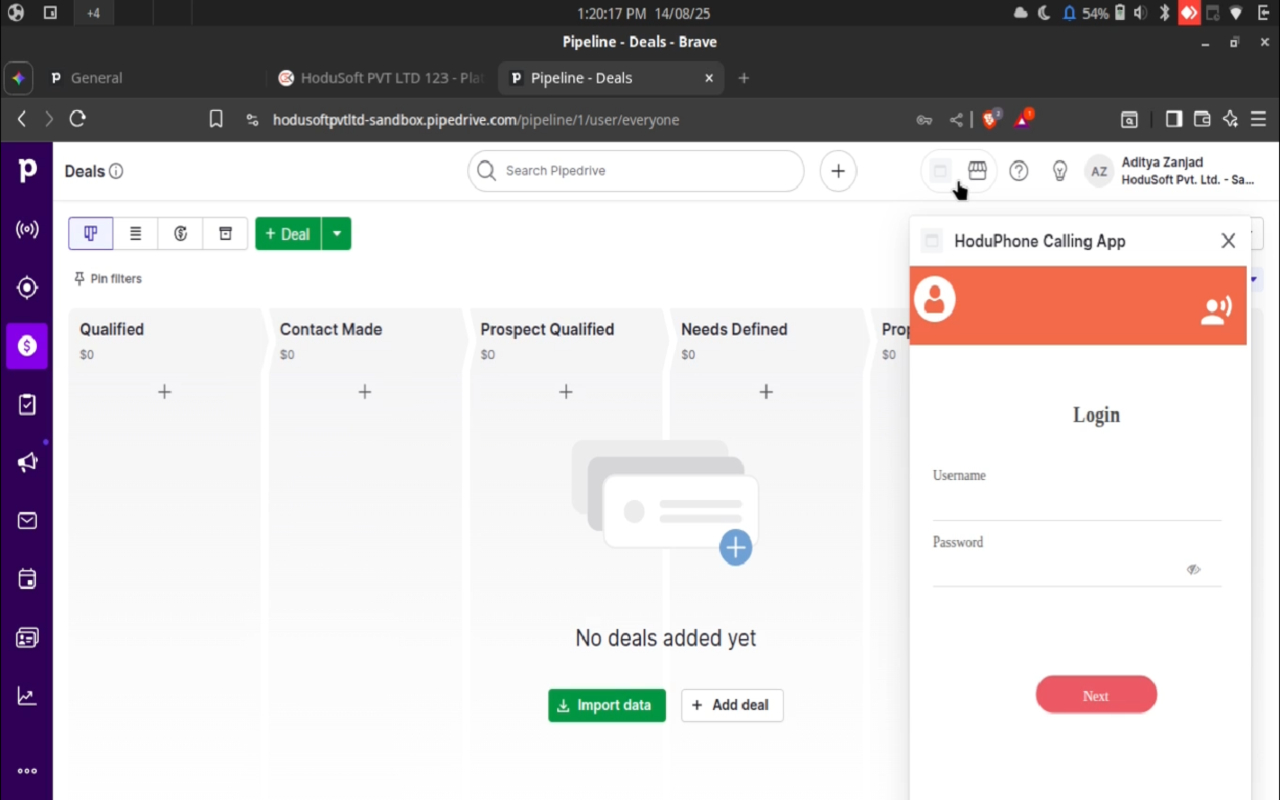
The HoduSoft Calling Agent Plugin enables one-click calling, automated call logging, and screen pop-ups to streamline sales workflow.

Communicate with leads

App screenshot
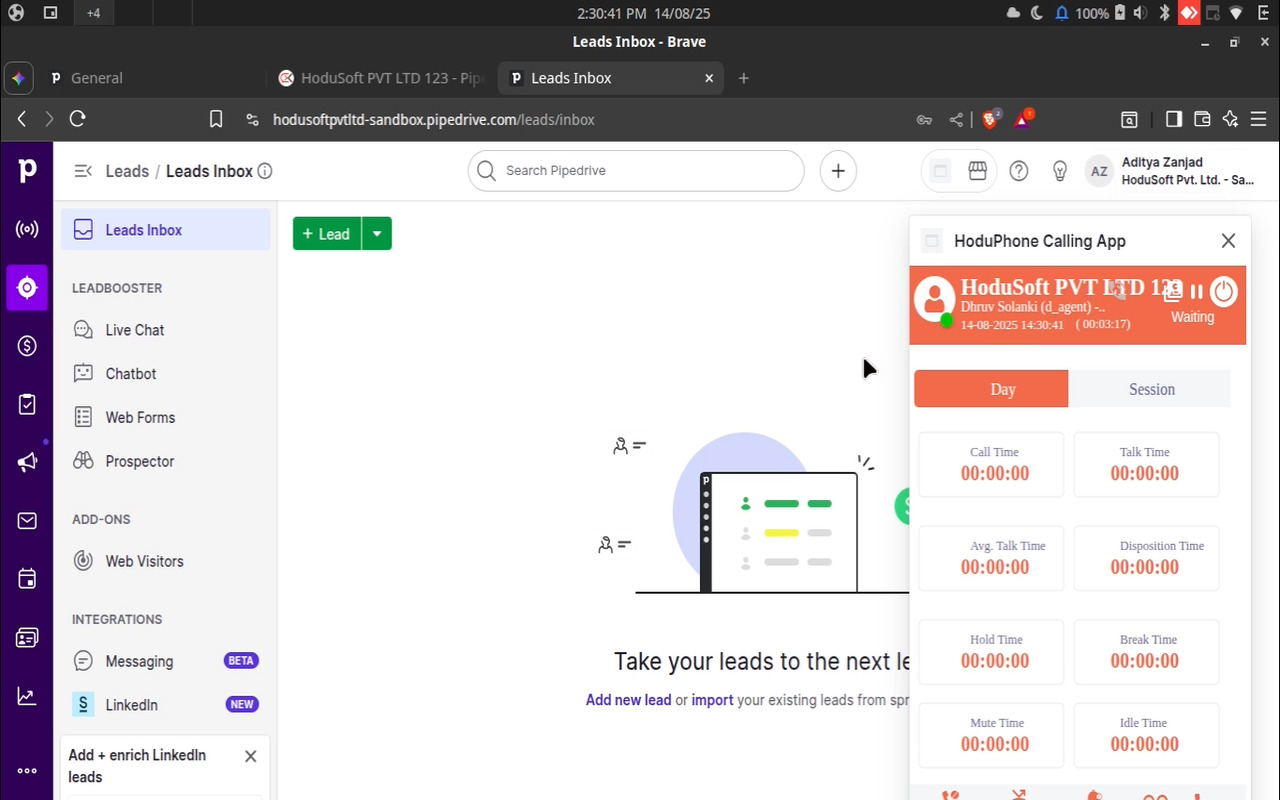
App screenshot
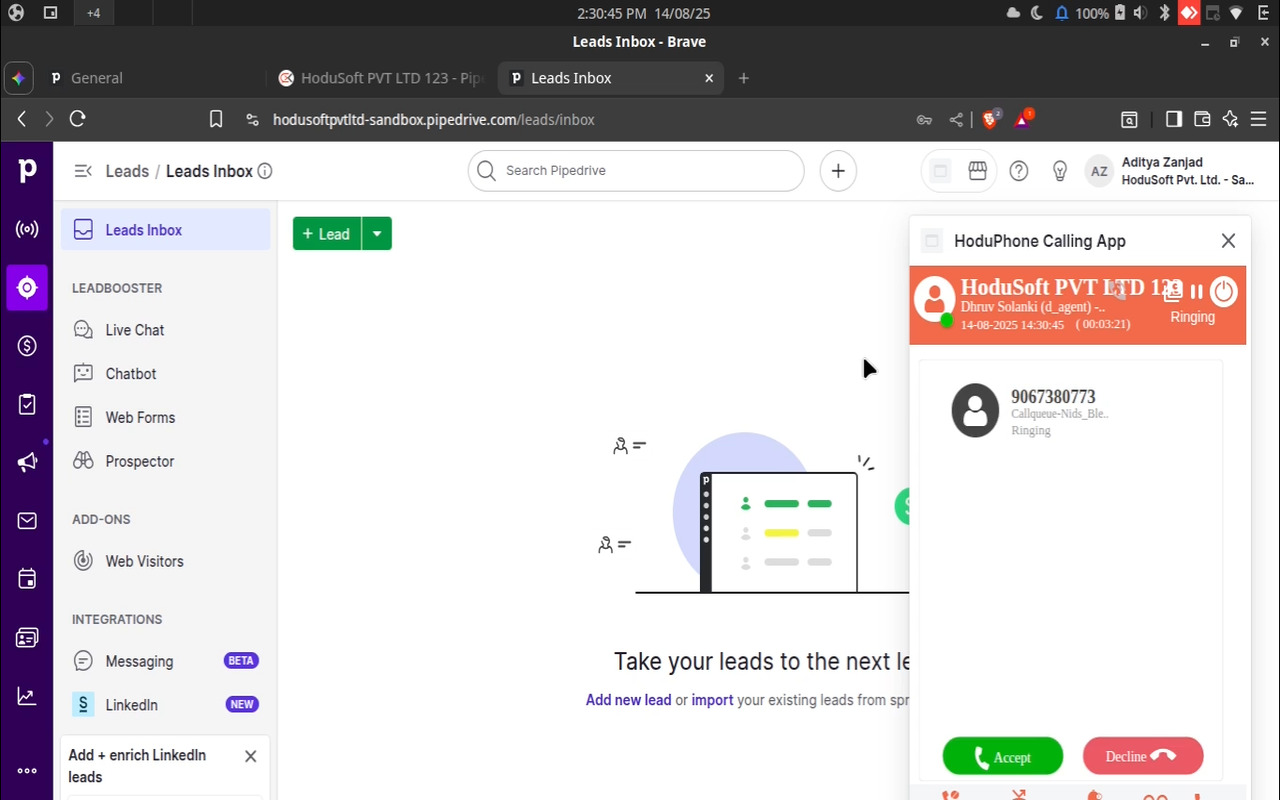
App screenshot
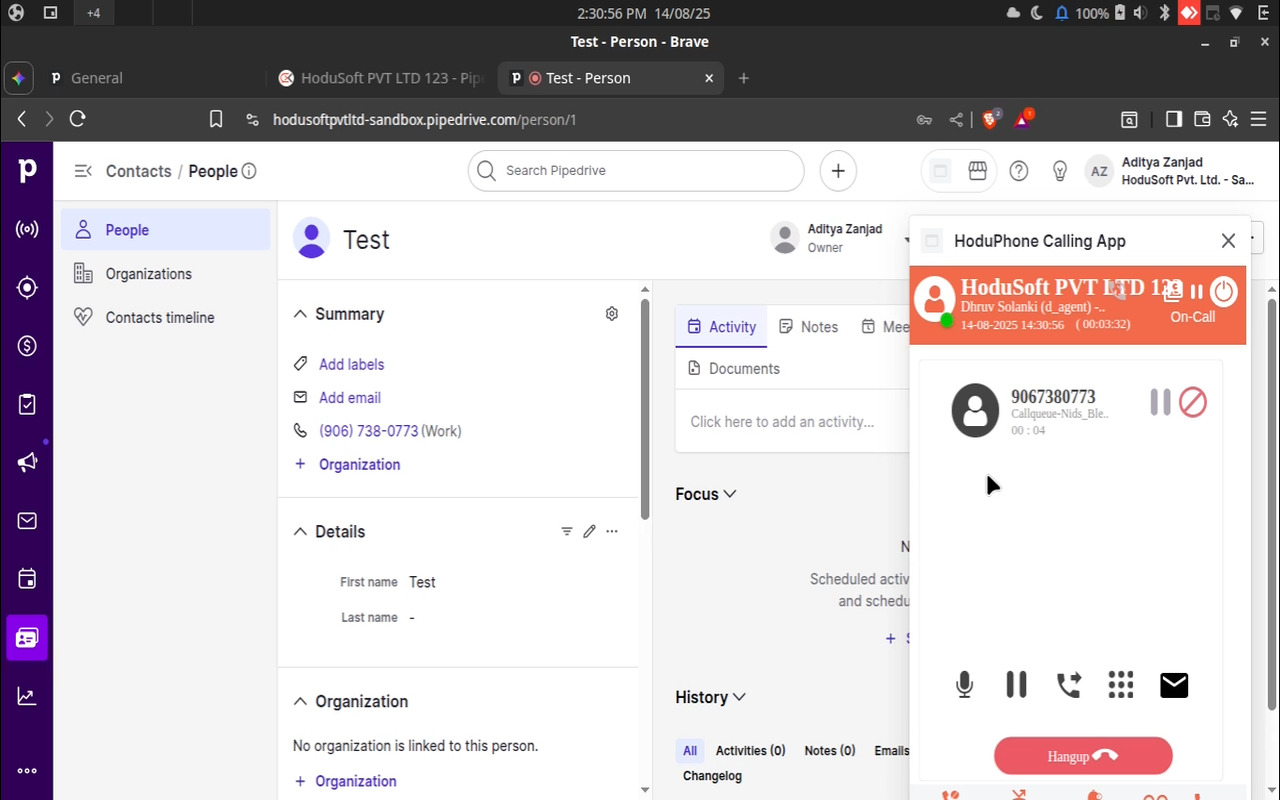
App screenshot

Description

Description

The HoduSoft Calling Agent Plugin transforms your browser into a powerful communication hub, allowing your sales team to handle calls directly within their CRM. This plugin provides a fully integrated softphone interface that sits seamlessly within your Pipedrive account, eliminating manual dialing and automating call logging to drive deals forward.

Click-to-call and instant access

Make calls to any contact or organization with a single click from a Pipedrive profile or deal. The embedded softphone provides essential controls—including call, hold, and transfer—without requiring you to leave the Pipedrive interface.

Automatic call logging and screen pop-ups

The plugin automatically detects incoming calls, matches the caller to an existing Pipedrive contact, and displays a live screen pop-up with all relevant information. All call activities, including duration and outcome, are logged as notes or activities on the relevant deal, contact, or timeline, ensuring your records are always accurate and up-to-date.

Streamline your workflow

Maximize team efficiency by automating repetitive tasks. The Calling Agent Plugin removes the need for manual call logging, saving your team valuable time. This allows your team to focus on what matters most—building relationships and closing deals—while the plugin handles the data entry and record-keeping, ensuring a comprehensive history of every customer interaction.

Features

Quick access

Quick access

Easily access HoduOCX and their customized floating window anywhere in Pipedrive via the top bar.

HoduOCX - Call Manager

Locations:Top barPhone numbers

For Incoming and Outgoing call

Installation instructions

  1. Configuration
  1. Before you can actually install our app from the Pipedrive Marketplace, you will need to configure the CC Portal.
  2. To configure our portal, please log into your tenant account.
  3. After a successful login, click on the menu item "Configuration" and then its child item "Platform Setting".
  4. From the horizontally sliding menu, locate the item "CRM" and then click on it.
  5. Under the item "CRM", find the card titled "Pipedrive". Then, turn on the switch "Allow Pipedrive Access".
  6. Here, please input your Company Domain (from Pipedrive) and the call record fields. Select other options as per your requirements.
  1. Installation
  1. Click "Install now" at the top of this page.
  2. You will then be prompted to authorize the connection between HoduOCX and your Pipedrive account. Click "Allow and install".
  3. You will then be taken to your tenant account for login. Please log into your tenant account.

Also popular in this category

If you’re interested in this app, you might also like:

CallHippo
free
CallHippo
Effortlessly Manage Sales with AI-Enhanced CallHippo and Pipedrive Integration, Featuring AI-powered Analytics, Click-to-Call, and Task Automation.
Google Meet
free
Google Meet
Manage, schedule and launch Google Meet calls from Pipedrive to streamline your sales communication.
Built by Pipedrive
Paperflite
Paperflite
Paperflite is software for remote content collaboration. Use it to organize, distribute and share your content with prospects.

User reviews

User reviews

Overall rating

No ratings yet

No installs

Can't find the app you need?

Use our powerful API to build awesome apps for either your company or for all Pipedrive users.

Build an app