
KrispCall
Elevate your sales call and boost customer service with Pipedrive integration.
(356)
318 reviews
LeadOn: Integrate WhatsApp Chats into Pipedrive
by LeadOn
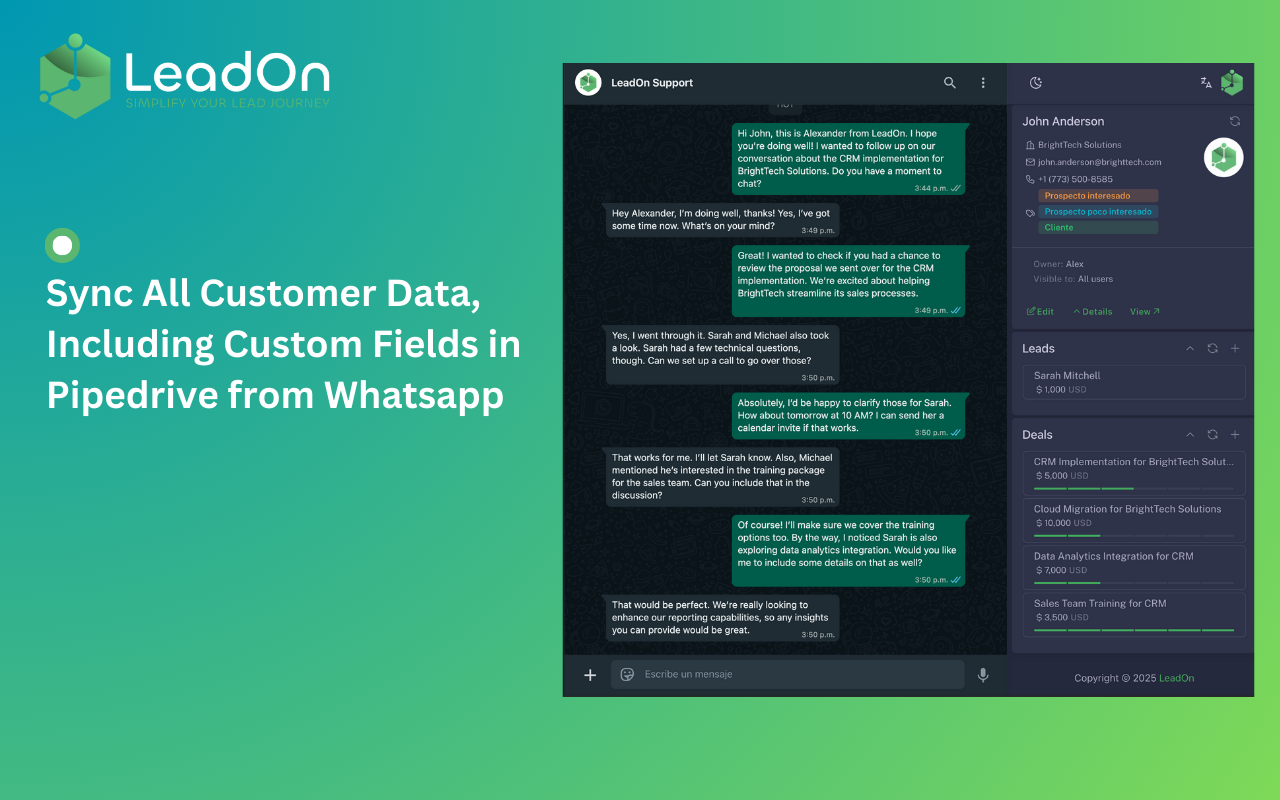

🚀 LeadOn is the ultimate WhatsApp Web integration for Pipedrive, designed to help sales and customer support teams manage conversations, leads, and contacts more efficiently. Stop wasting time on manual data entry—LeadOn automatically syncs your WhatsApp interactions with Pipedrive, ensuring that every conversation is logged and easily accessible.
✅ Sync WhatsApp Chats – Save customer conversations to Pipedrive.
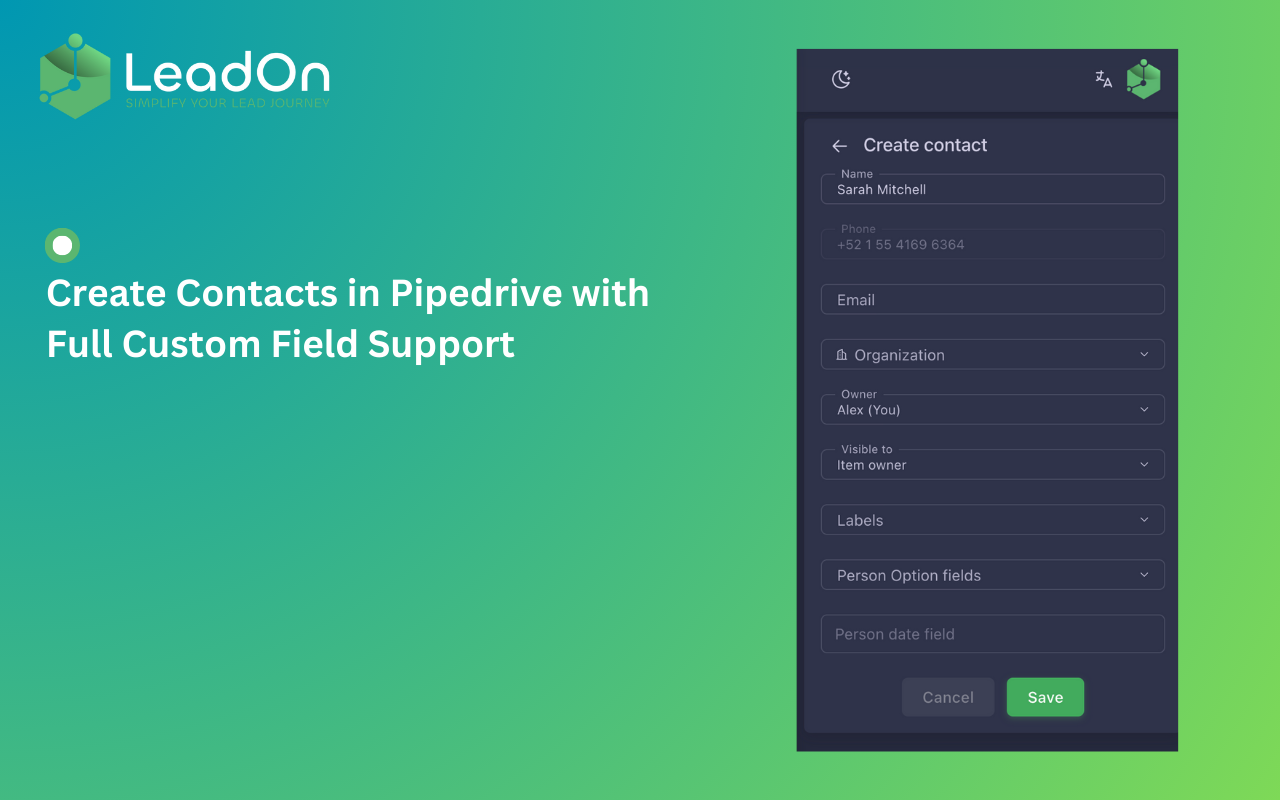
✅ Manage Leads, Contacts & Deals – Create, edit, and update records directly from WhatsApp Web.
✅ Find Contacts Easily – Search leads and customers by phone number instantly.
✅ Support for Custom Fields – Sync and manage custom fields in Pipedrive.
✅ WhatsApp Group Support – LeadOn automatically identifies and searches for each group member in Pipedrive.
🎯 Why Use LeadOn?
📌 Seamlessly integrate WhatsApp with Pipedrive and take your sales process to the next level!
🔗 Learn more at: https://lead-on.co/
💬 Sales inquiries? Contact us on WhatsApp: Chat Now

Panels
Instantly see and interact with LeadOn: Integrate WhatsApp Chats into Pipedrive as you dive into the details of your deals/contacts in Pipedrive.
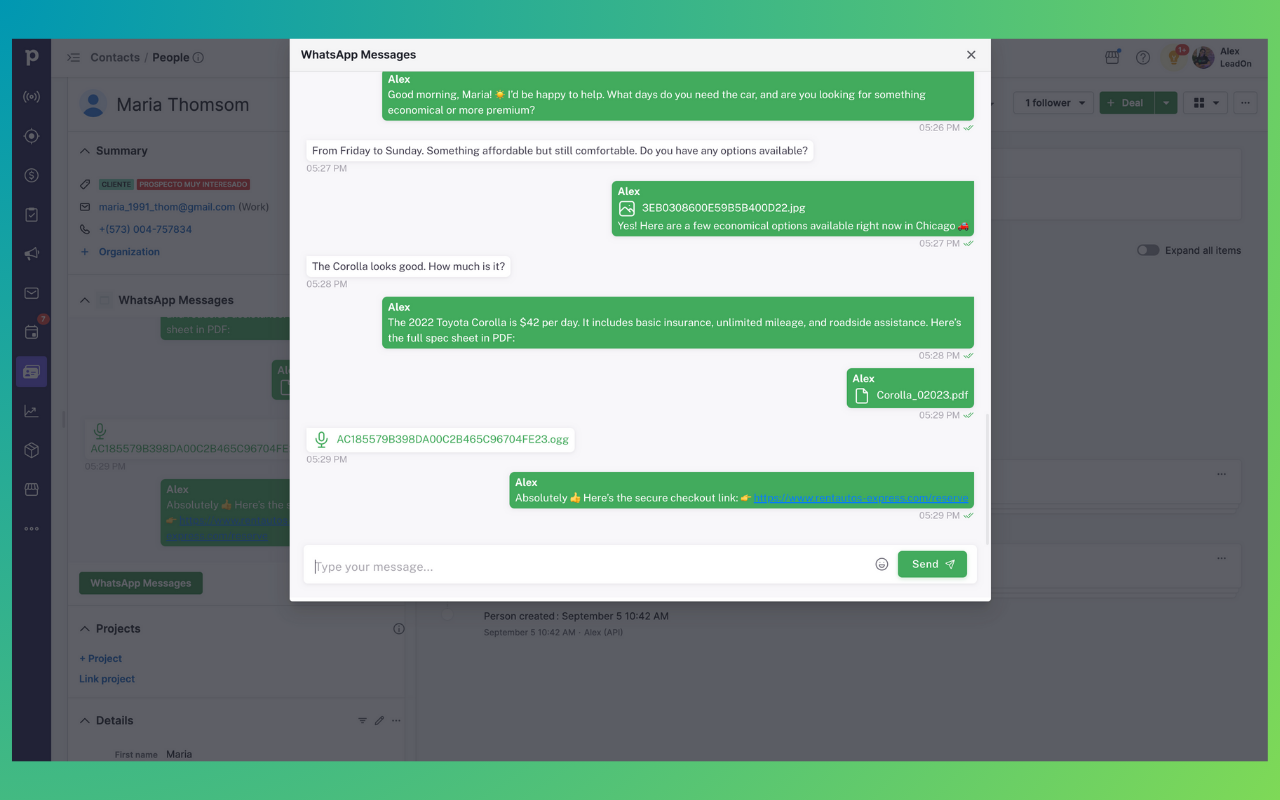
WhatsApp Messages
Locations:person details
New custom chat panel in LeadOn’s Pipedrive app: view text, audio, images, and files directly inside Pipedrive.

Pop-up windows
Tackle complex tasks in LeadOn: Integrate WhatsApp Chats into Pipedrive without leaving Pipedrive via their customized pop-up windows.
WhatsApp Messages
Locations:person details
New custom chat panel in LeadOn’s Pipedrive app: view text, audio, images, and files directly inside Pipedrive.
Follow these steps to set up LeadOn and start syncing WhatsApp with Pipedrive:
1️⃣ Go to the LeadOn website (https://www.lead-on.co) and click on the Sign Up button.
2️⃣ Fill out the registration form with your basic details. Make sure to use a valid email, as it will be required for account verification.
3️⃣ Check your inbox and verify your account by clicking the confirmation link.
4️⃣ Connect LeadOn with Pipedrive to enable data synchronization.
5️⃣ Download the LeadOn Chrome Extension from the Google Chrome Web Store. From here.
6️⃣ Log in to WhatsApp Web using your registered LeadOn email.
7️⃣ Enjoy LeadOn! Start syncing chats, managing contacts, and optimizing your workflow.
8️⃣ Invite your team members by visiting https://backoffice.lead-on.co and sending invitations under the "Users" section.
📌 You're all set! LeadOn is now ready to help you streamline your WhatsApp and Pipedrive integration. 🚀
If you’re interested in this app, you might also like:


Use our powerful API to build awesome apps for either your company or for all Pipedrive users.
Build an app