LinkedIn to Pipedrive

LinkedIn to Pipedrive

by Mathieu Charret
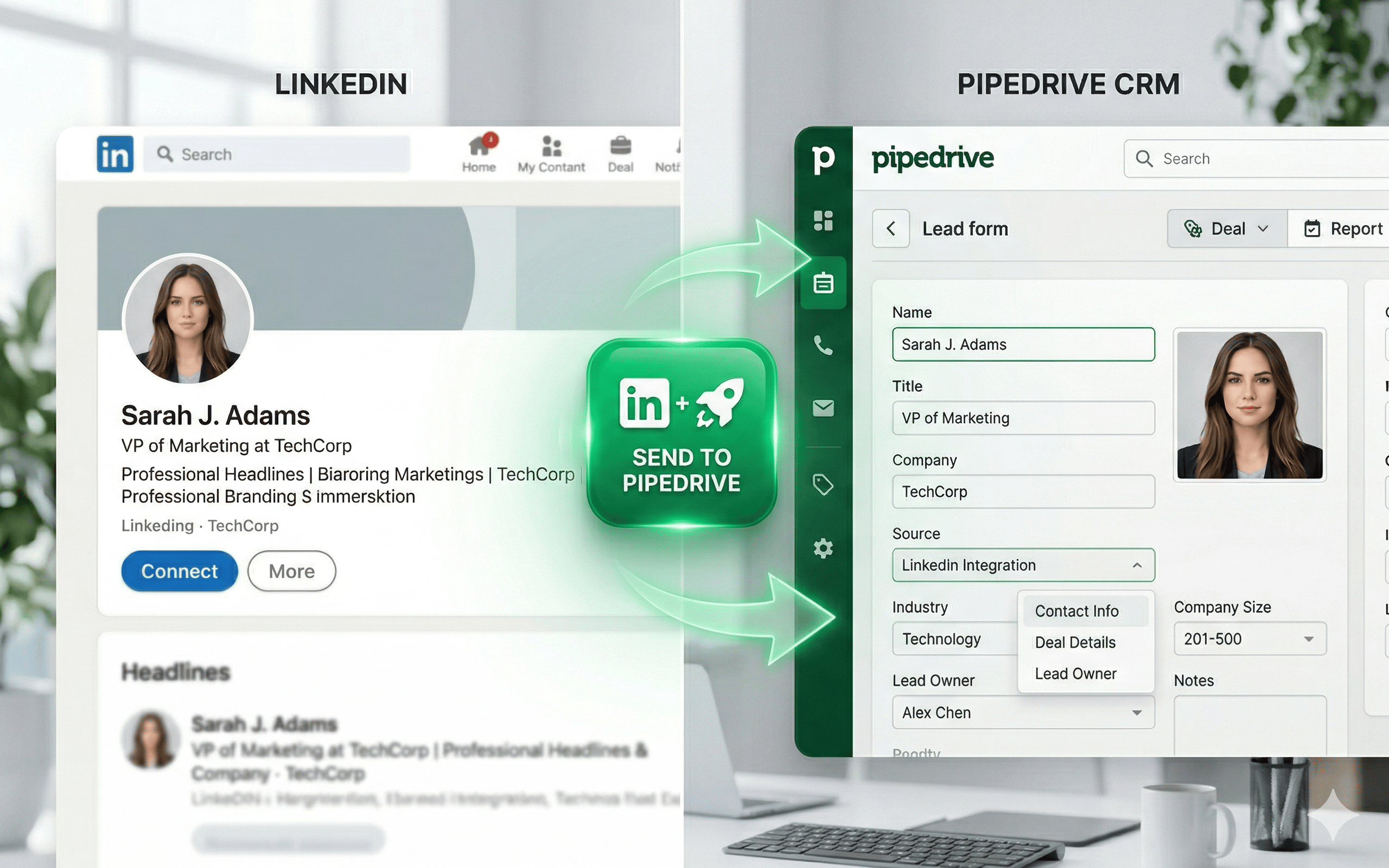
Save LinkedIn profiles to Pipedrive in one click. Auto-imports name, title, company, photo & profile URL. Built for speed and efficiency.

Communicate with leads

App screenshot
App screenshot
App screenshot
App screenshot

Description

Stop wasting hours on manual data entry. LinkedIn to Pipedrive is the fastest way to move your leads from LinkedIn directly into your Pipedrive CRM.

🚀 Key Features

  • One-Click Import: Save any LinkedIn profile as a new person in Pipedrive instantly.
  • Automatic Data Capture: We automatically extract the contact's name, job title, and LinkedIn URL.
  • Smart Company Linking: The extension detects the current company on the profile and automatically creates or links the corresponding Organization in Pipedrive.
  • Profile Photo Sync: Keep your CRM looking professional by automatically uploading the prospect’s LinkedIn photo to their Pipedrive profile.
  • Duplicate Detection: Avoid messy data. The extension checks your CRM for existing LinkedIn URLs and warns you before creating a duplicate.

🛠️ How it works

  • Install the extension and click the icon to connect your Pipedrive account via secure OAuth.
  • Navigate to any LinkedIn profile page.
  • Click the floating "LinkedIn to Pipedrive" button.
  • Review the data and hit "Send". Your prospect is now in your CRM!.

đź’° Simple Pricing

  • Free Plan: 5 contact imports per month to get you started.
  • Pro Plan (€4/month): Unlimited contact imports for active power users.

đź”’ Privacy & Security

We value your data security. We use official Pipedrive OAuth 2.0 authentication, meaning we never see or store your Pipedrive password. We do not store LinkedIn data.

Installation instructions

  • Install the Extension: Add "LinkedIn to Pipedrive" to your Chrome browser from the Web Store.
  • Authentication: Click the extension icon in your browser toolbar and select "Connect to Pipedrive".
  • Authorization: You will be redirected to the secure Pipedrive OAuth page. Log in to your Pipedrive account and click "Allow and Install" to grant the necessary permissions (Contacts and Fields management).
  • Configuration: Once connected, the extension will automatically check for a "LinkedIn URL" custom field in your Pipedrive settings. If it doesn't exist, we will create it for you to ensure data sync works perfectly.
  • Usage: Go to any LinkedIn profile page. A floating "LinkedIn to Pipedrive" button will appear at the bottom right. Click it to preview the contact data and send it directly to your CRM with one click.

Also popular in this category

If you’re interested in this app, you might also like:

Google Meet
free
Google Meet
Manage, schedule and launch Google Meet calls from Pipedrive to streamline your sales communication.
Built by Pipedrive
CallHippo
free
CallHippo
Effortlessly Manage Sales with AI-Enhanced CallHippo and Pipedrive Integration, Featuring AI-powered Analytics, Click-to-Call, and Task Automation.
Paperflite
Paperflite
Paperflite is software for remote content collaboration. Use it to organize, distribute and share your content with prospects.

User reviews

User reviews

Overall rating

5,0

Can't find the app you need?

Use our powerful API to build awesome apps for either your company or for all Pipedrive users.

Build an app