LiveUCX Softphone for Amazon Connect
interactive features

LiveUCX Softphone for Amazon Connect

by ProUCX
interactive features

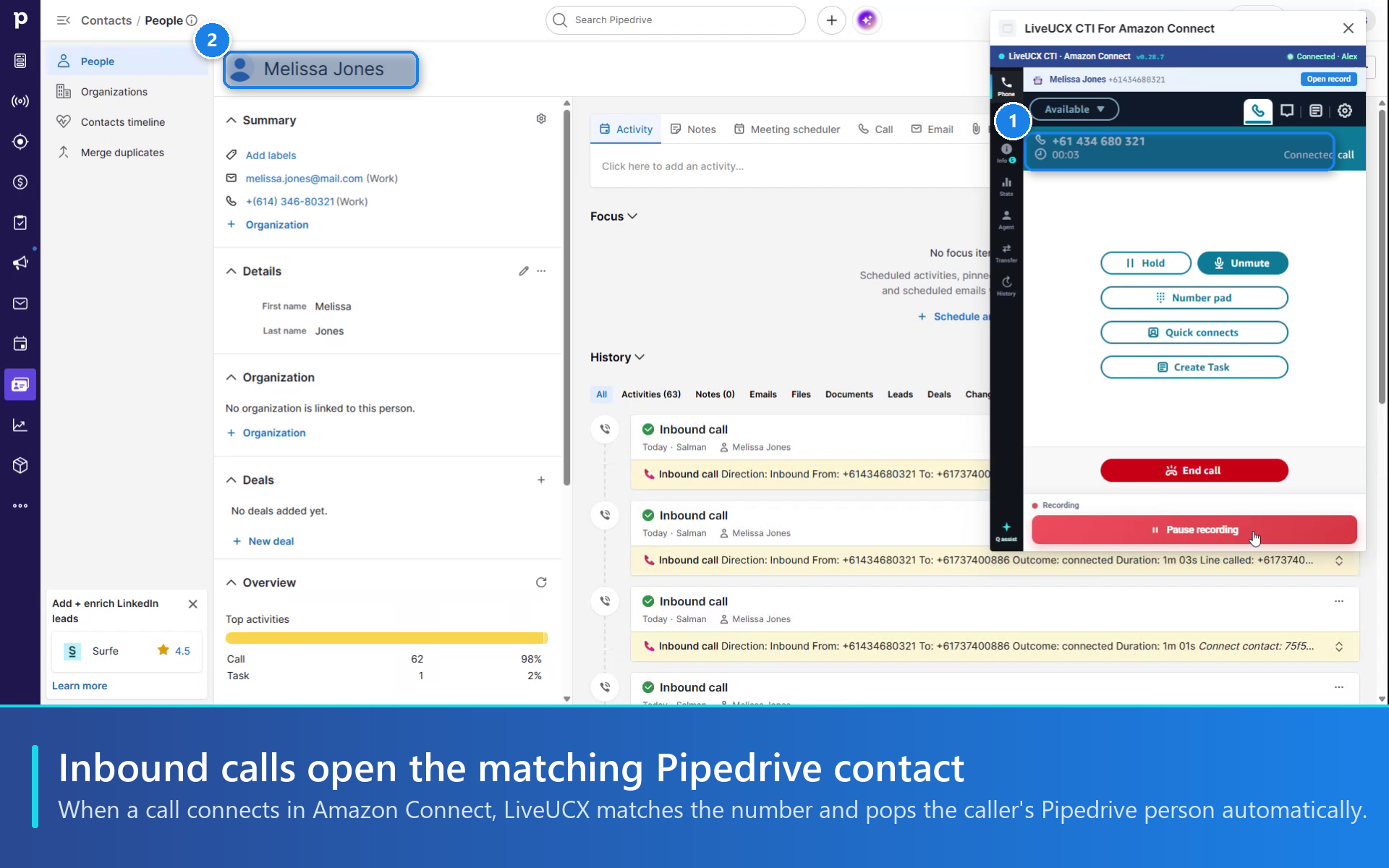
Make and take Amazon Connect calls inside Pipedrive. Inbound calls pop the matching person, and every call is logged as an activity automatically.

Other use cases

App screenshot
App screenshot
App screenshot
App screenshot
App screenshot

Description

LiveUCX puts your Amazon Connect softphone inside Pipedrive, so reps take and make calls without leaving the person or deal they are working on. It uses the Amazon Connect instance you already have: no new numbers, no extra dialer, no AWS keys to hand over.

How it works with Pipedrive

  • Screen-pop: an inbound call or chat is matched by phone number or email address, and the Pipedrive person opens automatically.
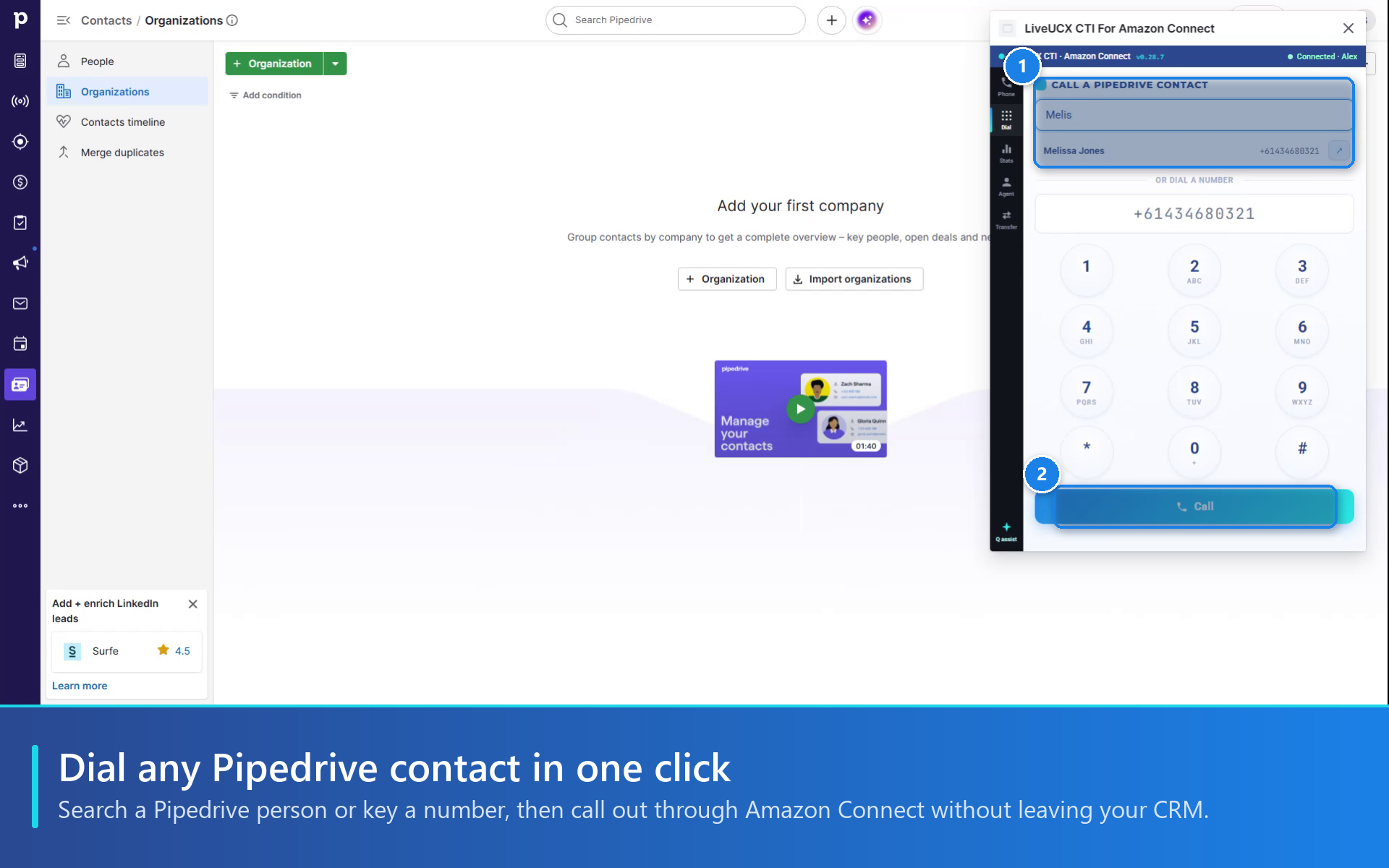
  • Click-to-dial: click any phone number in Pipedrive, or search a person by name, and call out through Amazon Connect.
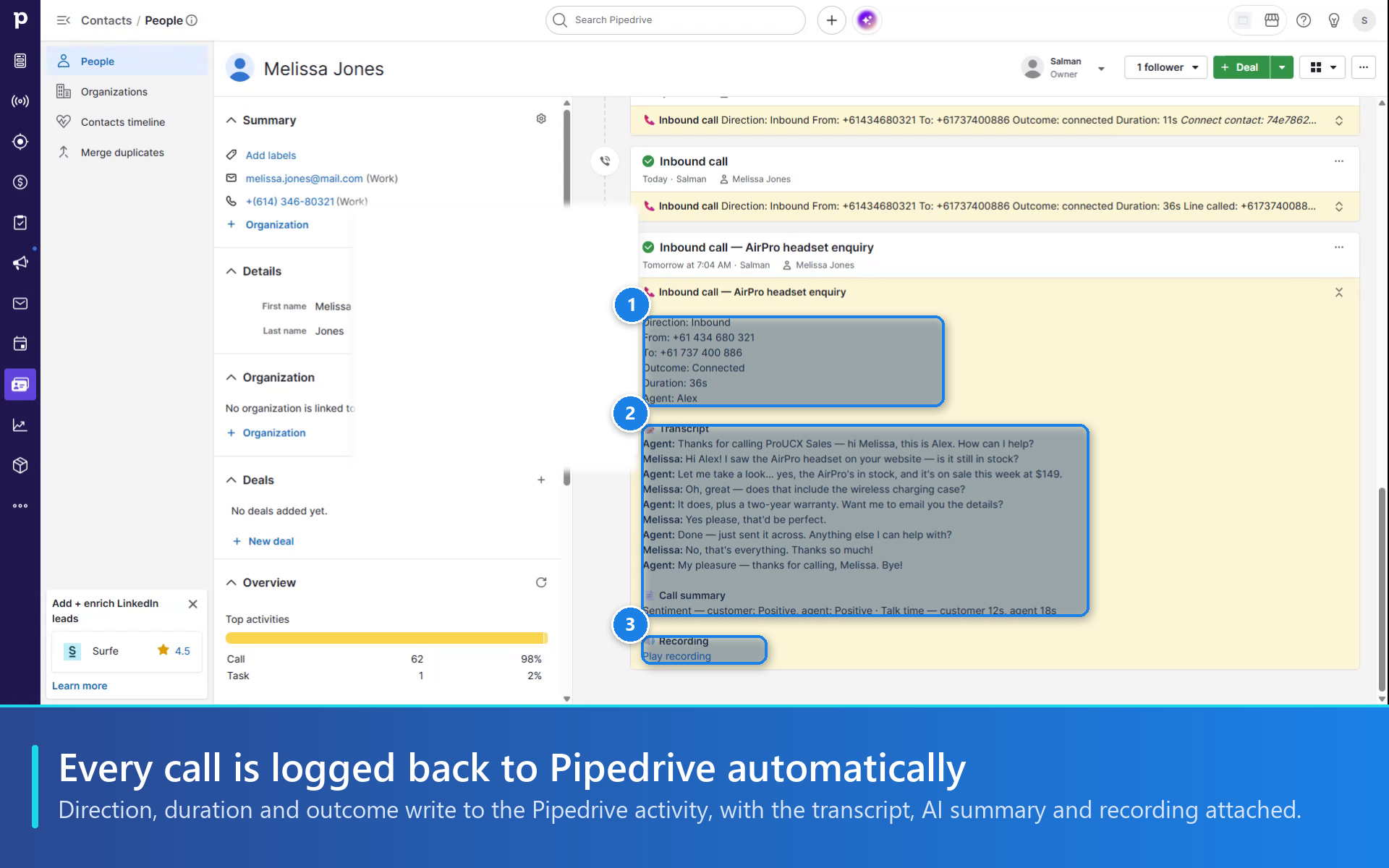
  • Automatic logging: when the call ends, it is saved as a Pipedrive activity with direction, duration, outcome and notes, linked to the person.
  • Stays connected: the floating softphone keeps the call live as you move between records. Hold, mute and transfer from the panel.
  • Create on no match: an unknown caller can be added as a new Pipedrive person in one click.

Premium

  • Call recording link, Contact Lens transcript and AI summary on the activity
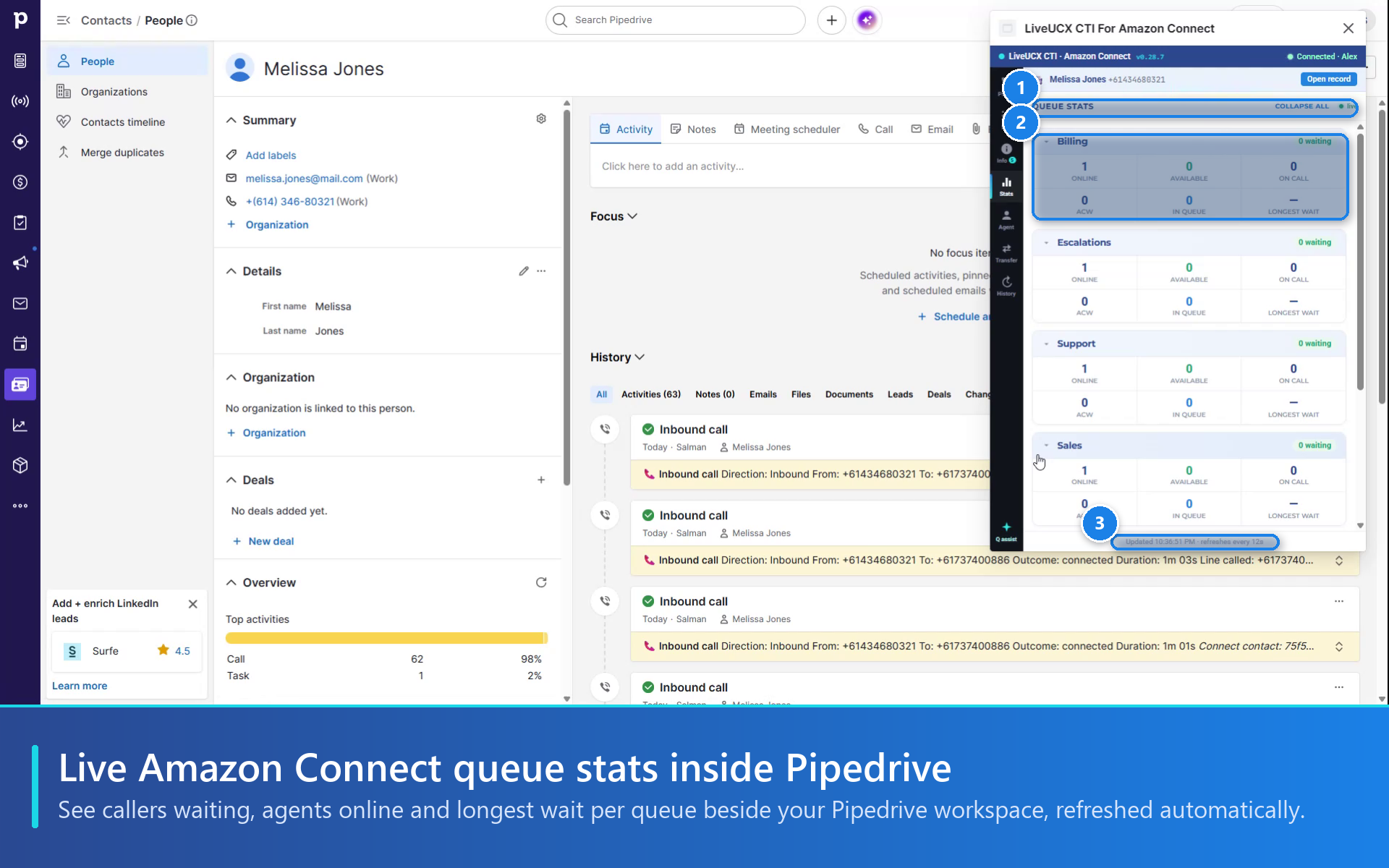
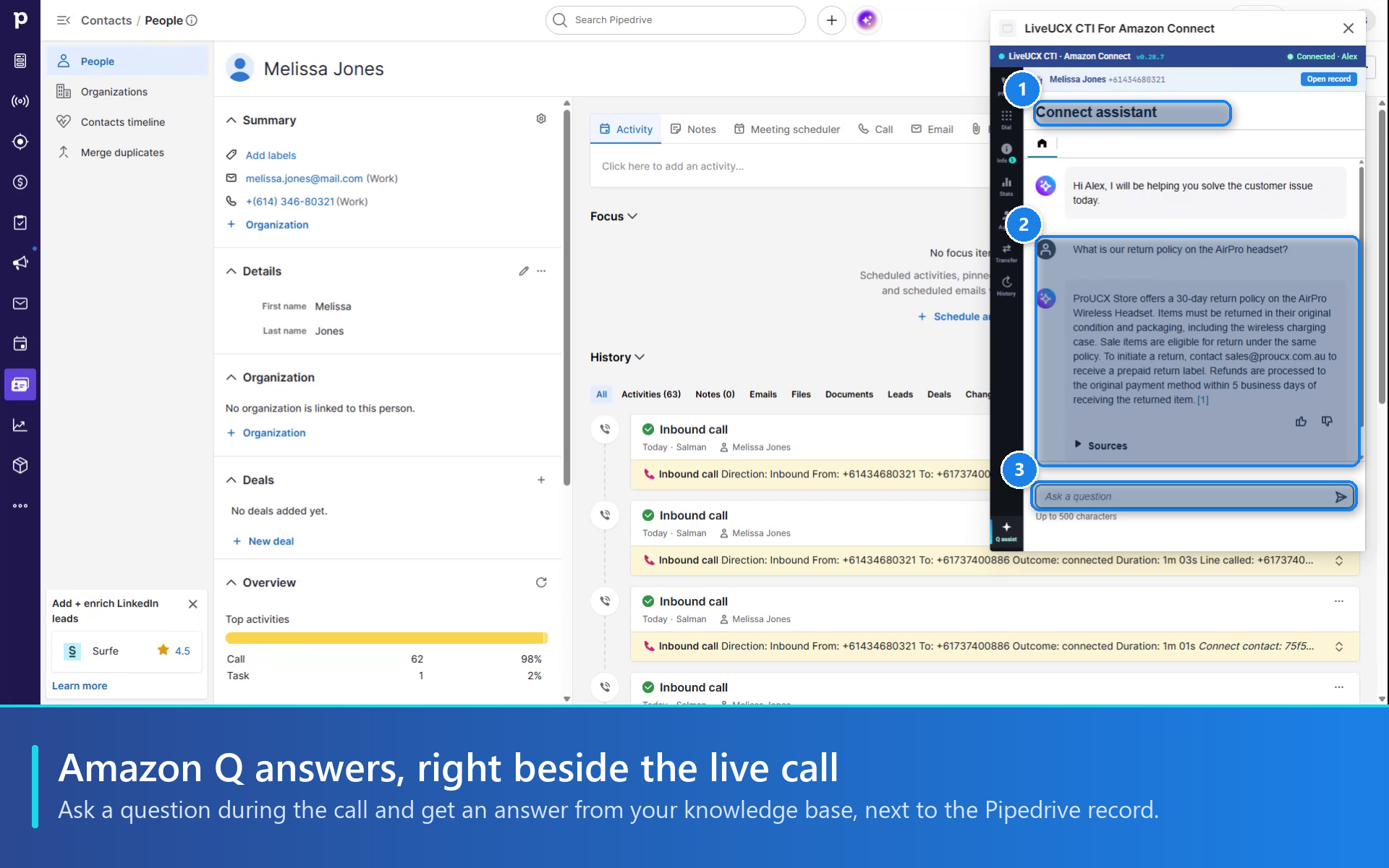
  • Live queue stats and Amazon Q answers beside the call

Setup

Install, approve four permissions, create your ProUCX account and connect your Amazon Connect instance. Agents sign in with Amazon Connect or your existing SSO.

14-day free trial, then USD 9 (Standard) or USD 15 (Premium) per active agent per month.

Features

Quick access

Quick access

Easily access LiveUCX Softphone for Amazon Connect and their customized floating window anywhere in Pipedrive via the top bar.

LiveUCX Softphone

Locations:Top barPhone numbers

Take Amazon Connect calls and chats in Pipedrive: screen-pop the matching person, click-to-dial, hold, transfer, and log every call automatically.

Installation instructions

Before you start: you need a Pipedrive account that can install apps, and an Amazon Connect instance with admin access to its settings. Setup takes about 10 minutes.

  1. Click Install and approve the four permissions (basic info, activities, contacts, search).
  2. You land on the ProUCX portal. Your company details are pre-filled from Pipedrive: set a password, then enter the verification code we email you. Your 14-day free trial starts now.
  3. Enter your Amazon Connect instance name and region.
  4. In the Amazon Connect console, open your instance, go to Approved origins and add the two addresses the portal shows you. This lets the softphone open inside Pipedrive.
  5. Choose how agents sign in: their Amazon Connect username and password, or your existing SSO (SAML or Azure AD). Save.
  6. In Pipedrive, click the LiveUCX icon in the top bar to open the softphone, sign in to Amazon Connect and set yourself to Available.
  7. Make a test call: click any phone number in Pipedrive to dial, or call your Amazon Connect number to see the caller's record pop and the call logged as an activity.

Optional Premium features (recording, transcript, AI summary, queue stats, Amazon Q) can be switched on later from the portal.

Video guide: https://www.youtube.com/watch?v=3wFeMCQXX20 Help: [email protected]

Also popular in this category

If you’re interested in this app, you might also like:

Dedupely
Dedupely
Dedupely merges Pipedrive duplicates without losing customer data. (ISO27001 Certified)
Quotes, Proposals,CPQ, E-Signatures | ExtraflowDoc
free
Quotes, Proposals,CPQ, E-Signatures | ExtraflowDoc
Create quotes, proposals, invoices, estimates, agreements, purchase orders in Pipedrive. Auto-filled data, templates, tiered pricing, volume discounts
Qwilr Proposals, Quotes, Esign and More
free
Qwilr Proposals, Quotes, Esign and More
Qwilr helps create and track beautiful, interactive proposals and other sales docs with esign and payment, directly from Pipedrive.

User reviews

User reviews

Overall rating

No ratings yet

No installs

Can't find the app you need?

Use our powerful API to build awesome apps for either your company or for all Pipedrive users.

Build an app