Mindd

Mindd

by MinDD

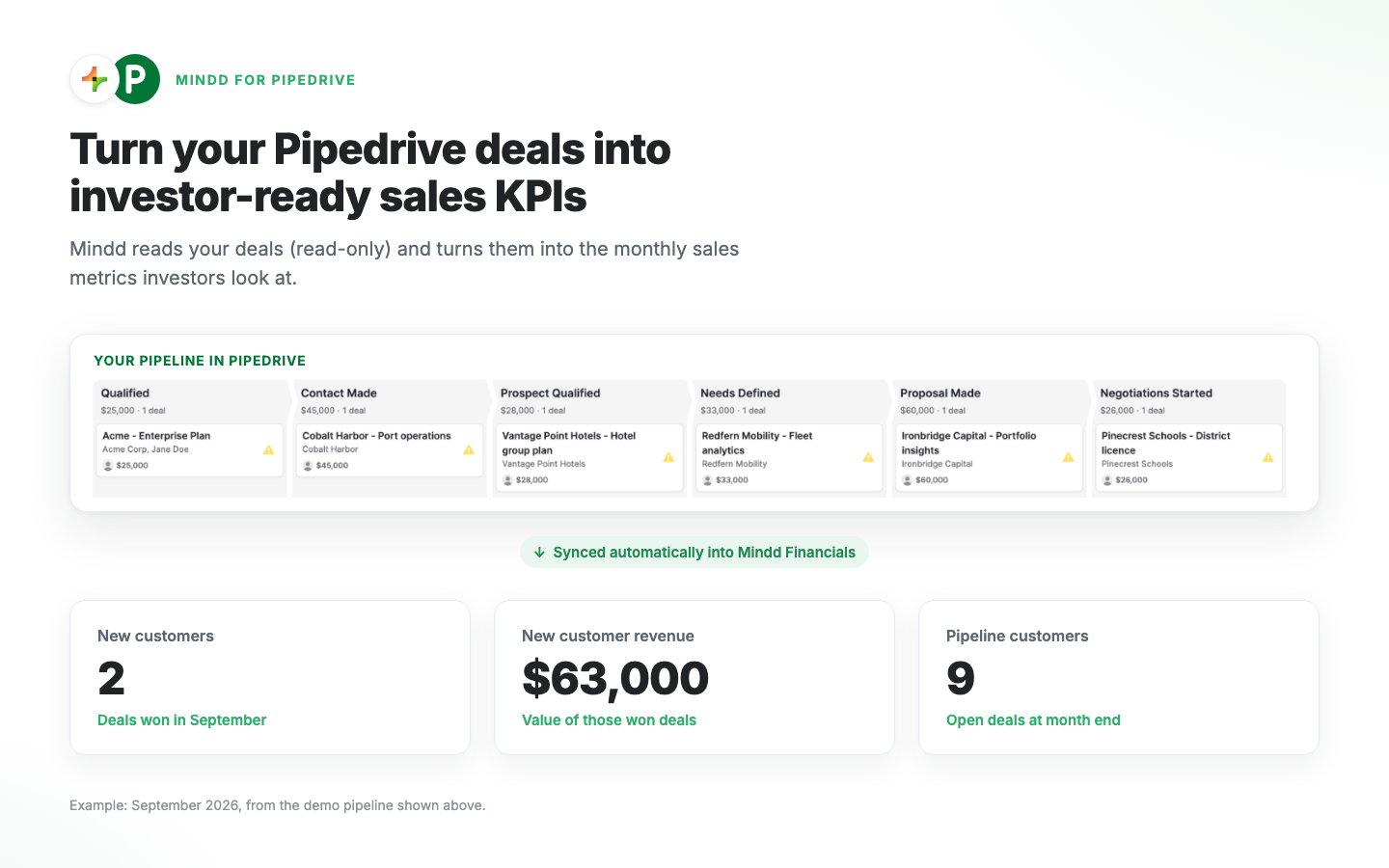
Mindd turns your Pipedrive deals into investor-ready sales KPIs: new customers, pipeline and new customer revenue. Read-only.

Support my customers

App screenshot
App screenshot
App screenshot
App screenshot

Description

Mindd helps startup founders see how investment-ready their company really is, using the sales data they already have in Pipedrive.

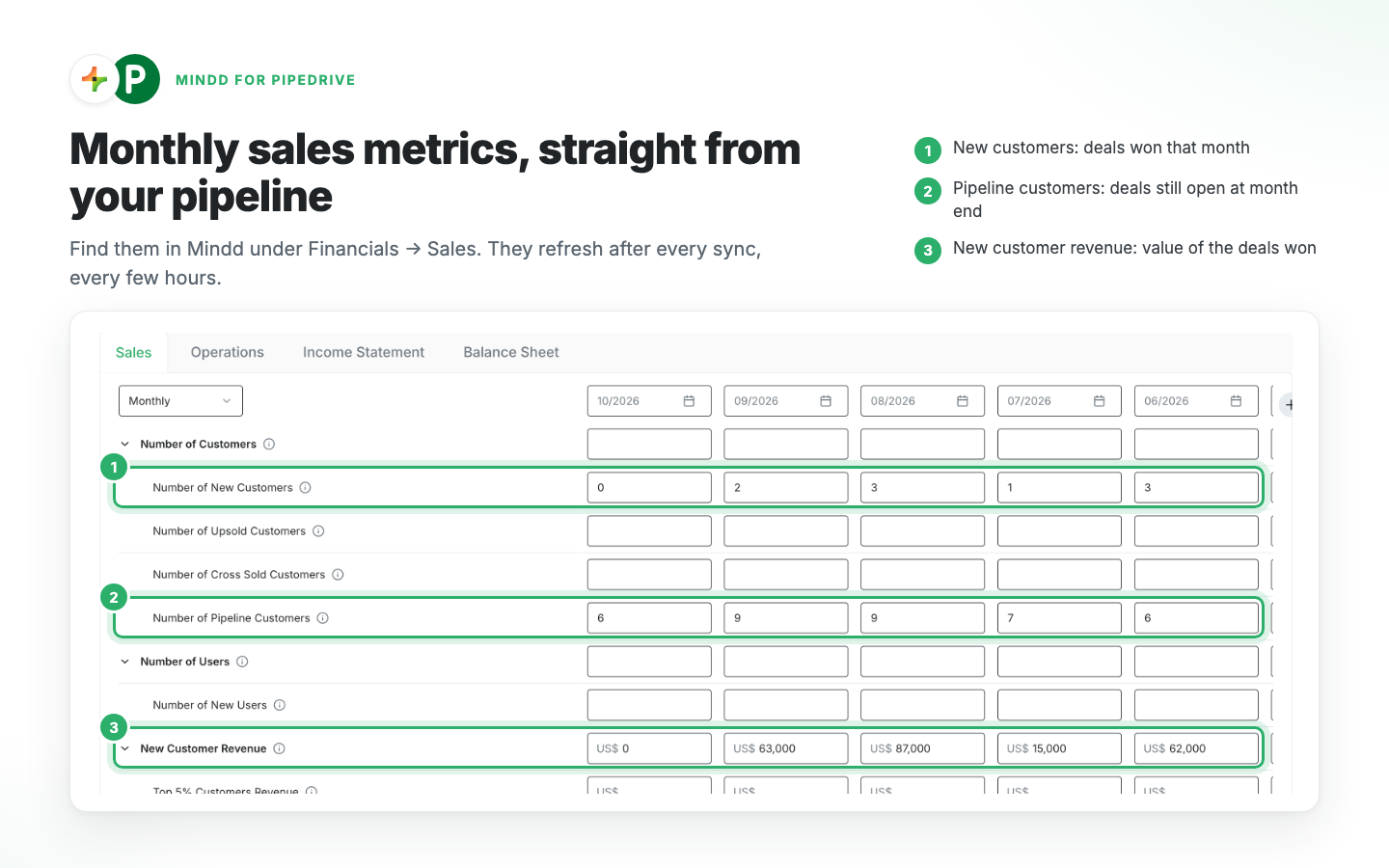
Connect your account and Mindd turns your deal history into the sales metrics investors ask about: how much value is sitting in your pipeline each month, how many customers are in play, how many closed for the first time and what they were worth, and how long a deal typically takes to win. Read alongside your accounting and banking data, that becomes a clear, evidence-backed view of your commercial traction you can use in fundraising conversations, board updates and internal planning.

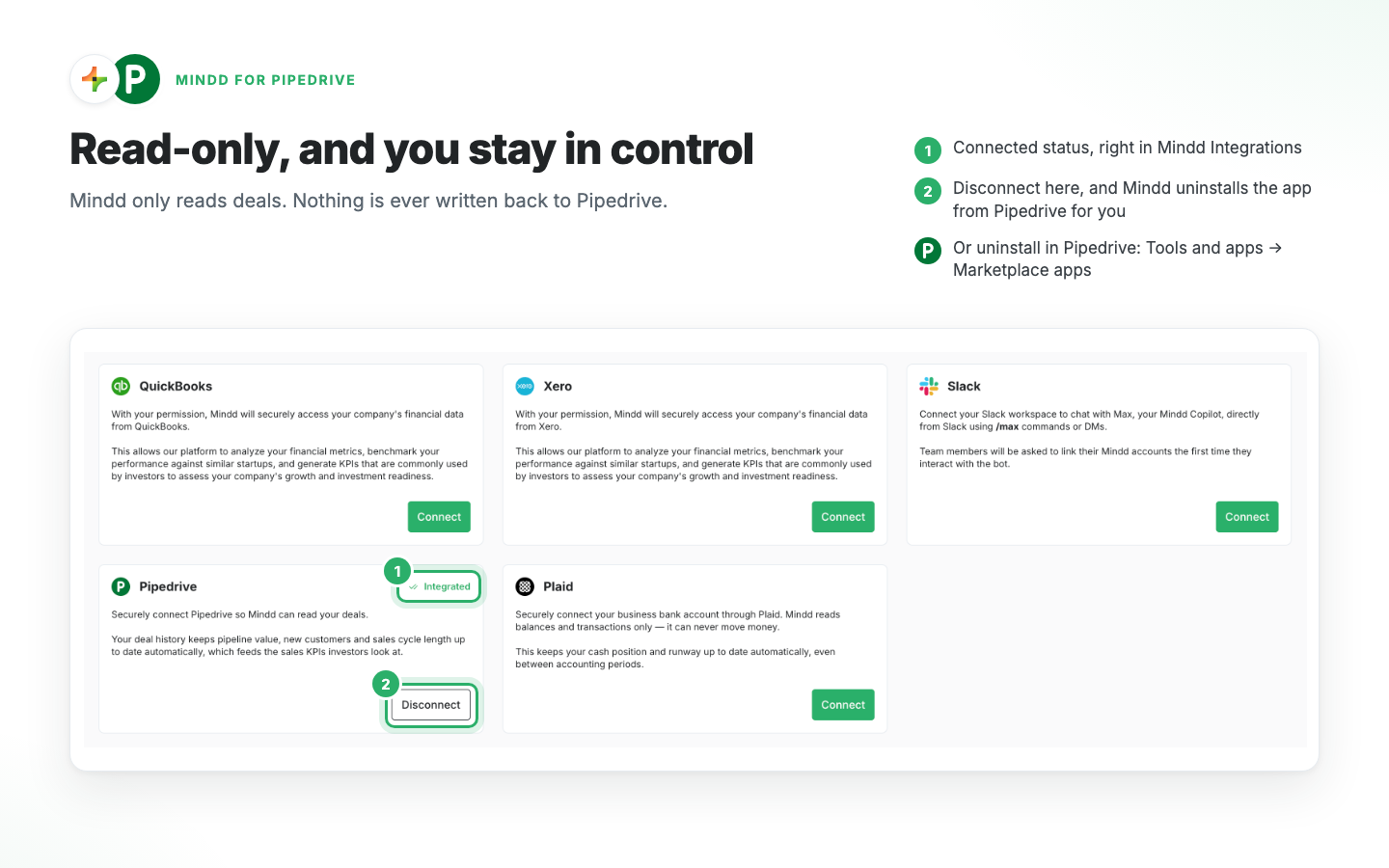
Mindd reads your deals, and only your deals, with read-only access. It does not read your contacts, organizations, activities, mail or files. It never creates, edits or deletes anything in your Pipedrive account, and you can disconnect at any time.

Built for founders who want a fast, honest read on their traction without exporting spreadsheets or rebuilding reports by hand.

Installation instructions

Before you start, you need admin rights in the Pipedrive company you want to connect. If you don't have a Mindd account yet, you can create one during setup.

Install from the Pipedrive Marketplace

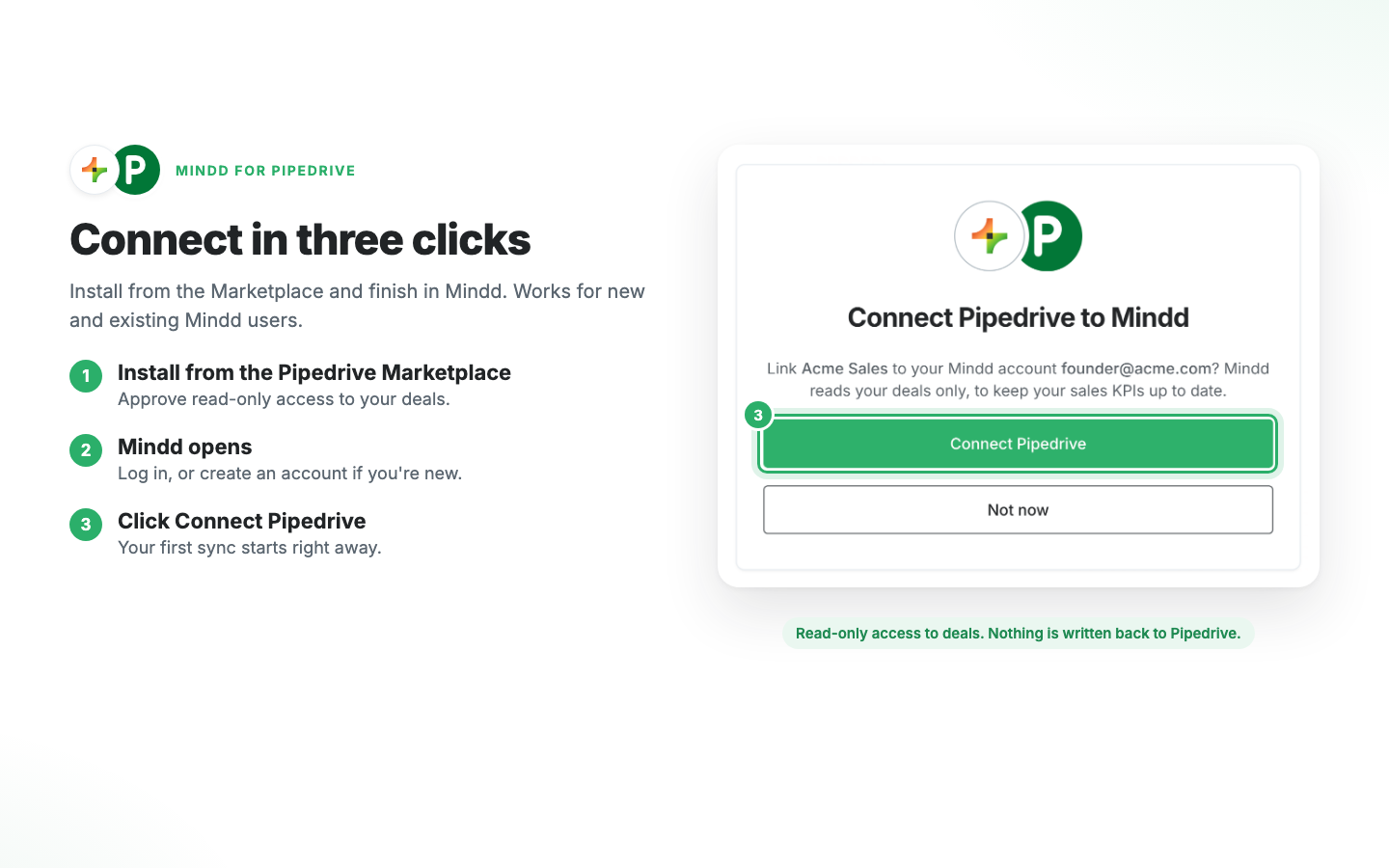
  1. Click Install now and approve read-only access to your deals.
  2. Mindd opens. Log in, or create an account if you're new.
  3. Click Connect Pipedrive to link the install to your company.
  4. Your first sync starts right away. Your sales KPIs appear in Mindd under Financials → Sales within a few minutes.

Or connect from Mindd

  1. In Mindd, go to Integrations and click Connect on the Pipedrive card.
  2. Approve read-only access to your deals in Pipedrive. You're taken back to Mindd when it's done.

Disconnect from either side

  • In Mindd: go to Integrations and click Disconnect on the Pipedrive card. Mindd stops syncing and uninstalls the app from your Pipedrive account for you.
  • In Pipedrive: go to Tools and apps → Marketplace apps, open Mindd and click Uninstall. Mindd is notified and stops reading your data straight away.

You can reconnect at any time.

Also popular in this category

If you’re interested in this app, you might also like:

KrispCall
KrispCall
Elevate your sales call and boost customer service with Pipedrive integration.
WhatsApp, SMS & Call Integration for Pipedrive
Turn Pipedrive into an SMS, WhatsApp & Voice hub. Engage leads faster, automate follow-ups, and close more deals all inside your CRM.
ClickSend SMS
ClickSend SMS
Stay connected to your Deals and Contacts with ClickSend SMS. Send and receive SMS to one person or 1,000 directly from Pipedrive.

User reviews

User reviews

Overall rating

No ratings yet

No installs

Can't find the app you need?

Use our powerful API to build awesome apps for either your company or for all Pipedrive users.

Build an app