Plansom's AI agent reads and updates your Pipedrive deals, contacts, leads and activities from chat, and turns sales follow-ups into Plansom tasks.

Manage my projects, Automate my pipeline and data

App screenshot
App screenshot
App screenshot
App screenshot
App screenshot
This app is not publicly listed. However, anyone with the link can still see and install it.

Description

Plansom is an AI-powered planning and execution platform that turns goals into tasks and keeps teams on track. The Pipedrive integration lets your Plansom AI agent work directly with your sales pipeline, so CRM updates and follow-ups happen in the same place you plan your day.

What you can do

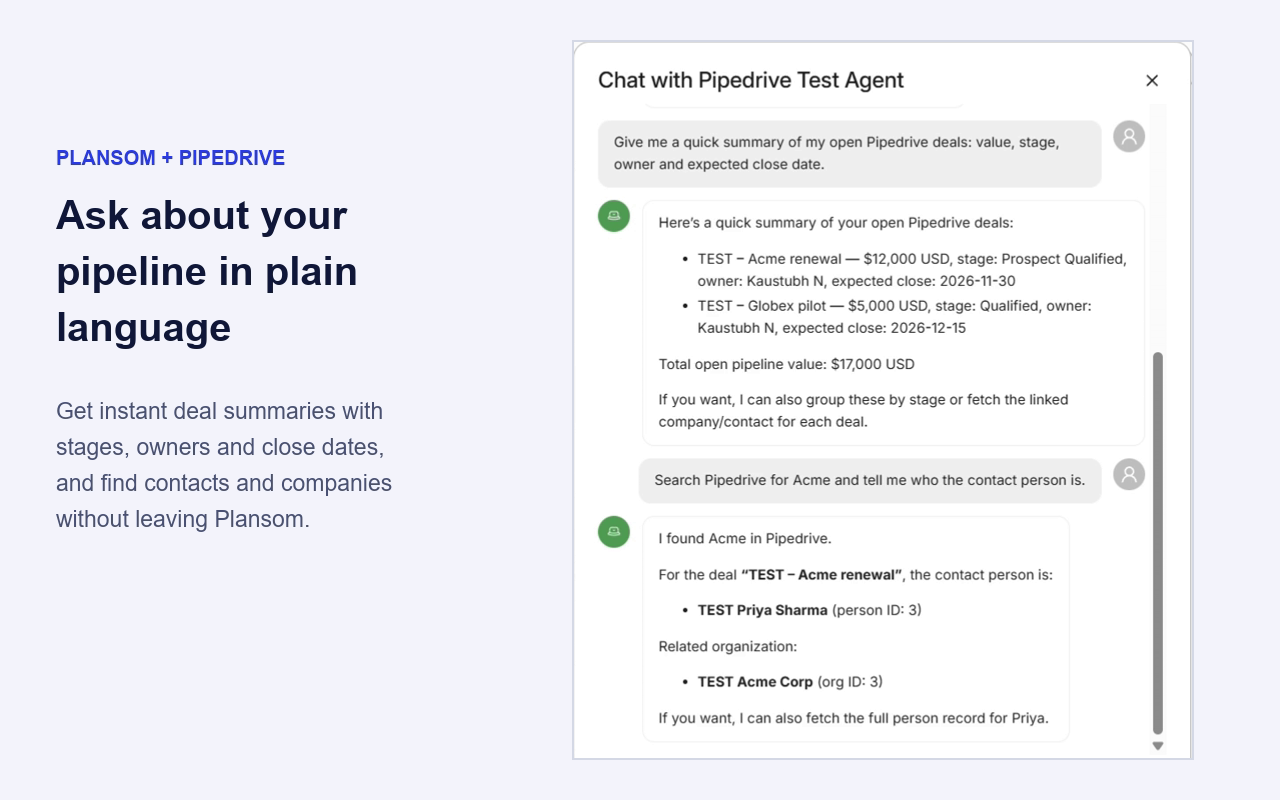
  • Ask about your pipeline: "Which deals in Proposal stage haven't moved in two weeks?"
  • Find records fast: Look up deals, people, organizations and leads without leaving Plansom
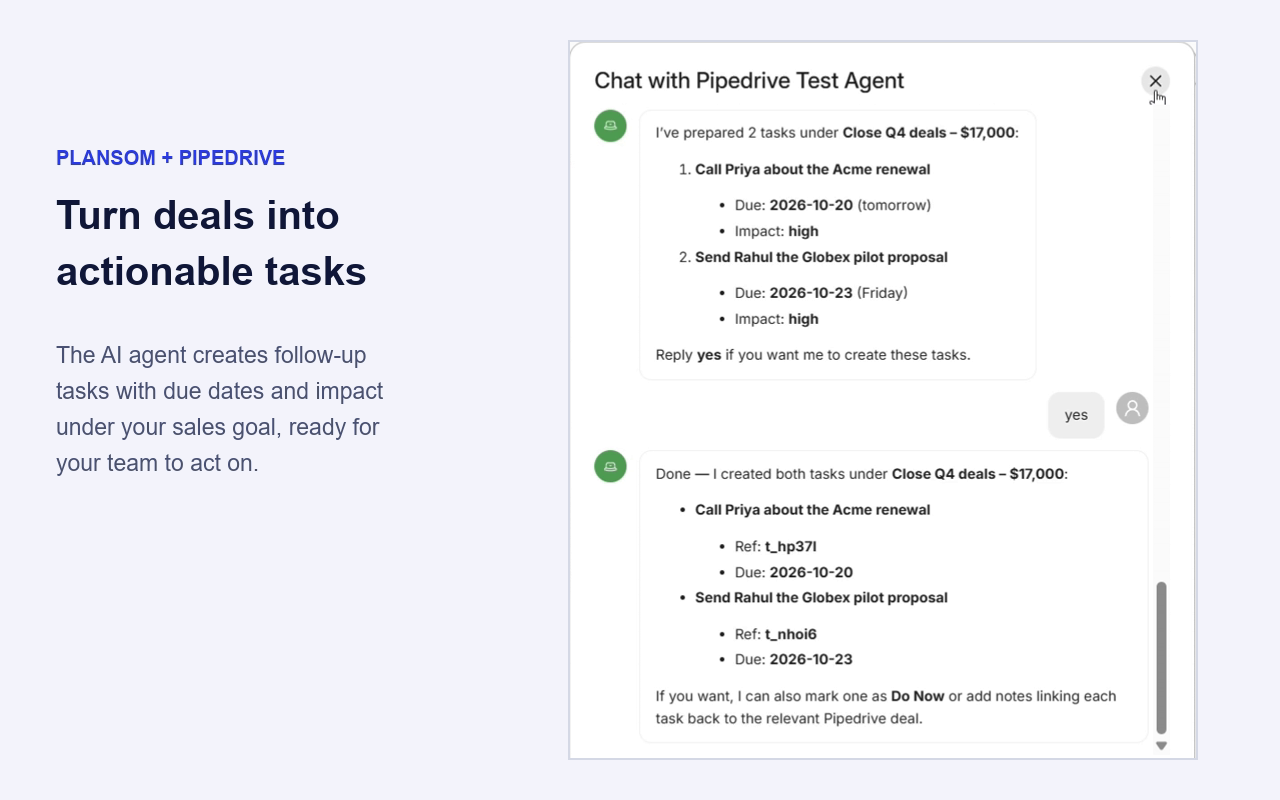
  • Log follow-ups: Add calls, meetings and notes to deals right after a conversation
  • Keep deals current: Create or update deals and convert leads to deals
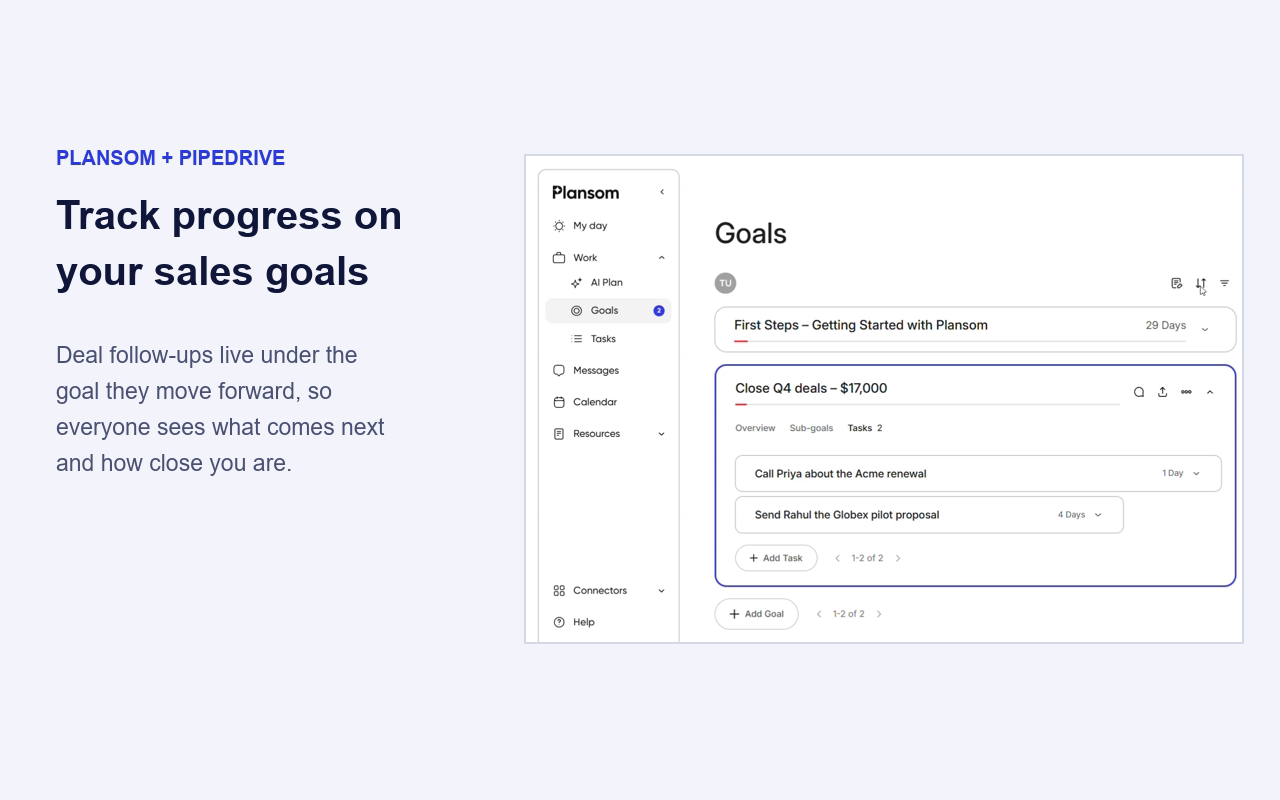
  • Turn sales work into a plan: Link deal follow-ups to your Plansom goals, tasks and daily plan

How it works

  1. Each Plansom user connects their own Pipedrive account with secure OAuth.
  2. Add the Pipedrive tools to your Plansom AI agent and ask in plain language.
  3. The agent uses Pipedrive's official MCP server, and every change appears in Pipedrive's change log.

Security and privacy

  • Each user connects their own Pipedrive account and sees only the data they already have access to in Pipedrive.
  • The agent follows your existing Pipedrive roles and visibility settings; it can't see or change anything you can't.
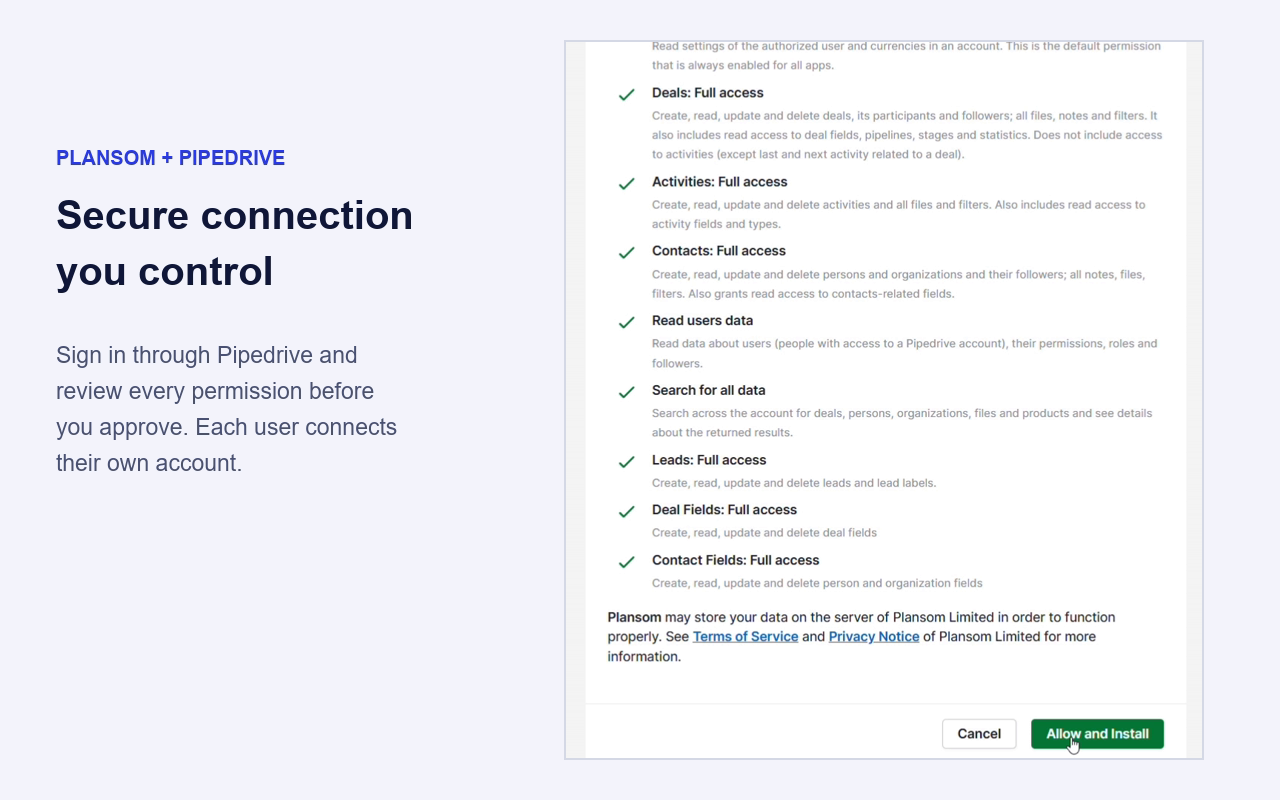
  • Sign-in happens securely through Pipedrive, and only the permissions the integration needs are requested.
  • You stay in control: disconnect Pipedrive anytime from Plansom.

Installation instructions

Before you start

  • A Pipedrive account (any plan)
  • A Plansom account. New to Plansom? Sign up at plansom.com.

# Connect Pipedrive

  1. Log in to Plansom.
  2. Go to Resources → Agents, open the Connectors tab and click Connect Pipedrive (or use Settings → Profile → Integrations).
  3. Sign in to Pipedrive if asked, choose your company, review the permissions and click Allow and Install.
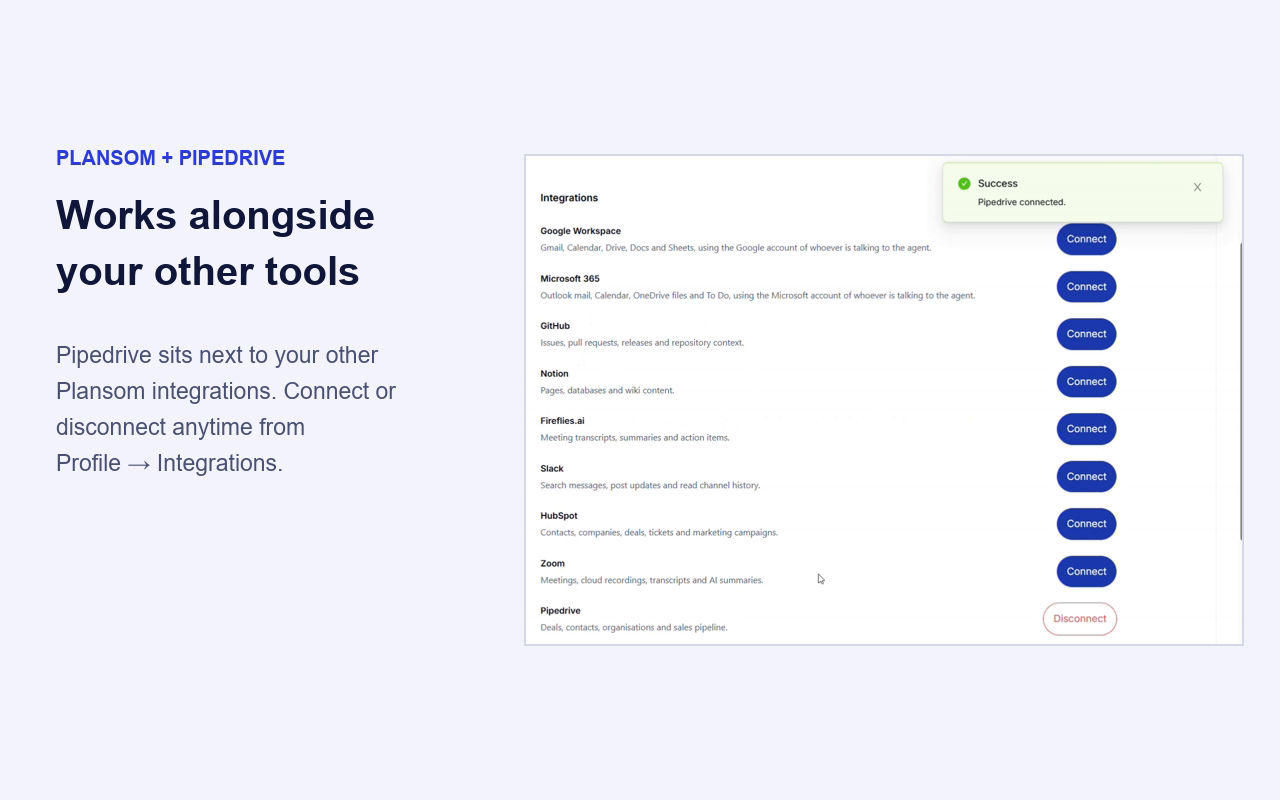
  4. You're back in Plansom with a Pipedrive connected confirmation.

Use Pipedrive with your AI agent

  1. Create a new agent or open an existing one, go to its Tools tab, click Connect a new tool and choose Pipedrive under CRM. Add Plansom as a tool too, so the agent can create goals and tasks.
  2. In Resources → Agents, click Chat on the agent's card.
  3. Ask in plain language, for example:
    • "Give me a quick summary of my open Pipedrive deals"
    • "Search Pipedrive for Acme"
    • "Create a goal 'Close Q4 deals' and a task for each deal's next step"

Good to know

  • Each team member connects their own Pipedrive account and sees only the data they can access in Pipedrive.
  • Disconnect anytime from Settings → Profile → Integrations.
  • Full guide: docs.plansom.com/integrations/pipedrive

Also popular in this category

If you’re interested in this app, you might also like:

CallHippo
free
CallHippo
Effortlessly Manage Sales with AI-Enhanced CallHippo and Pipedrive Integration, Featuring AI-powered Analytics, Click-to-Call, and Task Automation.
ControlHippo AI Chat Agents
free
ControlHippo AI Chat Agents
AI Powered communication platform that connects, converts and retain customers.
Dedupely
Dedupely
Dedupely merges Pipedrive duplicates without losing customer data. (ISO27001 Certified)

User reviews

User reviews

Overall rating

No ratings yet

No installs

Can't find the app you need?

Use our powerful API to build awesome apps for either your company or for all Pipedrive users.

Build an app