
free
CallHippo
Effortlessly Manage Sales with AI-Enhanced CallHippo and Pipedrive Integration, Featuring AI-powered Analytics, Click-to-Call, and Task Automation.
(414)
384 reviews
Prism by Crossdeck
by Crossdeck
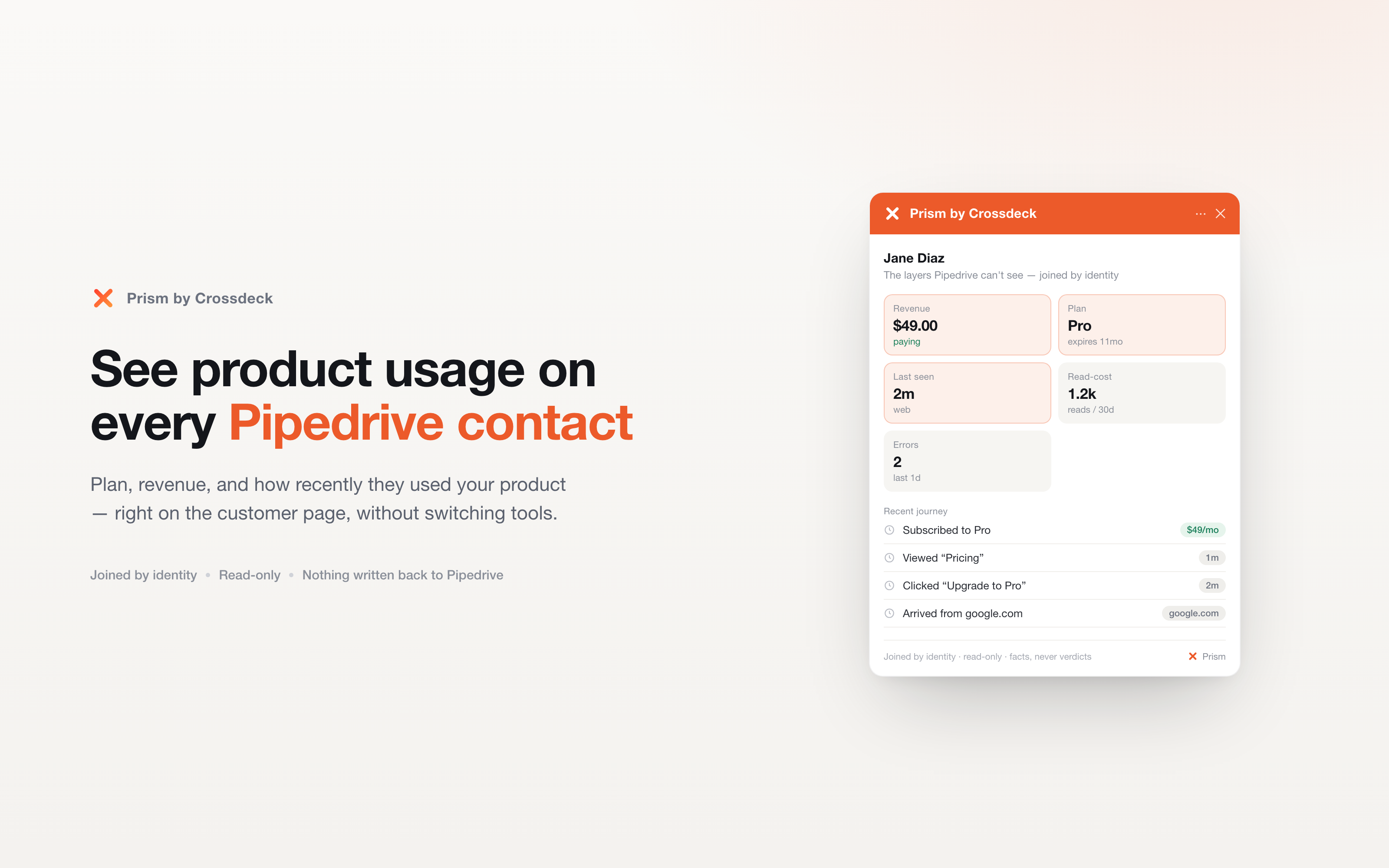
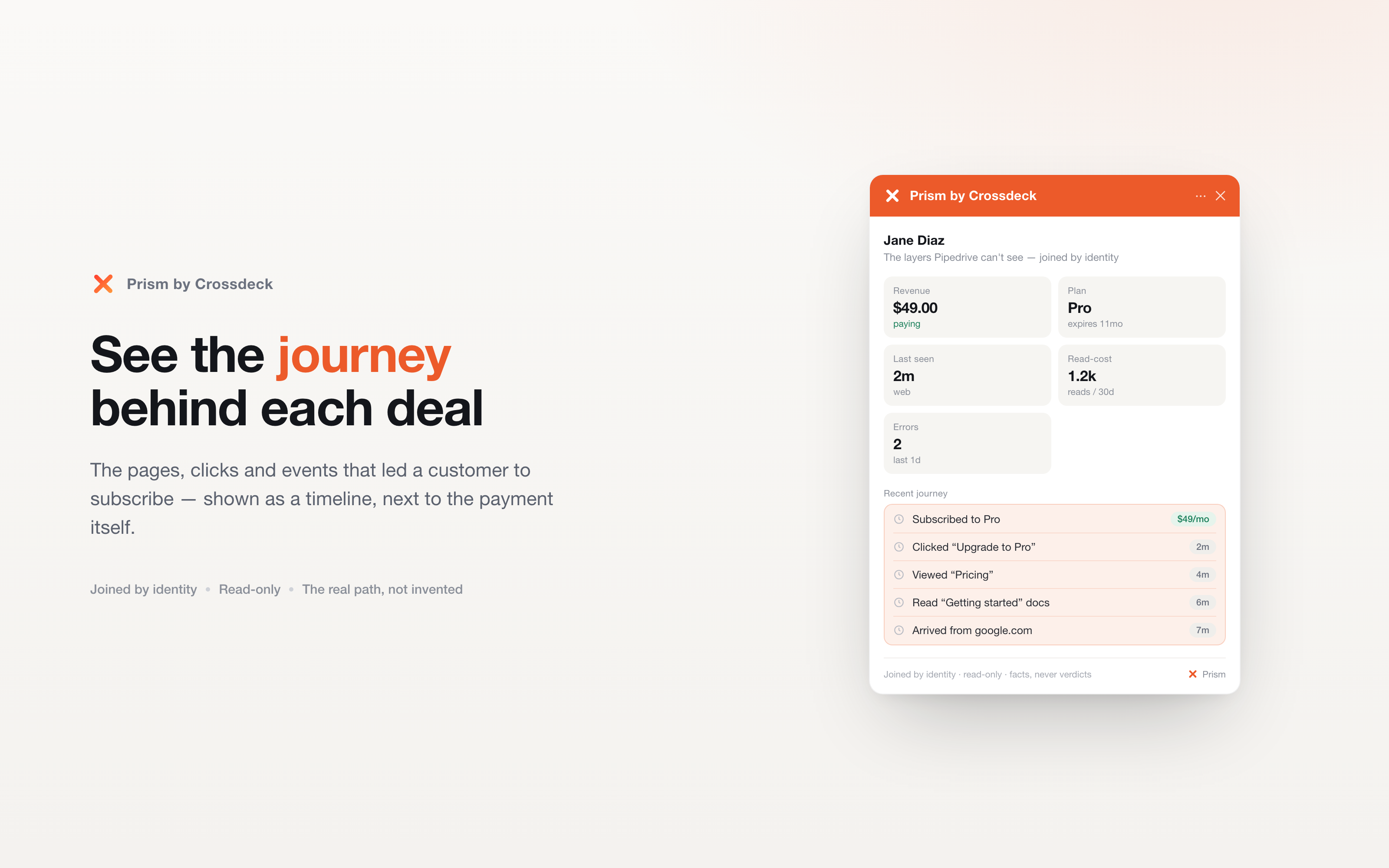
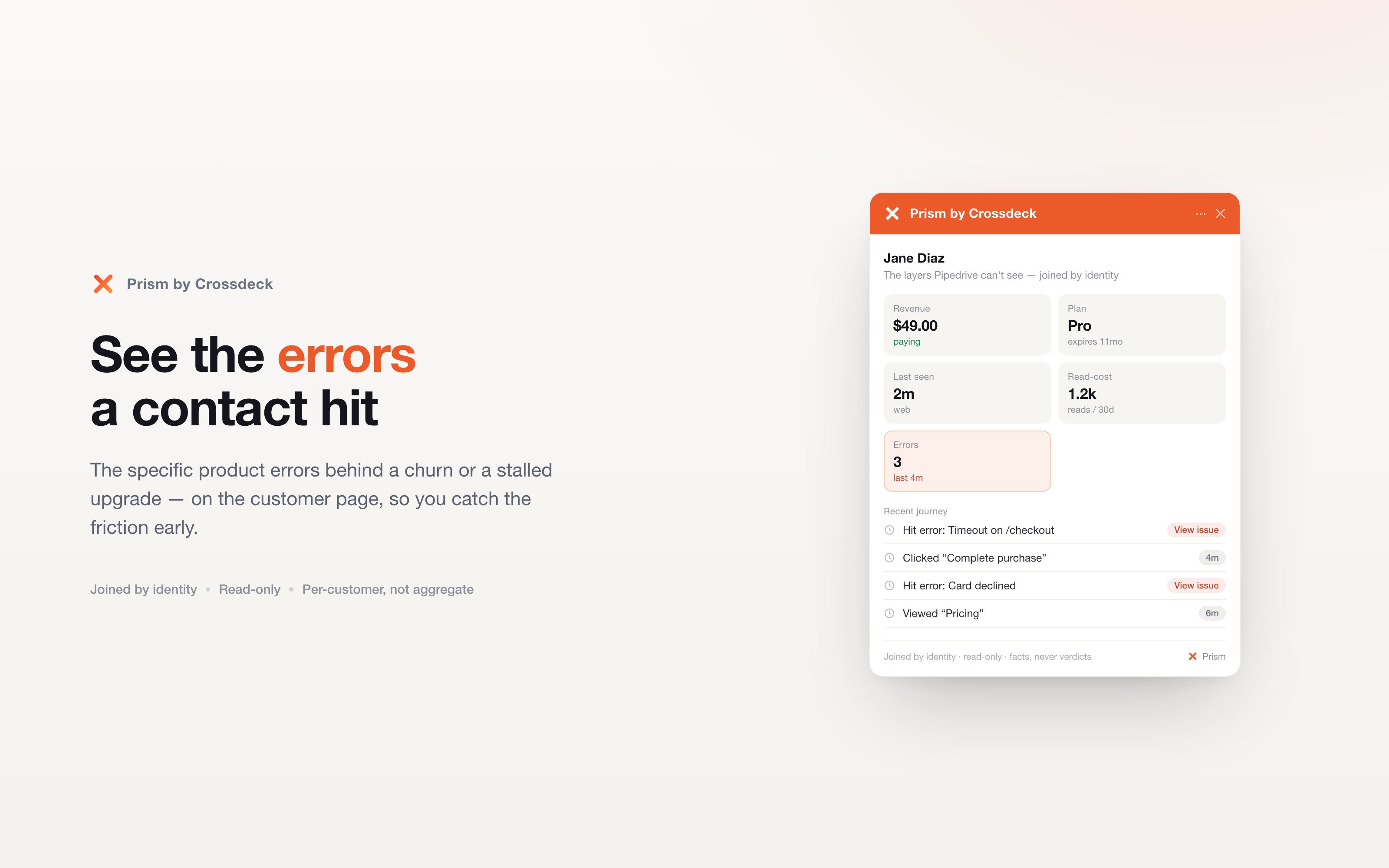
Prism by Crossdeck shows you the customer behind every deal.
Your pipeline tells you a deal reached "application submitted." It doesn't tell you the same person modelled a loan three times on your website last week, hit an error at checkout, opened your last email, then came back twice. Prism does.
Connect Crossdeck and a read-only "Prism by Crossdeck" panel appears on every Person and Deal. On it you see the story Pipedrive can't: their product usage, the errors they hit, their revenue, and the full website journey that led to the deal — joined to the one contact by identity, on a single timeline.
Nothing is ever written back. Prism only reads, so your CRM stays exactly as your team left it.
How it works • Connect Crossdeck in one click (read-only OAuth for deals, people and activities). • Prism joins that CRM activity to the website and product behaviour Crossdeck already captures. • Stamp your Crossdeck ID on a Pipedrive field and the match is exact — provably the same person, never a guess by email.
Built for teams who want to know not just where a deal sits, but why it got there — and what the person did after every call, email and stage change.
Read-only. Joined by identity. Facts, never guesses.

Panels
Instantly see and interact with Prism by Crossdeck as you dive into the details of your deals/contacts in Pipedrive.
Prism by Crossdeck
Locations:person detailsdeal details
See the customer behind the deal — product usage, errors, and the journey that led here, joined by identity. Read-only.
Prism by Crossdeck puts a read-only panel on every Pipedrive person and deal — the story behind the deal. See the journey a contact went through before they converted (the pages and content they engaged with), what they now pay, and any errors they've hit — matched to your Pipedrive contact by email.
Install
Click Install. You'll be taken to Crossdeck to link the two: Already use Crossdeck? Sign in and you'll land right on the Pipedrive integration — click Connect. New to Crossdeck? You'll be asked to create a free account first, then continue to the same step. Approve the read-only authorization. Crossdeck never writes anything back to Pipedrive. Done. The Prism by Crossdeck panel now appears on your people and deals — open any contact to see it. What you'll need
The panel shows the journey Crossdeck holds for each person, so your product needs to be sending data to Crossdeck. New to Crossdeck? Add the Crossdeck SDK to your site or app (a few lines of code) — that's what captures the journey the panel displays.
Matching
Contacts match to the same person in Crossdeck by email, automatically. For exact matching, store each contact's Crossdeck customer ID in a Pipedrive custom field and name it under the integration's Identity mapping — email stays the fallback.
If you’re interested in this app, you might also like:


Use our powerful API to build awesome apps for either your company or for all Pipedrive users.
Build an app