QR Queen
interactive features

QR Queen

by QR - Queen

interactive features

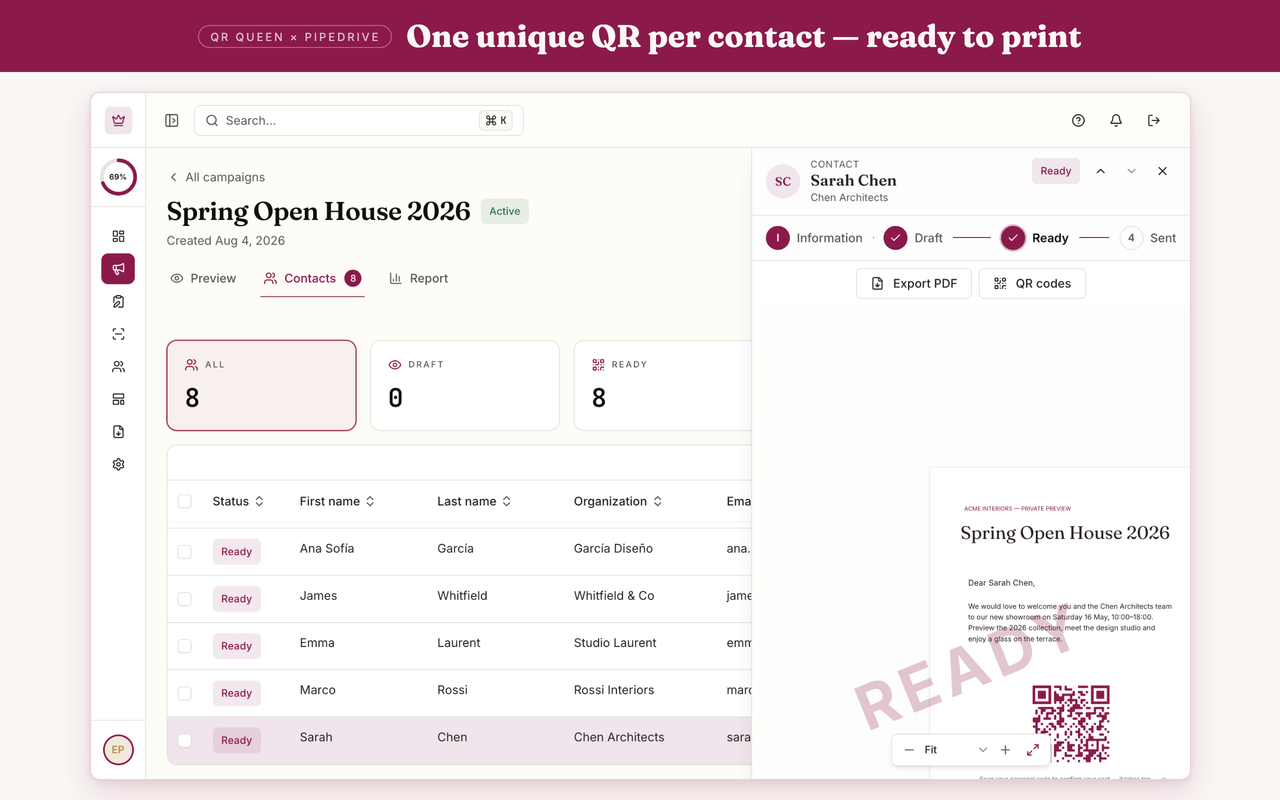
One unique, branded QR code per contact. Every scan lands on the right person in Pipedrive, in real time. From print to pipeline.

Attract new leads, Qualify my leads, Nurture my leads, Communicate with leads
App screenshot
App screenshot
App screenshot
App screenshot
App screenshot

Description

Turn print into pipeline

QR Queen turns your printed brochures, mailers and trade show flyers into measurable pipeline. Each contact gets a unique, branded QR code, and every scan lands on their Pipedrive person record in real time.

Why QR Queen

  • Prove the ROI of print. Scans, leads and pipeline per campaign.
  • No forms, no friction. The QR identifies the contact, so the experience starts pre-filled.
  • Zero manual entry. Every scan is logged automatically as a Pipedrive activity.

Key features

  • Campaigns. Generate hundreds of personalized, tracked QR codes from your Pipedrive persons.
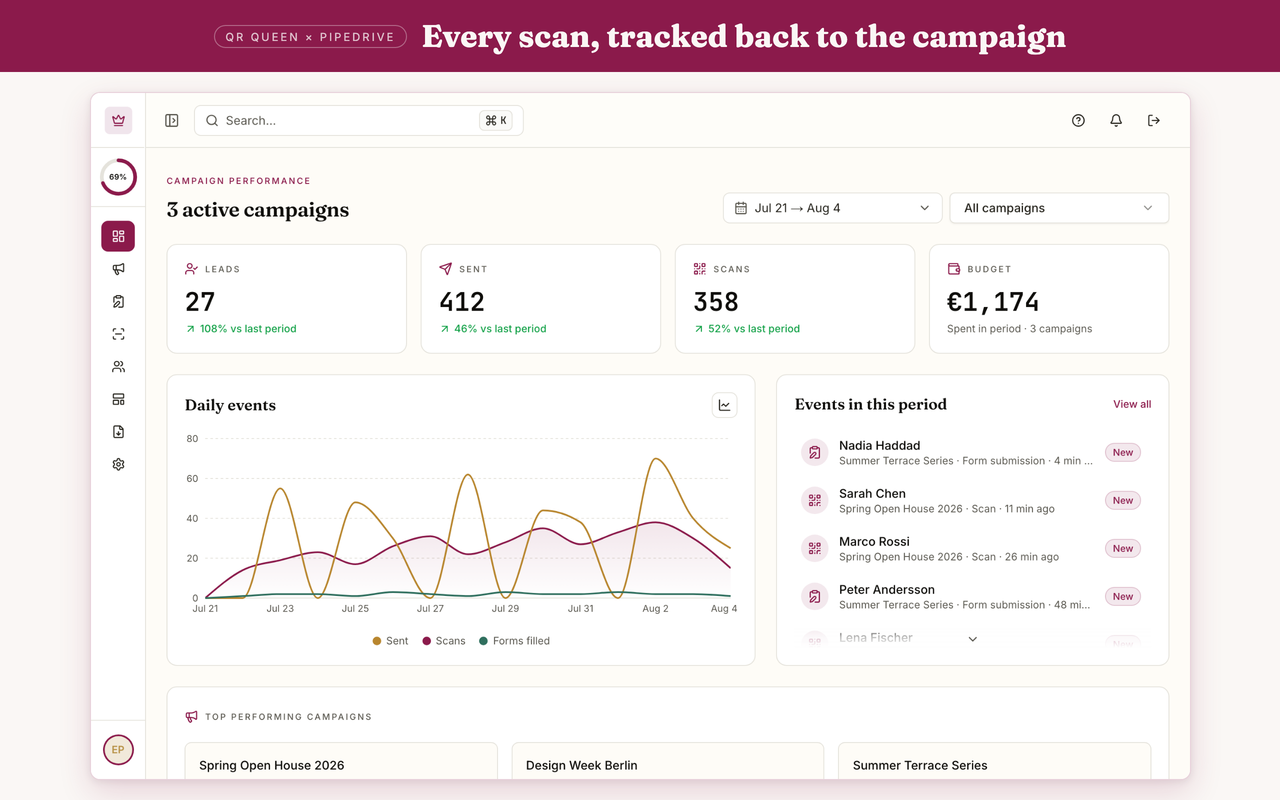
  • Real-time sync. Scans become activities on the right person; new leads are created as persons.
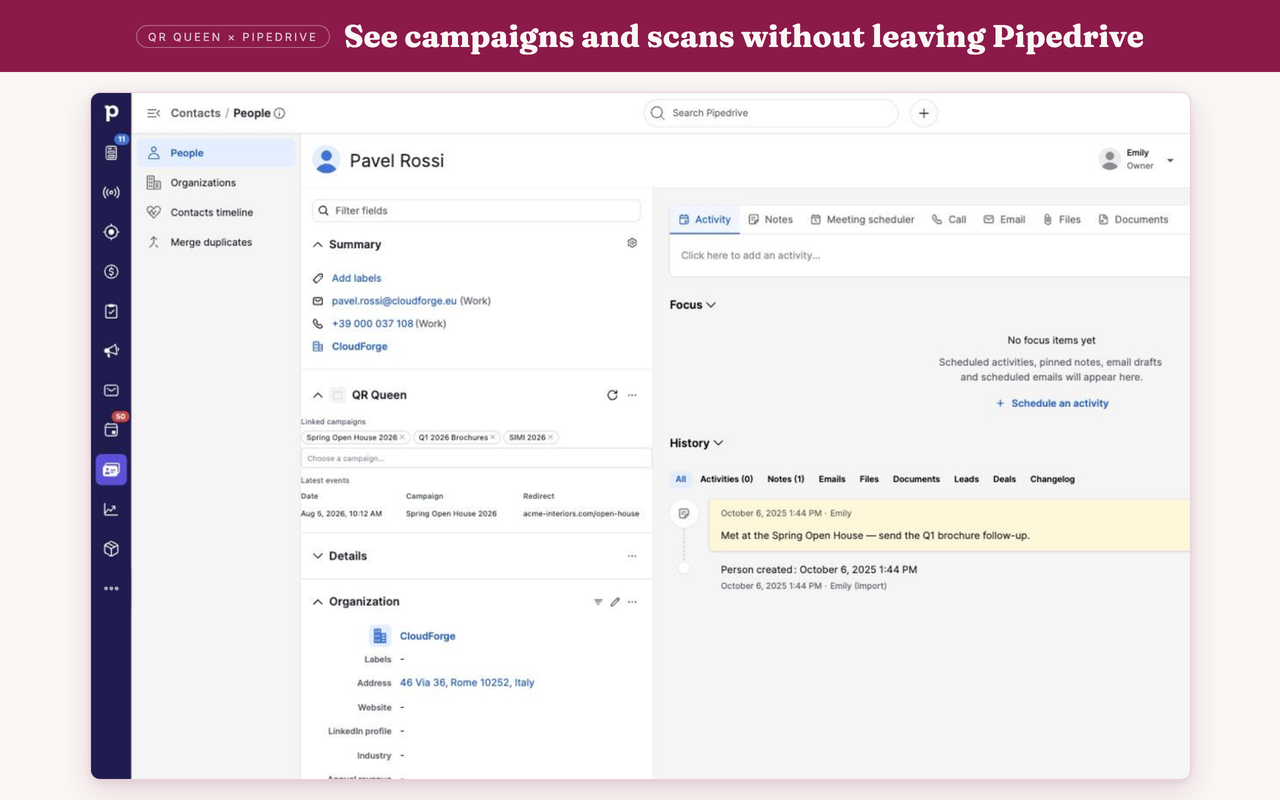
  • Person panel. See linked campaigns and recent activity without leaving Pipedrive.
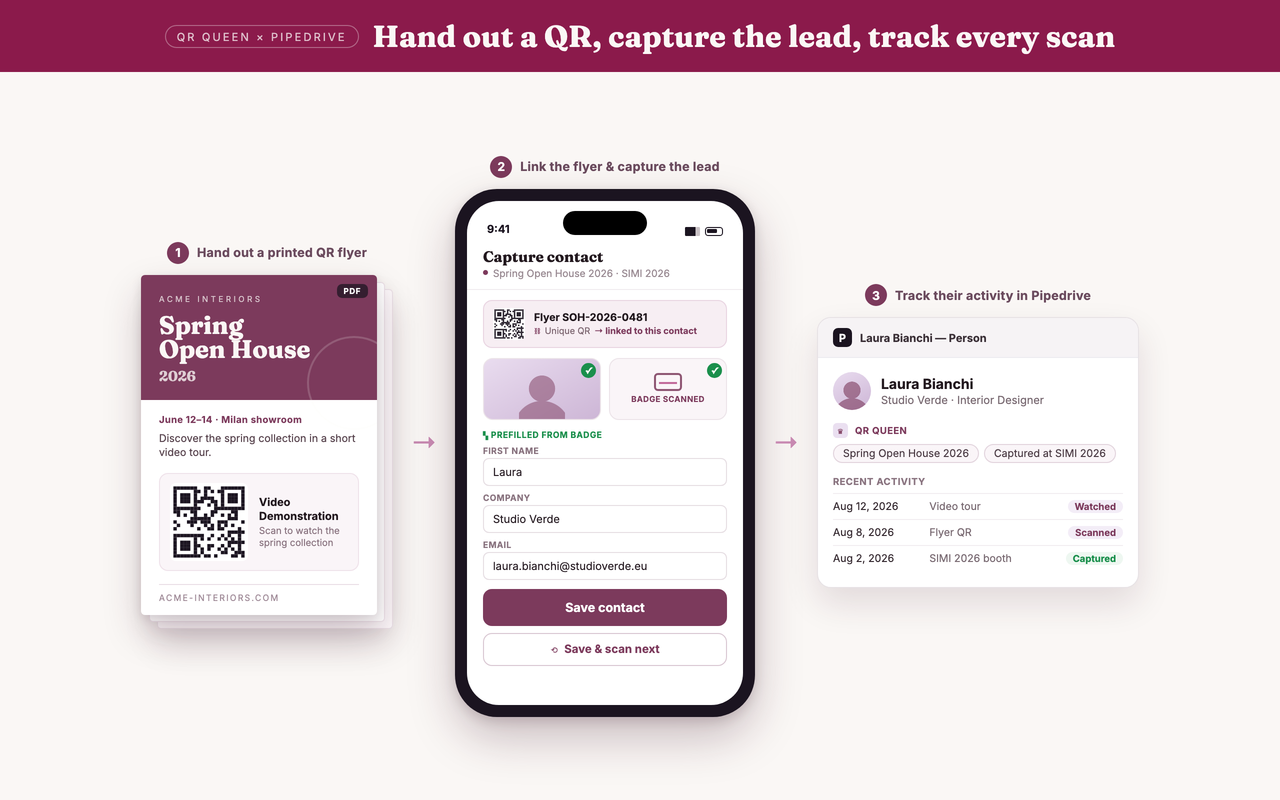
  • Field capture. Hand out a branded QR flyer, scan and capture the prospect at your booth (photo, badge, notes), then track every scan they make afterwards.
  • Template Studio. Drag Pipedrive merge fields into print-ready templates.
  • ROI analytics. Cost per scan, cost per lead, revenue attribution.

How it works

  1. Connect Pipedrive with one-click OAuth.
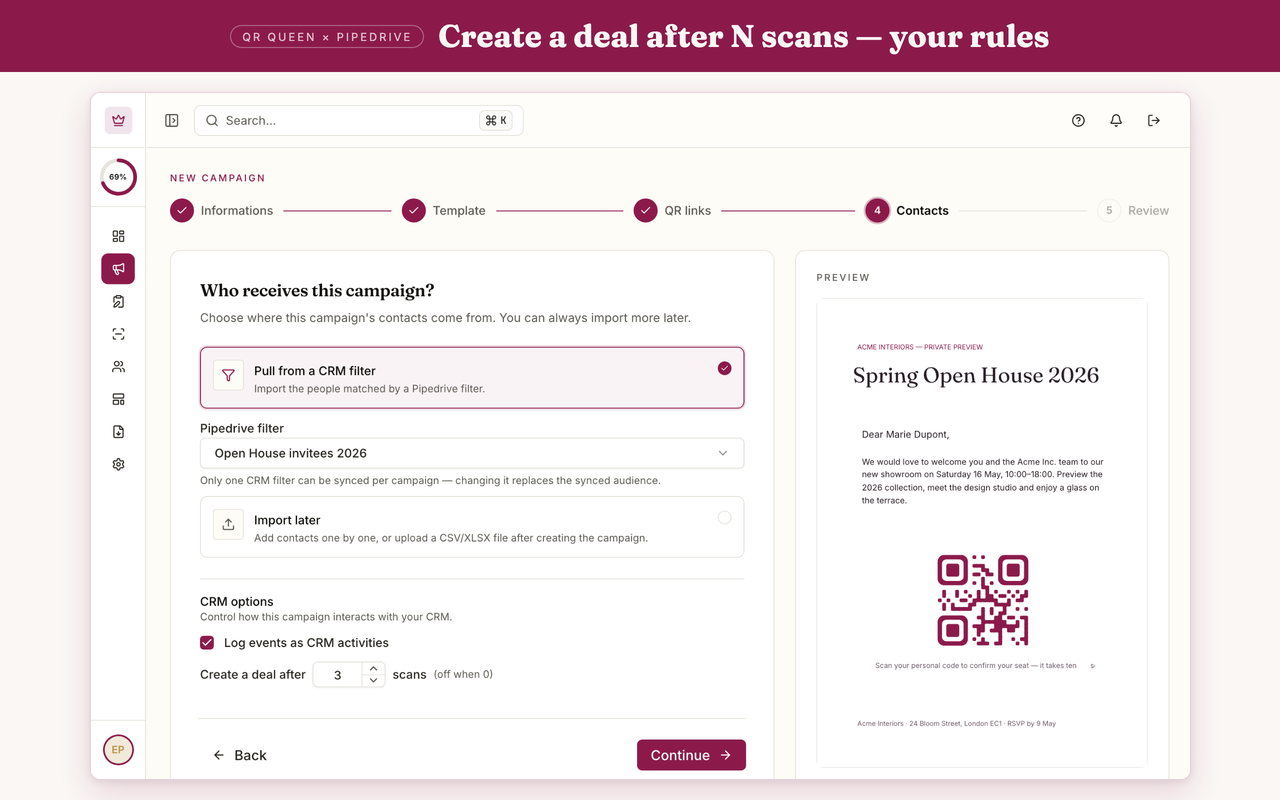
  2. Create a campaign and choose the destination: landing page, download, video or booking.
  3. Print and send. Every scan is tracked back to Pipedrive.

Built for B2B marketing and field sales teams who need to prove what print delivers.

Features

Panels

Panels

Instantly see and interact with QR Queen as you dive into the details of your deals/contacts in Pipedrive.

QR Queen

Locations:person details

Installation instructions

QR Queen connects to Pipedrive in one click and turns your print into tracked pipeline.

  1. Install and approve. Click Install on this Marketplace page and approve the requested permissions (persons and activities).
  2. Sign in. You are redirected to QR Queen. Sign in or create your workspace; the Pipedrive connection is confirmed automatically.
  3. Build a campaign. Pick a template in Template Studio, drag Pipedrive merge fields (name, company) into the layout, and select the persons to include. Each person gets a unique, tracked QR code.
  4. Choose the destination. A personalized landing page, a sales material download, a demo video or a pre-filled booking.
  5. Print and send. Every scan appears in real time and is logged as an activity on the right Pipedrive person. Open any person to see the QR Queen panel with linked campaigns and recent activity.

Field sales: hand out a branded QR flyer, then scan and capture the prospect at your booth to create the Pipedrive person on the spot.

Need help? Contact [email protected].

Also popular in this category

If you’re interested in this app, you might also like:

Google Meet
free
Google Meet
Manage, schedule and launch Google Meet calls from Pipedrive to streamline your sales communication.
Built by Pipedrive
CallHippo
free
CallHippo
Effortlessly Manage Sales with AI-Enhanced CallHippo and Pipedrive Integration, Featuring AI-powered Analytics, Click-to-Call, and Task Automation.
Paperflite
Paperflite
Paperflite is software for remote content collaboration. Use it to organize, distribute and share your content with prospects.

User reviews

User reviews

Overall rating

No ratings yet

No installs

Can't find the app you need?

Use our powerful API to build awesome apps for either your company or for all Pipedrive users.

Build an app