
free
CallHippo
Effortlessly Manage Sales with AI-Enhanced CallHippo and Pipedrive Integration, Featuring AI-powered Analytics, Click-to-Call, and Task Automation.
(414)
384 reviews
QuickClick
by Robert - Hanseperformance
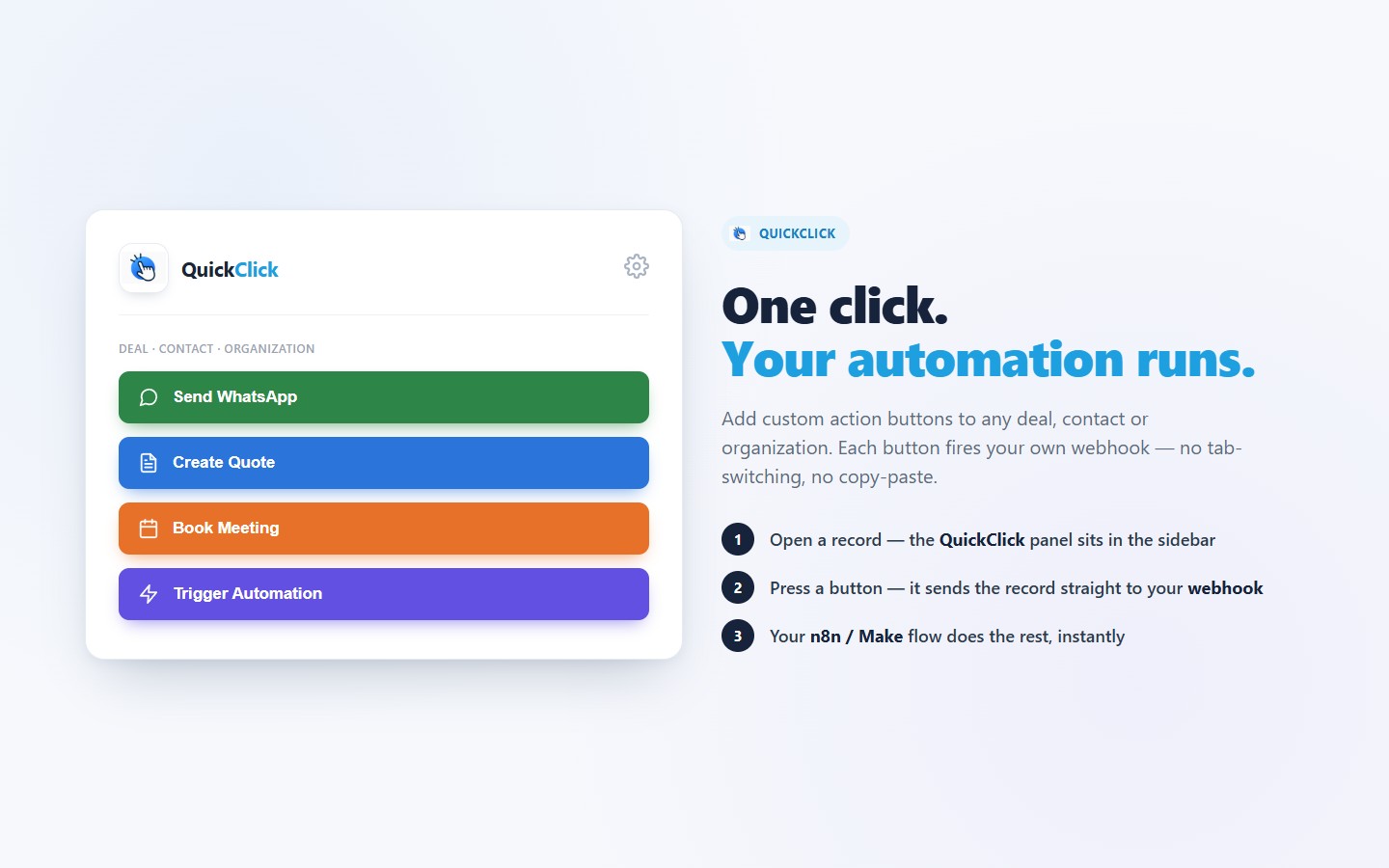
QuickClick puts your automations one click away — right inside Pipedrive.
QuickClick adds a panel with custom action buttons to the sidebar of every deal, contact and organization. Each button sends the current record straight to a webhook of your choice — no tab-switching, no copy-pasting record IDs, no manual triggers.
What you can do
Built for teams
Typical use cases
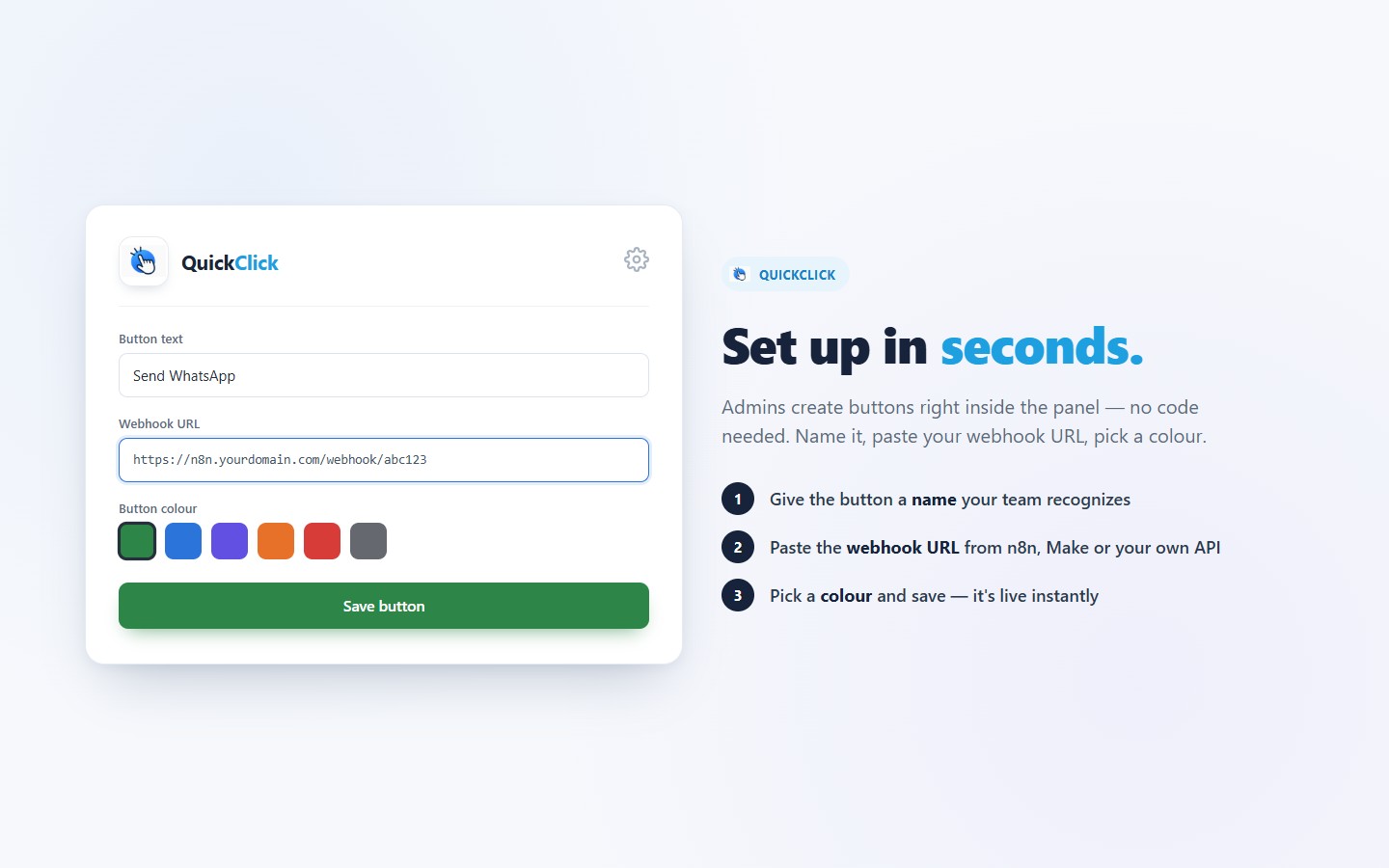
Setup takes seconds: install the app, open any record and start adding buttons. Your buttons and webhook URLs are stored privately per Pipedrive account.

Panels
Instantly see and interact with QuickClick as you dive into the details of your deals/contacts in Pipedrive.
QuickClick
Locations:deal detailsperson detailsorganization details
Trigger webhooks for the current deal with a single click
1. Install QuickClick from the Pipedrive Marketplace and confirm the requested permissions.
2. Open any record — a deal, contact or organization. The QuickClick panel appears in the right sidebar of the detail view.
3. Add your first button. Click the gear icon to open the settings, then:
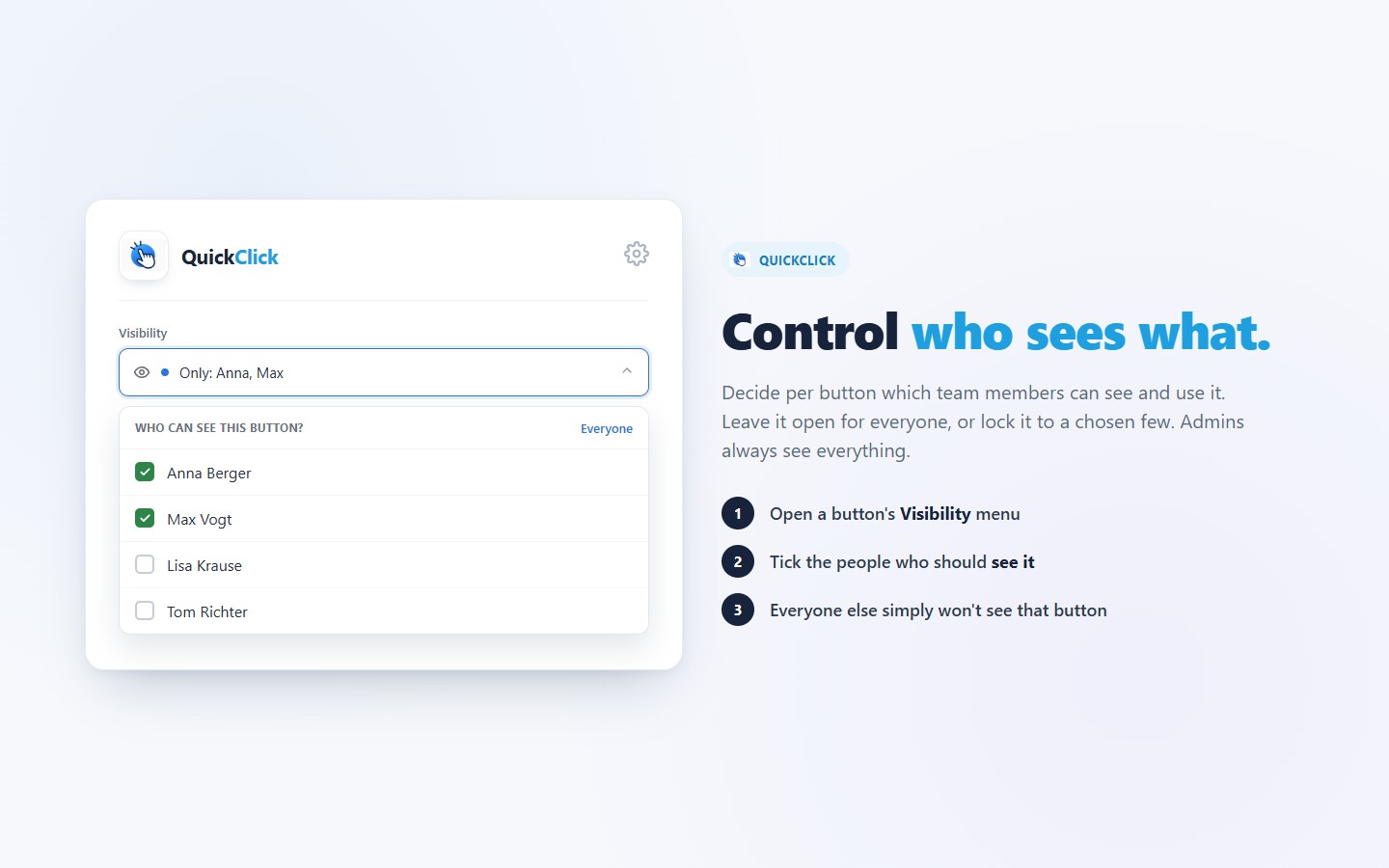
4. Set who can see it (optional). Use the button's Visibility menu to limit it to specific team members, or leave it open to everyone. Admins always see every button.
5. Use it. Open any deal, contact or organization and press the button — QuickClick instantly sends that record's ID and context to your webhook.
Before you start: you need an endpoint to receive the data — usually a webhook in an automation tool like n8n, Make or Zapier, or your own API. Setting that up on your side takes a few minutes; once the URL is in QuickClick, everything runs with a single click.
If you’re interested in this app, you might also like:


Use our powerful API to build awesome apps for either your company or for all Pipedrive users.
Build an app