Import Pipedrive contacts into Salesforge, map fields, and add them to sequences to streamline and scale your outreach.

Qualify my leads, Nurture my leads, Communicate with leads

App screenshot
App screenshot
App screenshot

Description

Salesforge’s integration with Pipedrive helps you streamline your outreach and save time by bringing your CRM and outreach workflows together. With just a few clicks, you can import contacts directly from Pipedrive into Salesforge and immediately add them to personalized outreach sequences.

The integration allows you to map custom fields between Pipedrive and Salesforge, ensuring that your contact data stays clean, consistent, and ready for action. No more manual copy-pasting or switching between tools—just a seamless experience from pipeline to prospecting.

Whether you're managing a growing sales team or running outreach as a solo rep, this integration empowers you to scale your efforts, keep your data in sync, and focus on what matters most: closing deals.

Installation instructions

Step 1: Authenticate with Pipedrive

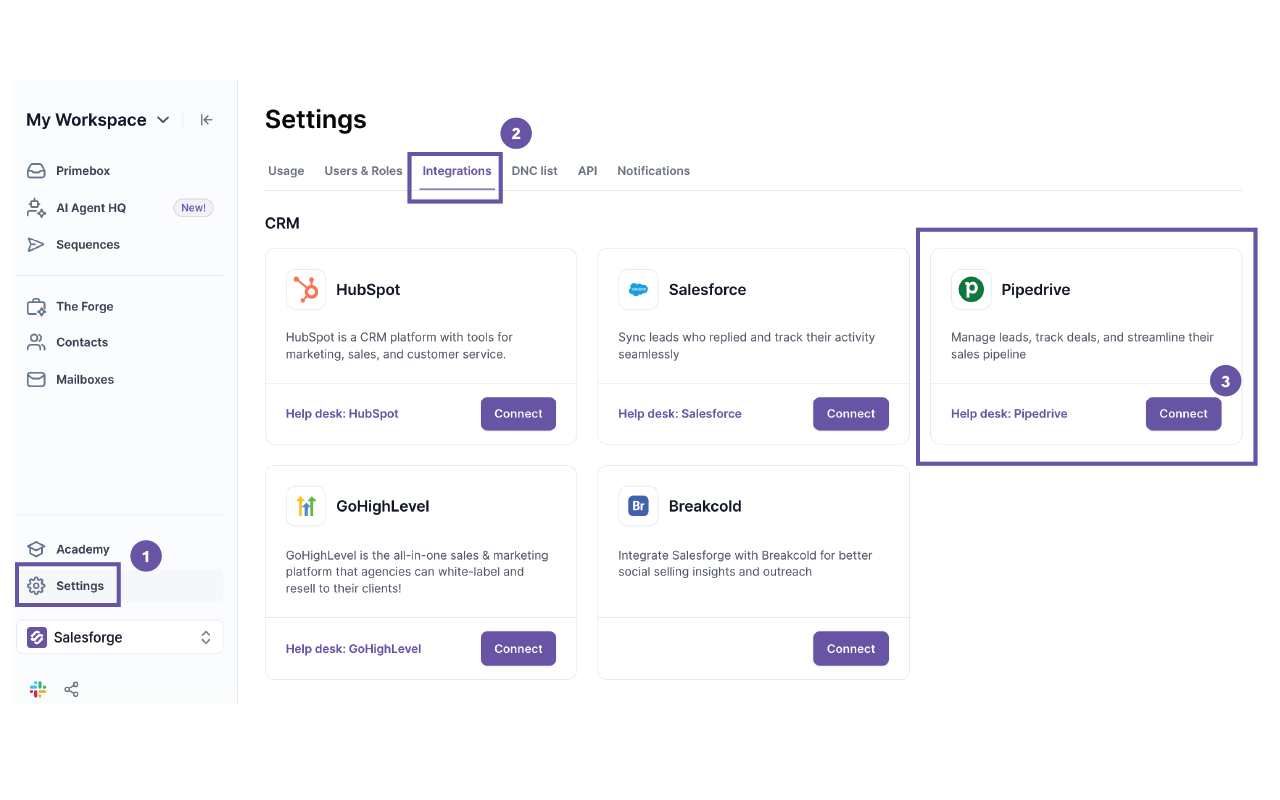
  1. Go to Settings in Salesforge.ai.
  2. Navigate to the Integrations section.
  3. Click on Pipedrive and select Connect.
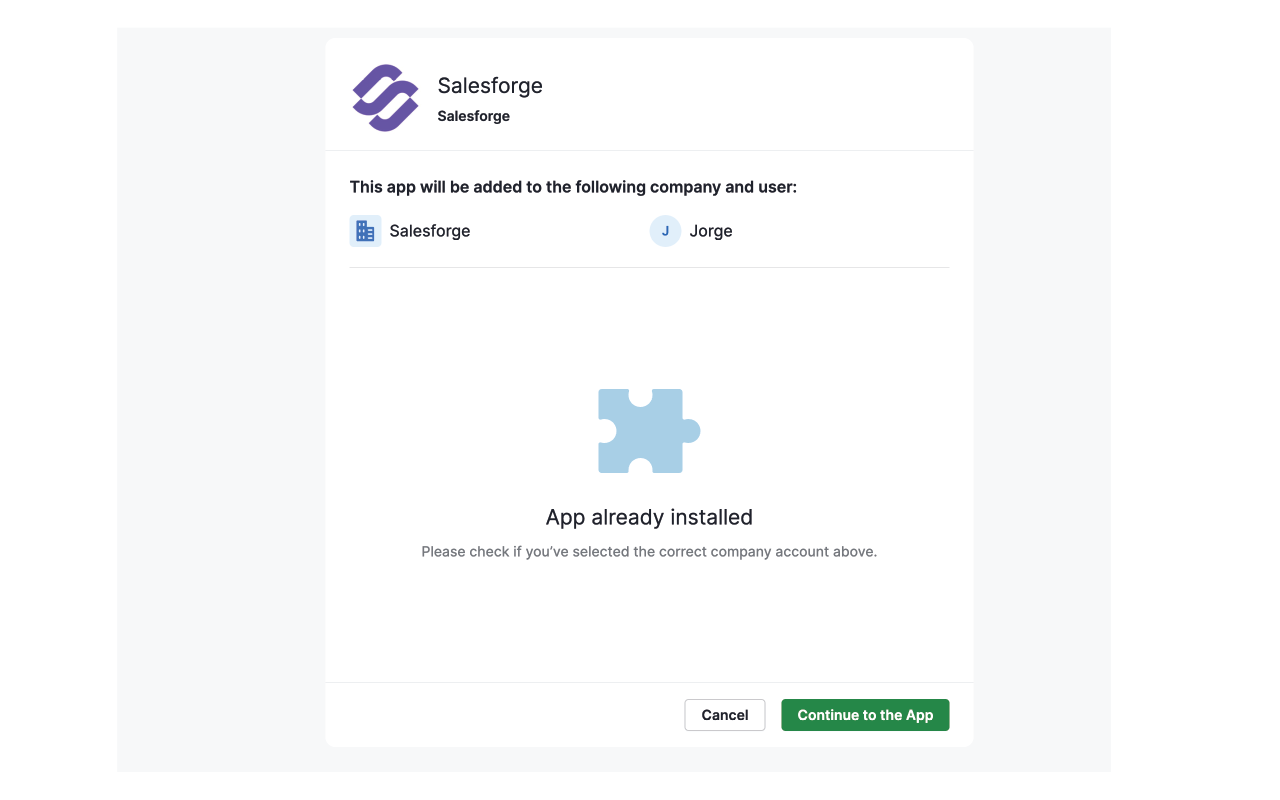
  4. You’ll be redirected to Pipedrive’s authentication page. Log in and grant Salesforge.ai the necessary permissions.
  5. Once authenticated, you’ll be redirected back to Salesforge.ai, and the integration will be active.

Step 2: Set Up Field Mapping

  1. After authentication, you’ll be prompted to map Pipedrive fields to Salesforge.ai fields.
  2. Ensure that key fields such as First Name, Last Name, Email, and Phone Number are correctly mapped.
  3. Save your field mapping settings to finalize the setup.

Step 3: Import Contacts from Pipedrive

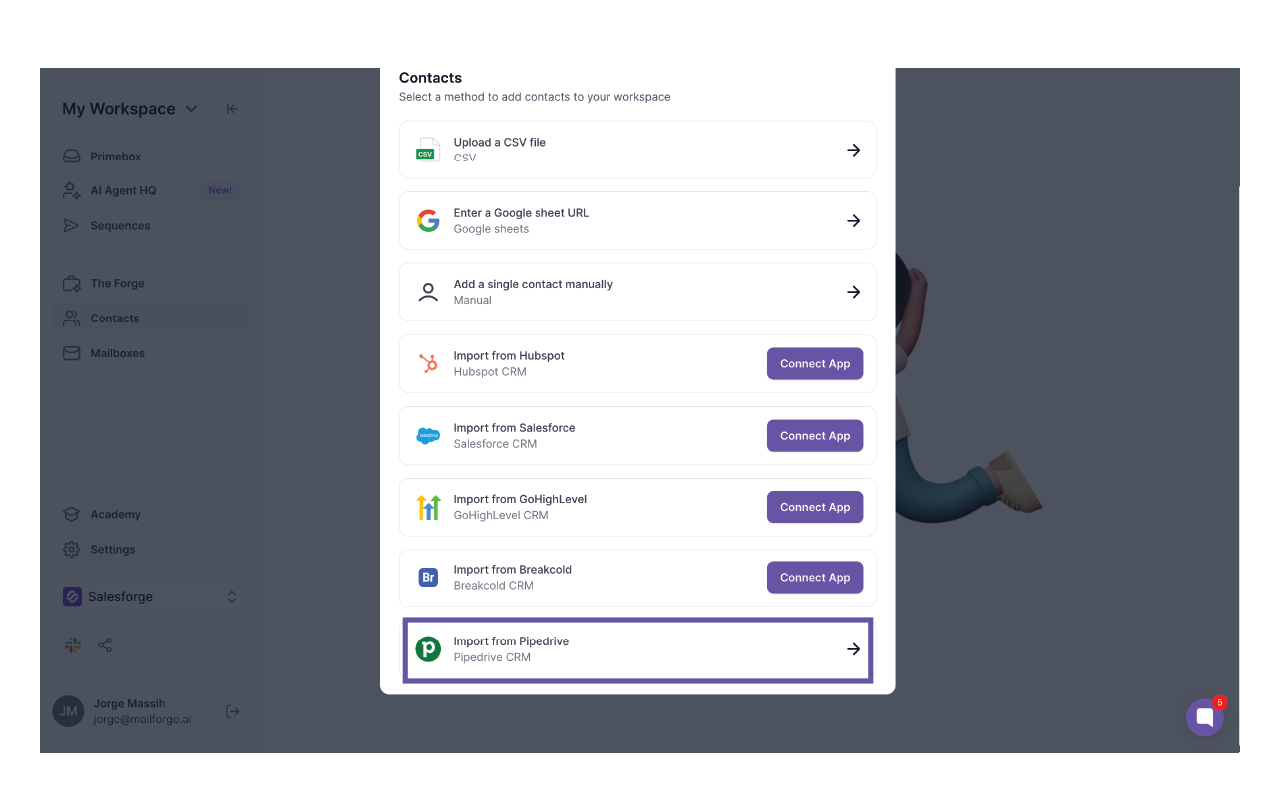
  1. Navigate to the Contacts section in Salesforge.ai.
  2. Click on Import and select Pipedrive as the source.
  3. Choose the contacts you want to import or select all.
  4. Click Import and wait for the sync to complete.

Also popular in this category

If you’re interested in this app, you might also like:

CallHippo
free
CallHippo
Effortlessly Manage Sales with AI-Enhanced CallHippo and Pipedrive Integration, Featuring AI-powered Analytics, Click-to-Call, and Task Automation.
Google Meet
free
Google Meet
Manage, schedule and launch Google Meet calls from Pipedrive to streamline your sales communication.
Built by Pipedrive
Paperflite
Paperflite
Paperflite is software for remote content collaboration. Use it to organize, distribute and share your content with prospects.

User reviews

User reviews

Overall rating

No ratings yet

No installs

Can't find the app you need?

Use our powerful API to build awesome apps for either your company or for all Pipedrive users.

Build an app