
free
Google Meet
Manage, schedule and launch Google Meet calls from Pipedrive to streamline your sales communication.
Built by Pipedrive
(4218)
501 reviews
SMSMobileAPI — SMS & Call Sync
by AppHubic - SmsMobileAPI
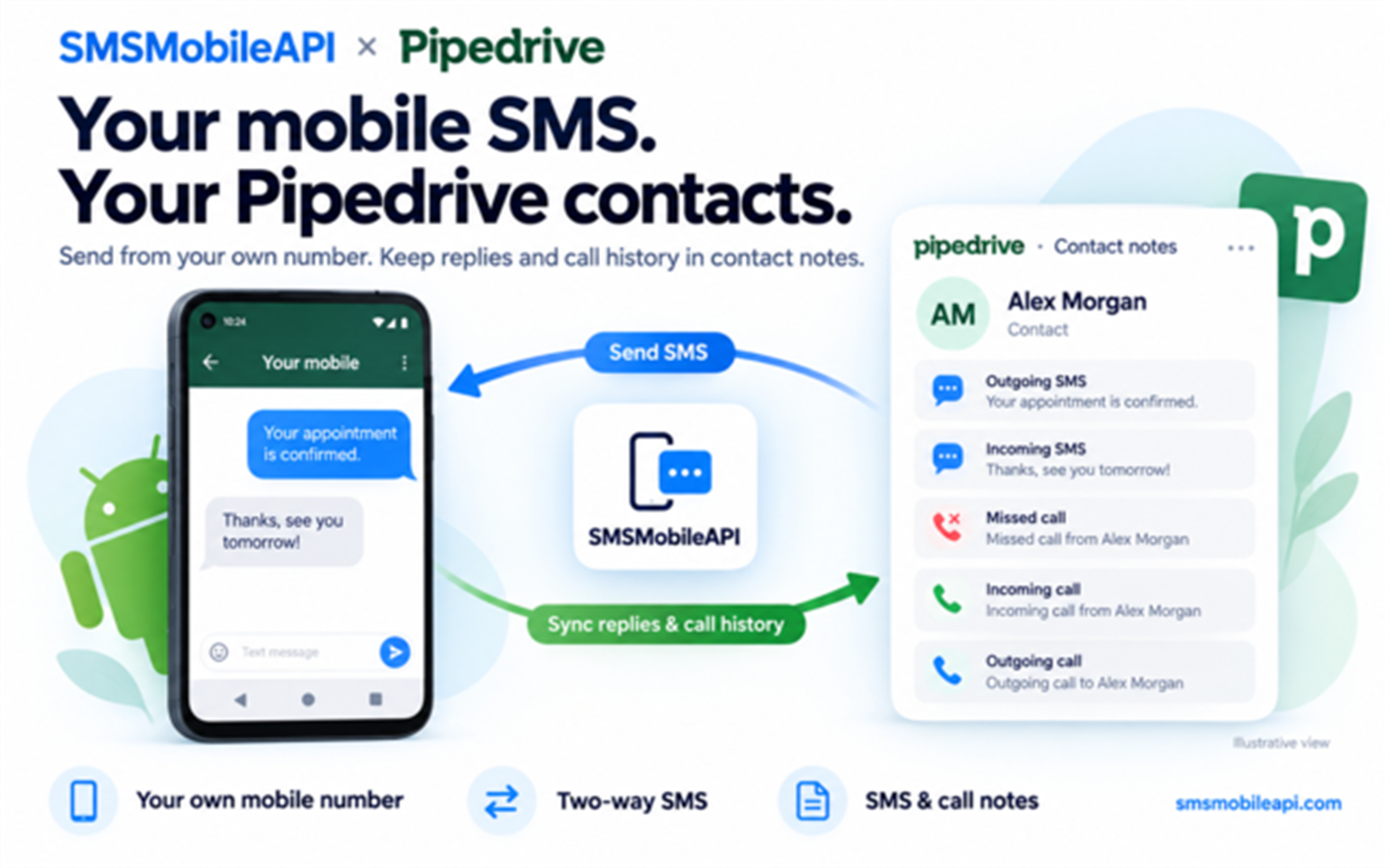
SMSMobileAPI connects your Android mobile to Pipedrive so you can send SMS from your own number and keep replies and call history with your contacts.
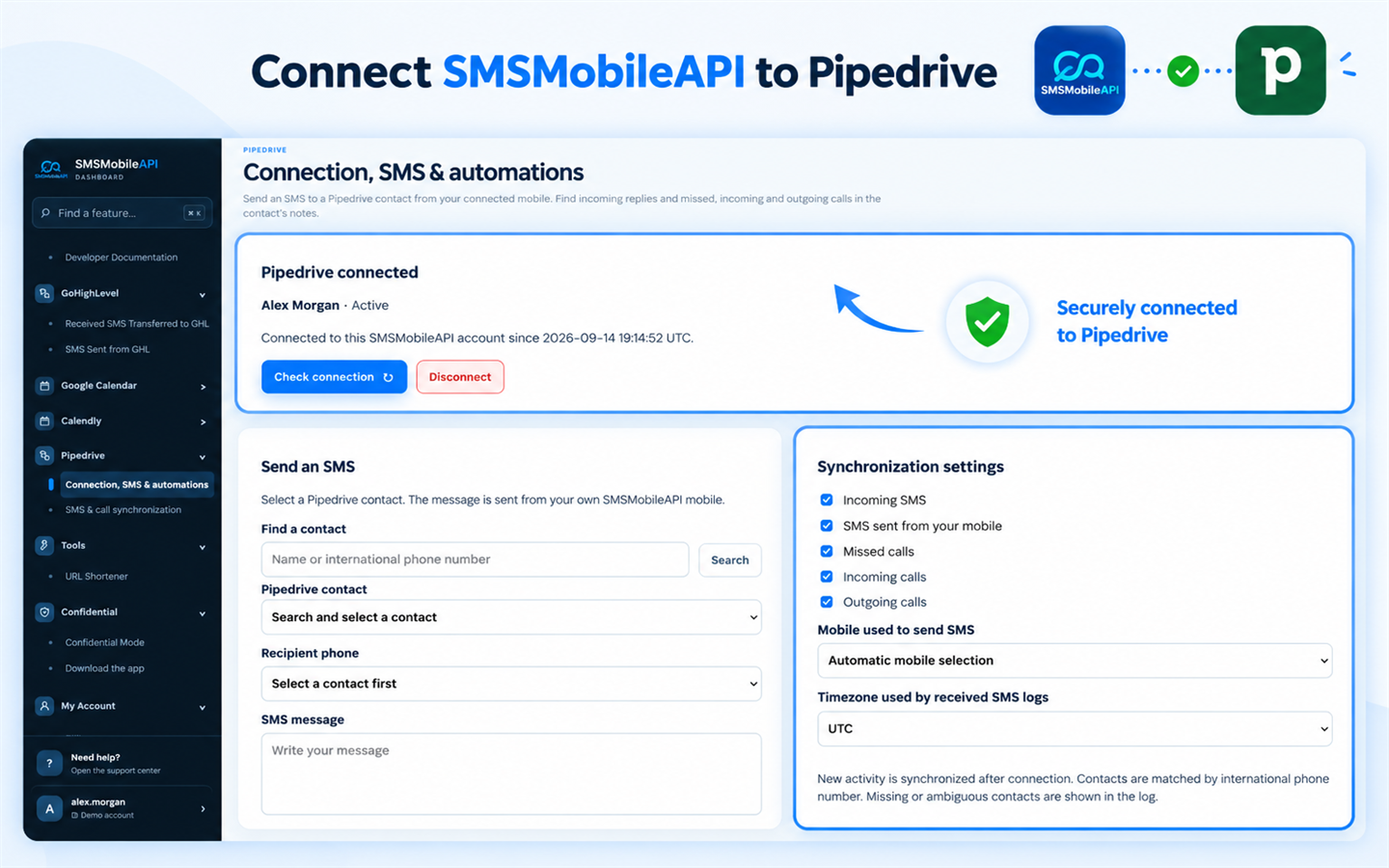
Send SMS from a contact Open “Send SMS with SMSMobileAPI” from a person’s details to access the sending form. Choose their number, write your message and send it through your connected mobile. Customers can reply directly to your number. Sync incoming replies New SMS received on your mobile and synchronized with SMSMobileAPI are added to the matching Pipedrive contact’s notes, giving your team context for every follow-up.
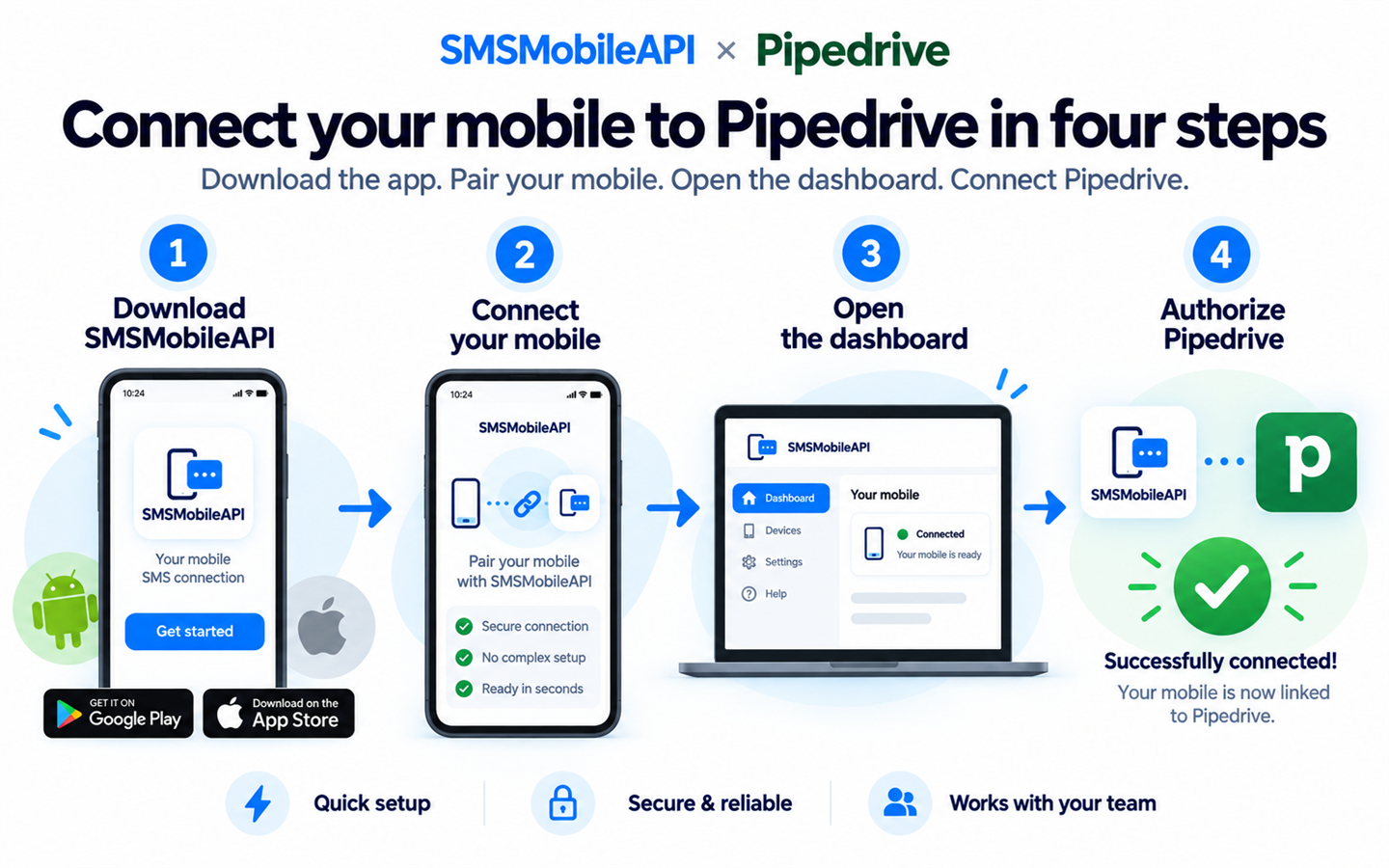
Track mobile calls Bring missed, incoming and outgoing call records into contact notes, including the date, connected mobile and duration when available. Automate follow-ups Create SMS rules for new contacts, new deals or won deals. Personalize messages with the contact’s name or deal title. Stay in control Choose which activity to synchronize and review processing statuses and errors in your SMSMobileAPI dashboard. Getting started is simple: sign in to SMSMobileAPI, open Pipedrive and authorize your account. Keep your Android mobile connected and use international-format contact numbers.
Only new activity after connection is synchronized. SMS and calls appear as contact notes, not in a native Pipedrive SMS inbox or calling interface. SMSMobileAPI subscription conditions and mobile plan charges apply.

Panels
Instantly see and interact with SMSMobileAPI — SMS & Call Sync as you dive into the details of your deals/contacts in Pipedrive.
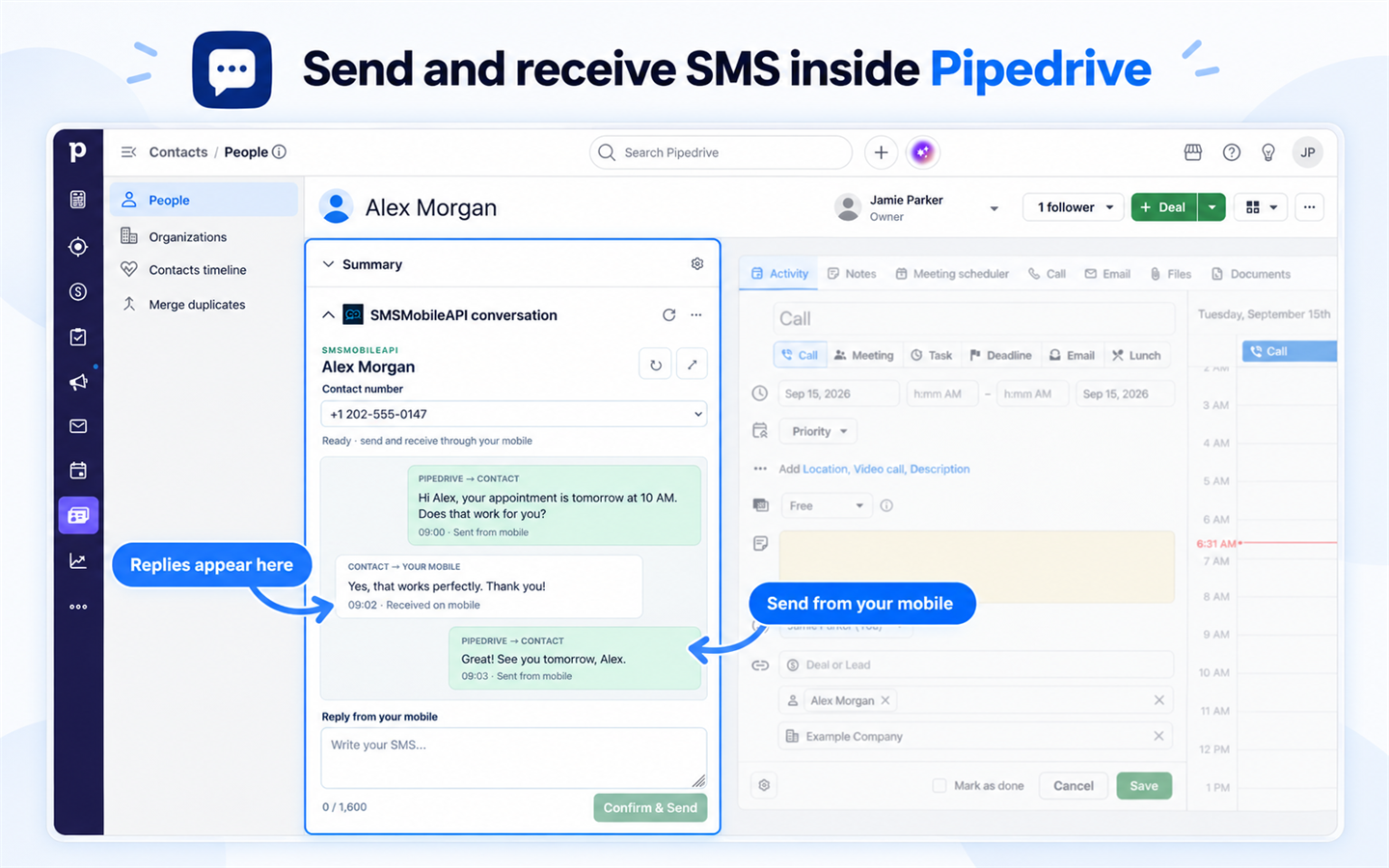
SMSMobileAPI conversation
Locations:person details
View sent and received SMS for this contact and reply directly from Pipedrive through your own connected mobile number.

Pop-up windows
Tackle complex tasks in SMSMobileAPI — SMS & Call Sync without leaving Pipedrive via their customized pop-up windows.
SMS conversation
Locations:person details
View sent and received SMS for this contact and reply directly from Pipedrive through your own connected mobile number.
If you’re interested in this app, you might also like:


Use our powerful API to build awesome apps for either your company or for all Pipedrive users.
Build an app