
free
Google Meet
Manage, schedule and launch Google Meet calls from Pipedrive to streamline your sales communication.
Built by Pipedrive
(4227)
501 reviews
Un1ty
by Un1ty.one
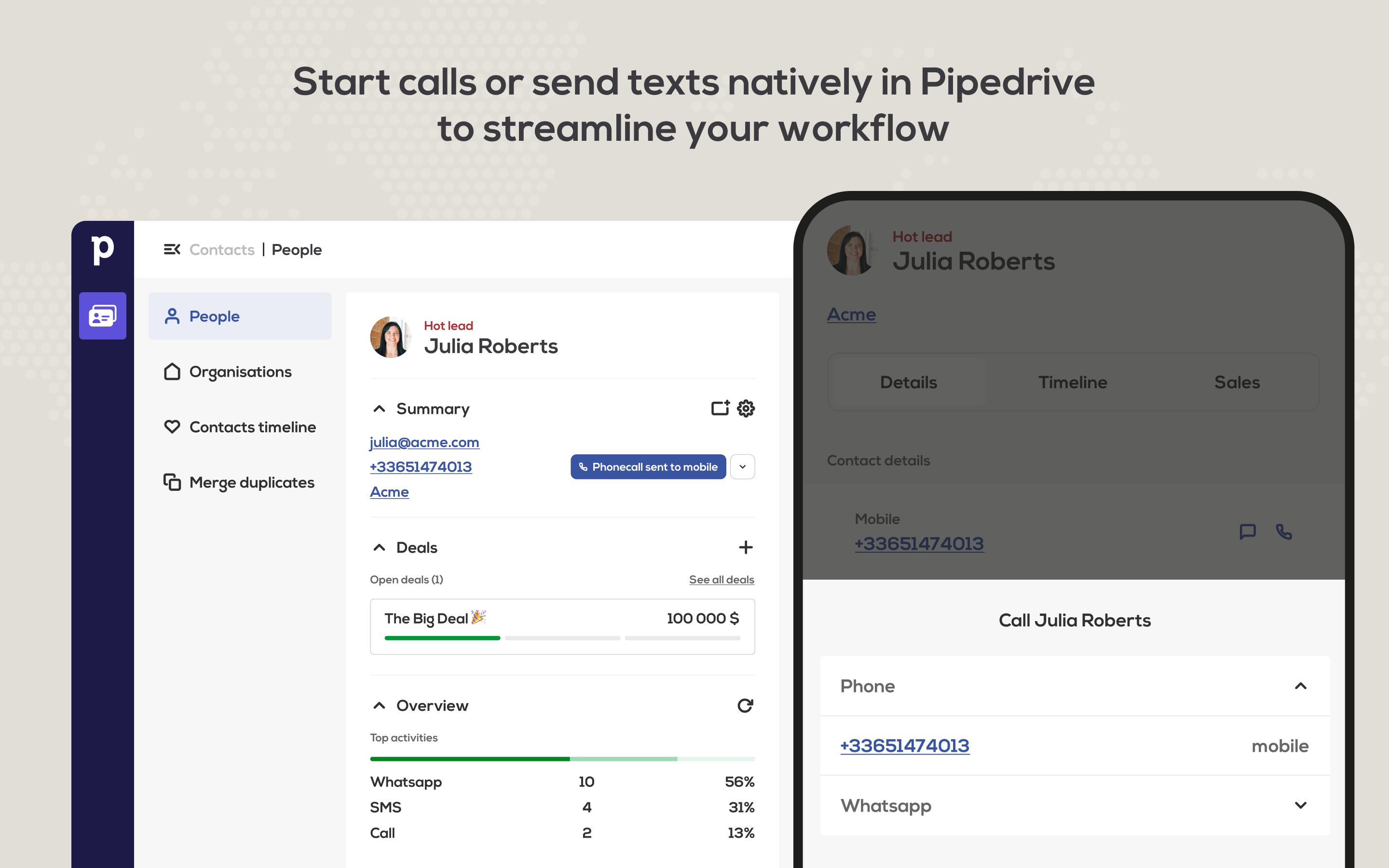
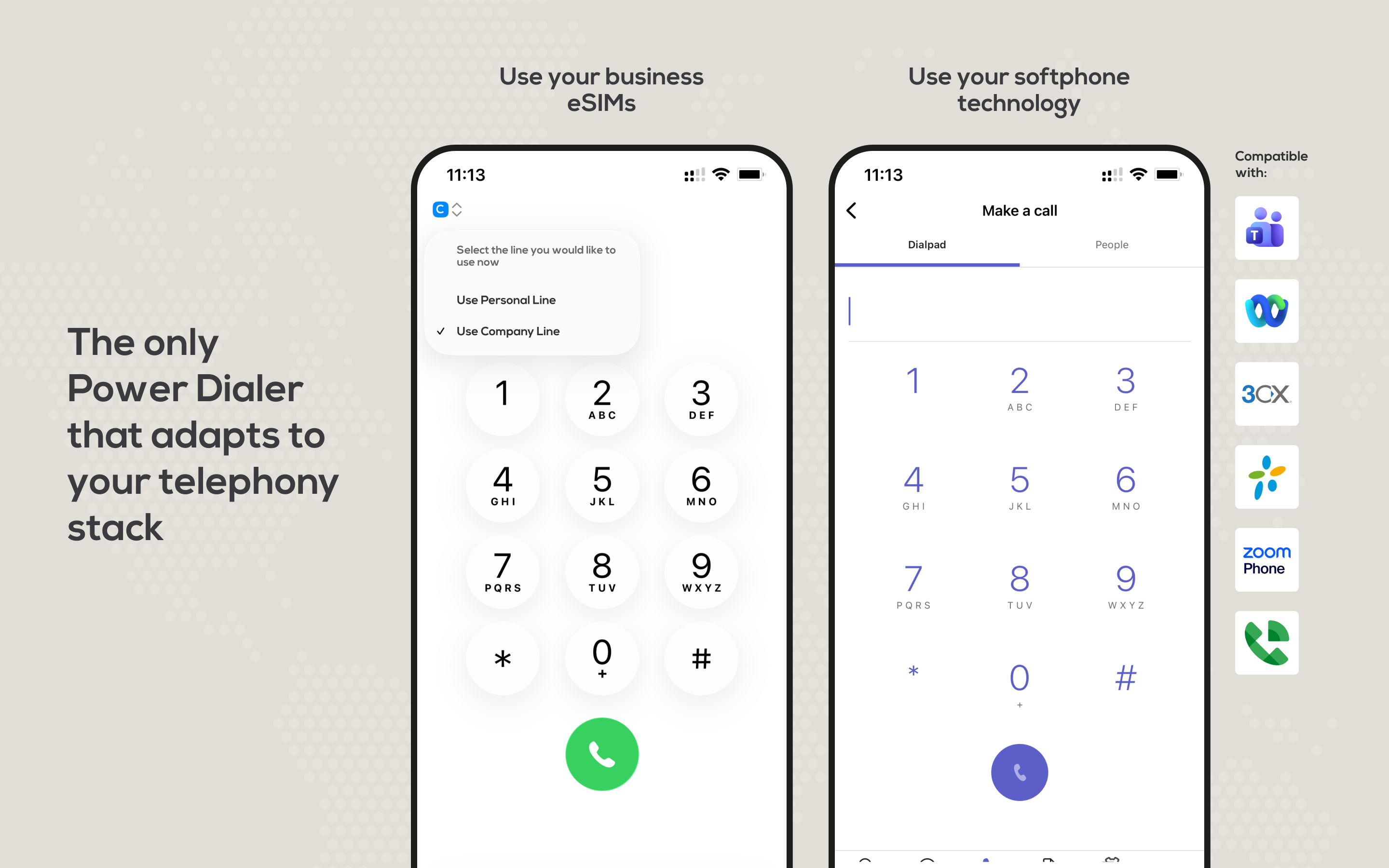
Un1ty transforms your existing corporate telephony—Microsoft Teams, Cisco Webex, 3CX, Google Voice, or Asterisk—into a powerful sales and support engine integrated directly within Pipedrive. Stop installing restrictive, closed-source communication software! Use the collaboration tools your team already masters to ensure maximum adoption.
Key Features & Benefits:
⚡️ Bring Your Own PBX for Ultimate Flexibility: Seamlessly integrate your current Unified Communications platform. Say goodbye to vendor lock-in!
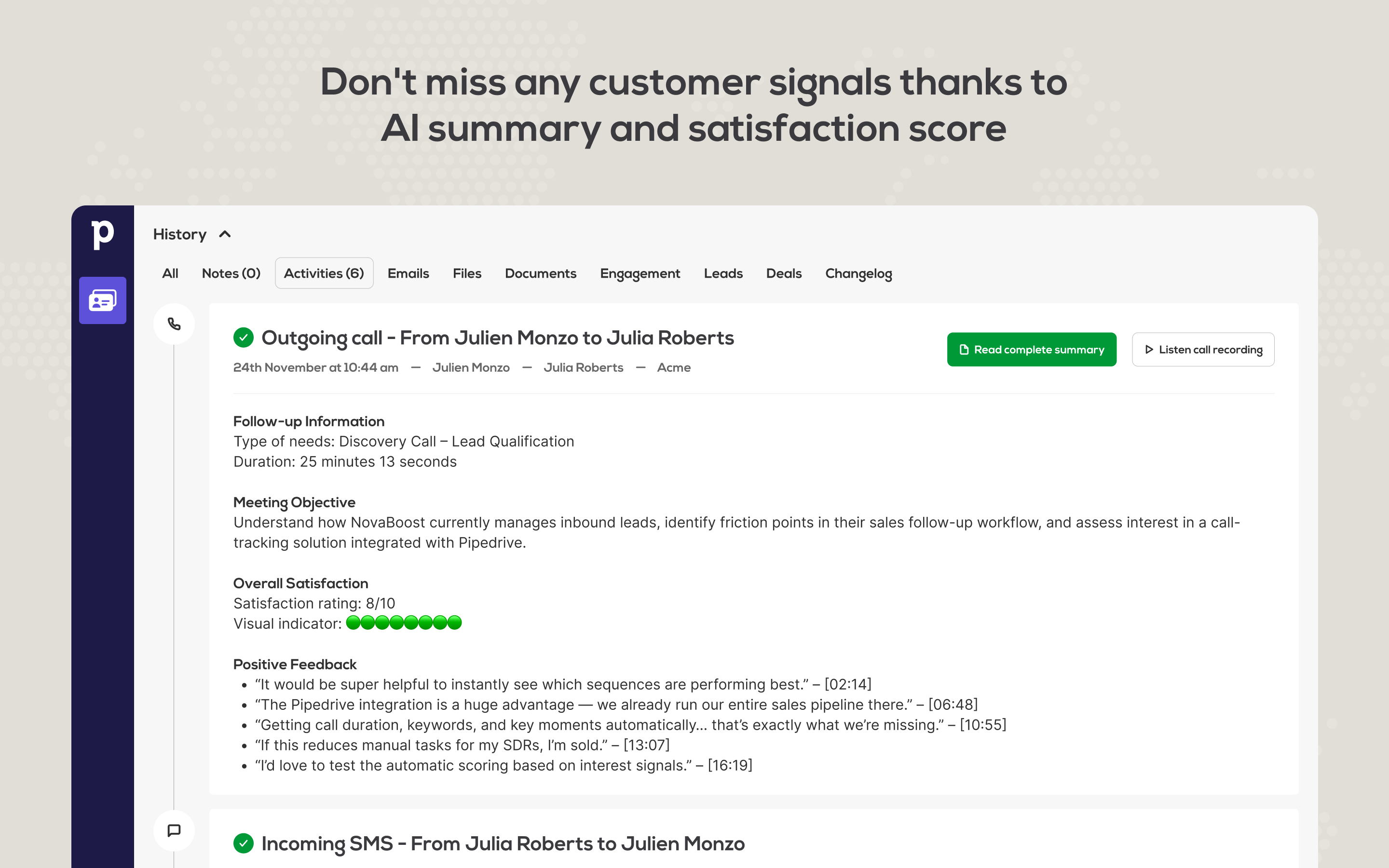
🧠 AI-Powered Insights: Our powerful AI analyzes all conversations, automatically generating concise call summaries and sentiment scorecards directly in Pipedrive activity notes. Eliminate manual data entry and gain instant, objective feedback on sales performance.
📱 Native SIM Card & Multi-Channel: Connect all vital customer channels: Calls, SMS, WhatsApp, and Messenger to Pipedrive. Our unique native SIM card integration allows field teams to use their GSM network for superior call quality. All GSM calls and SMS are logged automatically without needing a separate mobile app.
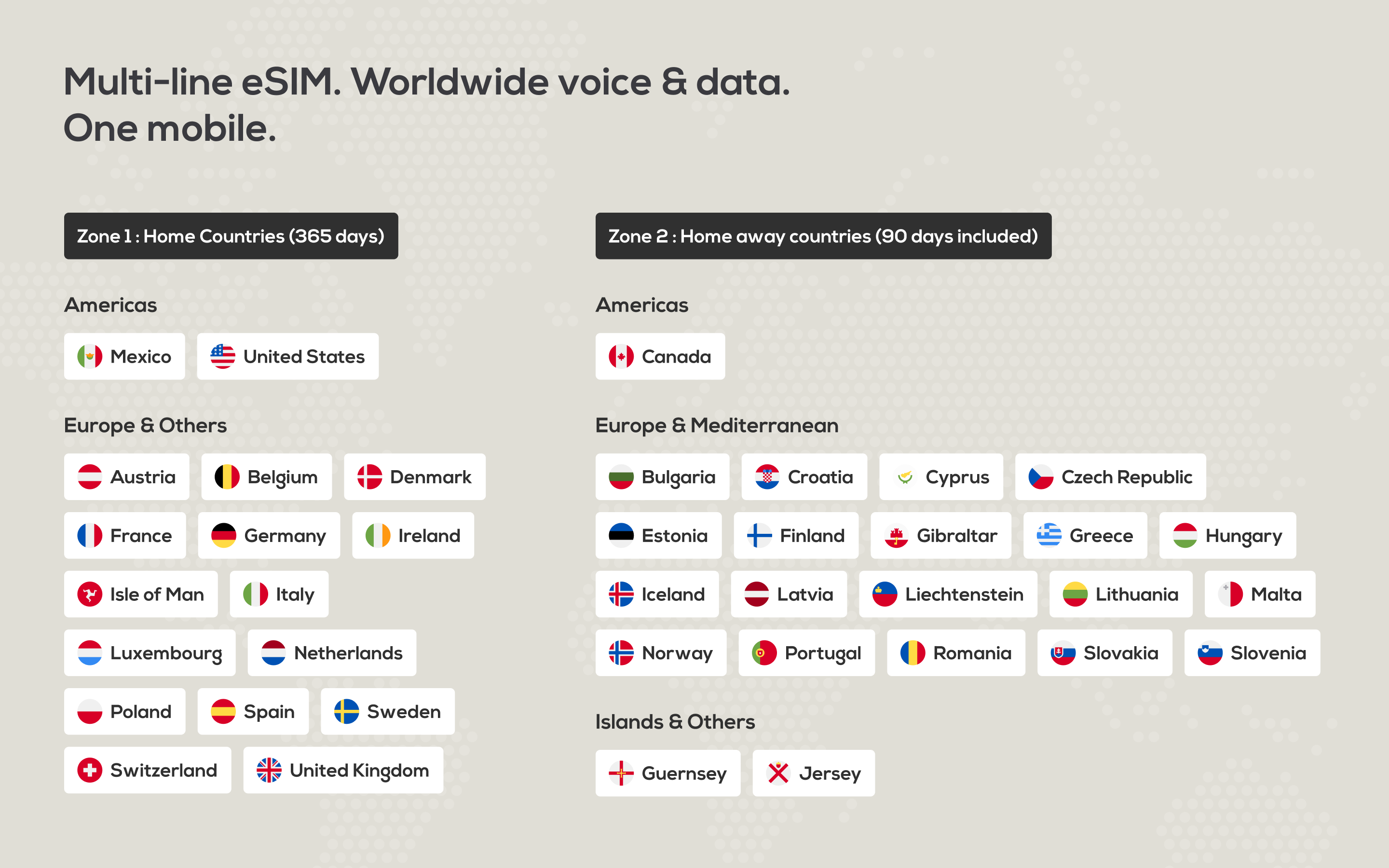
🌍 Global Reach & Low-Cost Rates: Instantly establish a local presence by displaying a number in over 180 countries. You can even retain your existing phone numbers without porting them to us.
Un1ty is the essential communication layer that boosts sales efficiency, delivers superior call quality, and drives customer satisfaction within Pipedrive.
Here are the simple steps to connect your Un1ty platform with Pipedrive:
Log in to your Un1ty account. If you don't have an account, simply register for un1ty here.
Click the Plan section, followed by the API & Integrations section located at the bottom of the page.
Select the Pipedrive integration and click the Add button to begin the installation process.
You will be redirected to Pipedrive for authorization. Once authorized, you will be redirected back to Un1ty.
Your integration is now ready! Customize the setup by selecting the phoneline numbers you wish to connect to your Pipedrive account(s).
Finally, click the Save button to activate the integration and start logging your calls and communications.
Note: You can connect different Pipedrive accounts for different phone numbers.
If you’re interested in this app, you might also like:


Use our powerful API to build awesome apps for either your company or for all Pipedrive users.
Build an app