Xero
interactive features

Xero

by Cloudify ApS

interactive features

Convert deals into Xero invoices and track revenue in Pipedrive. Avoid errors, save time, and automate invoicing with Pipedrive Xero integration.

Manage contracts, Automate my pipeline and data

App screenshot
App screenshot
App screenshot
App screenshot
App screenshot

Description

Xero Integration by Cloudify Overview

Features:

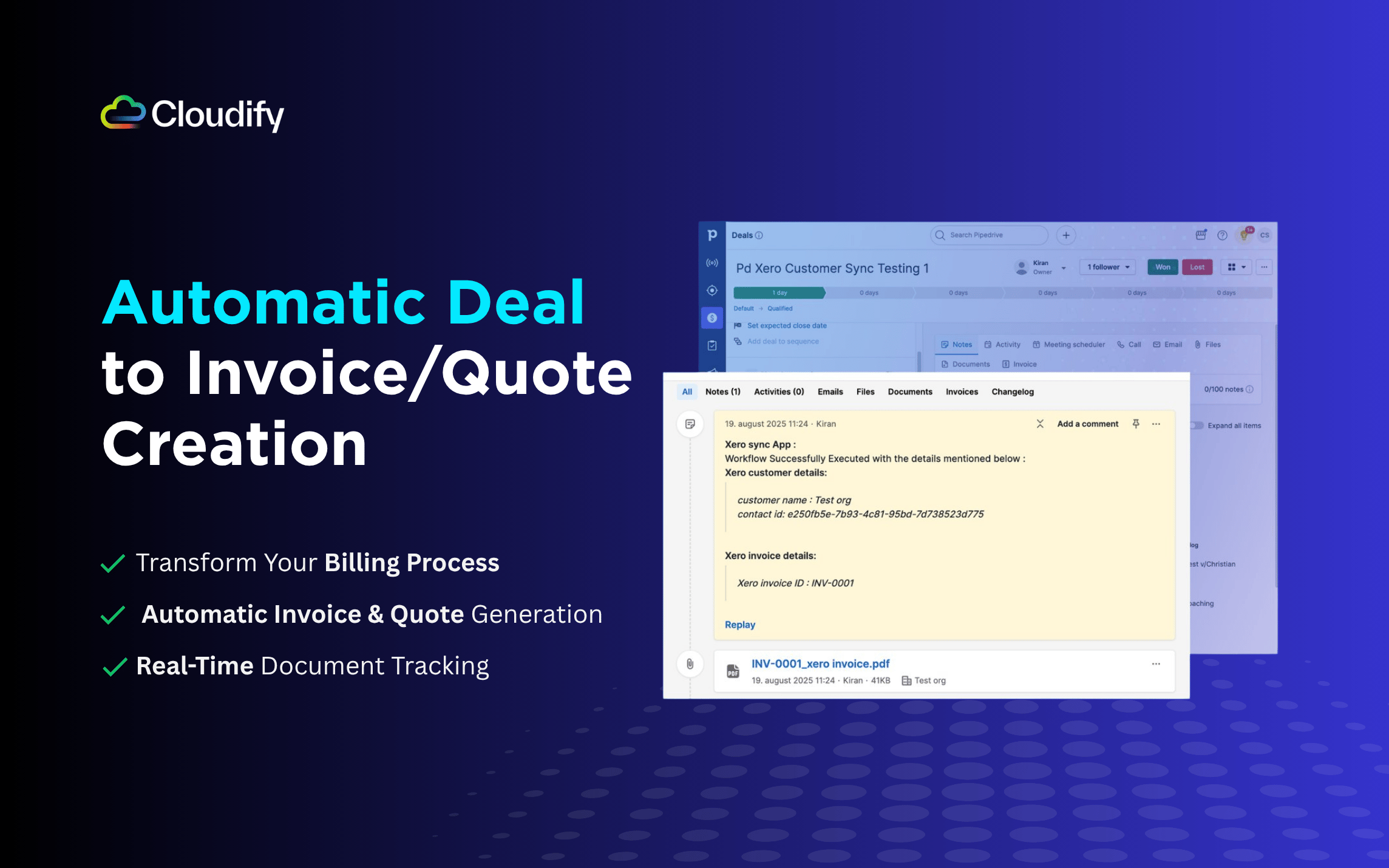
  • Automatic Deal to Invoice/Quote Creation
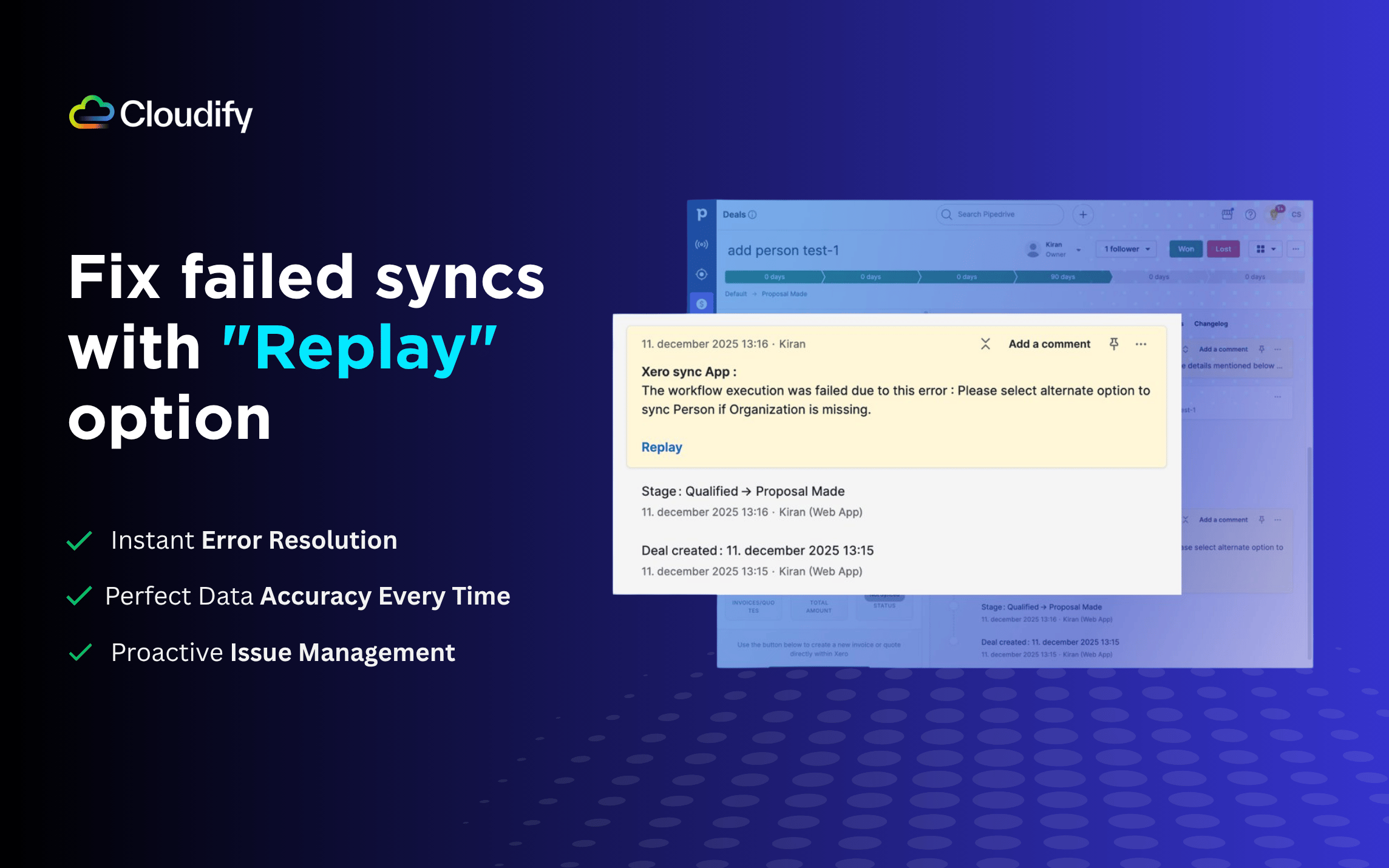
  • Replay Unsuccessful syncs with ease
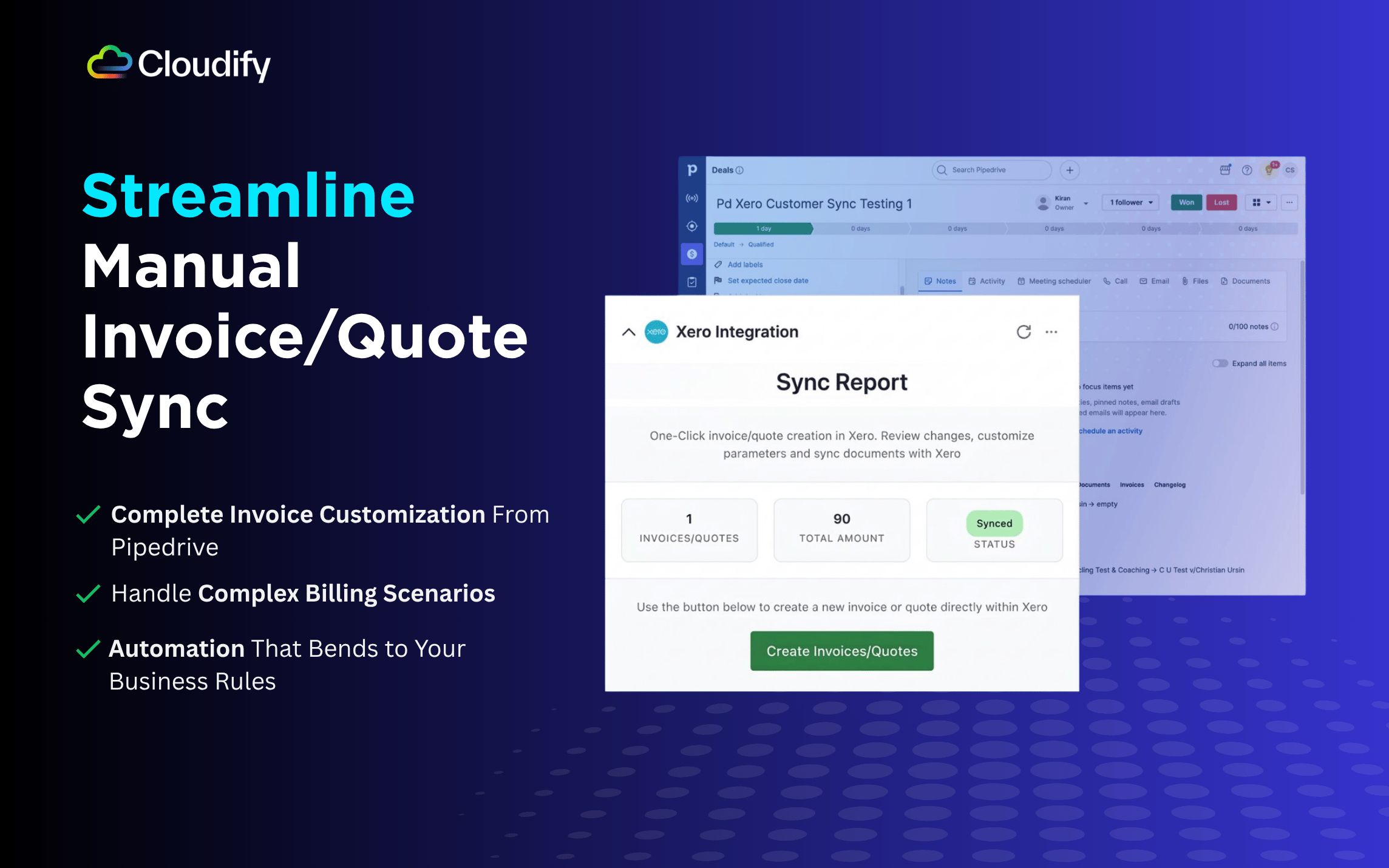
  • Once click option to generate and review invoices in Pipedrive before syncing it to xero

Key Business Benefits:

1. Eliminate Manual Work

  • No double data entry between systems
  • Automated organization/person, product and invoice/quote creation

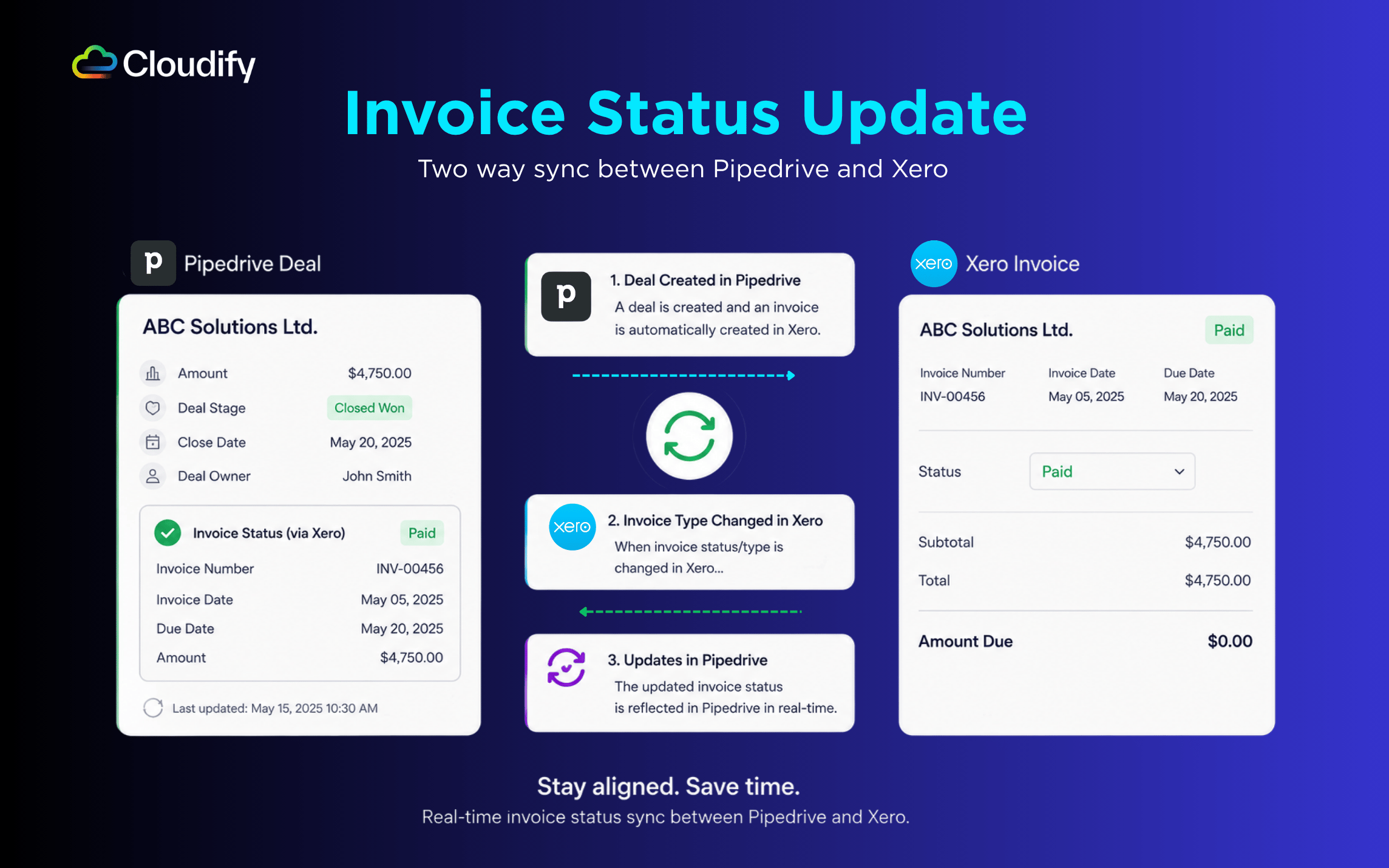
2. Real-time financial data syncing

  • View booked-invoice data directly in Pipedrive contacts
  • Stay Informed and in control

3. Fix failed syncs with "Replay" option

  • Update deals and re-sync to reflect changes
  • Instant notifications for sync actions in deal activities

4. Start with Free Expert Onboarding

  • Personalized setup for your Pipedrive account
  • Custom guidance for your specific needs

Start your free trial with 15 credits today! Book a free 30-minute onboarding session and let us transform your billing process.

Integration features

  • Automatic Deal to Invoice/Quote Creation: Transform deals into invoices with real-time updates.
  • One-click Invoice: Create, update, and customize Xero invoices from any stage of a Pipedrive deal with flexible options.
  • Replay Failed Syncs: Recover unsuccessful syncs
  • Company Creation: Create Xero customers from Pipedrive
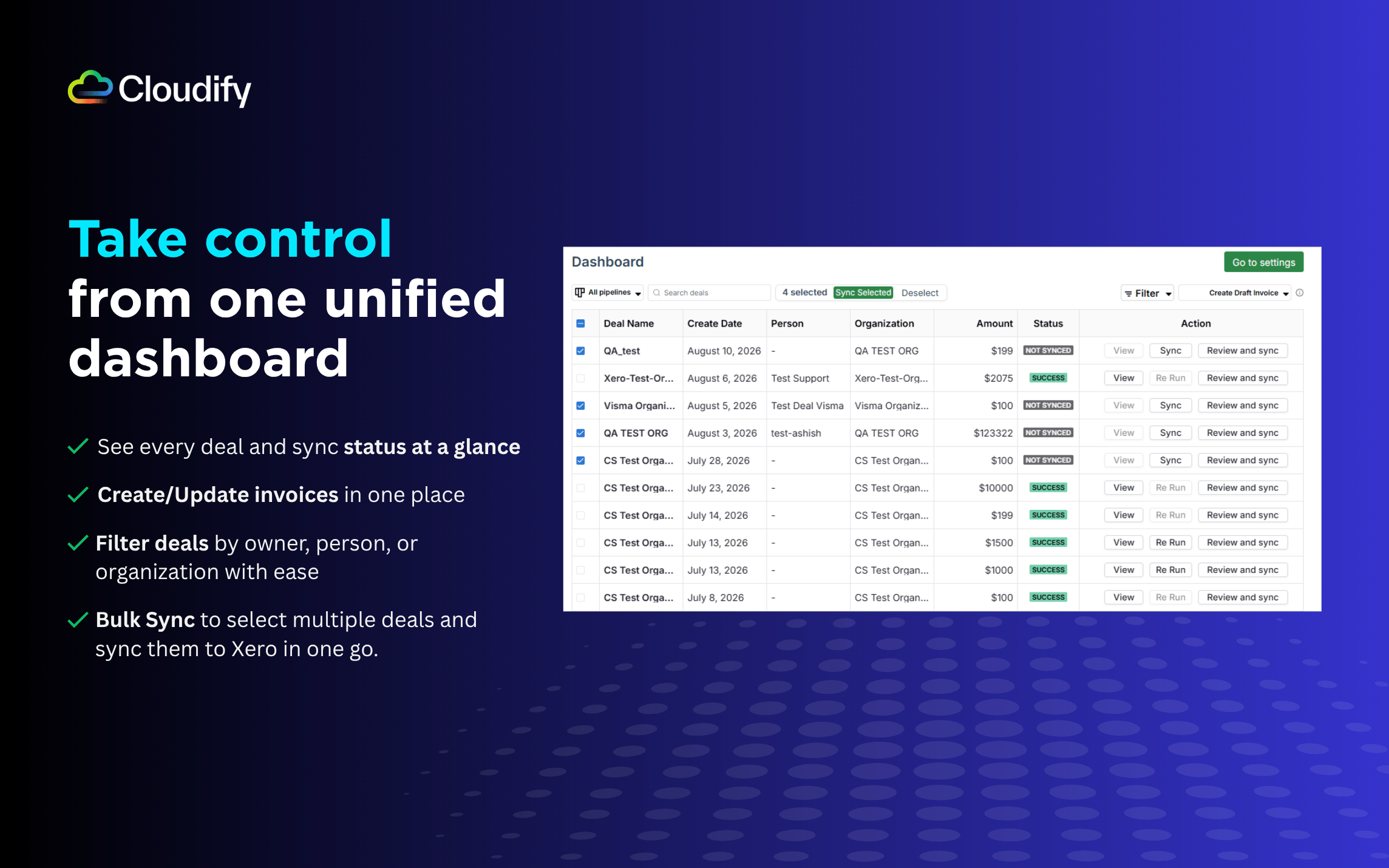
  • Unified Dashboard: Create, review, and sync invoices from one place

Features

Panels

Panels

Instantly see and interact with Xero as you dive into the details of your deals/contacts in Pipedrive.

Xero

Locations:organization details

Xero

Locations:person details

Xero Integration

Locations:deal details

Create/Update invoices and quotes in Xero

Pop-up windows

Pop-up windows

Tackle complex tasks in Xero without leaving Pipedrive via their customized pop-up windows.

Dashboard

Locations:deal list

Xero Integration

Creates/Updates invoices and quotes in Xero

Installation instructions

To install Xero on Pipedrive, follow these steps:

  1. Select your Pipedrive company and click Allow and Install
  2. Click Let’s get started to begin setup
  3. Click Connect to Xero and sign in with your Xero credentials
  4. If you want to explore the app before going live, you can book a free guided demo call
  5. Select your organisation and allow access
  6. Once connected, you’ll see a confirmation message and be redirected to the final setup screen automatically
  7. Choose your setup method — “Yes, setup automation” or “I’ll do it manually”, whichever fits your workflow best

Also popular in this category

If you’re interested in this app, you might also like:

ControlHippo AI Chat Agents
free
ControlHippo AI Chat Agents
AI Powered communication platform that connects, converts and retain customers.
Dedupely
Dedupely
Dedupely merges Pipedrive duplicates without losing customer data. (ISO27001 Certified)
Outfunnel
Outfunnel
Unite your sales and marketing data and prioritize your leads. Works with tools like Mailchimp, ActiveCampaign, Klaviyo, Calendly, Brevo, and more.

User reviews

User reviews

Overall rating

4,5

200+ installs
5 stars

82%

4 stars

6%

3 stars

12%

2 stars

0%

1 stars

0%

View all reviews

Can't find the app you need?

Use our powerful API to build awesome apps for either your company or for all Pipedrive users.

Build an app