Chaindoc
interactive features

Chaindoc

by Chaindoc

interactive features

Create and manage documents linked to deals. Helps sales teams eliminate disputes, prevent unauthorized changes, and maintain agreements.

Manage contracts, Automate my pipeline and data, Other use cases
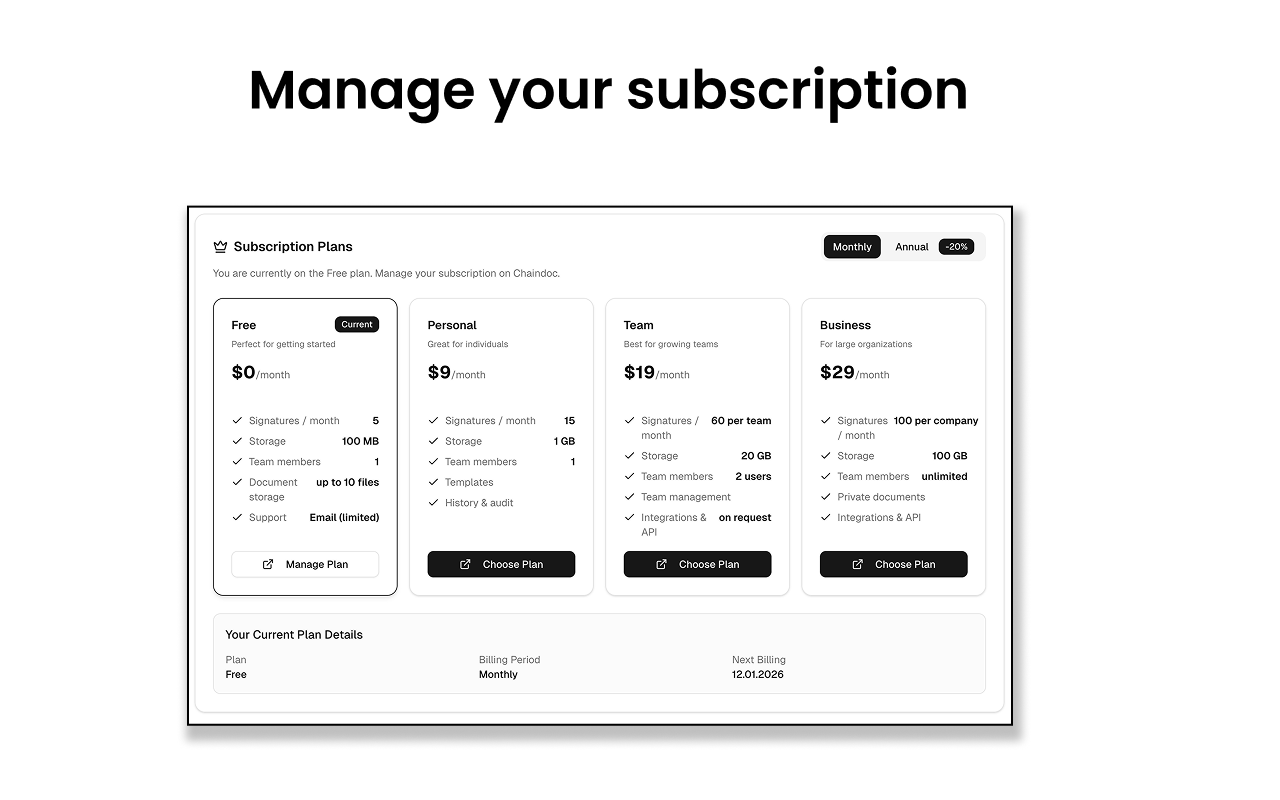
App screenshot
App screenshot
App screenshot
App screenshot

Description

Chaindoc.io for Pipedrive

Chaindoc.io brings secure, verifiable document workflows directly into Pipedrive. The app enables teams to generate, manage, and track tamper-proof documents linked to deals, contacts, and organizations - ensuring trust, compliance, and transparency throughout the sales process.

With Chaindoc.io, sales teams can create documents that are cryptographically secured and verifiable, helping reduce disputes, prevent unauthorized changes, and provide a clear audit trail for critical agreements. Documents can be attached to Pipedrive records and updated automatically as deals progress.

Key benefits

  • Tamper-proof documents – Protect contracts, agreements, and records with cryptographic verification
  • Deal-linked documentation – Attach and manage documents directly within Pipedrive deals and contacts
  • Auditability & trust – Maintain a clear history of document creation and changes
  • Faster sales workflows – Generate and manage documents without leaving Pipedrive
  • Compliance-ready – Support internal governance and external compliance requirements

Chaindoc.io is ideal for sales teams that need secure documentation, proof of integrity, and full visibility into their deal-related records - without adding complexity to their CRM workflow.

Features

Panels

Panels

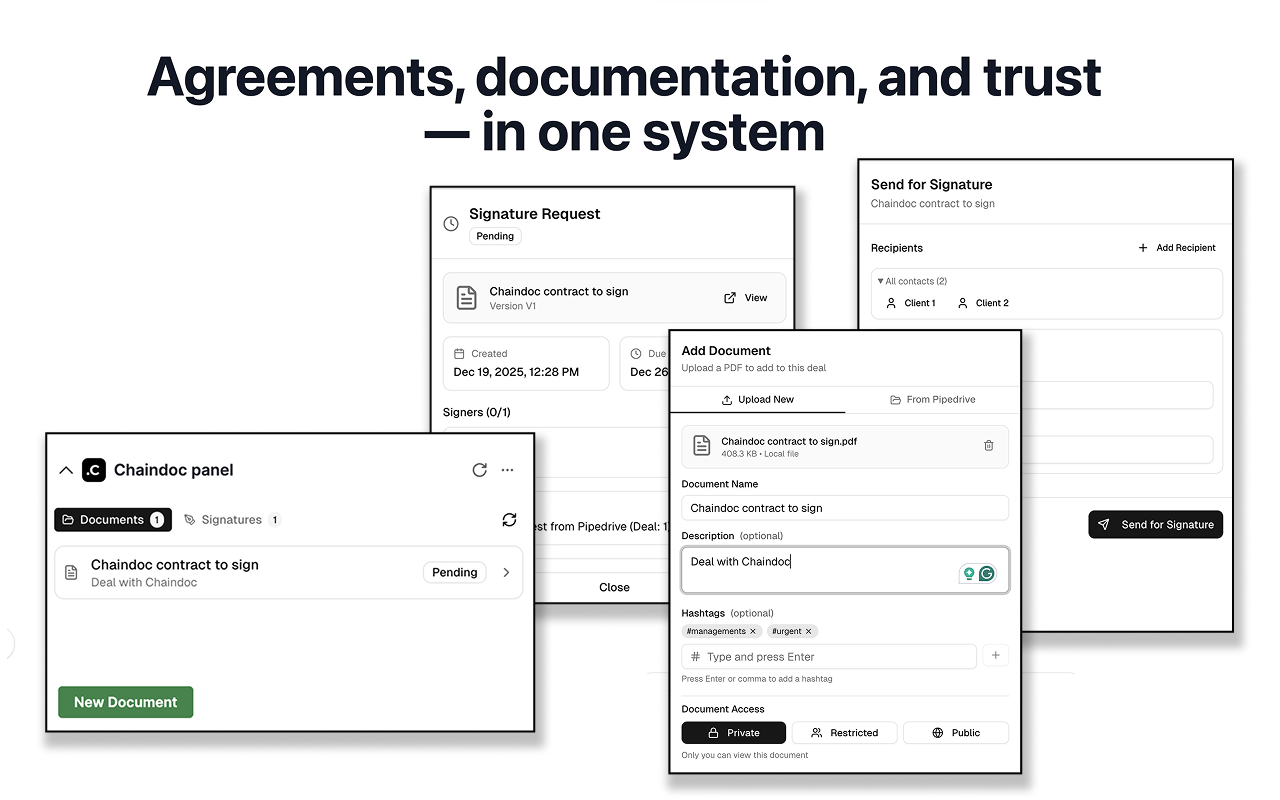
Instantly see and interact with Chaindoc as you dive into the details of your deals/contacts in Pipedrive.

Chaindoc panel

Locations:deal details

Pop-up windows

Pop-up windows

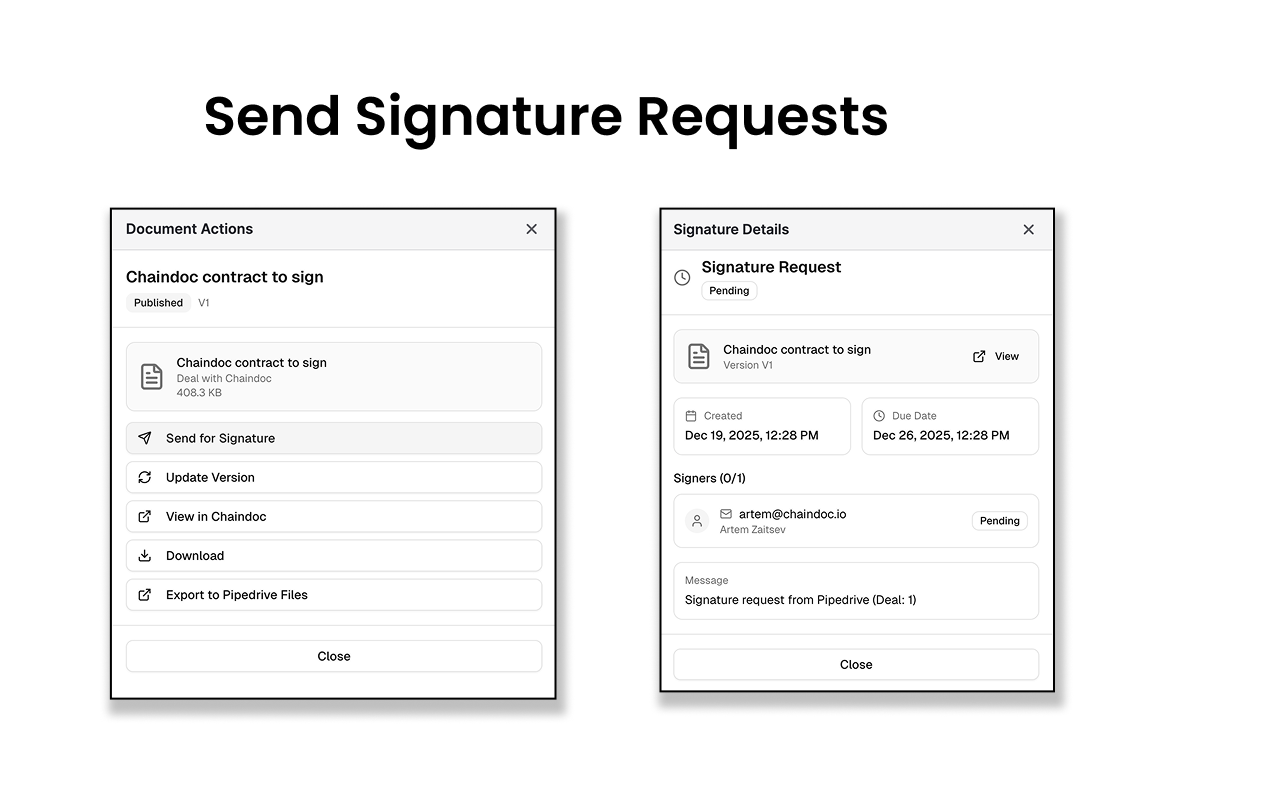
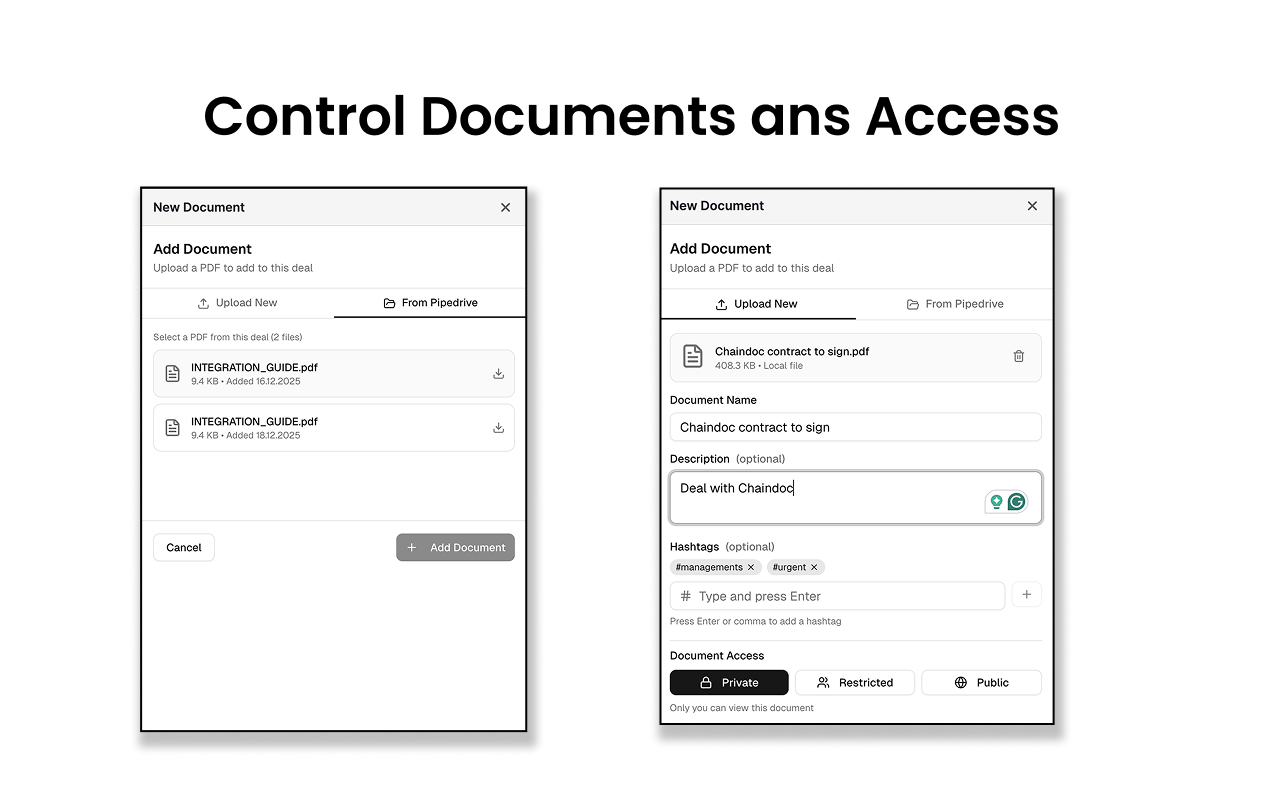
Tackle complex tasks in Chaindoc without leaving Pipedrive via their customized pop-up windows.

New Document

Locations:deal details

Document Actions

Signature Details

Quick access

Quick access

Easily access Chaindoc and their customized floating window anywhere in Pipedrive via the top bar.

Chaindoc embed pipe

Locations:Top bar

Process documents and signitures

Installation instructions

Installing Chaindoc.io takes less than a minute and requires no setup or payment.

1. Open the Pipedrive Marketplace

  • Log in to your Pipedrive account
  • Go to Marketplace
  • Search for Chaindoc.io

2. Click Install

  • Open the Chaindoc app page
  • Click the Install button

3. Allow permissions

Pipedrive will ask you to approve access so Chaindoc.io can work with your data (such as Deals and related records).

  • Review the requested permissions
  • Click Allow & Install

> These permissions are required for the app to function inside your deals.


4. Automatic account creation

After approval:

  • You are automatically redirected to the Chaindoc app settings panel
  • A free Chaindoc account is created for you during installation
  • No registration, configuration, or payment is required

You’re ready to use the app immediately.


Using in your deals

Once installed:

  • Open any Deal in Pipedrive
  • Find Chaindoc Panel in the deal panel
  • Start using our app directly inside your sales workflow

Also popular in this category

If you’re interested in this app, you might also like:

ControlHippo AI Chat Agents
free
ControlHippo AI Chat Agents
AI Powered communication platform that connects, converts and retain customers.
Dedupely
Dedupely
Dedupely merges Pipedrive duplicates without losing customer data. (ISO27001 Certified)
Outfunnel
Outfunnel
Unite your sales and marketing data and prioritize your leads. Works with tools like Mailchimp, ActiveCampaign, Klaviyo, Calendly, Brevo, and more.

User reviews

User reviews

Overall rating

No ratings yet

No installs

Can't find the app you need?

Use our powerful API to build awesome apps for either your company or for all Pipedrive users.

Build an app