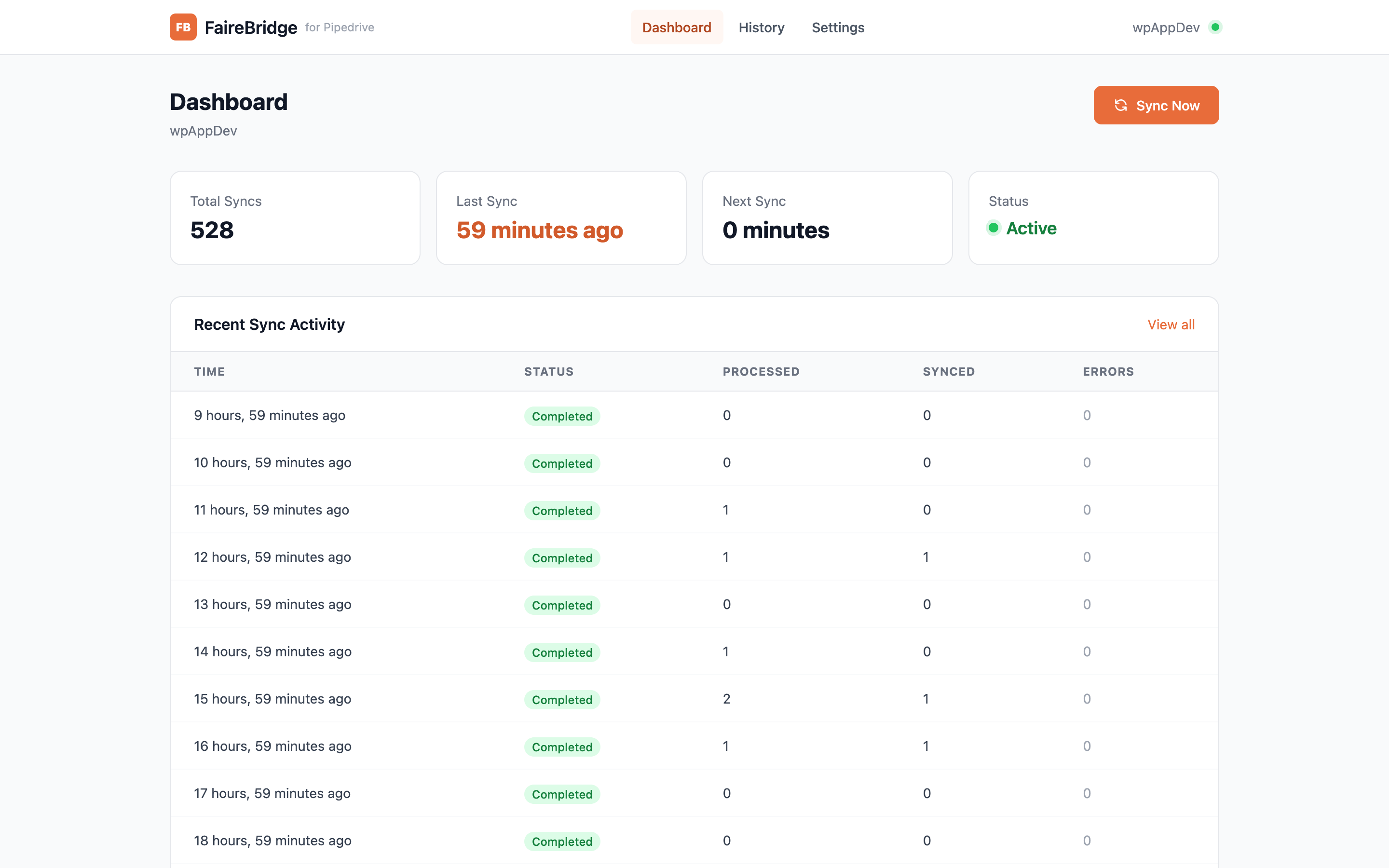
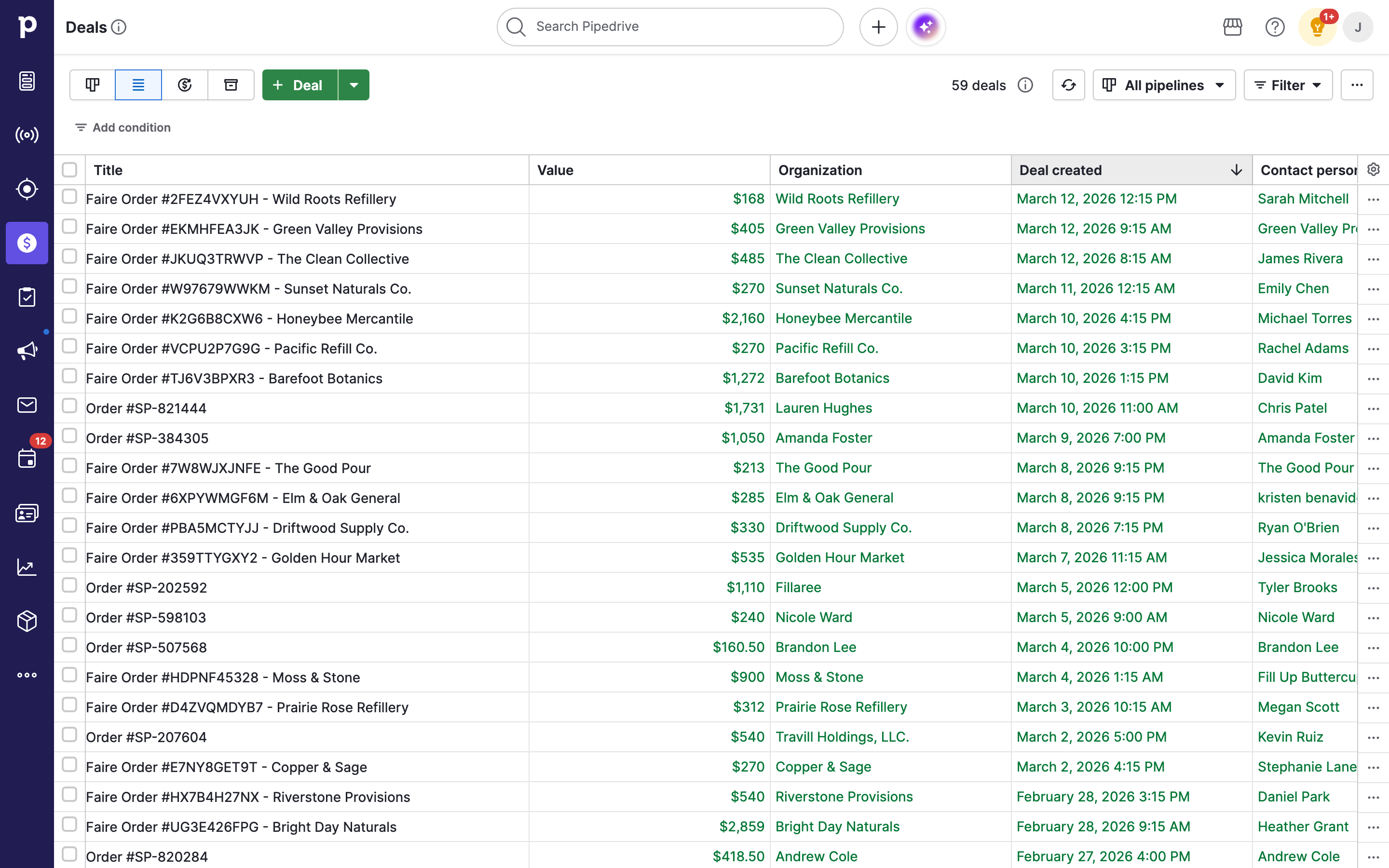
Automatically sync Faire wholesale orders into Pipedrive as deals — with full retailer matching, product itemization, and purchase history tracking.

Communicate with leads, Automate my pipeline and data

App screenshot
App screenshot
App screenshot
App screenshot

Description

FaireBridge automatically syncs your Faire wholesale orders into Pipedrive — creating deals with full product details, retailer matching, and purchase history. Never manually enter another Faire order into your CRM again.

WHAT IT DOES:

  • Connects to your Faire brand account and pulls wholesale orders
  • Creates Pipedrive deals for each order with correct values and line items
  • Matches (or creates) Organizations from Faire retailer data
  • Creates Contact Persons with retailer email and phone
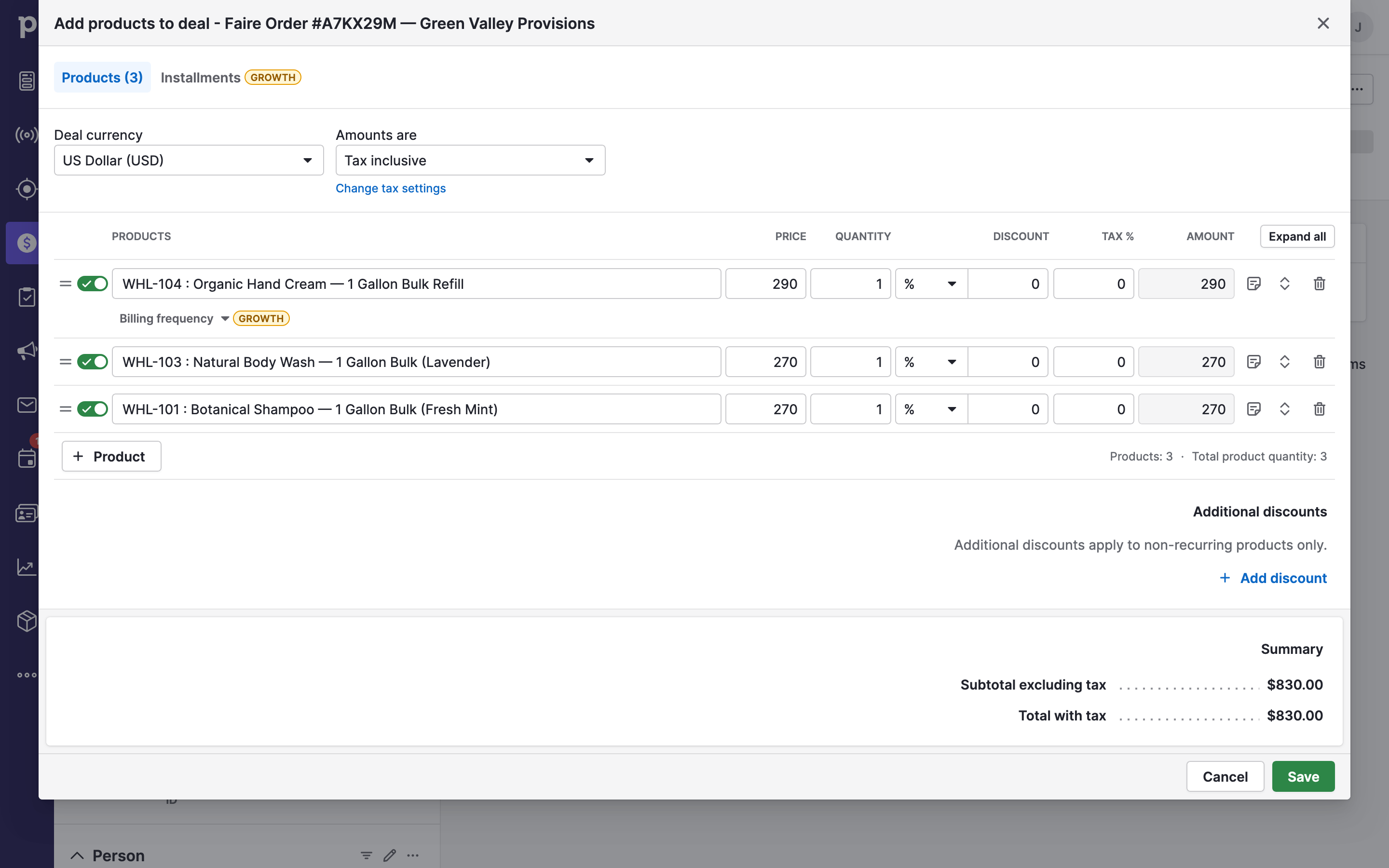
  • Attaches individual product line items (with variant details) to each deal
  • Tracks complete purchase history by Organization

KEY FEATURES:

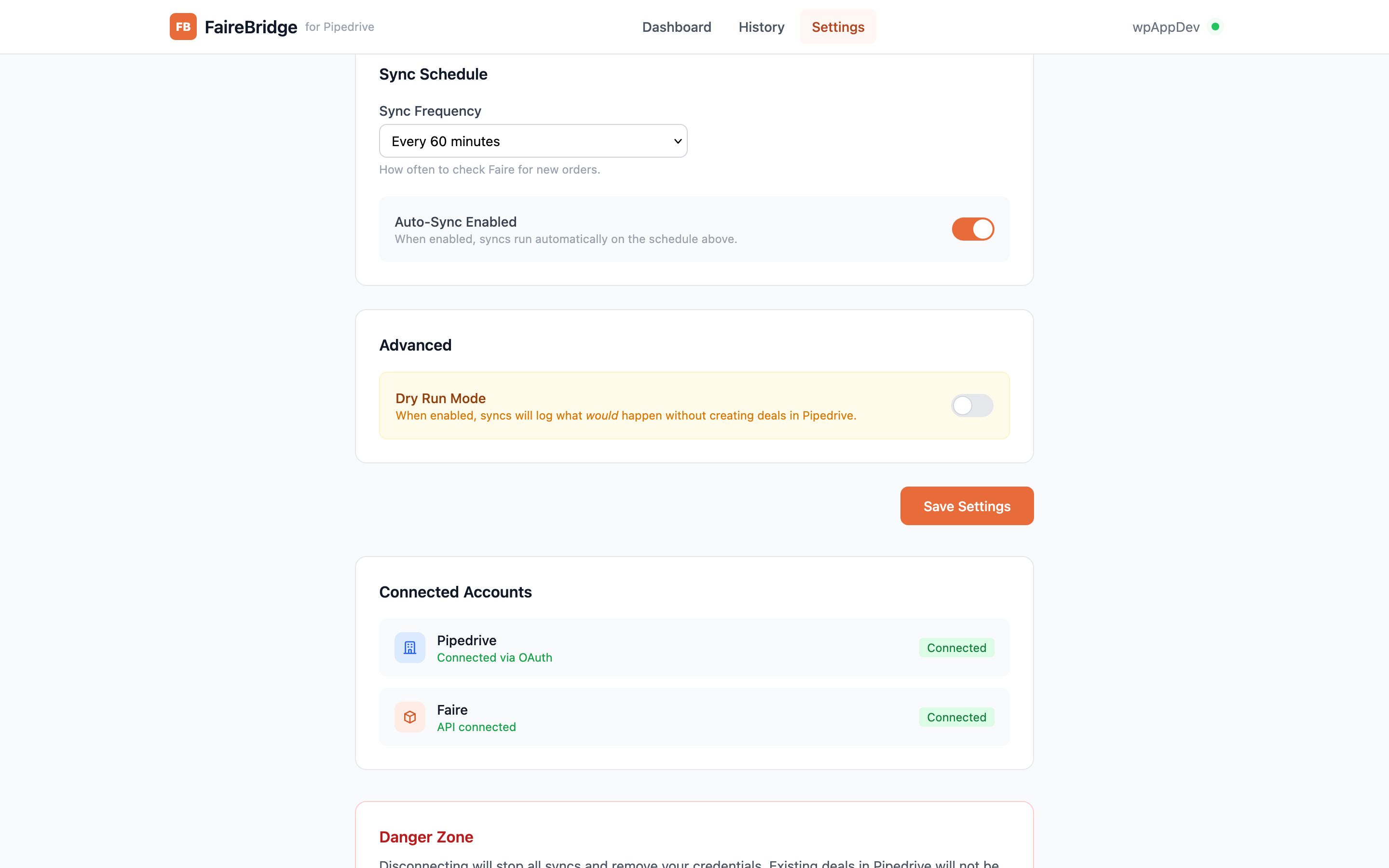
  • Automatic sync on a configurable schedule (hourly to daily)
  • Configurable lookback period (7 to 90 days)
  • Smart duplicate prevention — won't create duplicate deals for the same order
  • Dry run mode: preview what would sync without making changes to Pipedrive
  • Full sync history dashboard with error tracking
  • Pipeline and stage routing for deal organization

PRICING:

Free 14-day trial with full access - no credit card required. Paid plans from $99/month after your trial. Details at fairebridge.wpappdev.com/#pricing.

SETUP IN MINUTES:

  1. Install FaireBridge from the Pipedrive Marketplace
  2. Connect your Faire brand account (via API credentials)
  3. Choose which order states and date range to sync
  4. Run your first sync - orders appear as deals in Pipedrive

Installation instructions

  1. Click "Install now" to connect FaireBridge to your Pipedrive account.
  2. Authorize the Pipedrive connection. FaireBridge uses secure OAuth, so there are no Pipedrive API keys to copy.
  3. Connect your Faire brand account. The recommended way is to click "Connect with Faire" and approve read-only access to your orders - no tokens to manage. (If you already have a Faire API access token, you can paste it instead under "Enter token manually.")
  4. Choose your sync preferences: which order states to include, how far back to look on the first sync, and which Pipedrive pipeline to use.
  5. Click "Sync Now" to run your first sync, or let the automatic hourly schedule handle it from there.

That's it! Your Faire wholesale orders will appear in Pipedrive as deals with retailer details mapped to organizations and full product line items.

Need help? Contact [email protected]

Also popular in this category

If you’re interested in this app, you might also like:

Google Meet
free
Google Meet
Manage, schedule and launch Google Meet calls from Pipedrive to streamline your sales communication.
Built by Pipedrive
CallHippo
free
CallHippo
Effortlessly Manage Sales with AI-Enhanced CallHippo and Pipedrive Integration, Featuring AI-powered Analytics, Click-to-Call, and Task Automation.
Paperflite
Paperflite
Paperflite is software for remote content collaboration. Use it to organize, distribute and share your content with prospects.

User reviews

User reviews

Overall rating

No ratings yet

No installs

Can't find the app you need?

Use our powerful API to build awesome apps for either your company or for all Pipedrive users.

Build an app