
free
Google Meet
Manage, schedule and launch Google Meet calls from Pipedrive to streamline your sales communication.
Built by Pipedrive
(4152)
496 reviews
Fast2SMS for Pipedrive
by Fast2SMS
Nurture my leads, Communicate with leads, Support my customers
Disclaimer: This app supports English language only.
Requirements: To use this app, you need an active Fast2SMS account. Don’t have one? Sign up here: https://www.fast2sms.com
Send SMS & WhatsApp from Pipedrive using Fast2SMS
Easily connect with your leads and customers directly from Pipedrive. Send SMS and WhatsApp messages, automate follow-ups, and track communication history — all in one place.
Key Features
Why Use This App?
How It Works

Pop-up windows
Tackle complex tasks in Fast2SMS for Pipedrive without leaving Pipedrive via their customized pop-up windows.
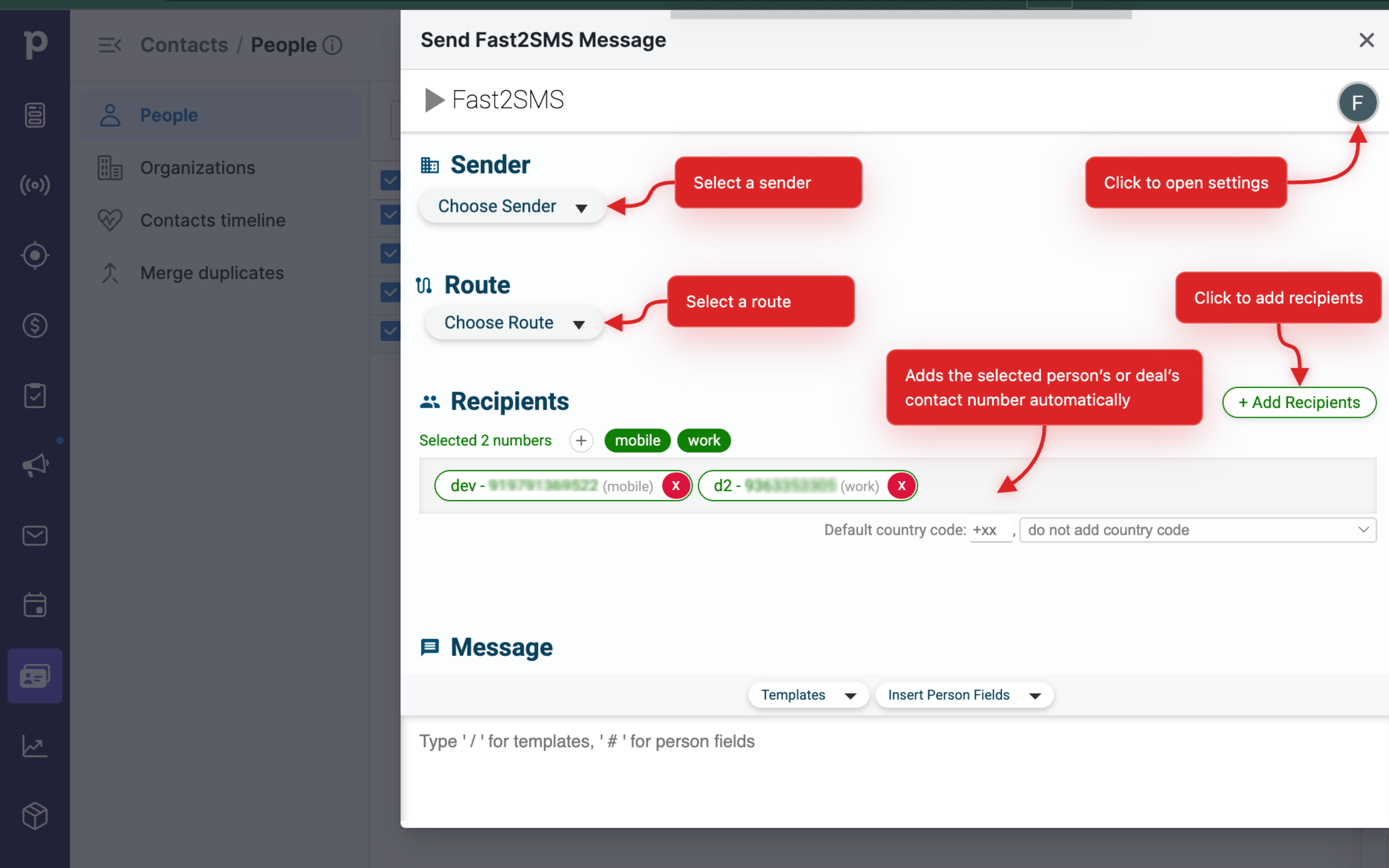
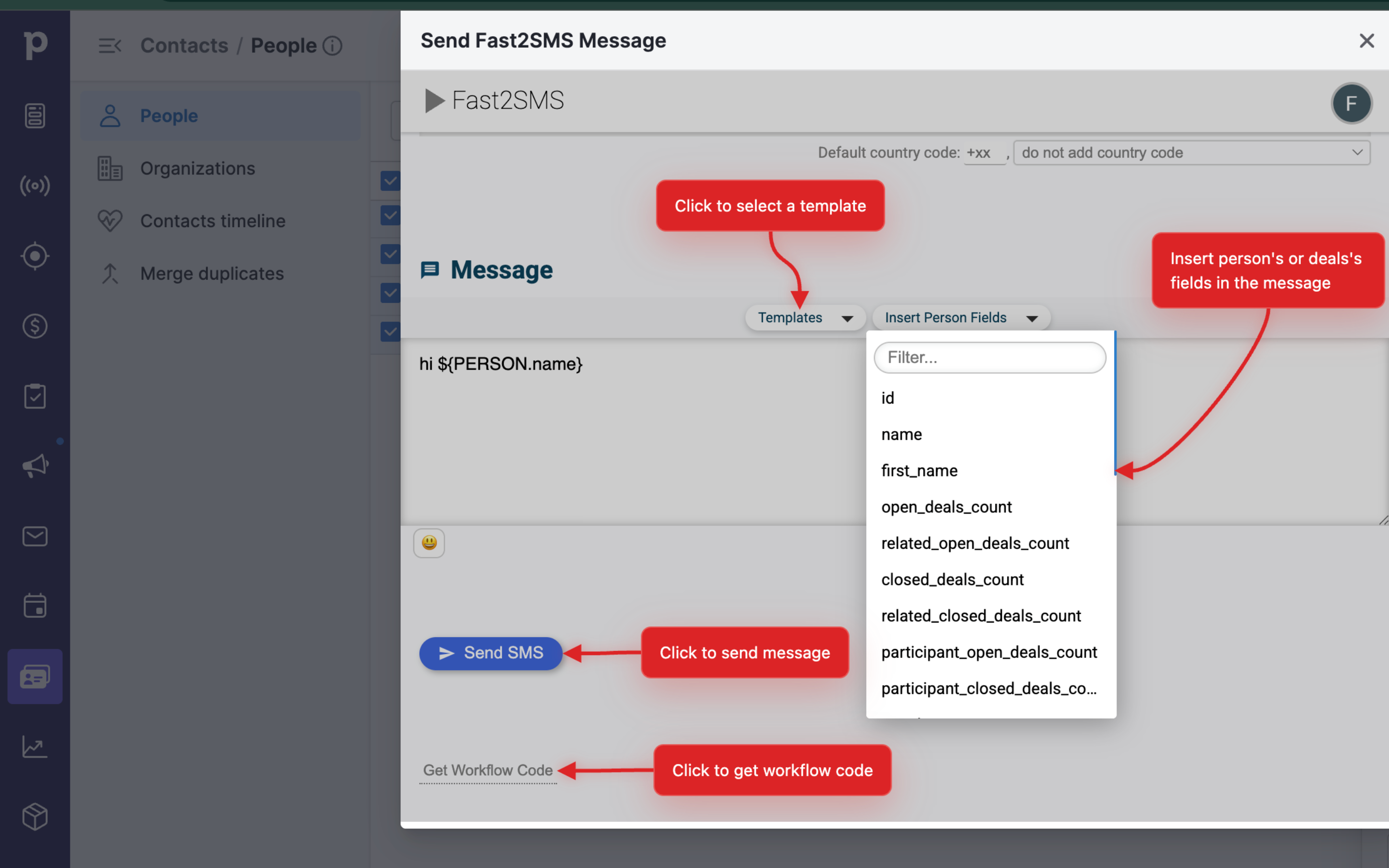
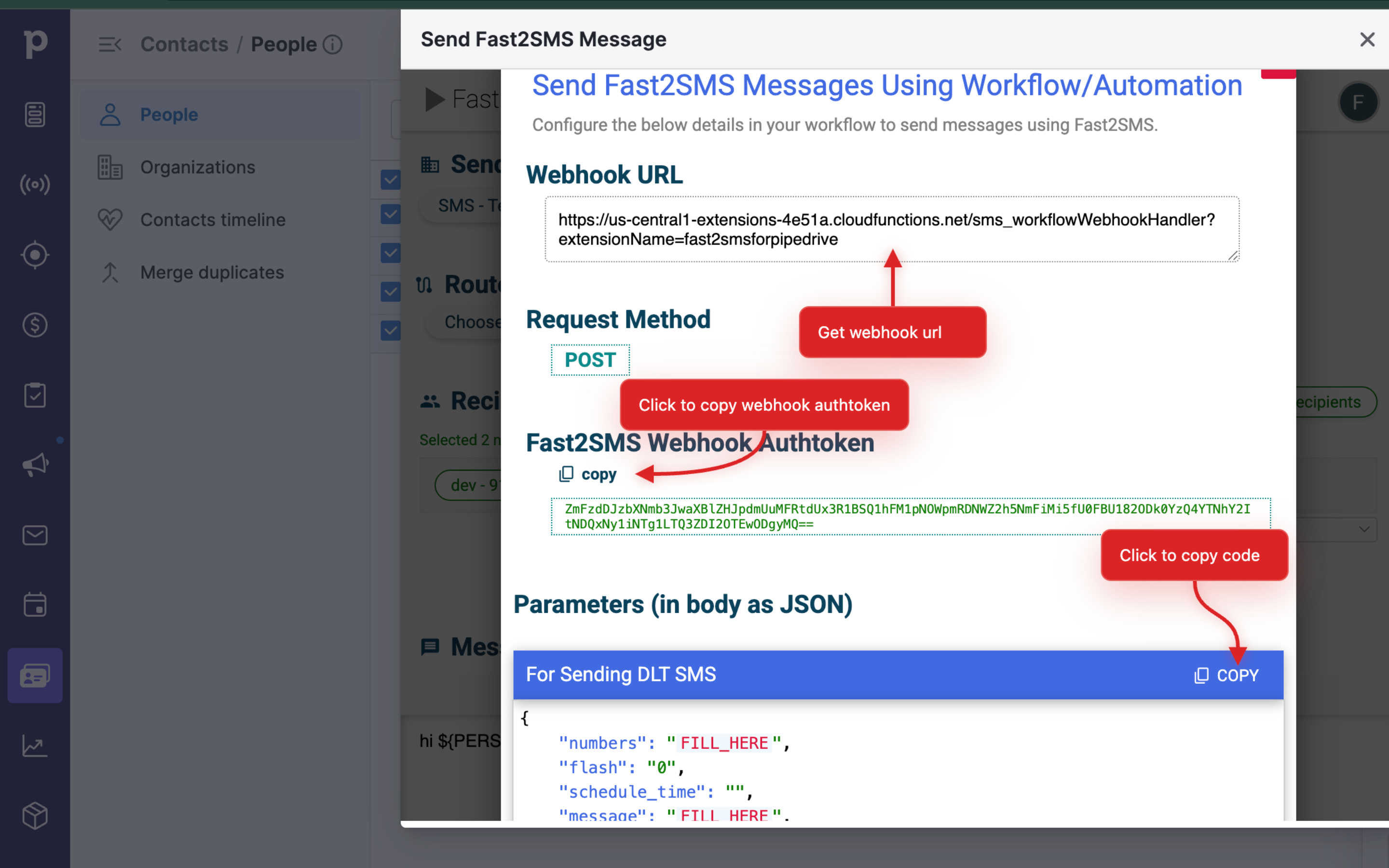
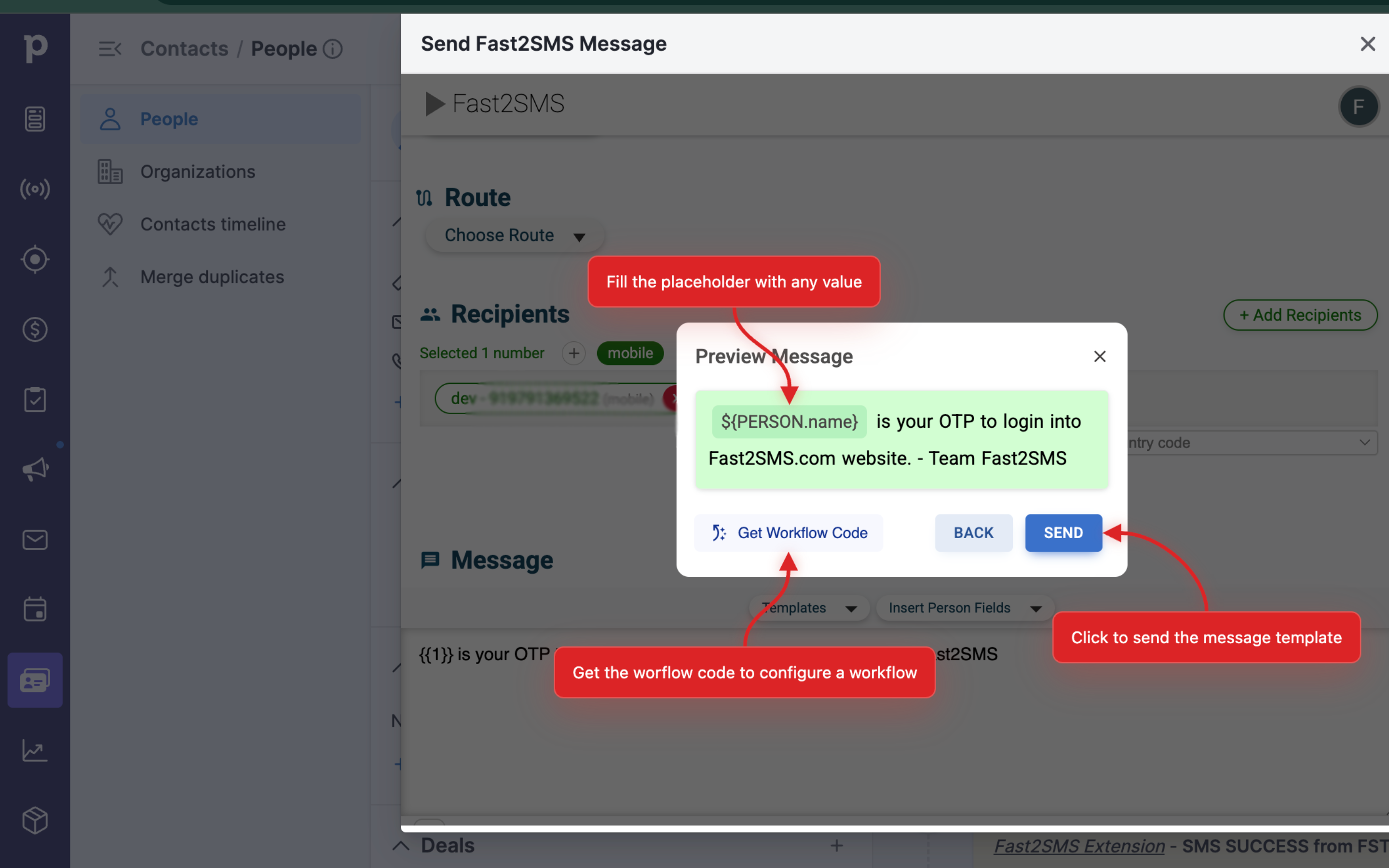
Send Fast2SMS Message
Locations:deal detailsdeal listperson detailsPeople list
Send Bulk message from Fast2SMS.
Installation & Setup:
Go to Pipedrive’s marketplace and install Fast2SMS’s extension for Pipedrive
Once you click ”Install now”.
Once redirected click on "Allow & Install".
The extension installation has been completed.
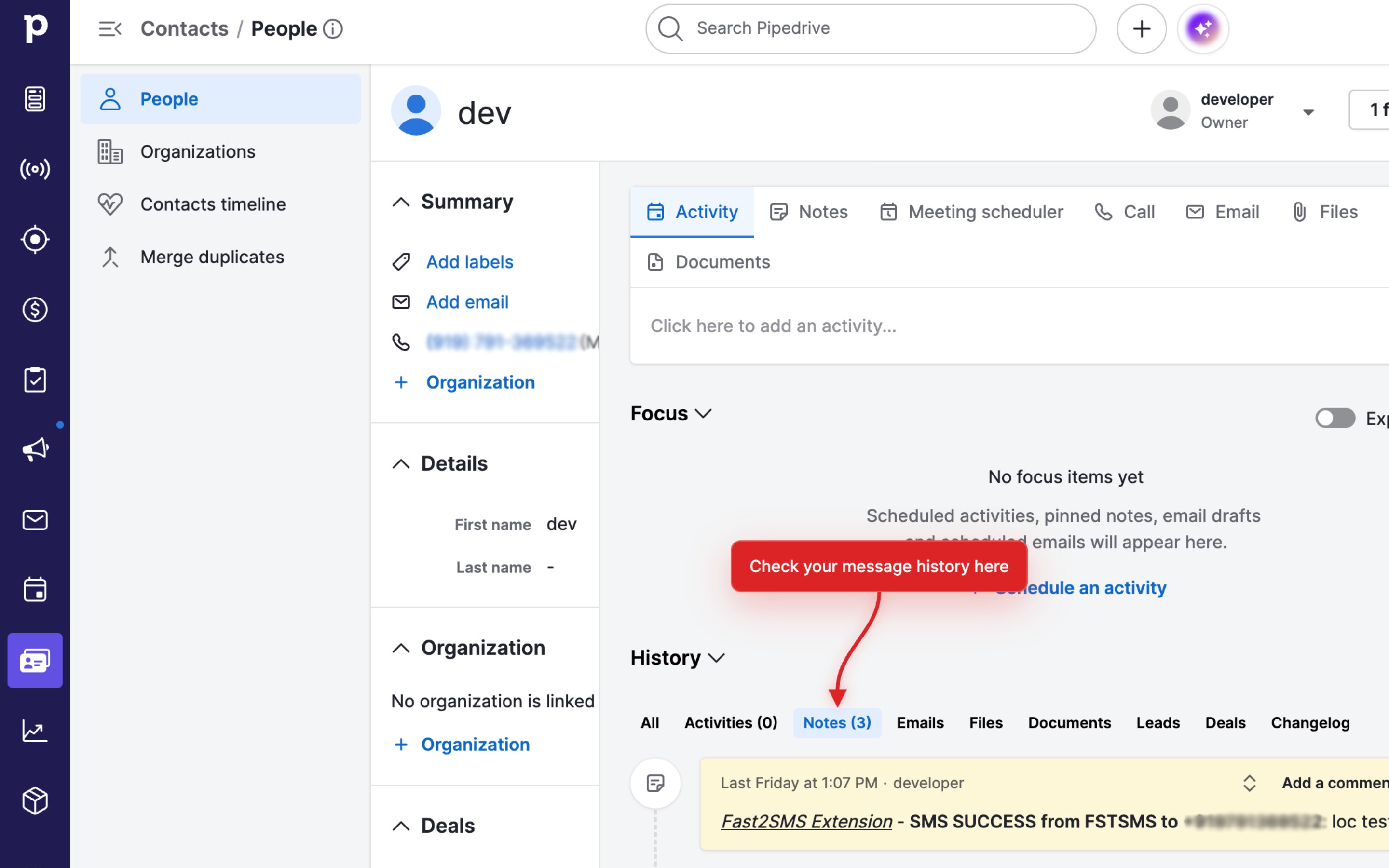
Within any Pipedrive contact, click on the dropdown on the top right corner and select "Send Fast2SMS Message".
Sign in to Fast2SMS using your Pipedrive email id.
To enable the integration, authorize your Fast2SMS account by entering your Fast2SMS credentials
Now the integration is successfully enabled.
If you’re interested in this app, you might also like:


Use our powerful API to build awesome apps for either your company or for all Pipedrive users.
Build an app