
free
Google Meet
Manage, schedule and launch Google Meet calls from Pipedrive to streamline your sales communication.
Built by Pipedrive
(4183)
497 reviews
Klenty
by Klenty
Attract new leads, Qualify my leads, Nurture my leads, Communicate with leads, Manage my accounts
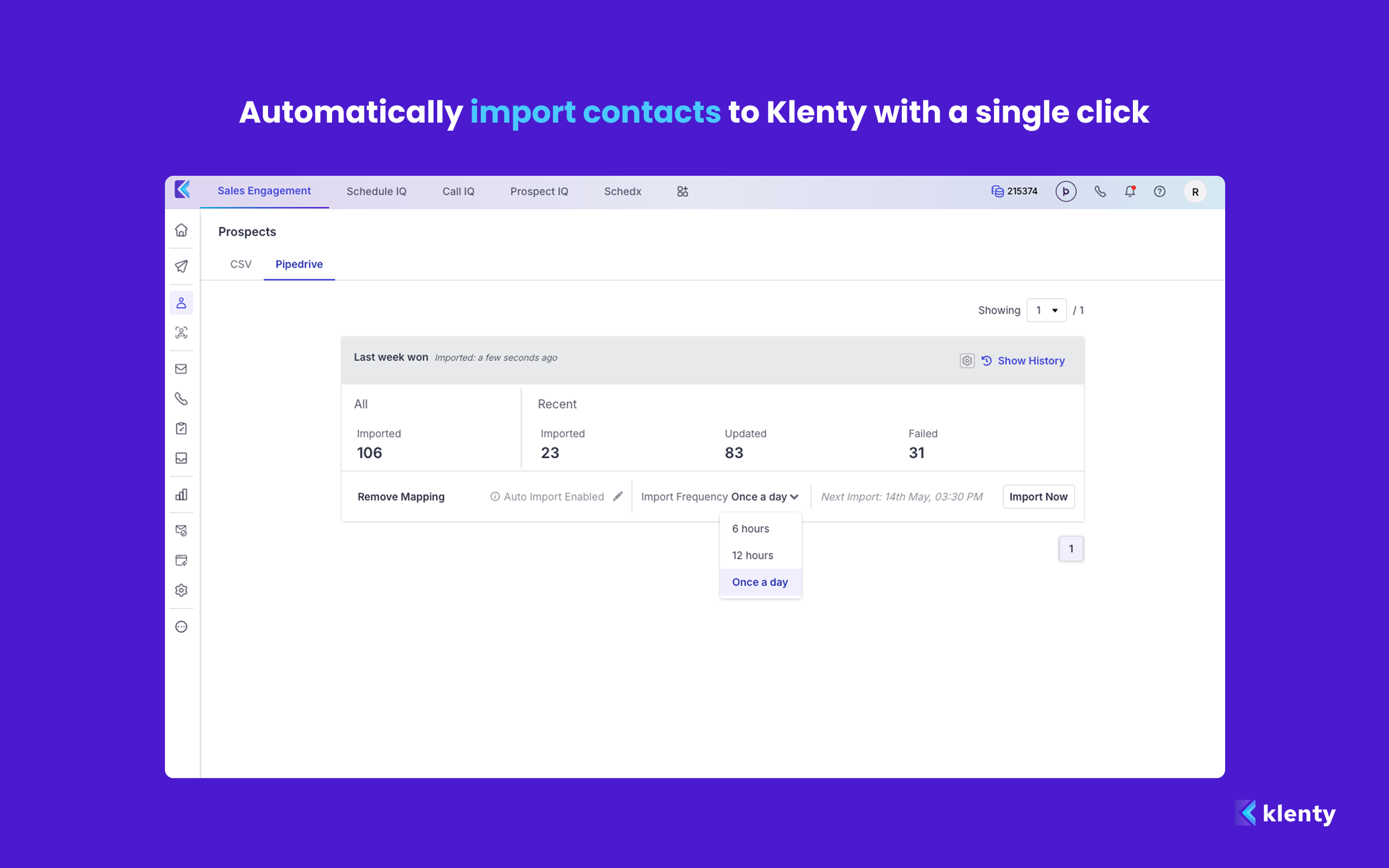
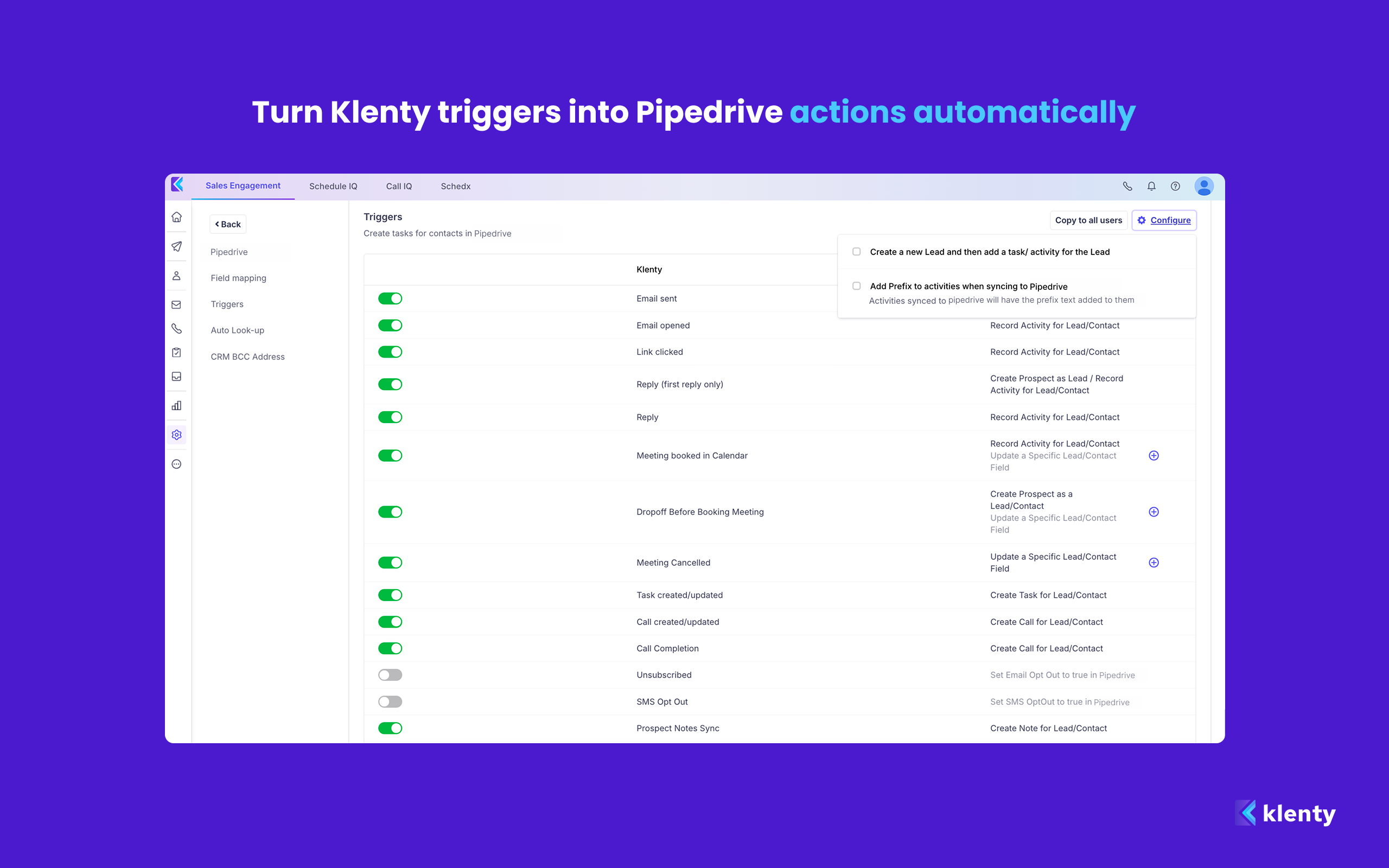
Klenty integrates with Pipedrive CRM and helps your SDR team engage contacts across multiple channels, improve dialing volume, maximize connect rates, and book more meetings. Call notes, outcomes, and AI-generated summaries sync back to Pipedrive after every call.
KEY FEATURES
Auto-Import - Klenty auto-imports your Pipedrive records at the person, deal, and contact level into cadences automatically.
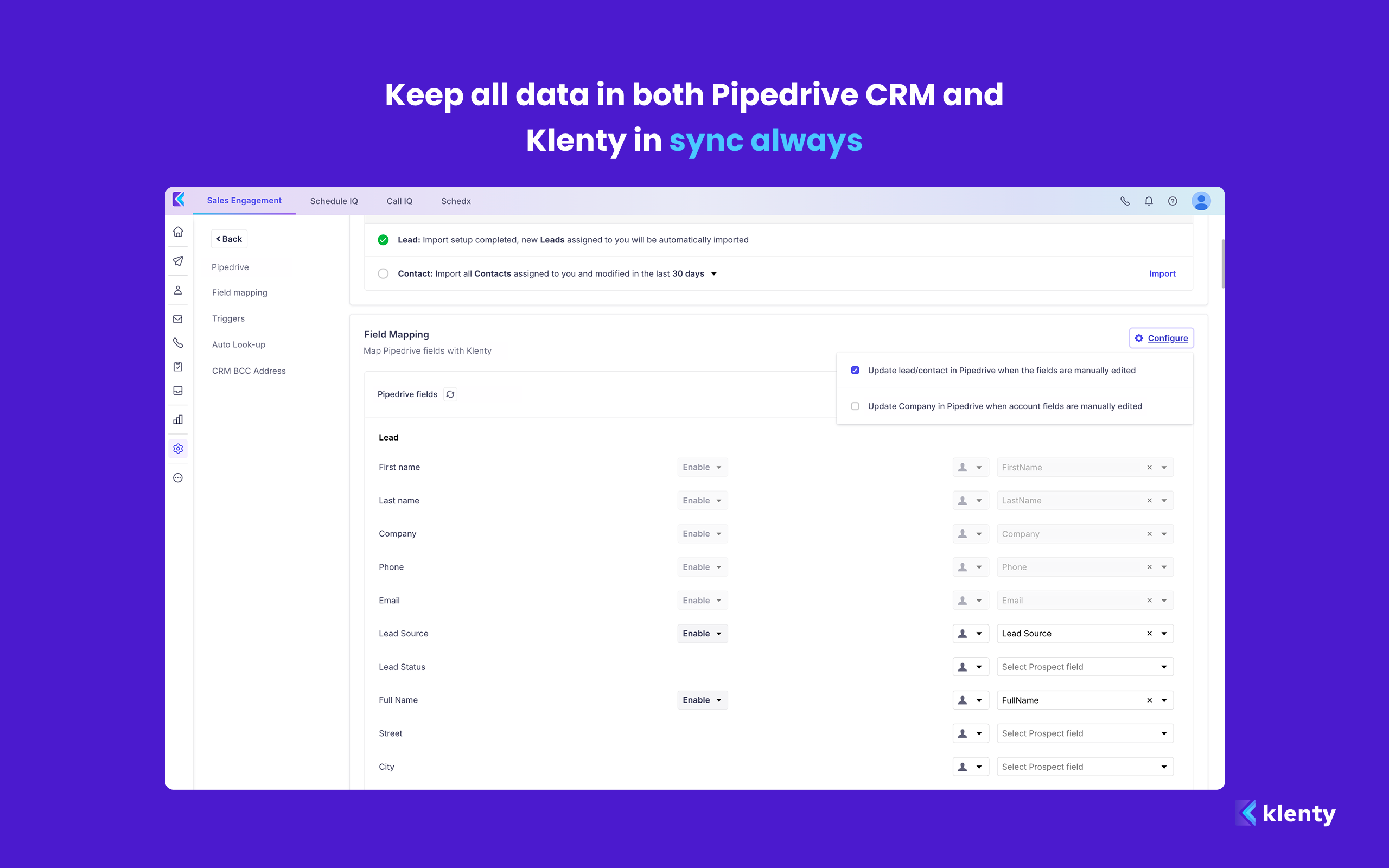
Field Mapping - Map standard and custom Pipedrive fields to Klenty automatically. Choose which fields to enable so your data is always accurate.
Bi-directional Sync - Keep all data in both Pipedrive CRM and Klenty in sync always.
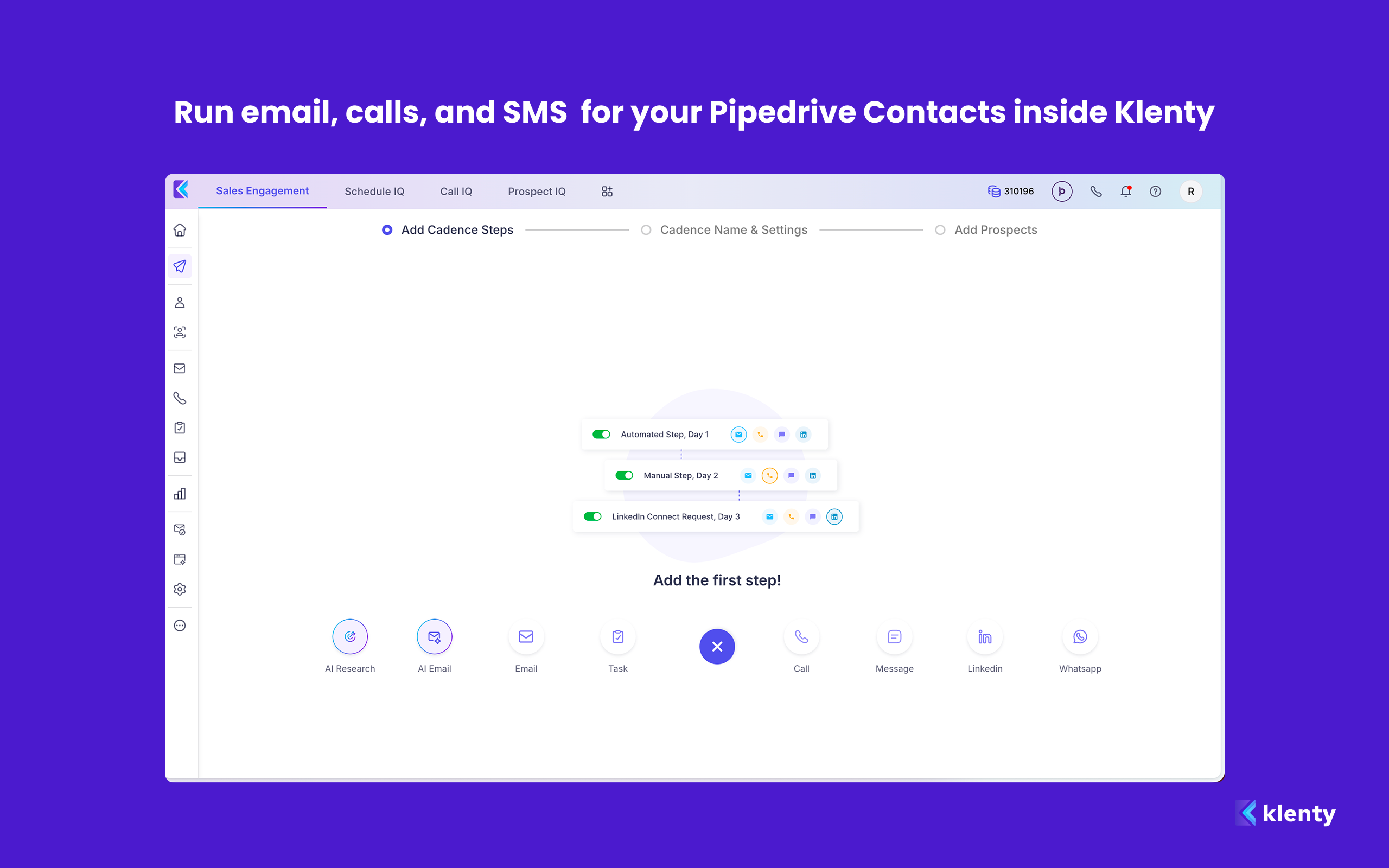
Multi-Channel Outreach - Run email, calls, and SMS sequences for your Pipedrive contacts and deals inside Klenty.
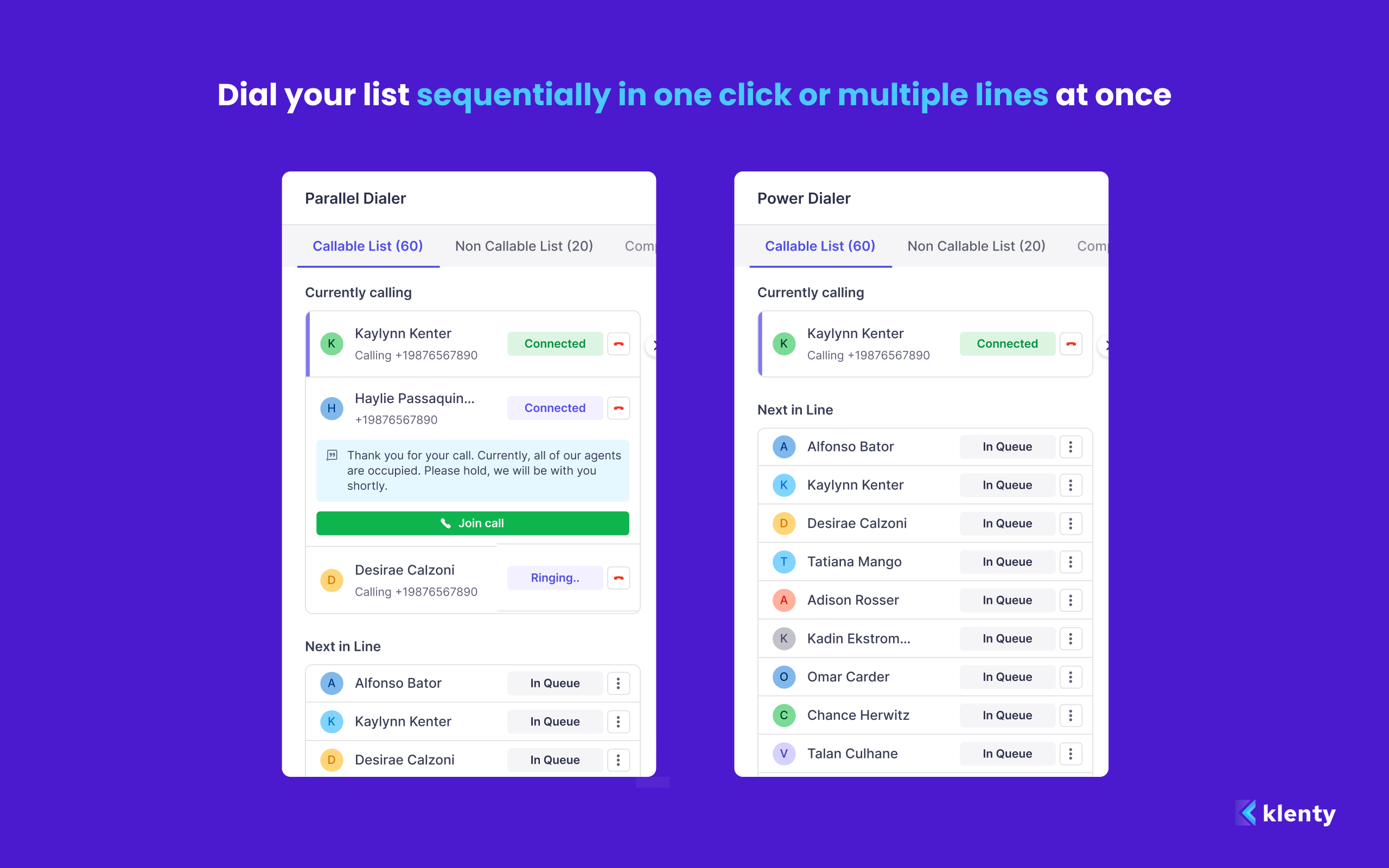
Power Dialer and Parallel Dialer - Dial an entire list sequentially in one click or multiple lines simultaneously.
Connect AI - Rotate call-from numbers, match local caller IDs, pick the best time to dial, and monitor number health to stay off spam lists.
User Interface Actions - Add contacts to cadences, start or stop cadences, and make calls directly from inside Pipedrive CRM.
Triggers and Actions - Create Pipedrive activities based on Klenty trigger events like email opens, replies, and calls attended.
Deal Stage Automation - Trigger the right Klenty playbook every time a deal moves to a new stage in Pipedrive CRM.

Panels
Instantly see and interact with Klenty as you dive into the details of your deals/contacts in Pipedrive.
Klenty Prospect Details
Locations:deal detailsperson details
Actions
Kick off related actions in Klenty as you work with your deals, contacts and/or activities in Pipedrive.
Remove from Klenty Cadence
Locations:deal detailsdeal listperson detailsPeople list
Add to Klenty
Locations:deal detailsdeal listperson detailsPeople list
Add to Klenty Cadence
Locations:deal detailsdeal listperson detailsPeople list
How should you set up and install Klenty?
Setting up Klenty and installing it takes just a few minutes
Click on "Install now" in the top right corner.
Click on "Allow and Install"
You will be redirected to Klenty Sign-up page, where you will need to log in or sign-up to a Klenty account.
Once you sign up, Klenty will automatically connect with your Pipedrive account.
Once connected, you can enjoy a 14-day free trial and then decide on a plan that deems fit for your needs.
If you’re interested in this app, you might also like:


Use our powerful API to build awesome apps for either your company or for all Pipedrive users.
Build an app