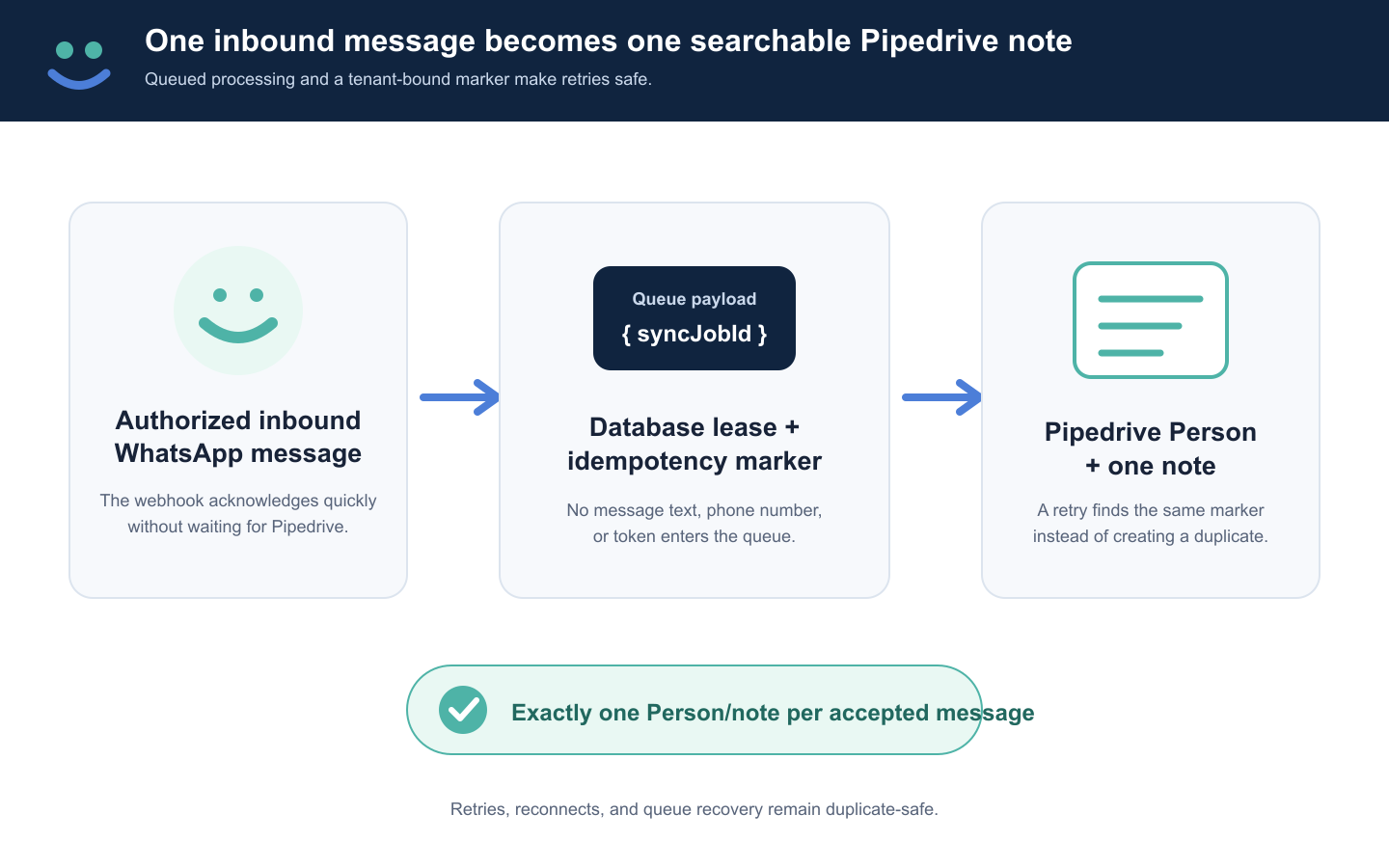
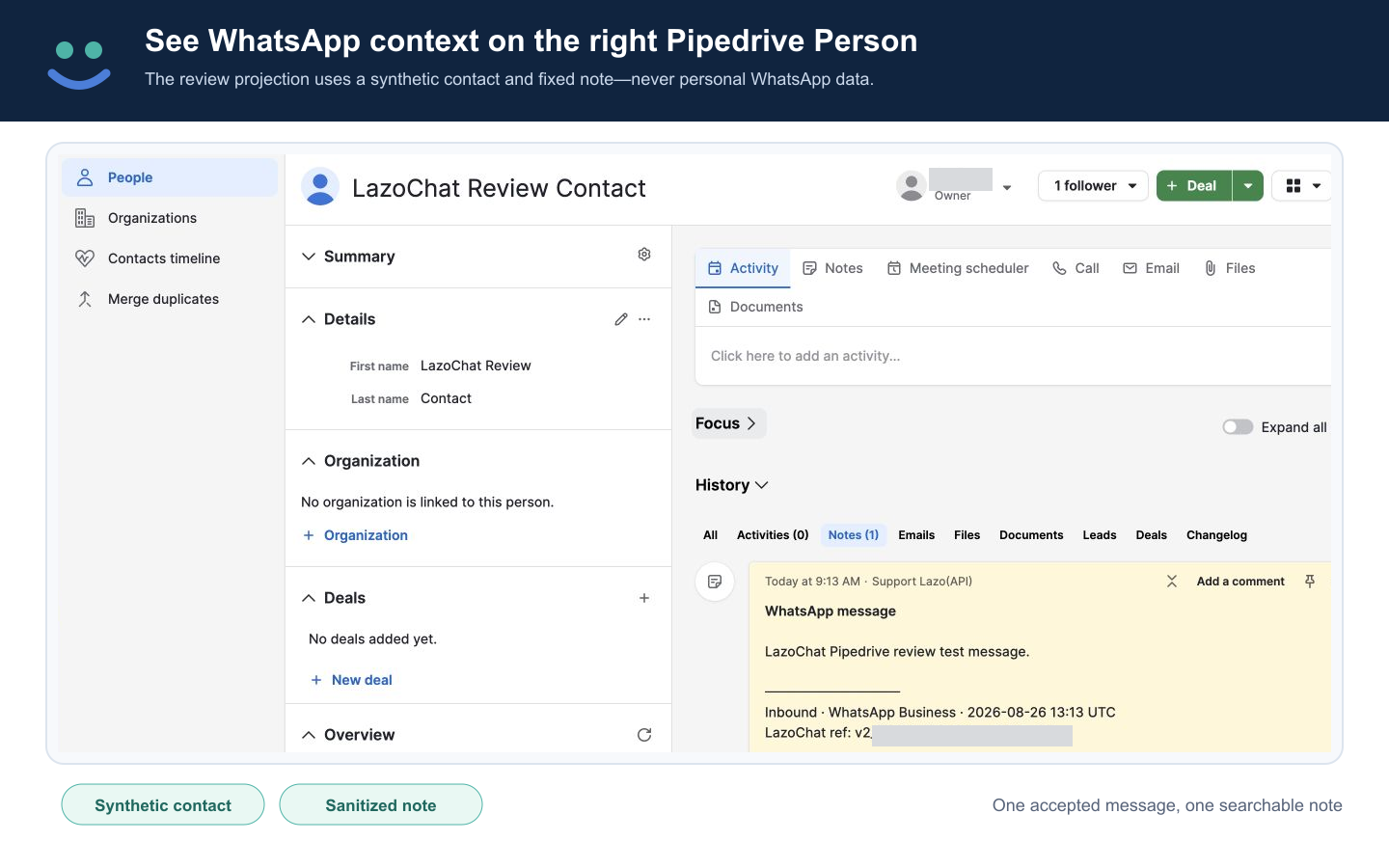
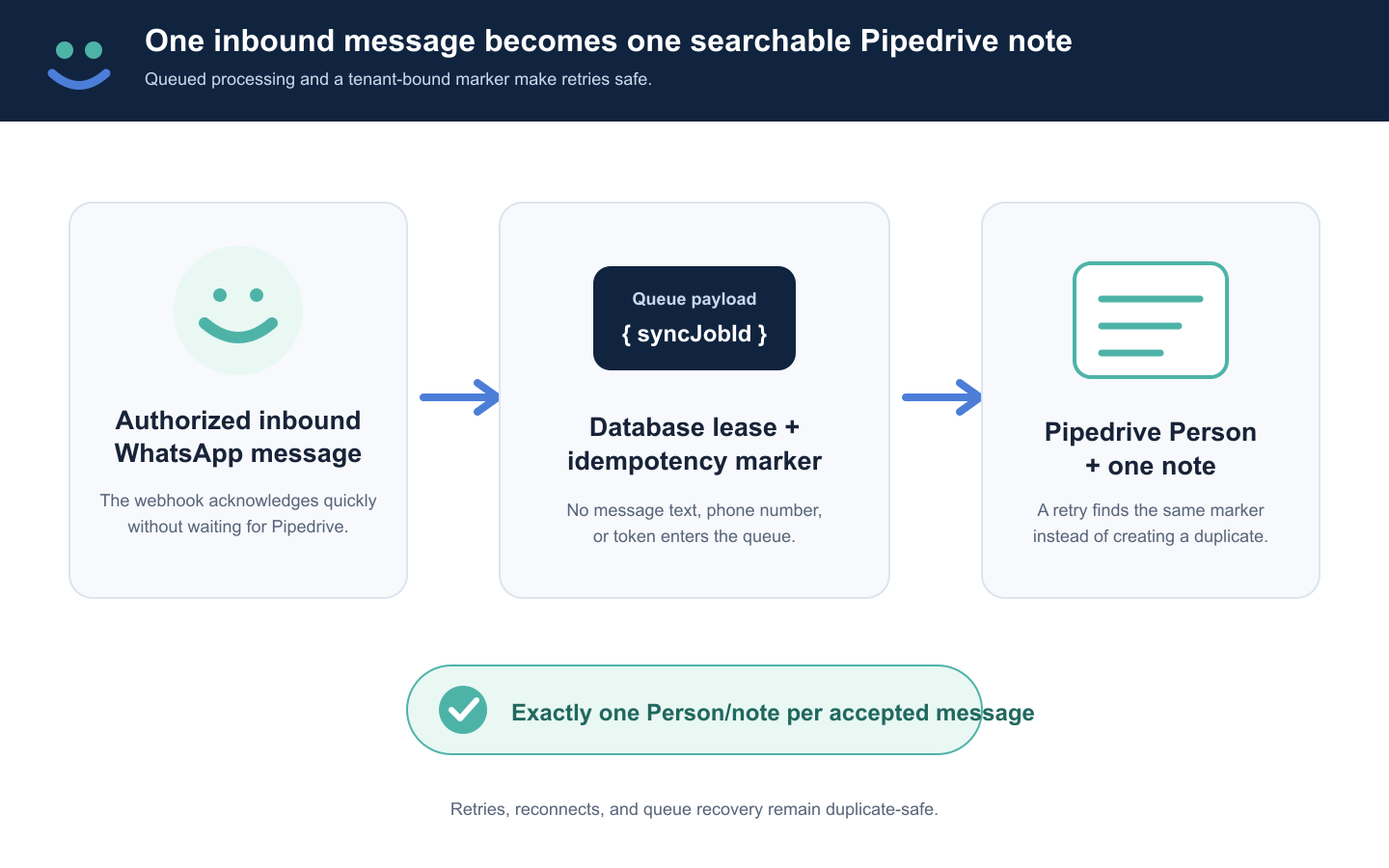
LazoChat automatically syncs inbound WhatsApp Business messages to the matching Pipedrive Person as searchable notes.

Communicate with leads, Automate my pipeline and data

App screenshot
App screenshot
App screenshot
App screenshot

Description

LazoChat connects WhatsApp Business to Pipedrive so sales and support teams can keep customer conversation context attached to the right CRM contact.

When an authorized inbound WhatsApp Business message arrives, LazoChat matches its phone number to a Pipedrive Person. If a matching Person exists, LazoChat adds one searchable note. If no matching Person exists, LazoChat creates the Person and records the message there.

Sync pauses when billing or Pipedrive access is inactive and resumes safely after the connection is restored.

LazoChat is a focused WhatsApp-to-CRM connector. It does not send WhatsApp campaigns, create WhatsApp templates, provide AI auto-replies, or import historical chats.

Installation instructions

Before starting, have access to the Pipedrive company, an eligible WhatsApp Business number, permission to connect its Meta Business asset, and a payment method. Allow about 10 minutes when the Meta Business and number are ready; Meta verification or provider-access review can take longer.

  1. Open LazoChat in Pipedrive Marketplace and select Install now or Proceed to install.
  2. Review the native Pipedrive consent screen and approve only Access to basic information and Contacts: Full access.
  3. After Allow and install, LazoChat securely records the authorized Pipedrive user, company, and grant, but does not yet grant LazoChat setup access.
  4. On the LazoChat confirmation page, select Confirm with Pipedrive. This starts a second Pipedrive round-trip protected by a cookie-bound state valid for 10 minutes. A matching return opens the correct company setup. This is not a separate LazoChat login; no LazoChat username or password is required.
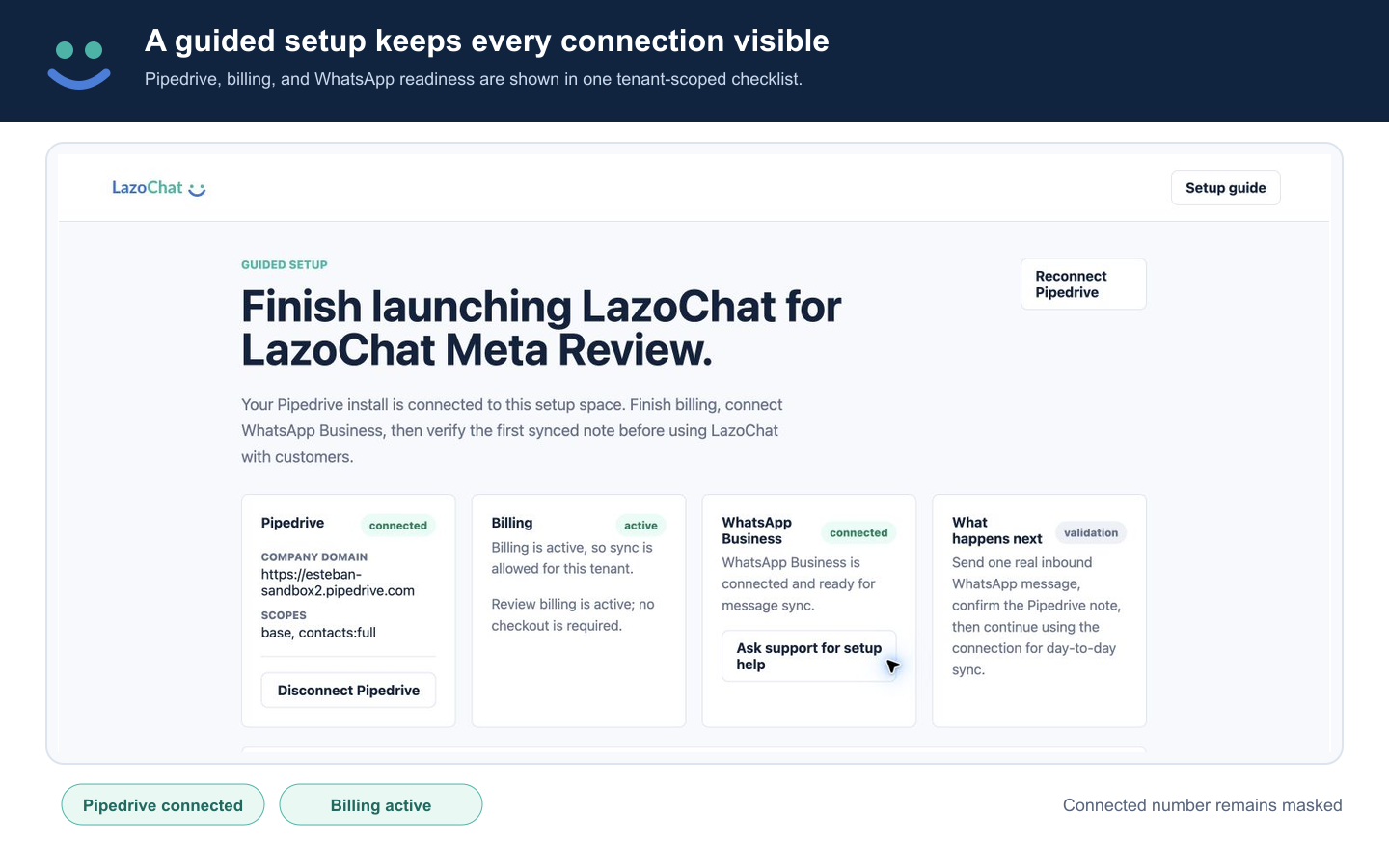
  5. Confirm Pipedrive is connected, activate connector billing, and connect one eligible WhatsApp Business number. Contact [email protected] if Meta verification or provider access is pending.
  6. Return to and reload Pipedrive for the four-step guide. Send one authorized inbound WhatsApp message and confirm one note on the matching Pipedrive Person.

Also popular in this category

If you’re interested in this app, you might also like:

Google Meet
free
Google Meet
Manage, schedule and launch Google Meet calls from Pipedrive to streamline your sales communication.
Built by Pipedrive
CallHippo
free
CallHippo
Effortlessly Manage Sales with AI-Enhanced CallHippo and Pipedrive Integration, Featuring AI-powered Analytics, Click-to-Call, and Task Automation.
Paperflite
Paperflite
Paperflite is software for remote content collaboration. Use it to organize, distribute and share your content with prospects.

User reviews

User reviews

Overall rating

No ratings yet

No installs

Can't find the app you need?

Use our powerful API to build awesome apps for either your company or for all Pipedrive users.

Build an app