
free
Google Meet
Manage, schedule and launch Google Meet calls from Pipedrive to streamline your sales communication.
Built by Pipedrive
(4152)
496 reviews
OptyStack
by OptyStack
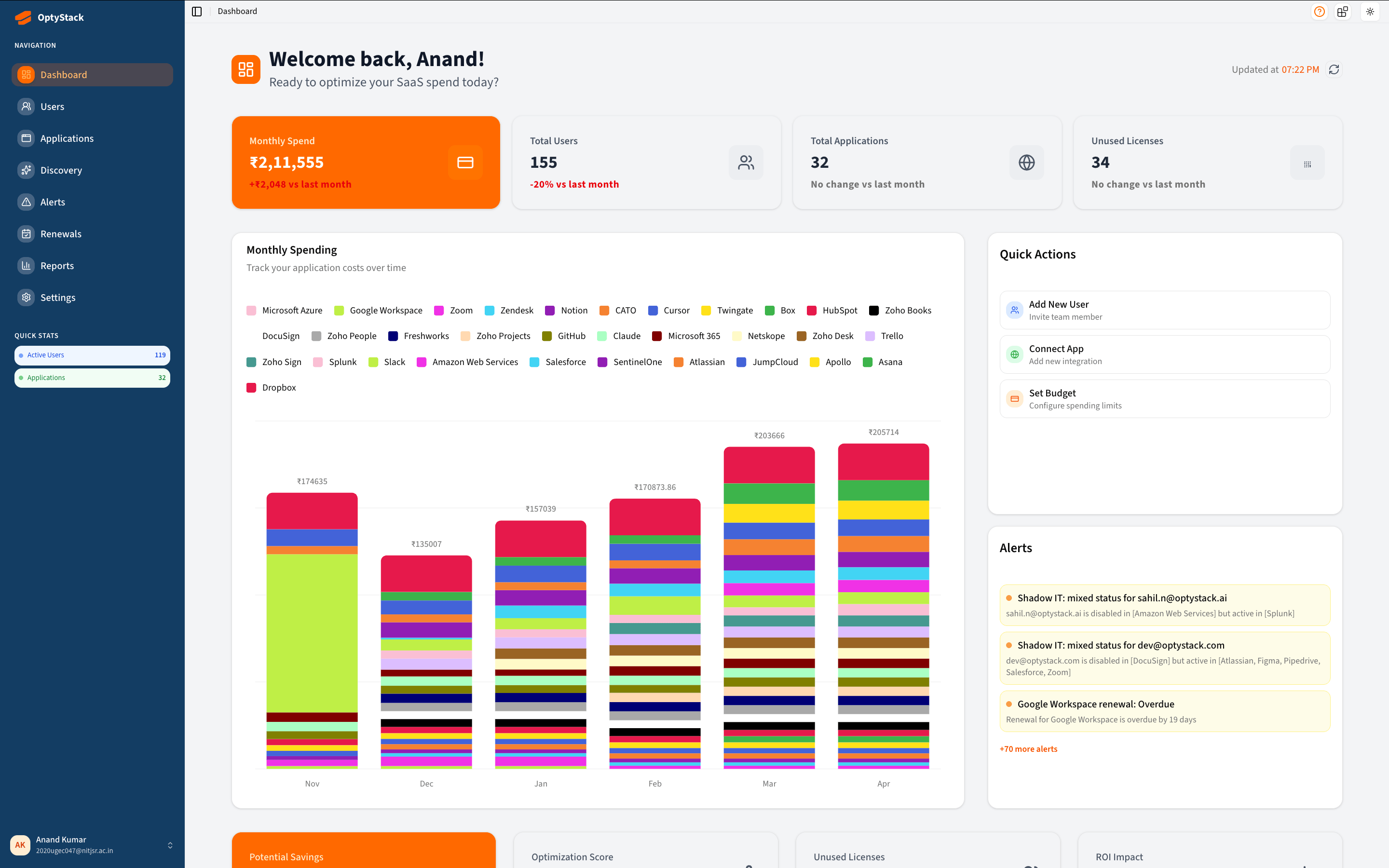
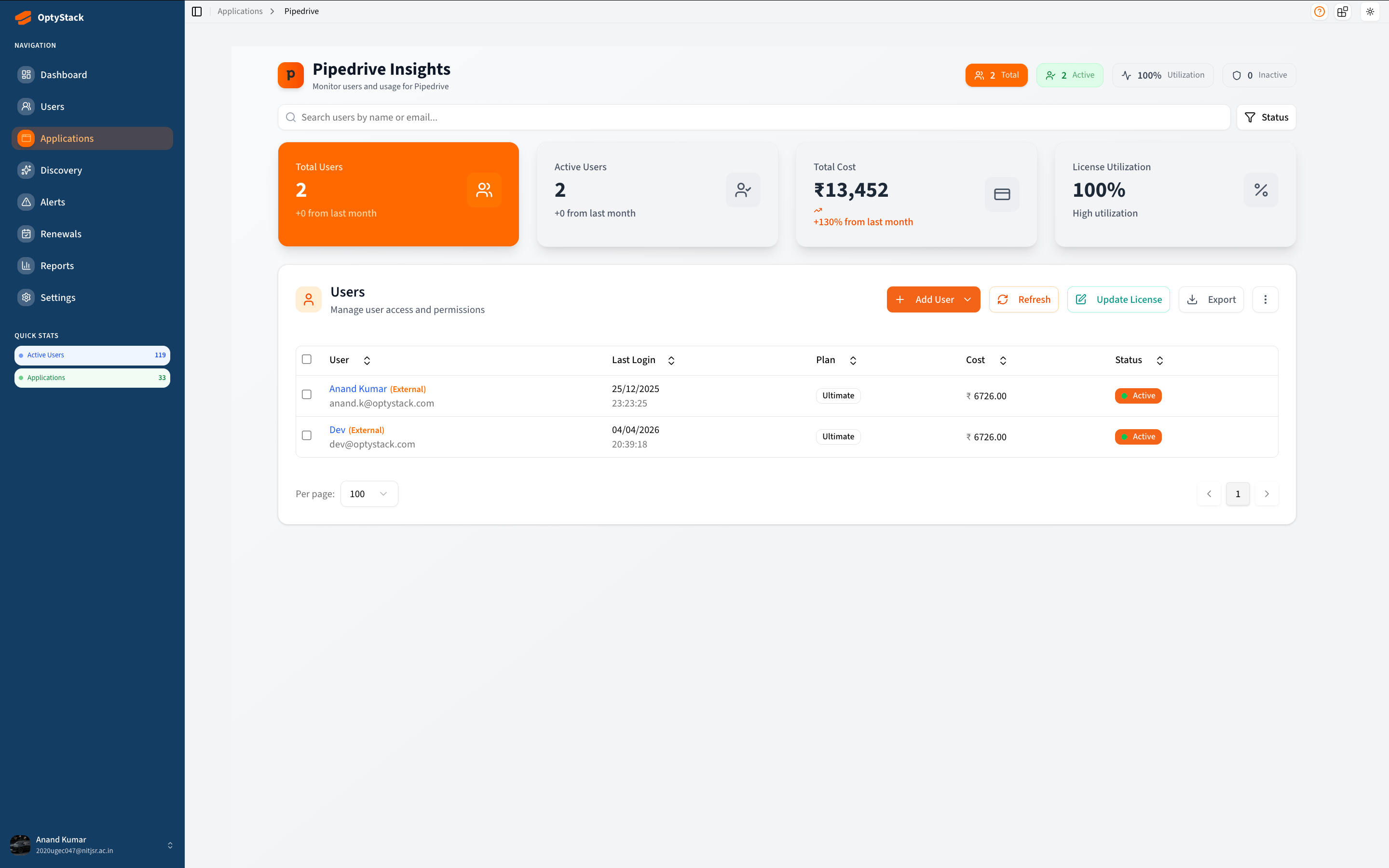
OptyStack is a SaaS management platform that connects to your Pipedrive account and gives your IT, finance, and operations teams complete visibility and control over user access and licence costs.
Once connected, OptyStack automatically syncs all your Pipedrive users — showing you who is active, who hasn't logged in recently, what their role is, and what your per-seat cost looks like in real time.
Key capabilities:
User visibility — See all your Pipedrive users in one place with their name, email, role, account status, and last login time.
Lifecycle management — Invite new users to your Pipedrive account and enable or disable existing users directly from OptyStack without opening Pipedrive settings.
Licence cost tracking — Track your Pipedrive plan cost per seat, set renewal reminders, and monitor how many licences are actively used versus idle.
Multi-app dashboard — OptyStack manages 50+ SaaS apps from one place. Adding Pipedrive gives you a unified view alongside Google Workspace, Microsoft 365, Slack, Zoom, and more.
Admin-aware — OptyStack detects whether the connected Pipedrive account has admin (Account Settings) permissions and enables lifecycle actions only when appropriate, keeping your account secure.
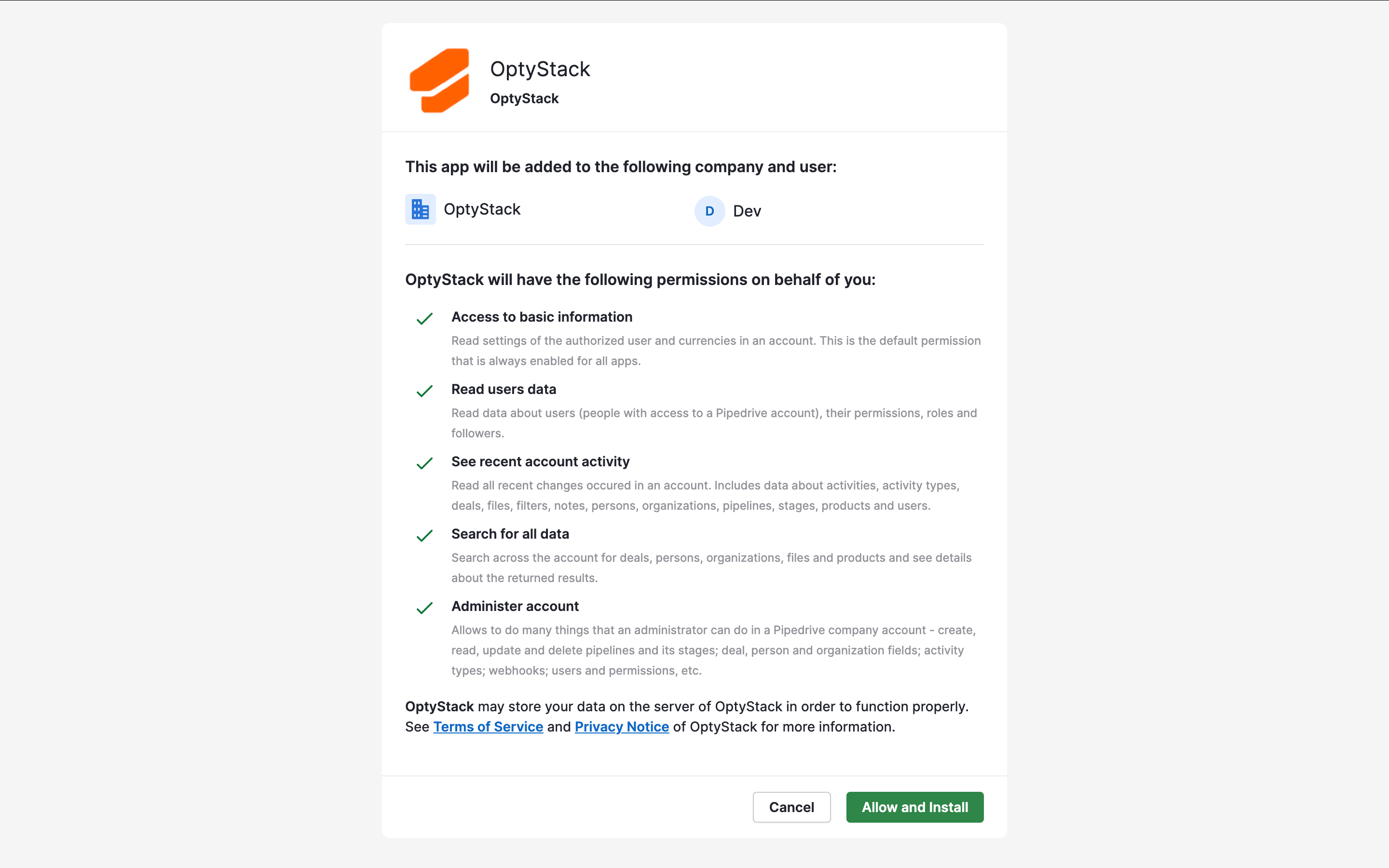
This integration uses Pipedrive's official OAuth 2.0 flow and only requests the scopes needed: user data read access and admin actions for lifecycle management.
Getting started with OptyStack takes less than 2 minutes:
Create your OptyStack account at hub.optystack.ai if you don't have one already. Sign up is free and no credit card is required to start.
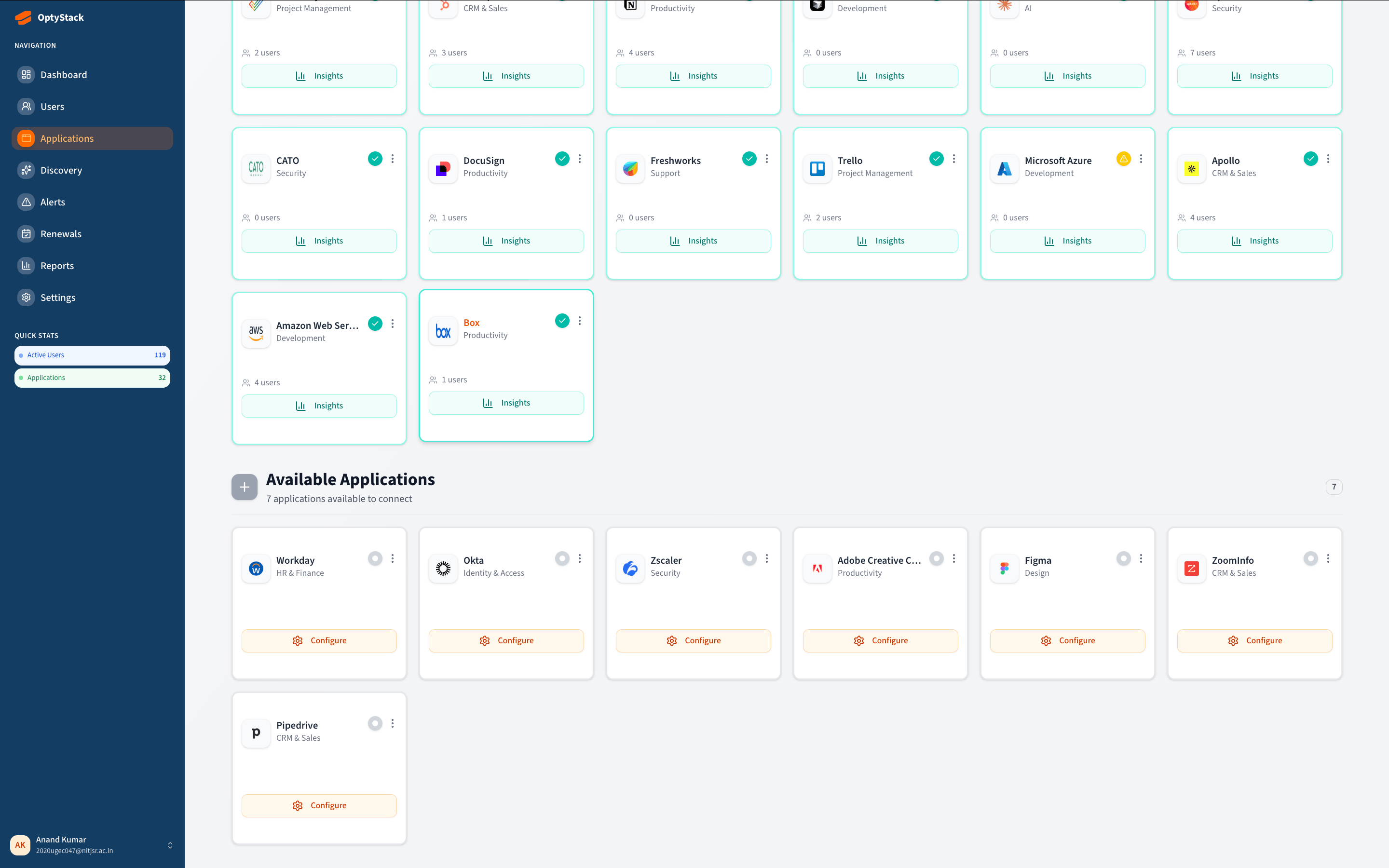
From your OptyStack dashboard, navigate to Applications in the left sidebar and search for Pipedrive.
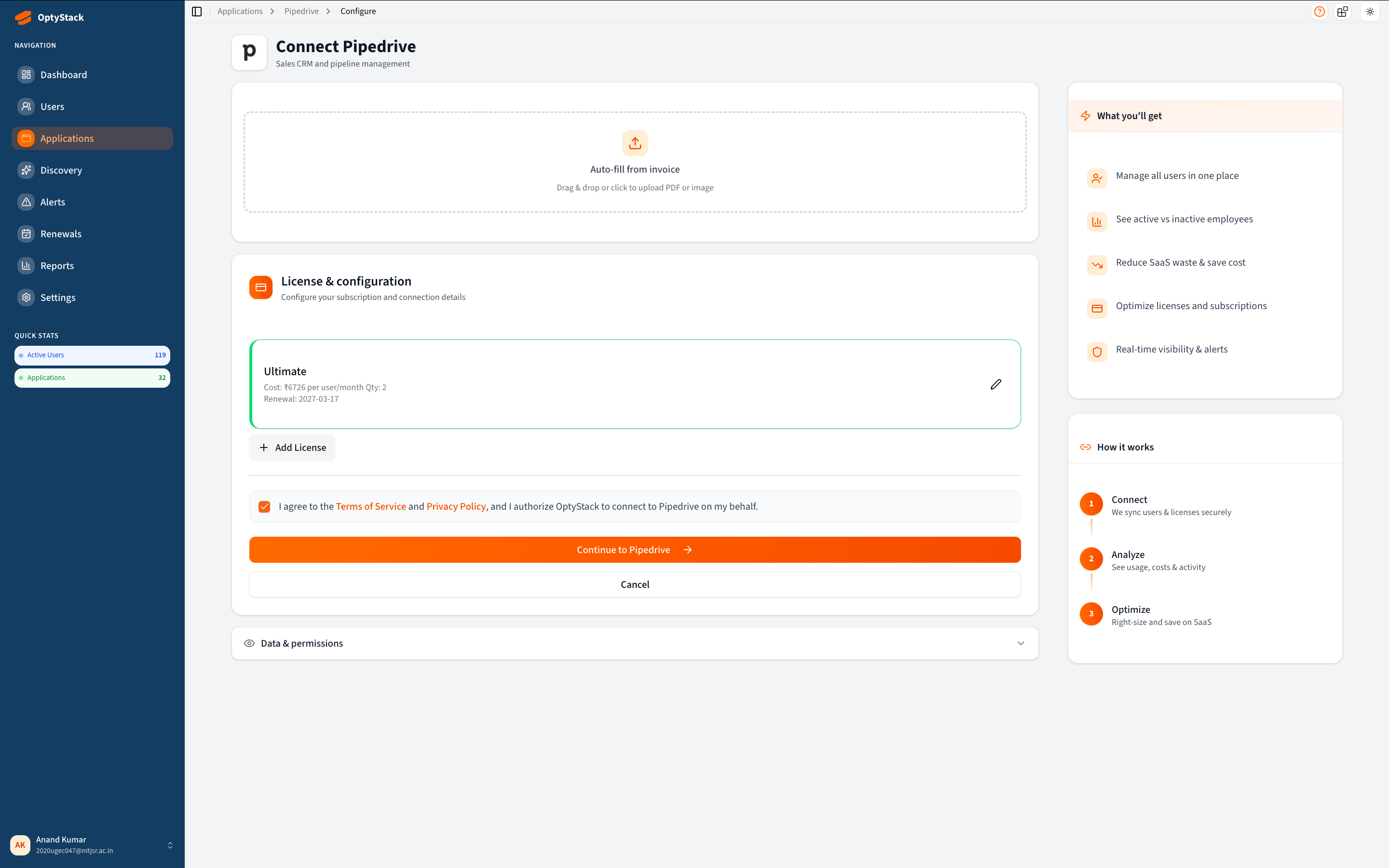
Click Configure on the Pipedrive card. You will be taken to a setup page where you can optionally enter your licence details (plan name, cost per seat, renewal date) for cost tracking.
Click Continue to Pipedrive. You will be redirected to Pipedrive's OAuth authorization page.
Log in to Pipedrive with your admin account and click Allow to grant OptyStack access. Important: the account you use to authorize must have Account Settings permission in Pipedrive, otherwise user lifecycle actions (invite, enable, disable) will not be available.
You will be redirected back to OptyStack. OptyStack will automatically sync all users from your Pipedrive account within seconds.
From the Pipedrive page in OptyStack you can now: — View all users with their status, role, and last login — Invite new users by email — Enable or disable existing users — Track licence costs and set renewal alerts
To disconnect, go to the Pipedrive page in OptyStack, click the menu in the top right of the users table, and select Disconnect.
If you’re interested in this app, you might also like:


Use our powerful API to build awesome apps for either your company or for all Pipedrive users.
Build an app