
free
Google Meet
Manage, schedule and launch Google Meet calls from Pipedrive to streamline your sales communication.
Built by Pipedrive
(4182)
497 reviews
OutboundSync
by OutboundSync
Attract new leads, Communicate with leads, Manage contracts, Automate my pipeline and data
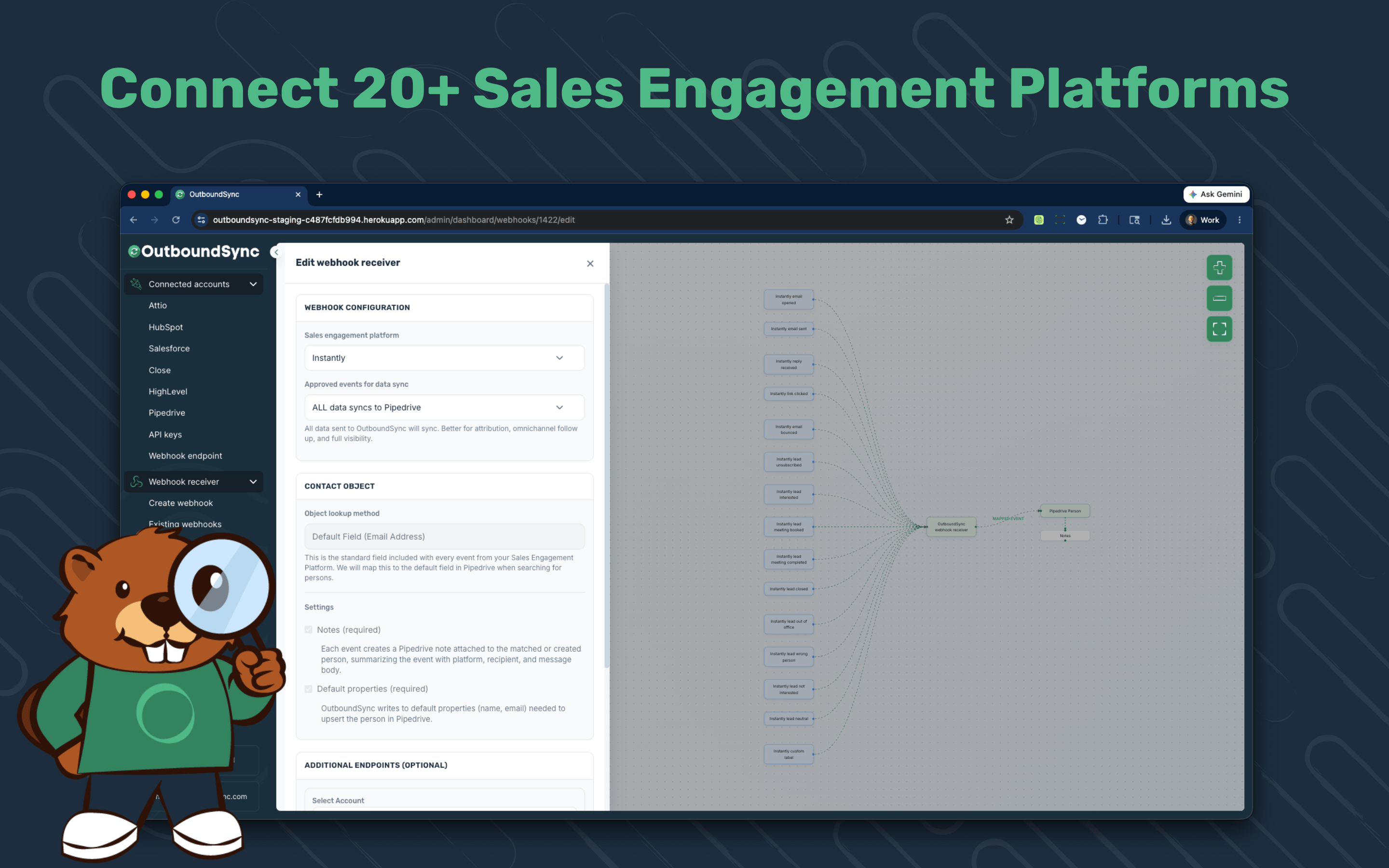
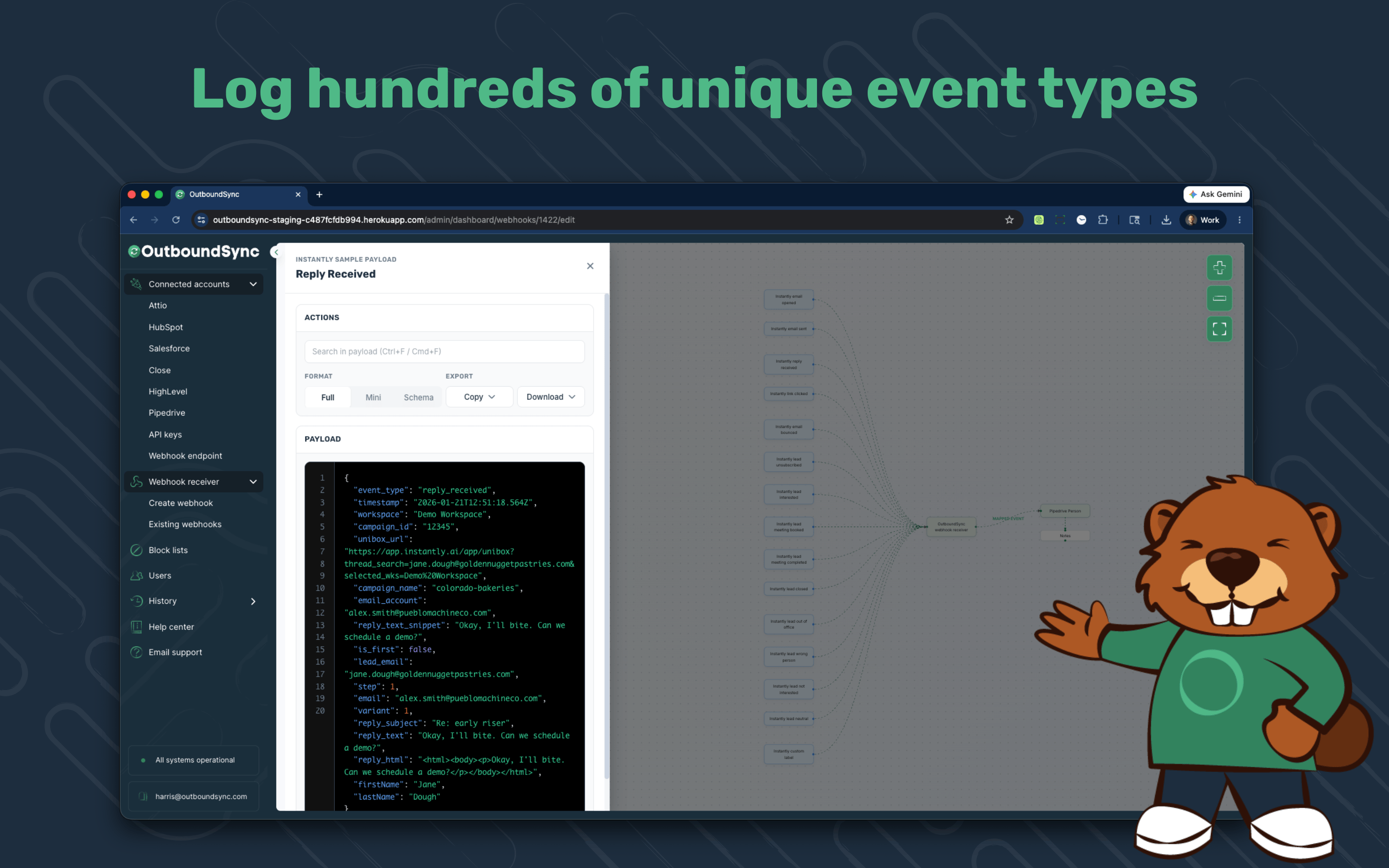
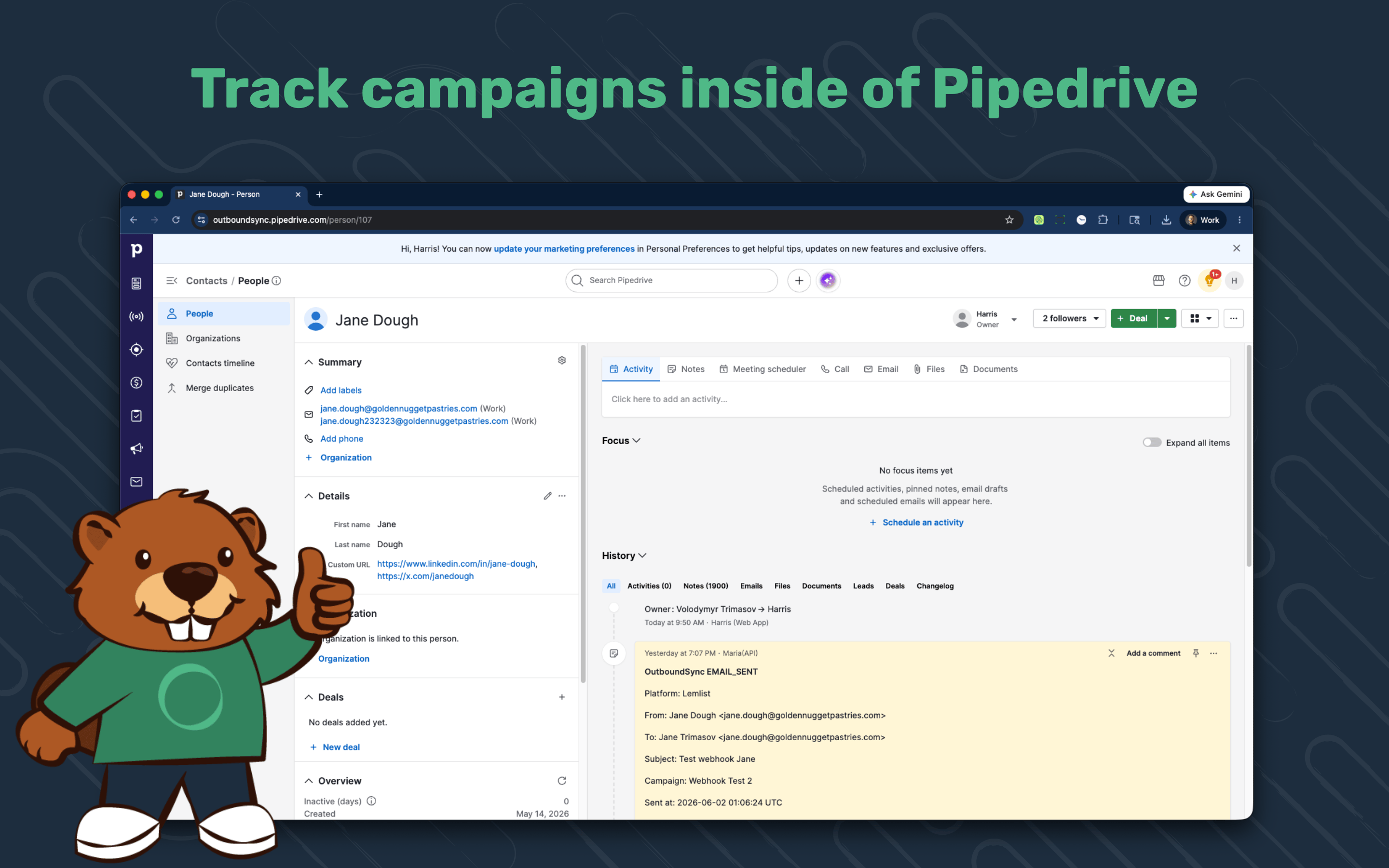
Send from any outbound tool. See every touch in Pipedrive.
OutboundSync is the connective tissue between your outbound stack and Pipedrive.
Connect tools like Smartlead, Instantly, EmailBison, HeyReach and more once — every send, reply, open, click, and unsubscribe lands on the lead person. No CSVs, no brittle custom automation, no middleware to babysit.
Built for revenue teams running multi-channel outreach across email, social, and phone who need full visibility and clean attribution inside Pipedrive.
Stop rebuilding pipeline from forwarded replies and screenshots. Get outbound activity flowing into Pipedrive in minutes.
1. Create or log into OutboundSync
New users: sign up at app.outboundsync.com and confirm your email. Existing customers: log in.
2. Connect Pipedrive
From the OutboundSync dashboard, open Integrations → Pipedrive and click Connect. Authorize OutboundSync in Pipedrive and you'll be returned to your dashboard.
3. Create your first webhook
Click Create webhook and choose:
Click Create webhook and copy the generated URL.
4. Add the webhook to your sequencer
Paste the OutboundSync webhook URL into your sequencer's webhook settings. Platform-specific walkthroughs are at outboundsync.com/docs.
5. Test and verify
In OutboundSync, click Sync Test. Open Pipedrive and confirm a Person was matched (or created) with a Note containing the event details. From here on, every send, reply, click, unsubscribe, and call event from your sequencer flows into Pipedrive automatically.
Need help? Email [email protected] or browse the docs at outboundsync.com/docs.
If you’re interested in this app, you might also like:


Use our powerful API to build awesome apps for either your company or for all Pipedrive users.
Build an app