
free
CallHippo
Effortlessly Manage Sales with AI-Enhanced CallHippo and Pipedrive Integration, Featuring AI-powered Analytics, Click-to-Call, and Task Automation.
(414)
384 reviews
PickUp - ClickUp Integration
by Pickup
Manage my projects, Automate my pipeline and data, Other use cases
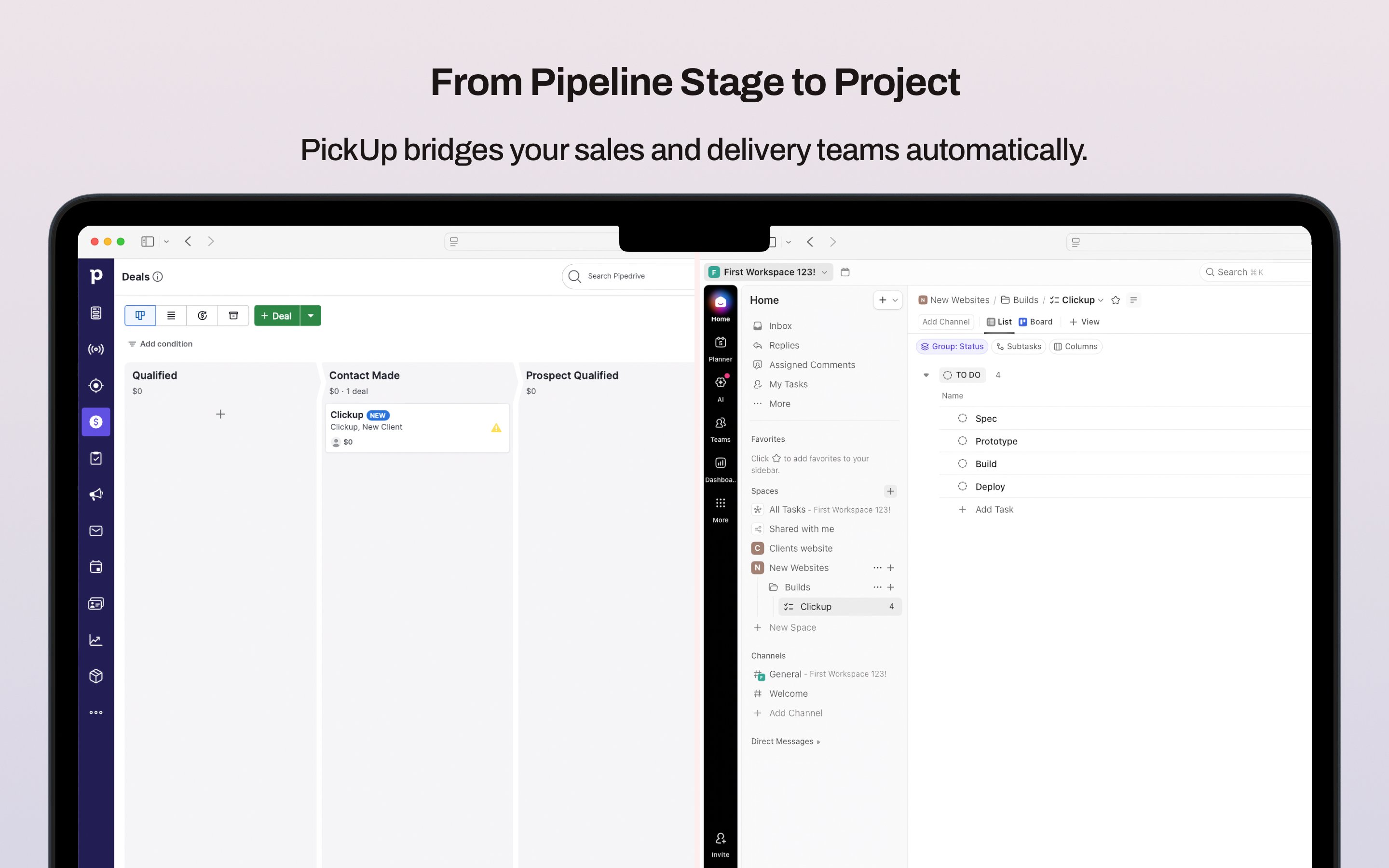
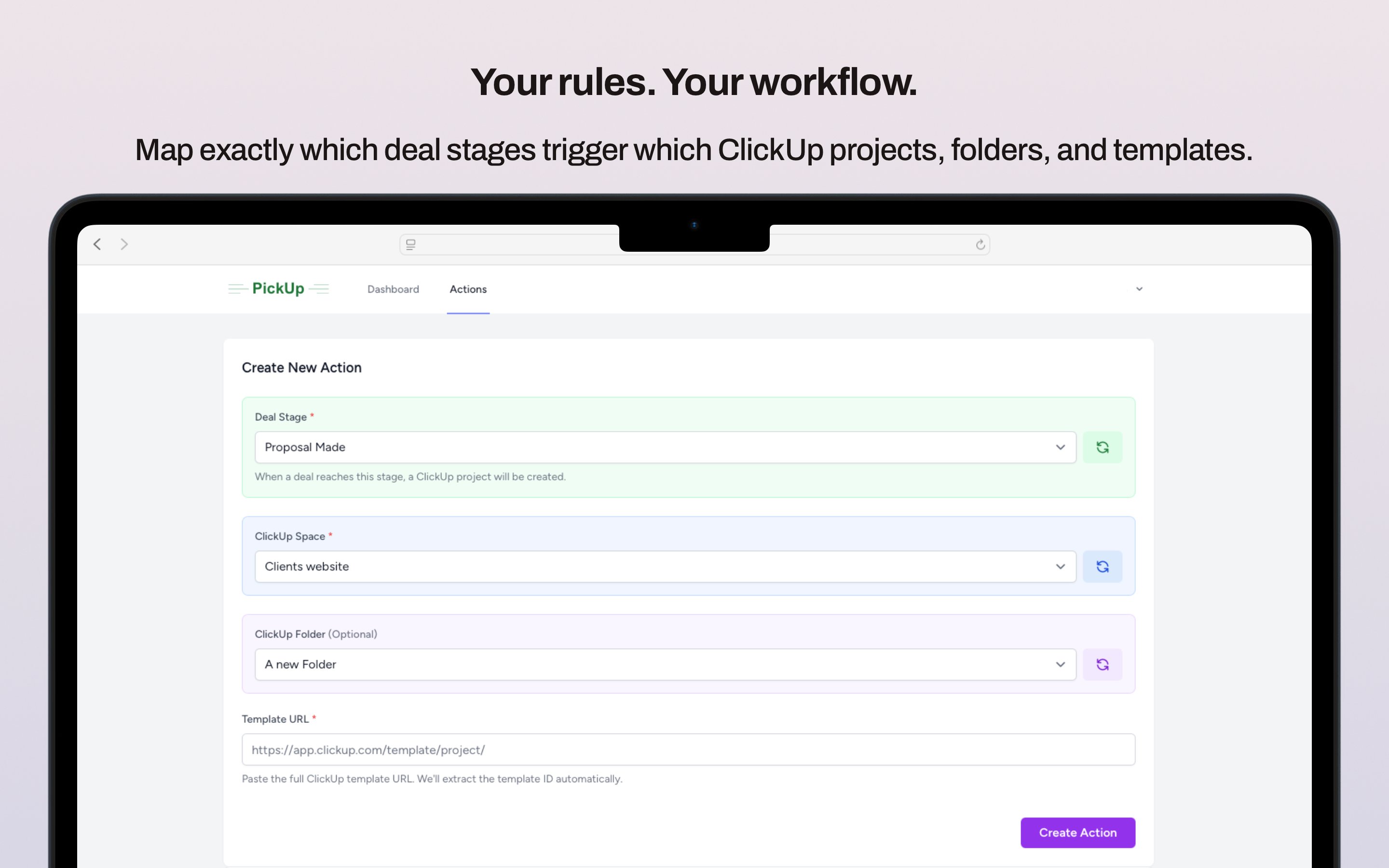
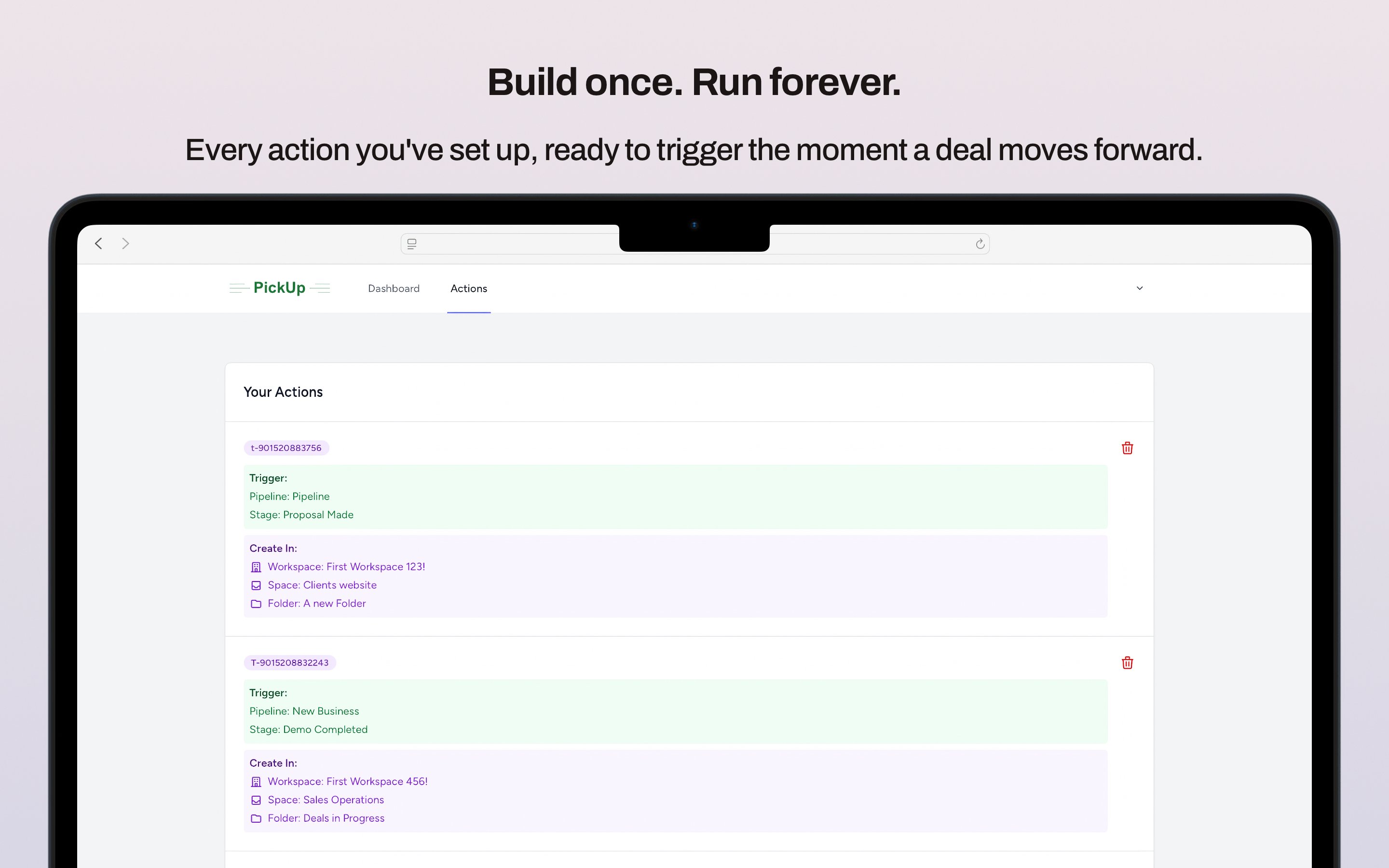
Stop creating projects manually. PickUp connects your Pipedrive pipeline to ClickUp so that every time a deal reaches your chosen stage, a fully structured project is created automatically, using your existing ClickUp templates. Set it up once and it runs forever. How it works:
What you get:
Who it's for:
Agencies, SaaS companies, and service businesses who use Pipedrive to win work and ClickUp to deliver it. No code, no complexity, no ongoing maintenance required.
Set up in 2 minutes. Then forget about it forever.
PickUp (PipedriveClickUp) is designed to be up and running in under 2 minutes. Here's everything you need to get started:
What you'll need:
Step 1: Create your PickUp account
Visit pipedriveclickup.com and sign up for a free trial.
Step 2: Connect Pipedrive
Click "Connect Pipedrive" and you'll be taken to Pipedrive's secure OAuth login. Grant PickUp permission to access your pipelines and deal data. You'll be redirected back automatically once connected.
Step 3: Connect ClickUp
Click "Connect ClickUp" and follow the same secure OAuth process. Select the ClickUp Workspace you want projects to be created in.
Step 4: Configure your automation
Choose which Pipedrive pipeline and stage should trigger a new project, for example, "Closed Won". Then select which ClickUp Space, Folder, and template to use when that trigger fires.
Step 5: Test it
Move a deal to your chosen stage in Pipedrive and watch the project appear in ClickUp within seconds.
That's it. From this point on, every deal that reaches your chosen stage will automatically generate a fully structured ClickUp project with no further action needed.
If you’re interested in this app, you might also like:


Use our powerful API to build awesome apps for either your company or for all Pipedrive users.
Build an app