
free
CallHippo
Effortlessly Manage Sales with AI-Enhanced CallHippo and Pipedrive Integration, Featuring AI-powered Analytics, Click-to-Call, and Task Automation.
(414)
384 reviews
PipedriveSheets
by Haye & Co
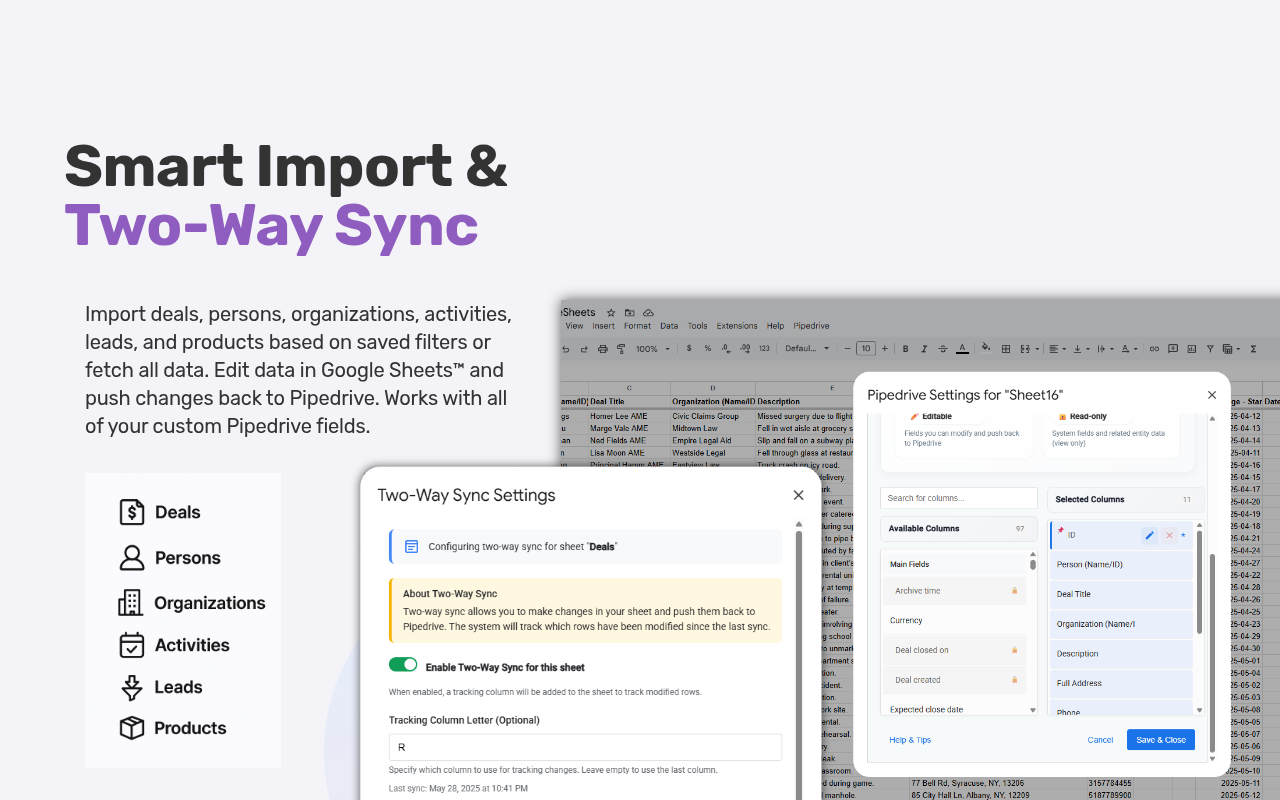

Turn Google Sheets into a live, two-way view of your Pipedrive CRM. Built for sales teams, managers, and ops pros who want real-time visibility and control over their pipeline — no CSV exports, no per-task billing.
Unlike general connectors like Zapier or Coupler.io, PipedriveSheets offers true two-way sync, uses your custom fields automatically, and runs natively inside Google Sheets — nothing extra to log into.
🔄 Key features
Import Pipedrive data: Pull deals, persons, organizations, activities, leads, and products using saved filters, or everything at once.
Custom field selection: Choose exactly which fields to display and organize them how you want.
Two-way sync: Edit any cell in your sheet and push updates back to Pipedrive with a click.
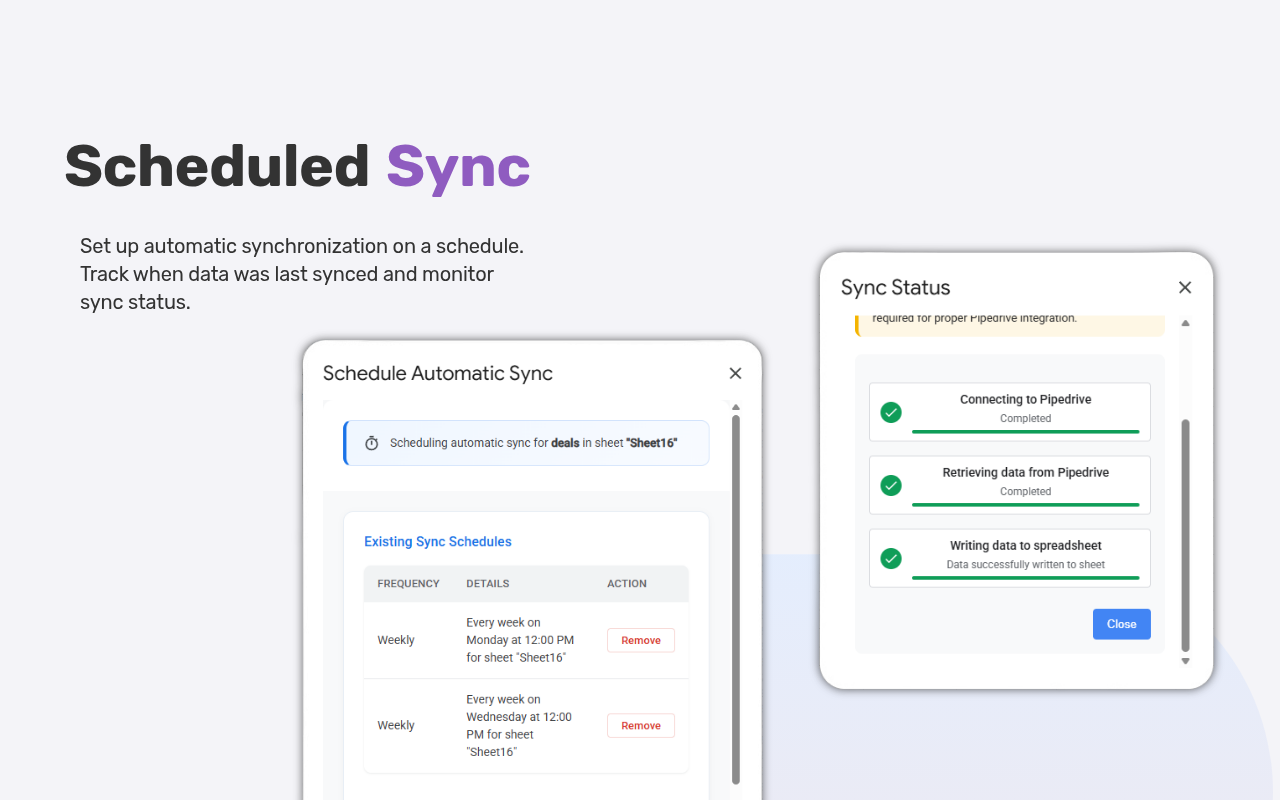
Scheduled syncing: Automate refreshes, hourly to weekly, to keep your sheet current.
Bulk operations: Create, modify, or delete hundreds of records in one shot.
Team settings: Share filter setups and column preferences with your team for a unified workflow.
💰 Pricing: Connect Pipedrive and Pro is free for 14 days — no credit card, nothing to cancel. After that: free forever at 50 rows, or Pro $12.99/mo · Team $39.99/mo.
👉 View full pricing plans here
Get started free — install and sync in under two minutes.
Trusted by sales teams in 8 countries syncing deals across USD, EUR, GBP, AUD, CAD, MXN, BRL, and PLN.
Quick & Easy Setup - Get Started in Under 2 Minutes
Step 1: Install the Add-on
Step 2: Connect Your Pipedrive Account
Step 3: Configure Your First Sync
That's It! Your Pipedrive data will appear in your sheet, ready for editing and analysis.
🔧 Required Permissions:
💡 Pro Tips:
If you’re interested in this app, you might also like:


Use our powerful API to build awesome apps for either your company or for all Pipedrive users.
Build an app