SalesVault
interactive features

SalesVault

by SalesVault

interactive features

Sales content management with SalesVault, the AI sales enablement platform preferred by SMBs. 1-click linking of winning content to CRM deals.

Manage my accounts, Support my customers

App screenshot
App screenshot
App screenshot
App screenshot

Description

Sales Enablement
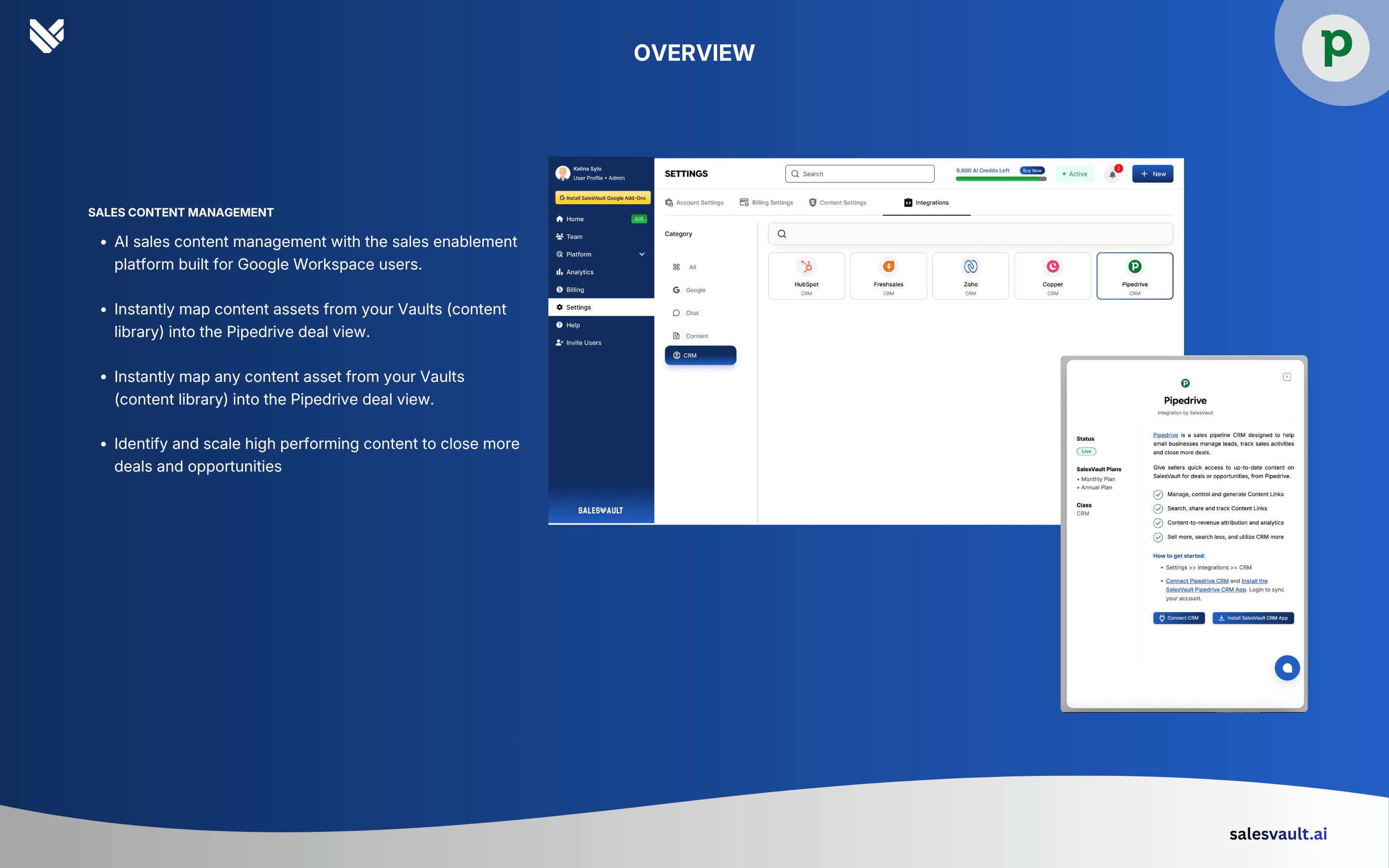
SalesVault is the preferred AI Sales Enablement platform for SMBs, powered by Google Gemini and built exclusively for Google Workspace users. The SalesVault app enables users to access, review and attach winning content from the SalesVault Content Hub to any deal or opportunity directly within Pipedrive. By bringing the SalesVault Content Hub, Vaults, AI Search and winning content assets from all content sources directly into your Pipedrive CRM, your team can drive the right sales execution with winning content that is only a click away, thus consistently taking deals or opportunities to a Closed-Won outcome.

SalesVault is built for precision. Using Vaults—this integration ensures that the right content asset for the right stage of any deal in Pipedrive is just a click away. No more context switching.

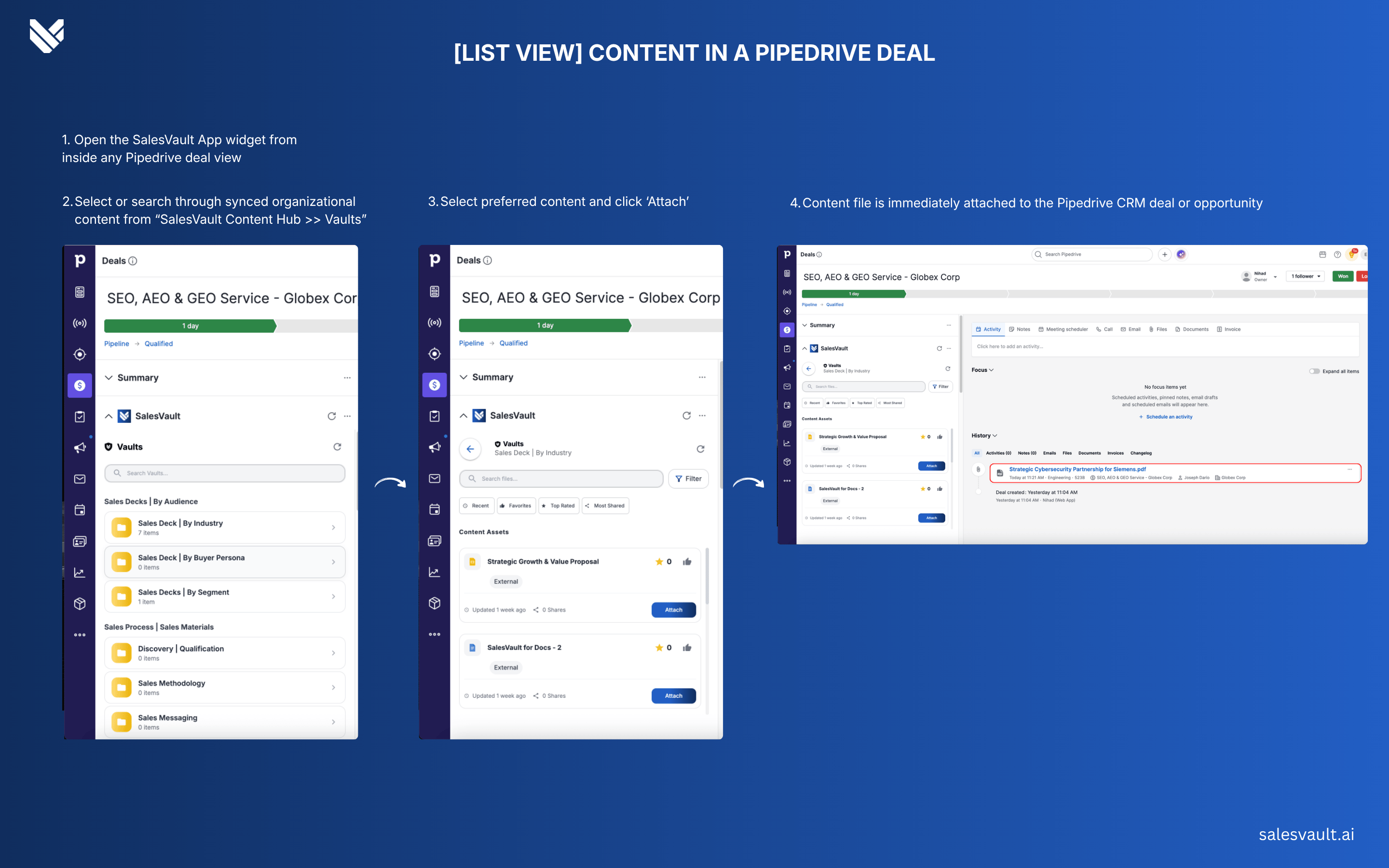
  • SalesVault Content Hub: Search and surface your SalesVault content library without leaving the Pipedrive deal view.
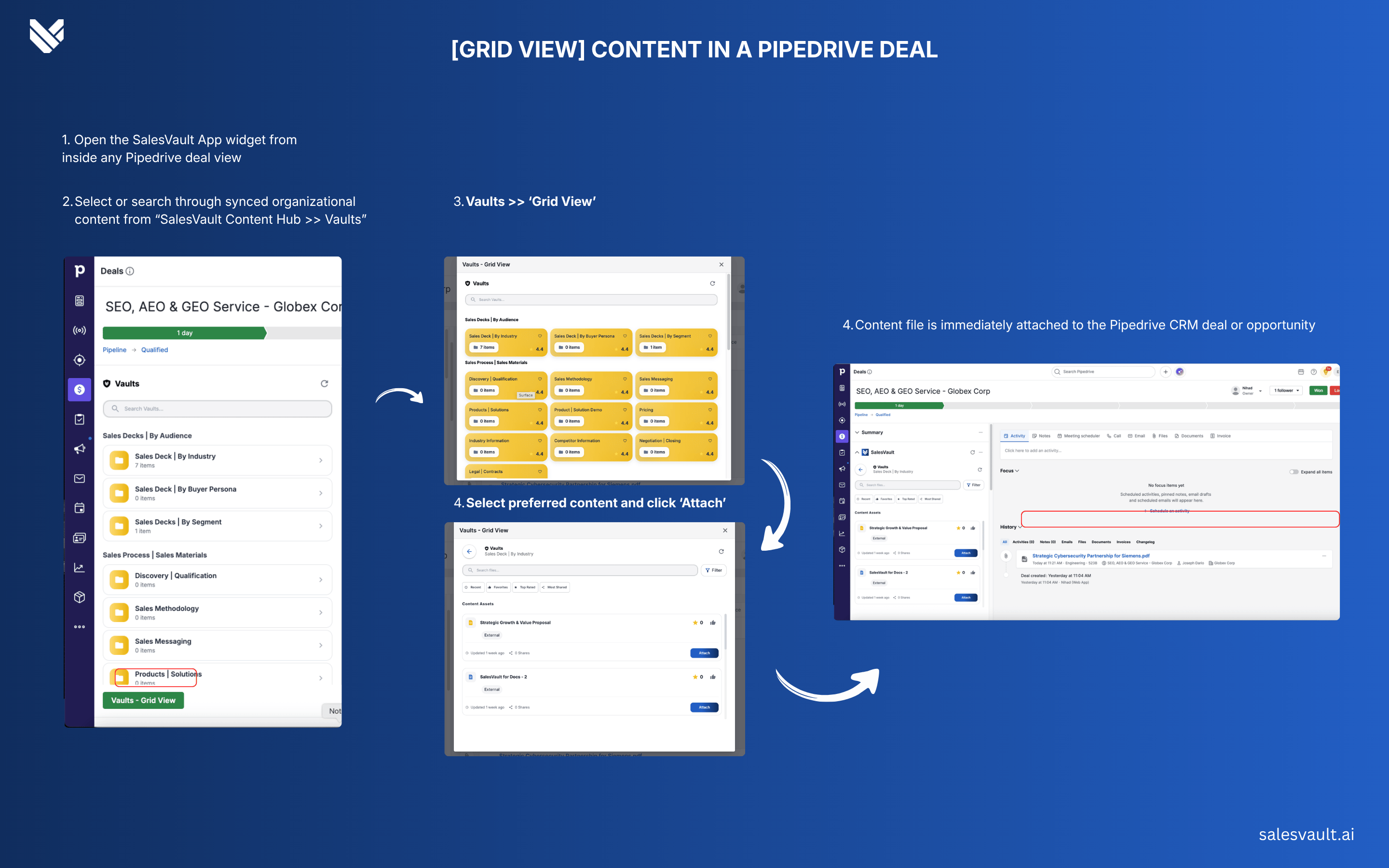
  • AI Search & Vaults: Find content organized by specific use cases, from sales decks to contracts, onboarding, customer success and account management.
  • One-Click attachment: Select high-impact content from your Vaults and instantly attach it to any Pipedrive deal.

Note: New users get to explore SalesVault for free with a 10-day free trial on SalesVault, complete with free AI Credits.

Features

Panels

Panels

Instantly see and interact with SalesVault as you dive into the details of your deals/contacts in Pipedrive.

SalesVault

Locations:deal details

Pop-up windows

Pop-up windows

Tackle complex tasks in SalesVault without leaving Pipedrive via their customized pop-up windows.

Vaults - Grid View

Locations:deal details

Installation instructions

New to SalesVault ?

Install from the Pipedrive Marketplace

  • In the Pipedrive Marketplace, click the Install Now button for the SalesVault app. This takes you to the secure link app.salesvault.ai/signup?redirectTo=connect_pipedrive.
  • Sign up / in to your SalesVault account. Go to Home → Onboarding → CRM. Select Pipedrive.
  • Click on Install SalesVault CRM App to reach the Pipedrive OAuth screen.
  • Choose the Pipedrive account you want to connect, review the permission settings, then click Allow and Install.
  • Your Pipedrive and SalesVault accounts are now connected.

Install from SalesVault

  • Launch SalesVault and go to Settings → Integrations.
  • Scroll to the Pipedrive card and click Install SalesVault CRM App.
  • Choose the Pipedrive account you want to connect, review the permission settings, then click Allow and Install.
  • Your Pipedrive and SalesVault accounts are now connected.

Also popular in this category

If you’re interested in this app, you might also like:

Google Meet
free
Google Meet
Manage, schedule and launch Google Meet calls from Pipedrive to streamline your sales communication.
Built by Pipedrive
Paperflite
Paperflite
Paperflite is software for remote content collaboration. Use it to organize, distribute and share your content with prospects.
ControlHippo AI Chat Agents
free
ControlHippo AI Chat Agents
AI Powered communication platform that connects, converts and retain customers.

User reviews

User reviews

Overall rating

No ratings yet

No installs

Can't find the app you need?

Use our powerful API to build awesome apps for either your company or for all Pipedrive users.

Build an app