Sync Pipedrive contacts into Constant Contact

Communicate with leads, Manage contracts, Support my customers, Other use cases
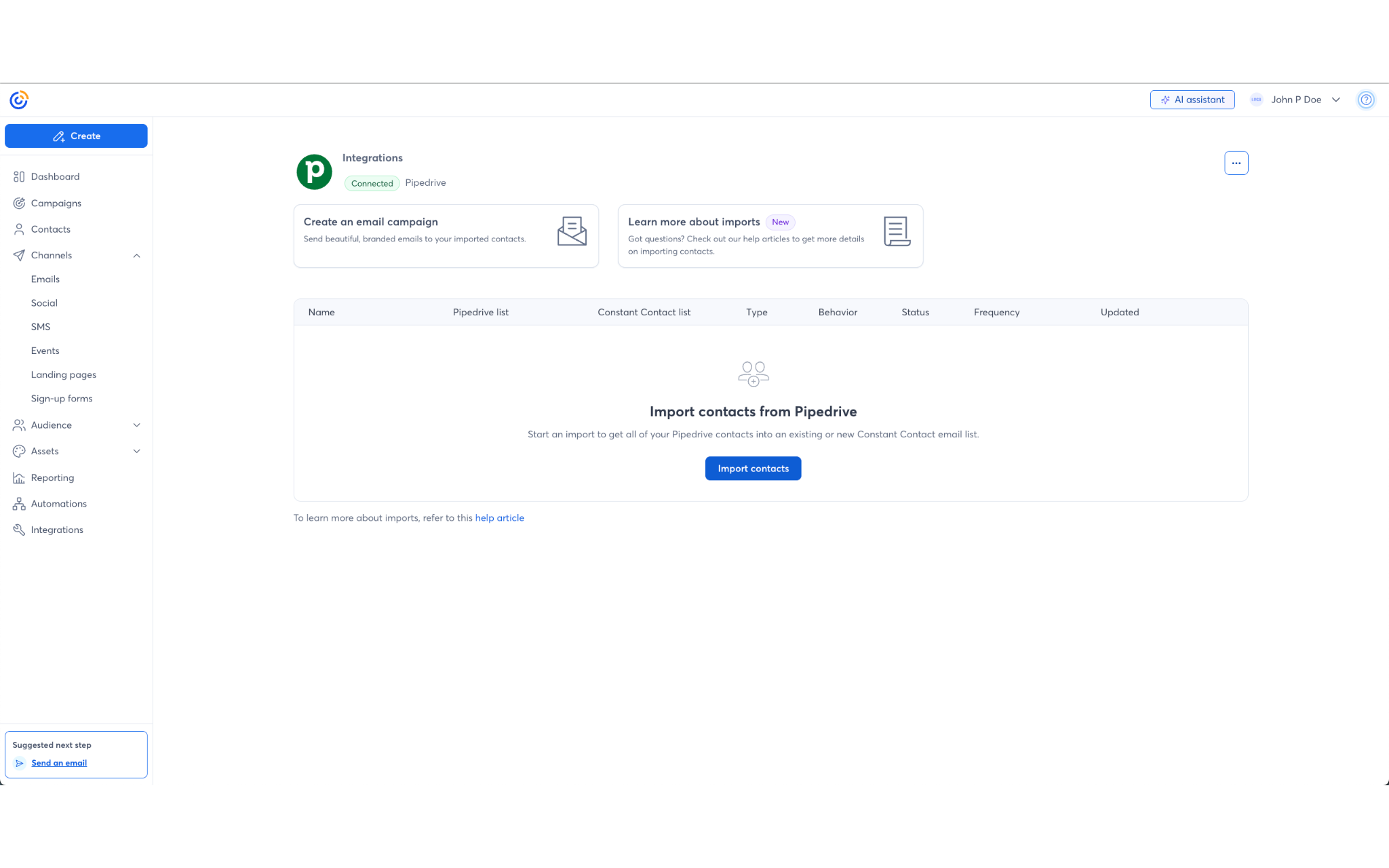
App screenshot
App screenshot
App screenshot
App screenshot
App screenshot

Description

  • Sync Pipedrive contacts into Constant Contact to save time and ensure your lists are up-to-date
  • Segment Pipedrive-synced contacts further to create customized, targeted email and SMS messaging.
  • Set up personalized automated communications, such as welcome emails or thank you series, based on synced contact activity.

Installation instructions

  1. Search for ‘Pipedrive’ in the Constant Contact Apps Integrations tab.
  2. Click the Pipedrive integration card.
  3. Click “Connect” on the Pipedrive modal.
  4. Click “Allow and Install” in the permission popup window.
  5. Click “Import Contacts” on the integration dashboard.
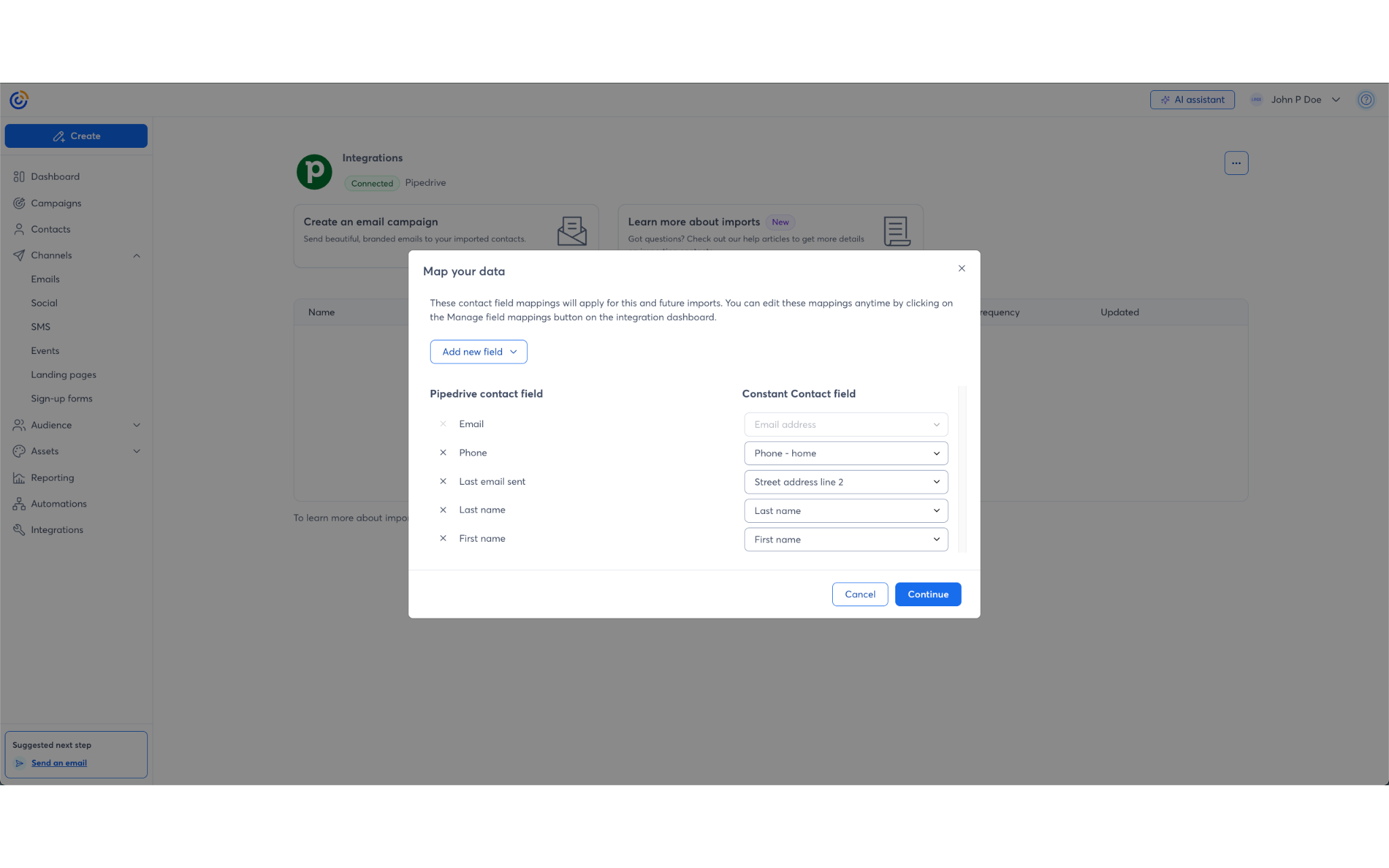
  6. Map your data fields (e.g., match Last Name, Phone) and click Continue.
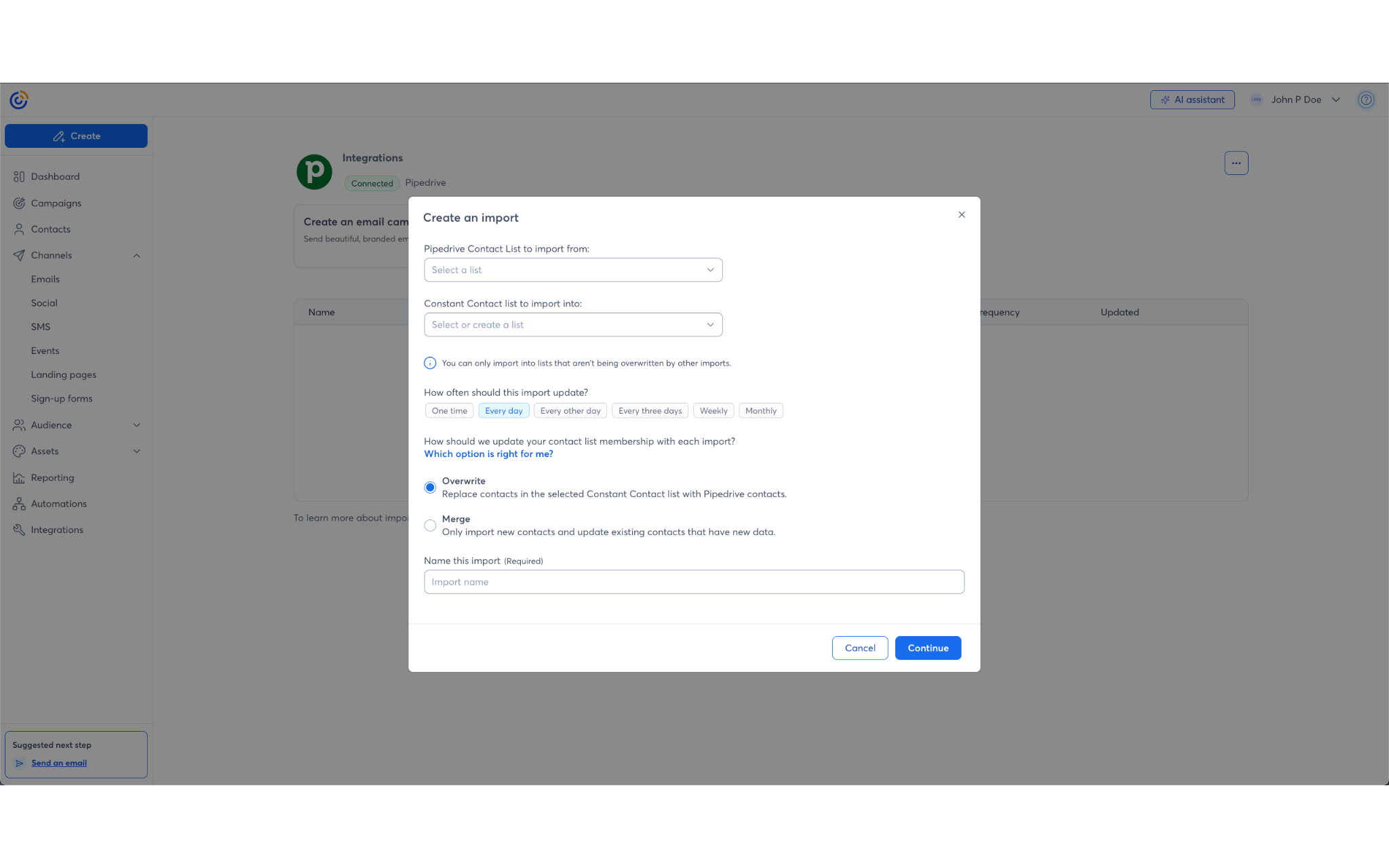
  7. Select a contact list to import your contacts into.
  8. Name the import and check the permission box.
  9. Click “Save” to proceed.
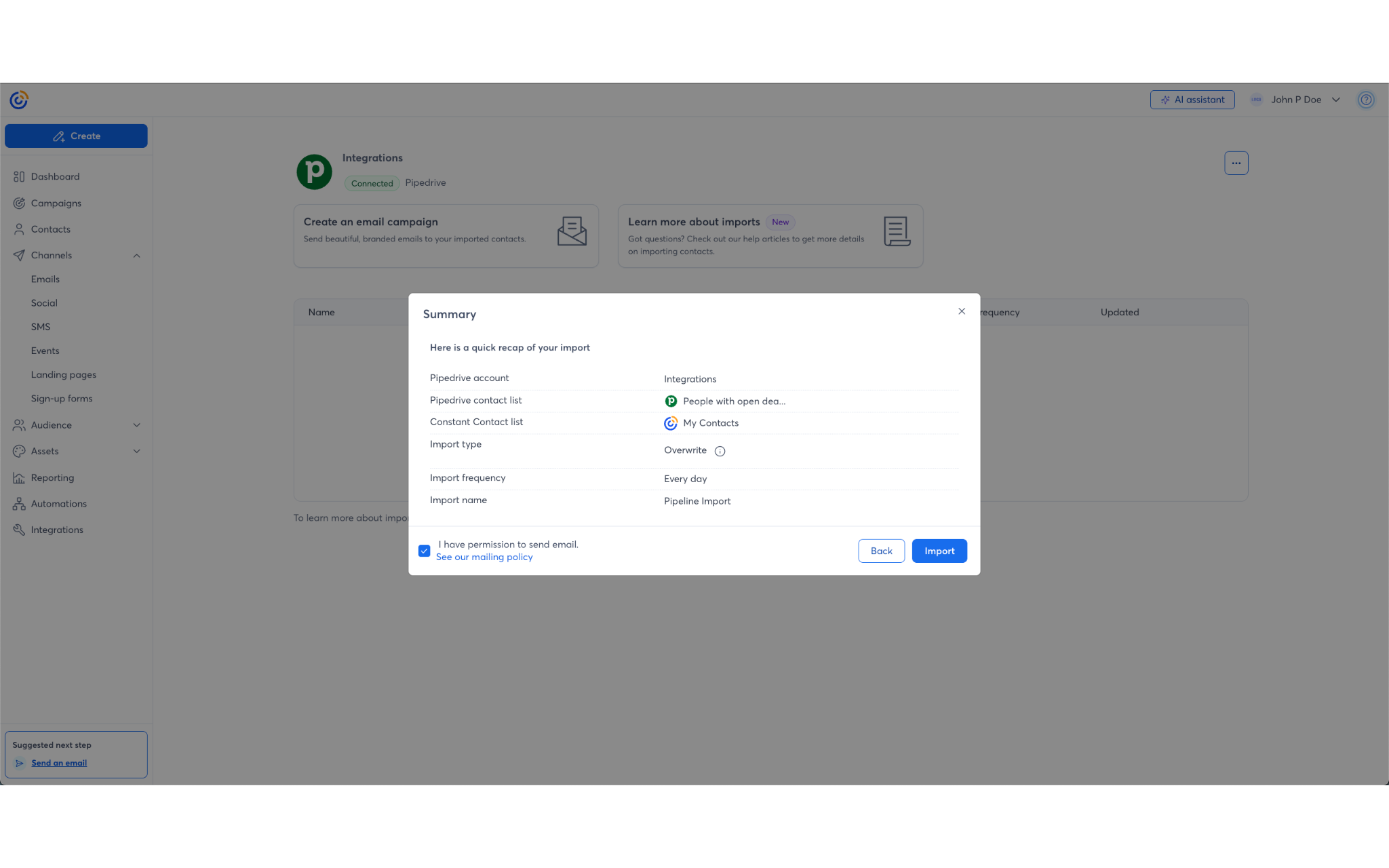
  10. Review the summary and click “Import”.
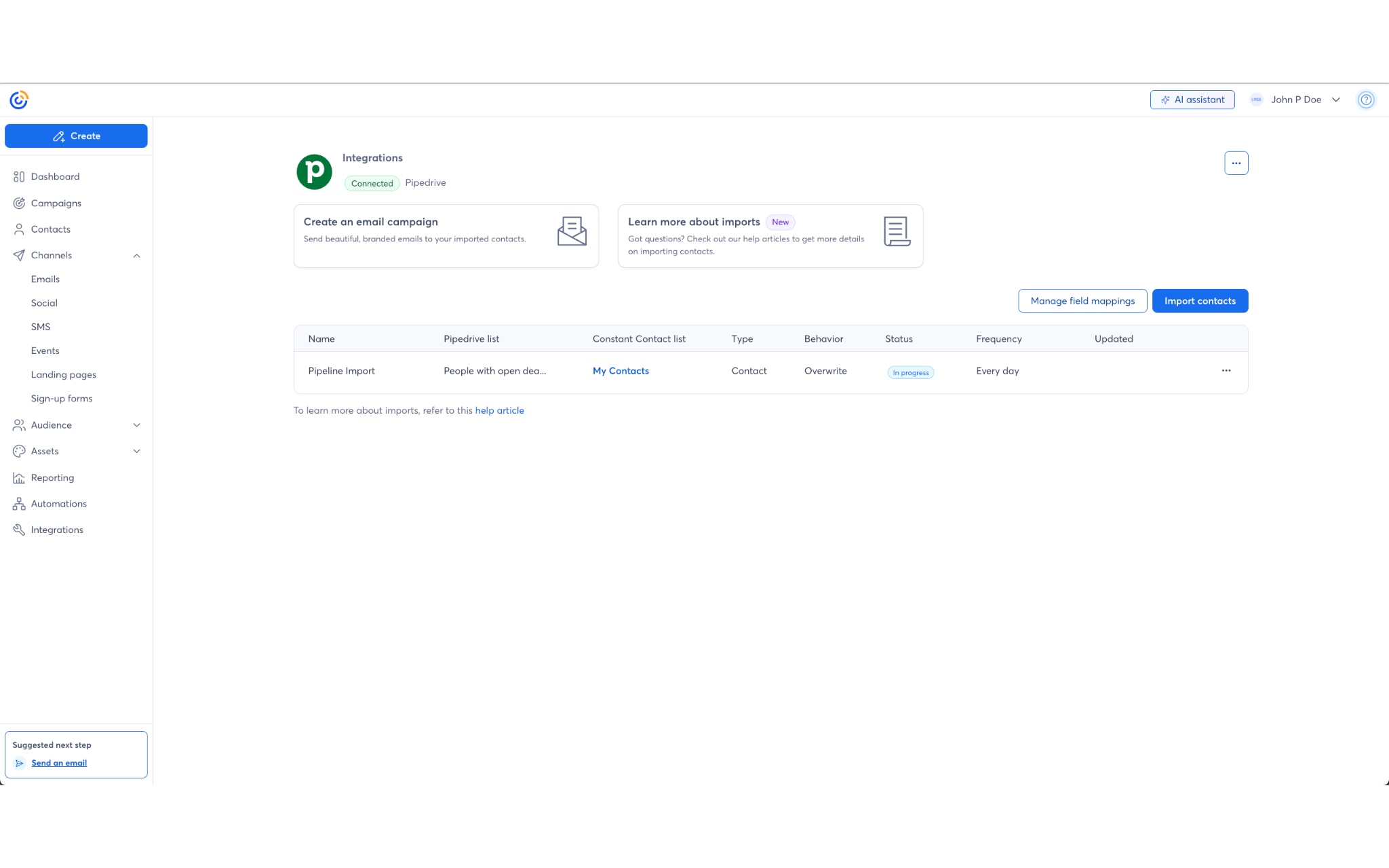
  11. Wait for the import to show as "Completed".
  12. Verify contacts by navigating to the Audience tab.

Also popular in this category

If you’re interested in this app, you might also like:

CallHippo
free
CallHippo
Effortlessly Manage Sales with AI-Enhanced CallHippo and Pipedrive Integration, Featuring AI-powered Analytics, Click-to-Call, and Task Automation.
Google Meet
free
Google Meet
Manage, schedule and launch Google Meet calls from Pipedrive to streamline your sales communication.
Built by Pipedrive
Paperflite
Paperflite
Paperflite is software for remote content collaboration. Use it to organize, distribute and share your content with prospects.

User reviews

User reviews

Overall rating

No ratings yet

No installs

Can't find the app you need?

Use our powerful API to build awesome apps for either your company or for all Pipedrive users.

Build an app