
free
Google Meet
Manage, schedule and launch Google Meet calls from Pipedrive to streamline your sales communication.
Built by Pipedrive
(4245)
501 reviews
Inboxroad Email Marketing
by Inboxroad Email Marketing
Nurture my leads, Communicate with leads, Support my customers, Other use cases
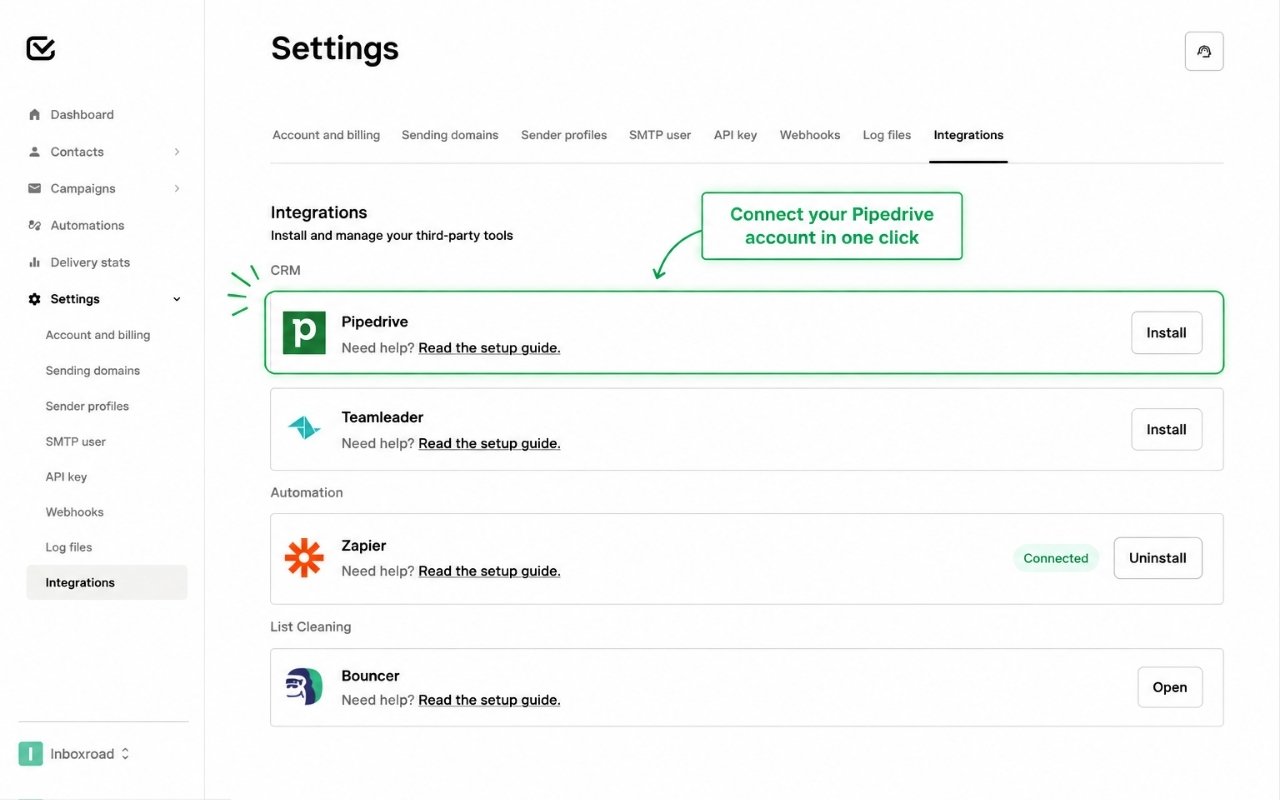
Bring your Pipedrive contacts directly into Inboxroad and make it easier to use your CRM data for email campaigns.
With the Inboxroad integration for Pipedrive, your contacts from Pipedrive are available directly within Inboxroad. This means you can work with the contacts you already manage in your CRM without manually exporting and importing contact lists.
Inboxroad provides an easy-to-use email platform combined with practical support and expertise to help businesses get more out of email.
By connecting Pipedrive and Inboxroad, your CRM contacts and email activities come one step closer together — making it easier to turn the relationships you manage in Pipedrive into relevant email communication.
Install Inboxroad directly from the Pipedrive Marketplace:
Open the Inboxroad app listing in the Pipedrive Marketplace.
Click Install now or Proceed to install.
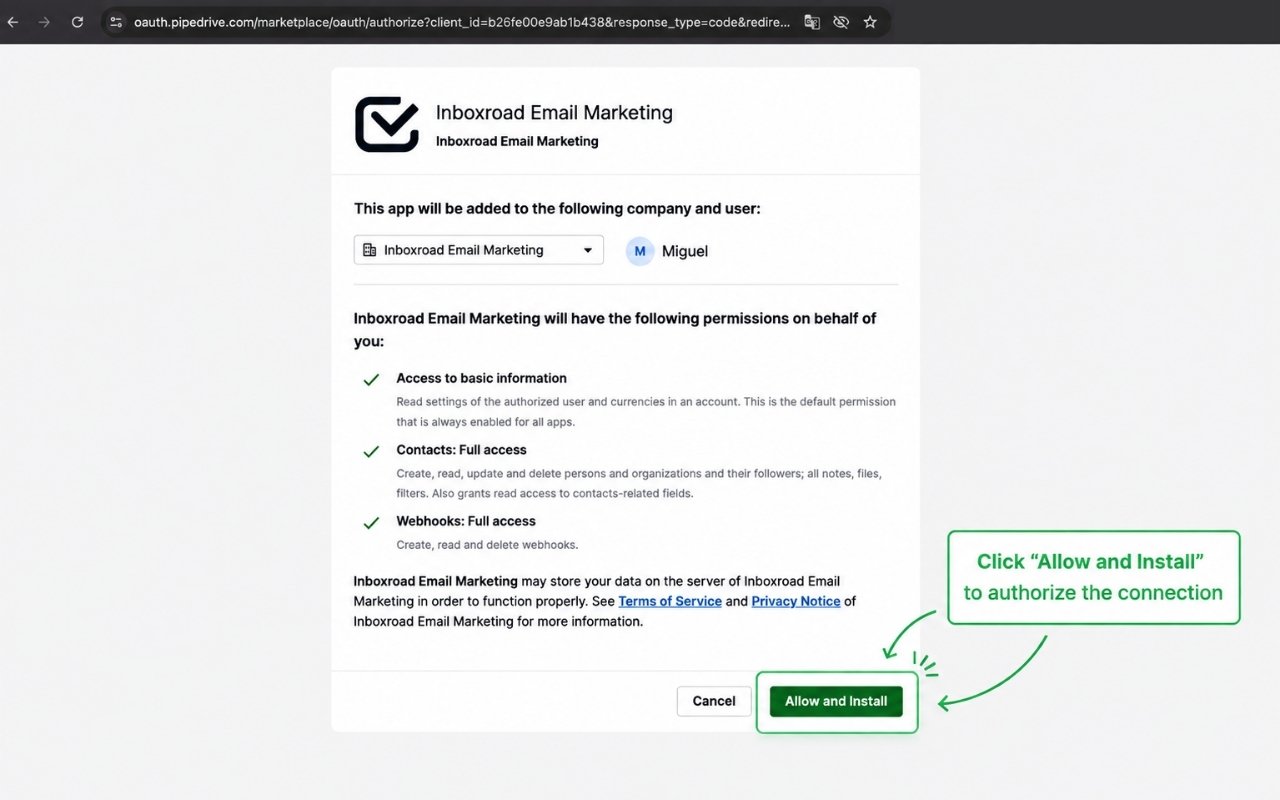
Review the permissions requested by Inboxroad.
Click Allow and install to authorize Inboxroad to access the required Pipedrive data.
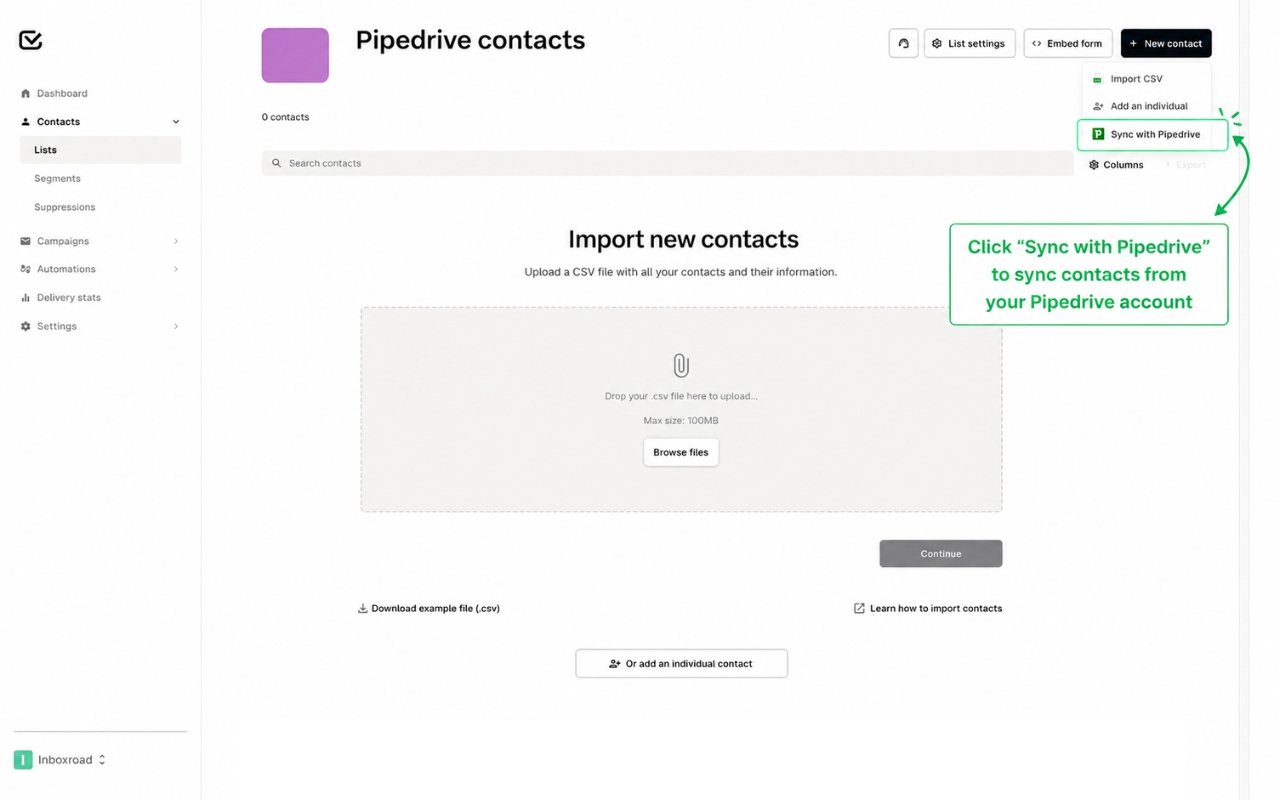
You will be redirected to Inboxroad to complete the setup:
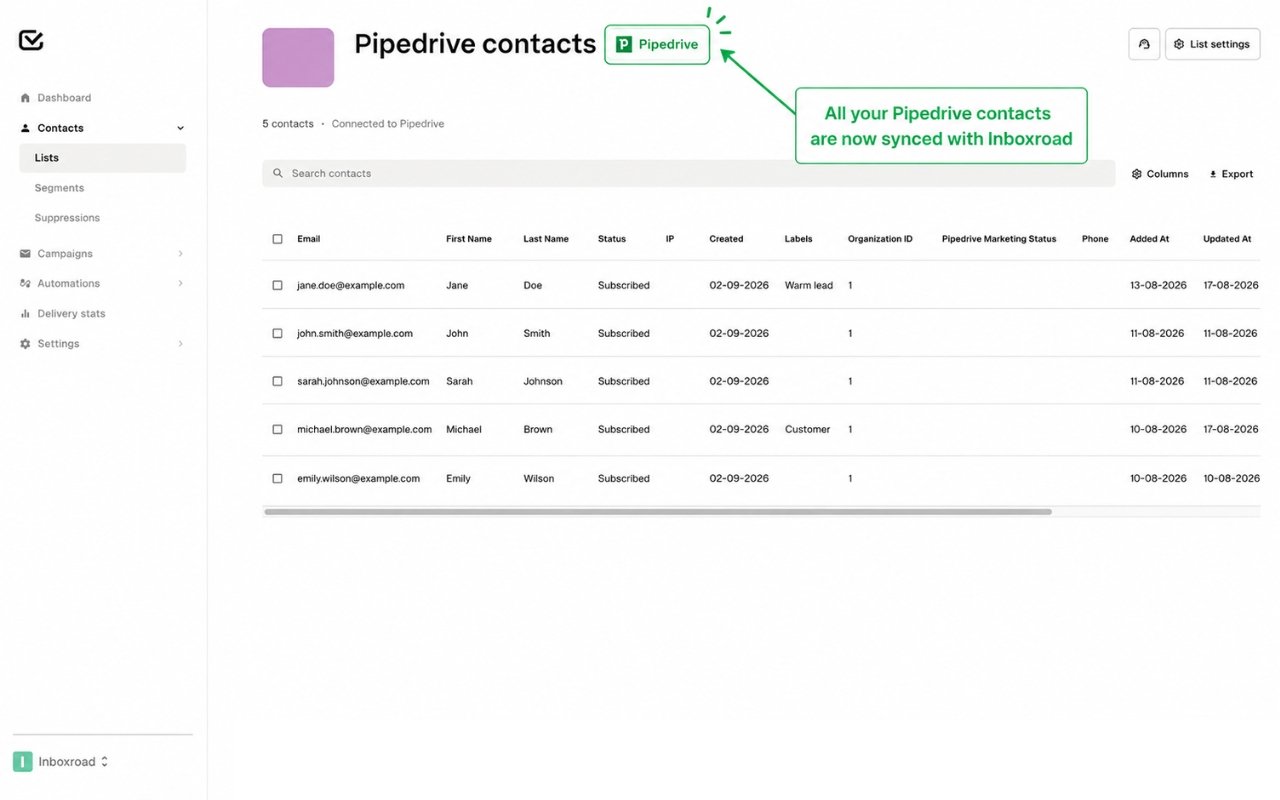
Once the connection has been completed successfully, your Pipedrive contacts will become available in Inboxroad.
You can now use your Pipedrive contacts for your email activities in Inboxroad.
If you select Cancel on the Pipedrive authorization screen, the app will not be installed and no Pipedrive data will be connected. You can restart the installation from the Pipedrive Marketplace at any time.
Need help with the installation? Contact the Inboxroad support team for assistance.
If you’re interested in this app, you might also like:


Use our powerful API to build awesome apps for either your company or for all Pipedrive users.
Build an app