
free
CallHippo
Effortlessly Manage Sales with AI-Enhanced CallHippo and Pipedrive Integration, Featuring AI-powered Analytics, Click-to-Call, and Task Automation.
(414)
384 reviews
Pipedrive Connector for Shopify
by Sync bridge
Automate my pipeline and data, Support my customers, Other use cases
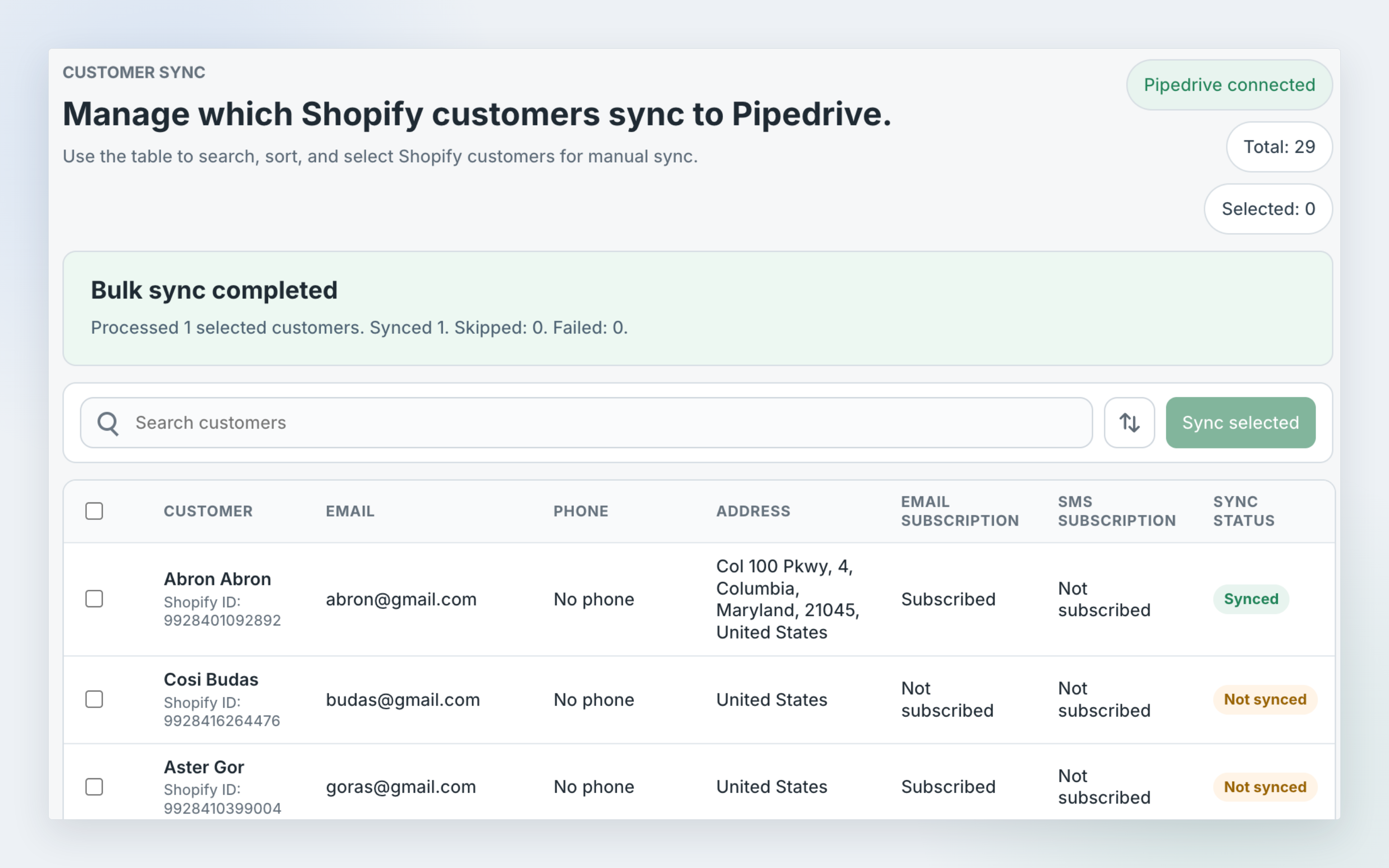
Sync Shopify customer profiles and product catalog data with Pipedrive so your CRM stays up to date with the contact and product details managed in your store.
The app creates and updates Pipedrive people from Shopify customer records, including customer name, email address, phone number, Shopify customer tags, customer notes, and a linked Shopify customer profile.
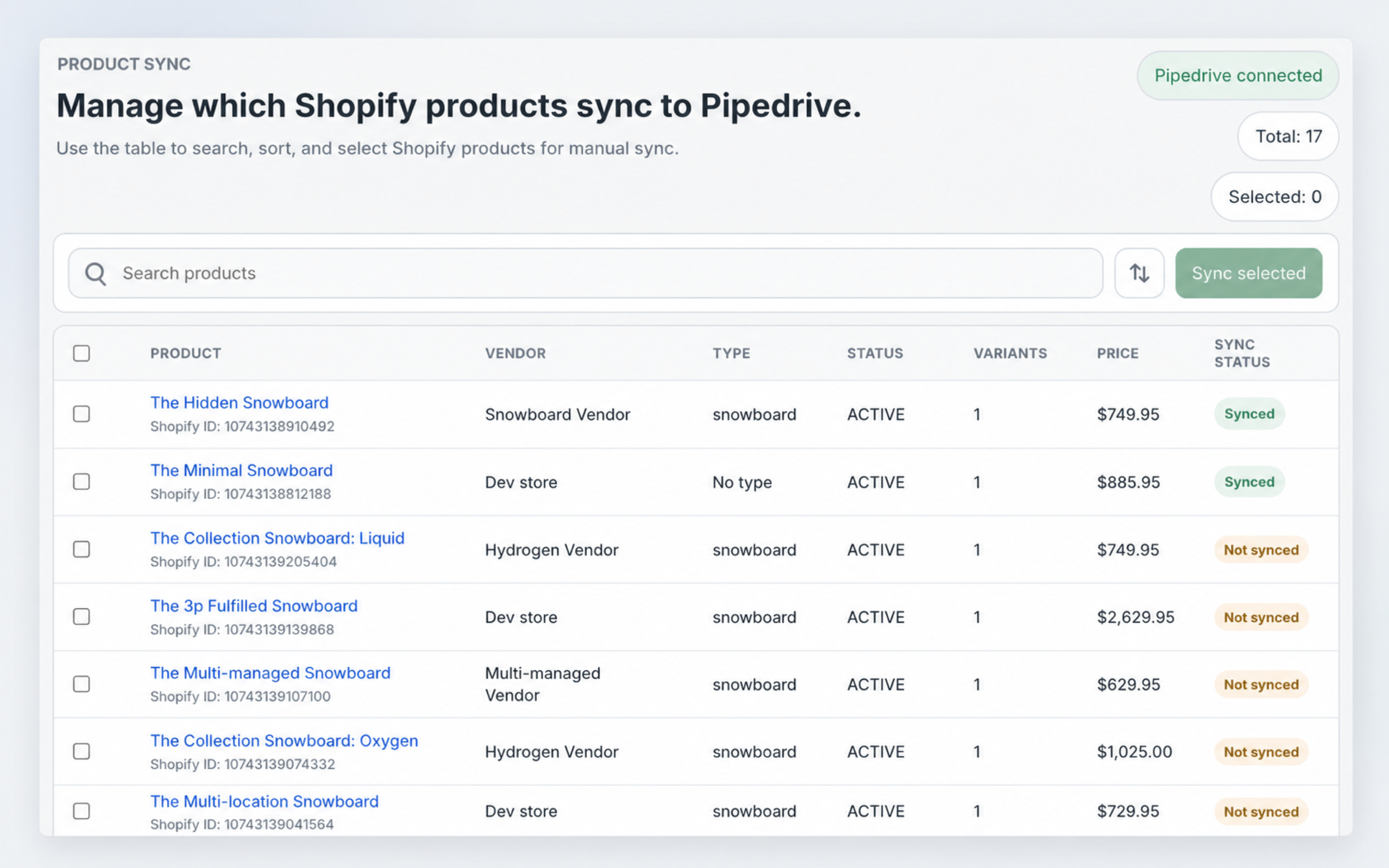
It also creates and updates Pipedrive products from Shopify product records, including product names, descriptions, images, prices, currency, and variations when available.
This integration helps sales and support teams keep Pipedrive contacts and products accurate without manual entry or repeated imports.
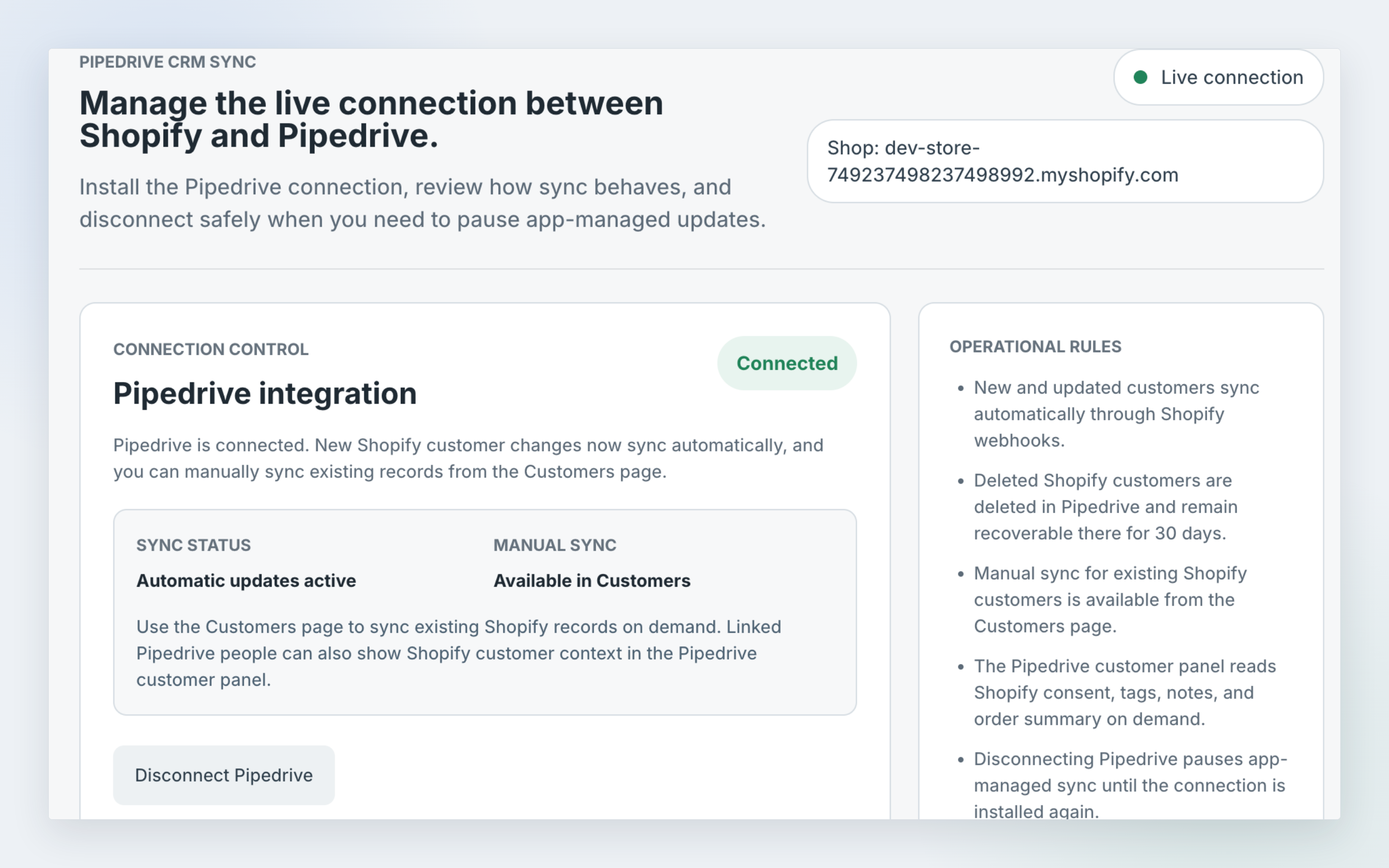
When customer or product information changes in Shopify, the matching record in Pipedrive can be updated automatically after automatic sync is enabled in the Shopify app settings.
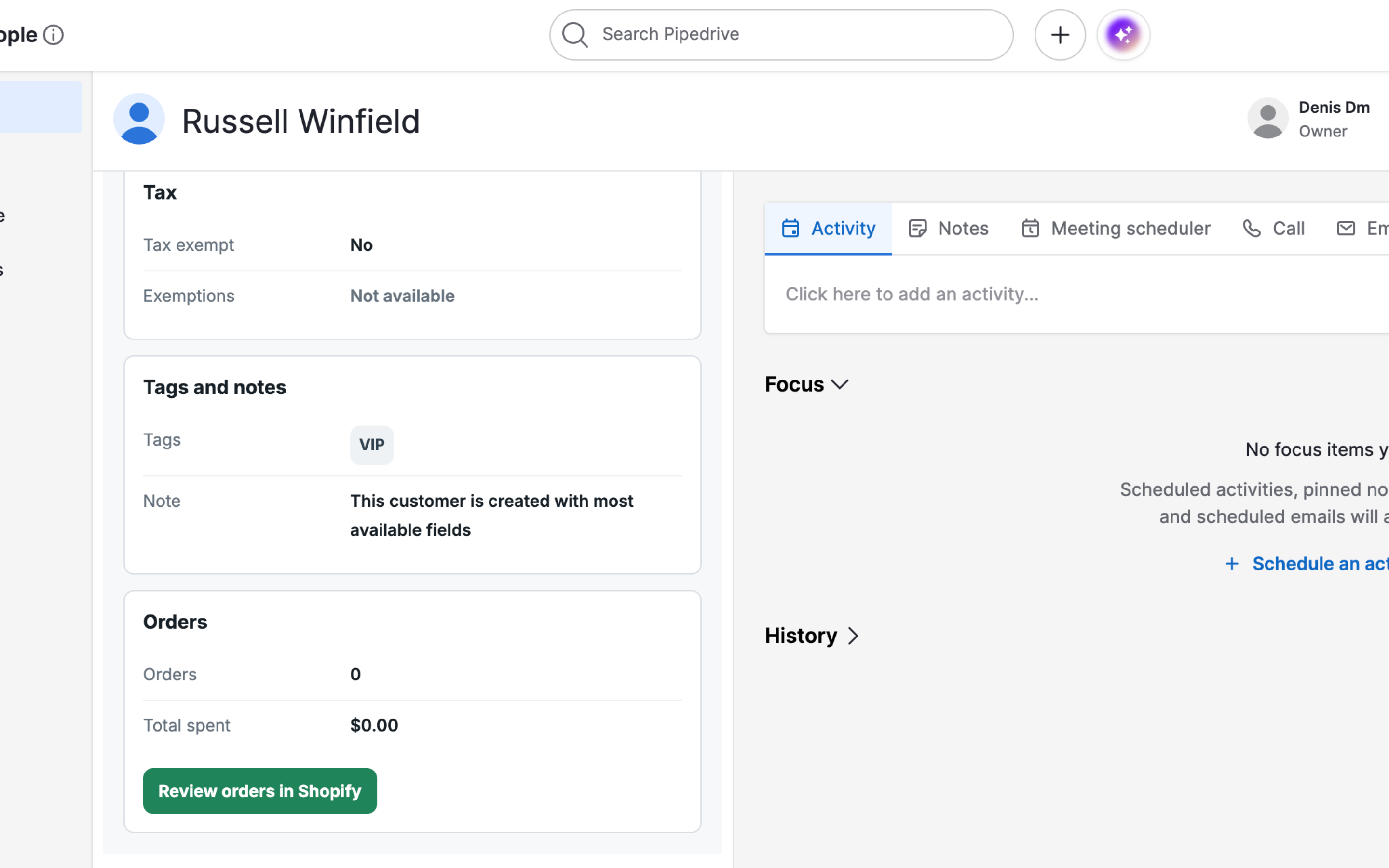
The Pipedrive customer panel gives your team additional Shopify context without leaving Pipedrive, including marketing consent, tax status, Shopify customer tags, customer notes, order summary, and a direct link to review the customer in Shopify Admin.
Shopify remains the source of truth for customer, product, and consent information.

Panels
Instantly see and interact with Pipedrive Connector for Shopify as you dive into the details of your deals/contacts in Pipedrive.
Shopify Customer
Locations:person details
View linked Shopify customer details, marketing consent, tax status, tags, notes, and order summary from the Pipedrive person profile.
Install the app from the Pipedrive Marketplace and complete the authorization flow to connect your Pipedrive account. After authorization, setup continues in Shopify, where you can link the integration to your store and manage the connection.
From the Shopify app, you can manually sync existing Shopify customers and products.
Sync up to 1,000 selected items at a time to Pipedrive.
Automatic sync can be enabled from the Shopify app's settings. Once enabled, new and updated Shopify customers sync to Pipedrive contacts through Shopify webhooks.
Product automatic sync can also be enabled in settings. Once enabled, new and updated Shopify products sync to Pipedrive products with key catalog details such as names, descriptions, images, prices, currency, and variations when available. When a synced Shopify product is deleted, the linked Pipedrive product is removed as well.
The Pipedrive customer panel can show Shopify context without writing it into Pipedrive person fields, including address, marketing consent, tax status, tags, notes, order count, total spent, and a direct link to Shopify Admin.
Shopify remains the source of truth for customer, product, and consent information.
If you’re interested in this app, you might also like:


Use our powerful API to build awesome apps for either your company or for all Pipedrive users.
Build an app