
free
Google Meet
Manage, schedule and launch Google Meet calls from Pipedrive to streamline your sales communication.
Built by Pipedrive
(4242)
501 reviews
Ring.io Sales Engagement
by Ring.io
Communicate with leads, Manage my accounts, Support my customers
Ring.io helps your team call, text and email prospects from Pipedrive. Build calling lists from deals, people and saved filters, with activity logged to your CRM. Free plan for solo reps.
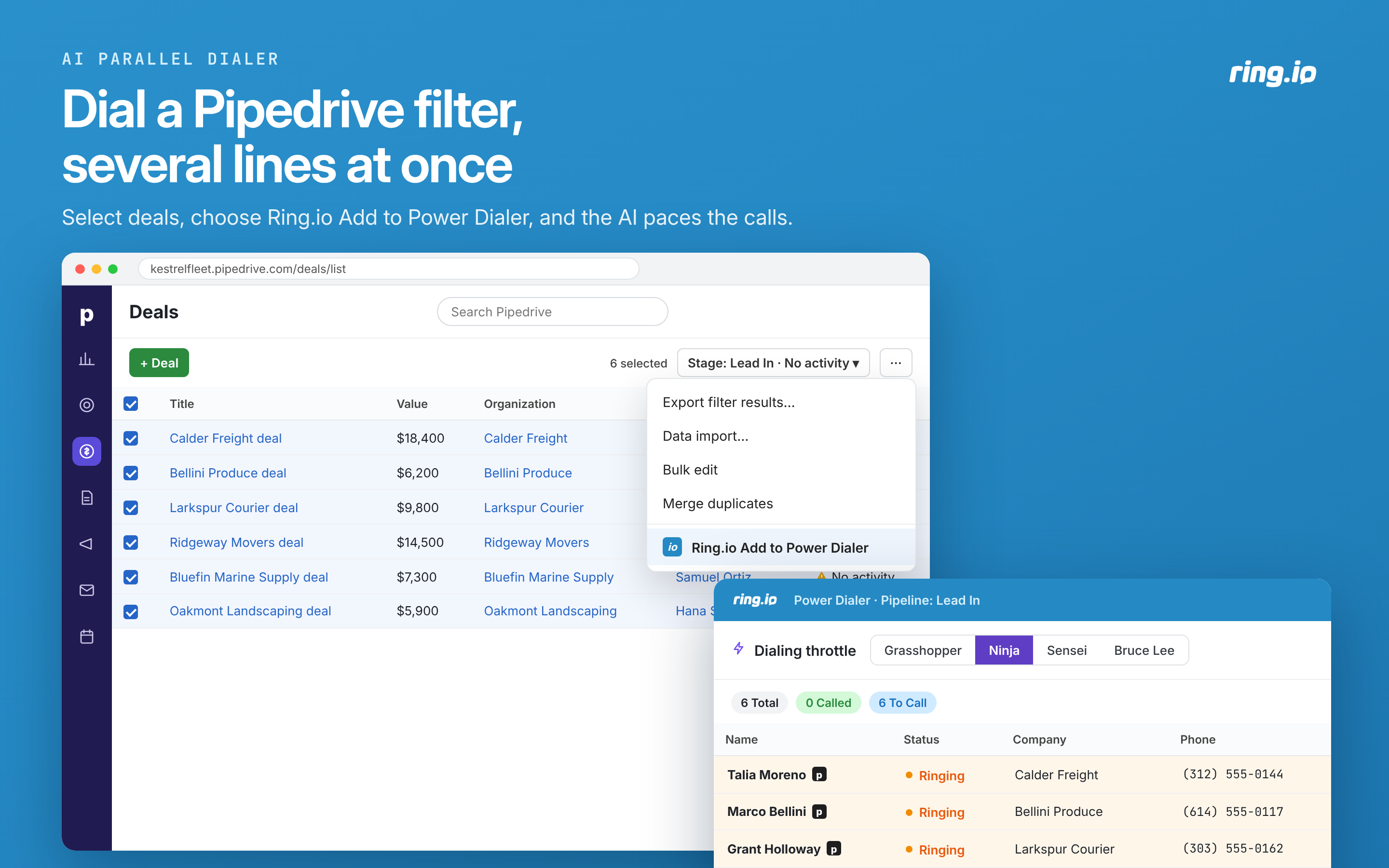
AI Parallel Dialer: call several contacts at once from a Pipedrive list or filter. Choose a dialing speed; Ring.io adjusts the pace within it.
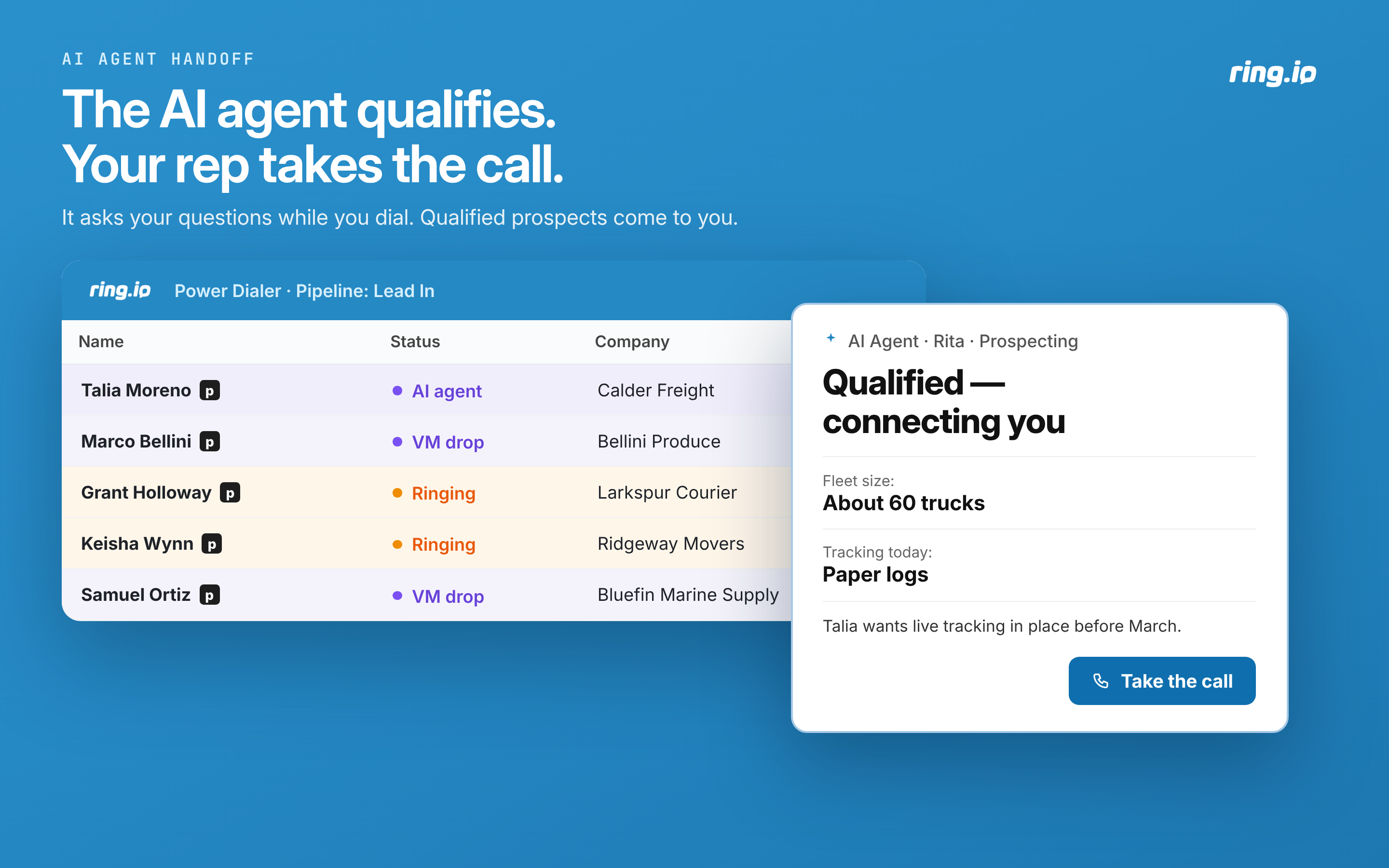
AI agent: an AI agent asks your qualifying questions, then transfers the call to a rep, who sees the answers on screen.
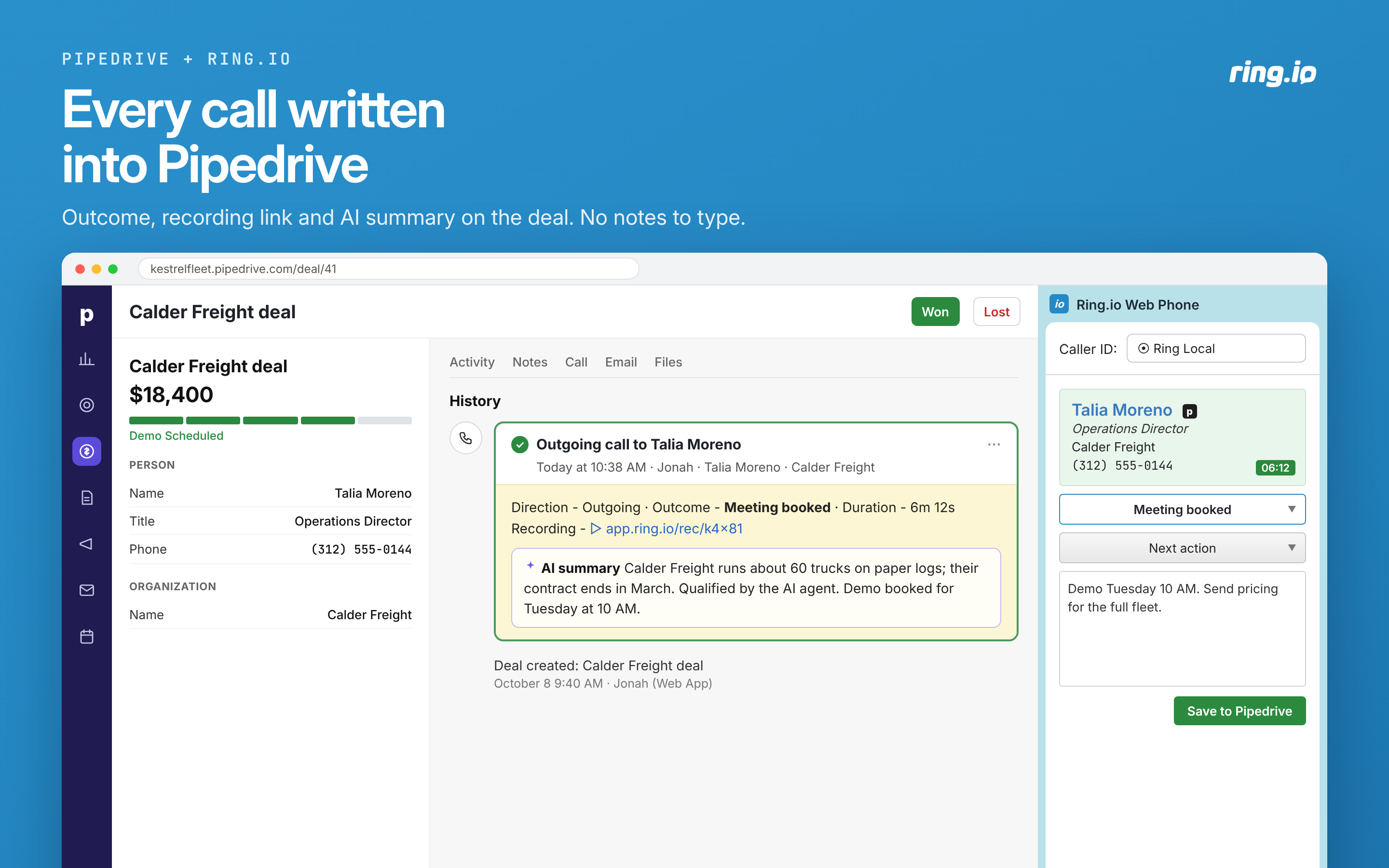
Automatic activity logging: calls, recordings, AI summaries, texts and emails are logged to Pipedrive automatically.
Voicemail and follow-up: leave a prerecorded message on voicemail and follow up automatically by text and email.
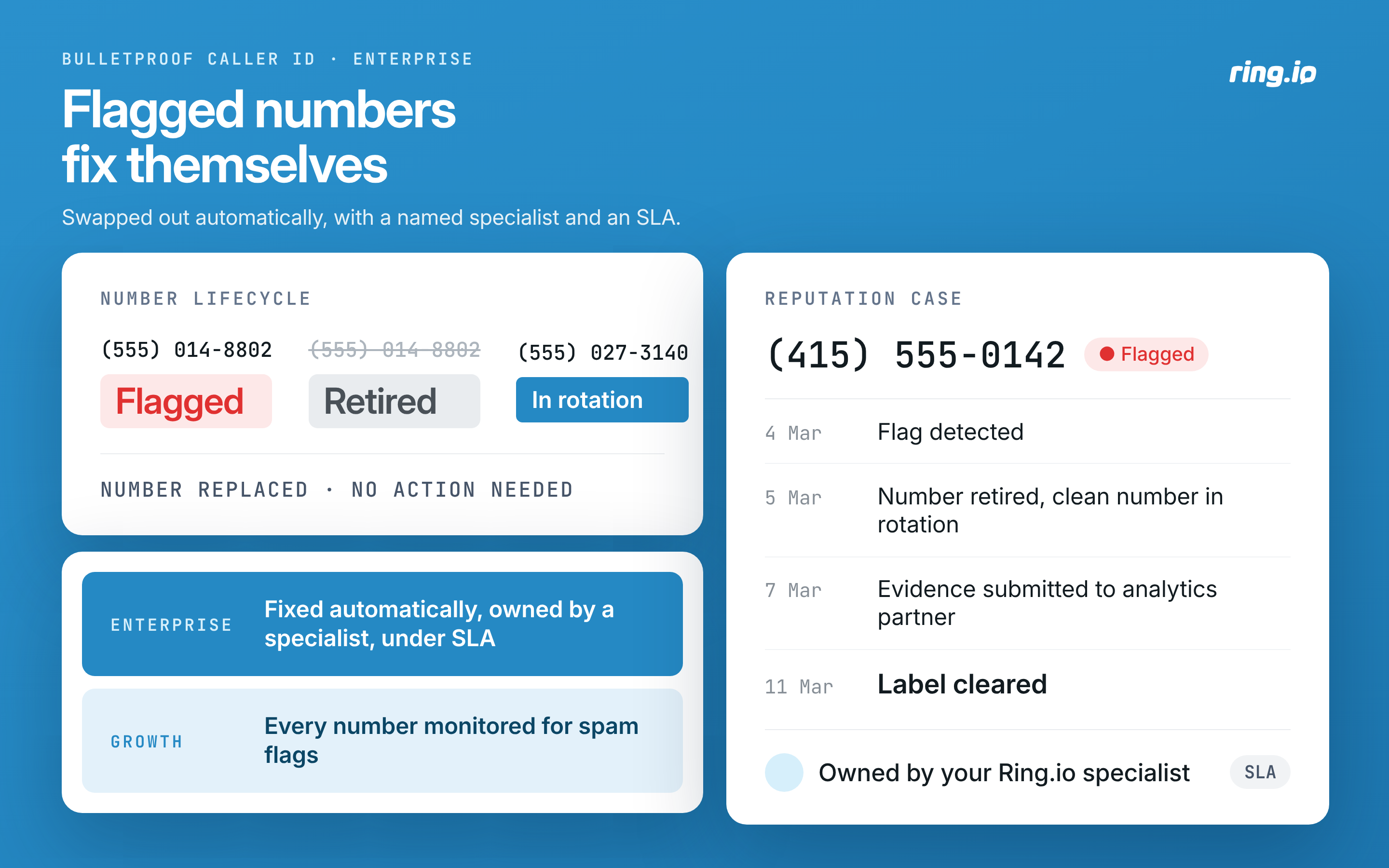
Caller ID protection: call from local numbers monitored for carrier spam flags. Bulletproof Caller ID replaces flagged numbers automatically, with a dedicated specialist and agreed response and resolution times.
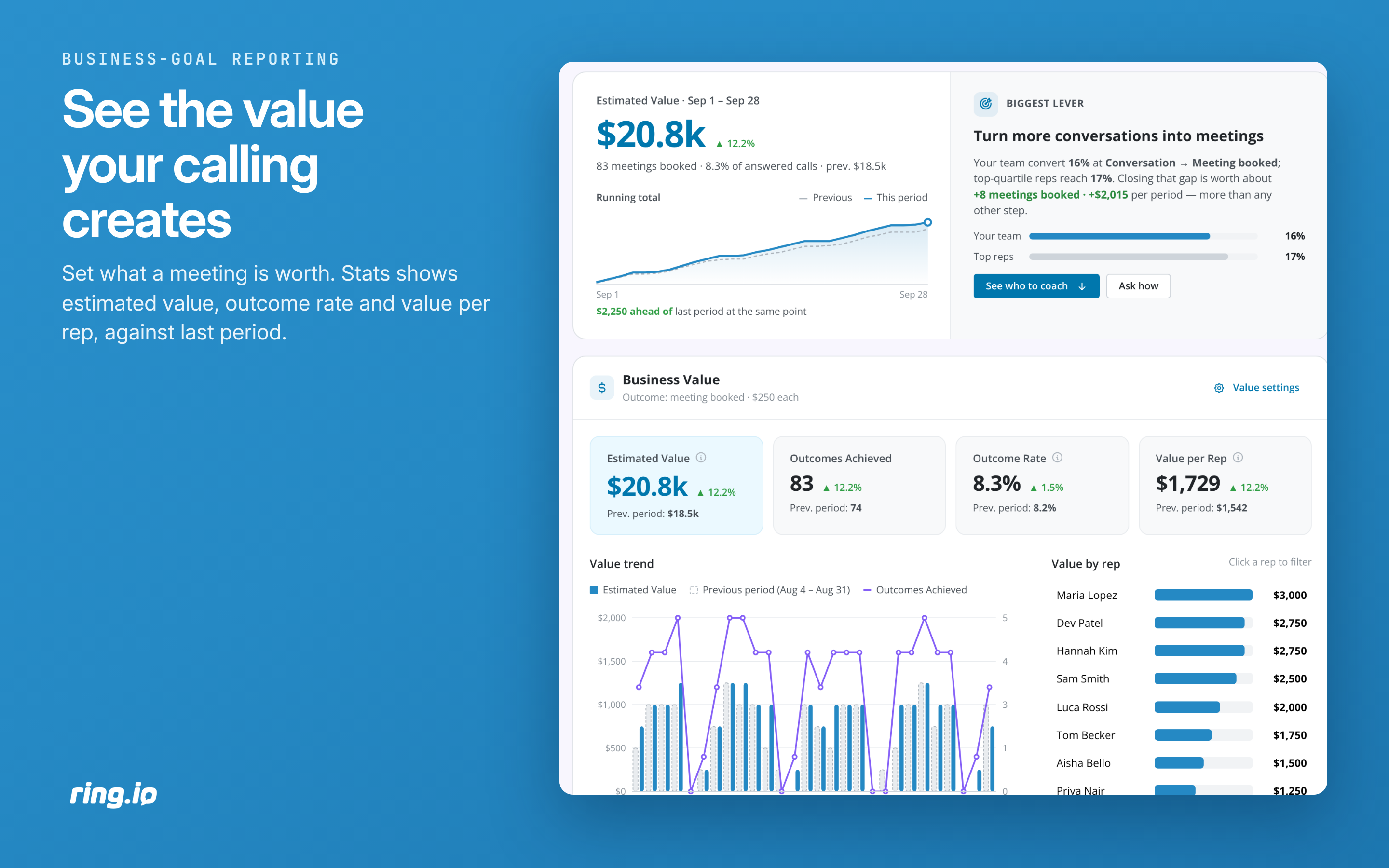
Business-goal reporting: track call outcomes and estimated value by rep against the previous period.
Sequences: calls, email, SMS/MMS in one sequence, with templates and A/B testing.
Pipedrive automation: import new leads, update deal stages and trigger Pipedrive actions from Ring.io activity.
Live Monitor: listen to live calls and coach reps without the prospect hearing.
12.1% of outbound calls on Ring.io reach a person, vs a 5.4% industry benchmark (ring.io/stats, Oct 2026).

Actions
Kick off related actions in Ring.io Sales Engagement as you work with your deals, contacts and/or activities in Pipedrive.
Ring.io Add to Power Dialer
Locations:deal detailsdeal listperson detailsPeople listorganization detailsorganization list
Already have a Ring.io account?
New to Ring.io?
Calls, recordings, AI summaries, texts and emails are logged to Pipedrive automatically.
Setup guide: help.ringio.com.
Questions: [email protected].
If you’re interested in this app, you might also like:


Use our powerful API to build awesome apps for either your company or for all Pipedrive users.
Build an app