
free
Google Meet
Manage, schedule and launch Google Meet calls from Pipedrive to streamline your sales communication.
Built by Pipedrive
(4245)
501 reviews
Twilio SMS/MMS by PipeDeck
by PipeDeck
Qualify my leads, Nurture my leads, Communicate with leads, Manage my accounts, Support my customers, Other use cases
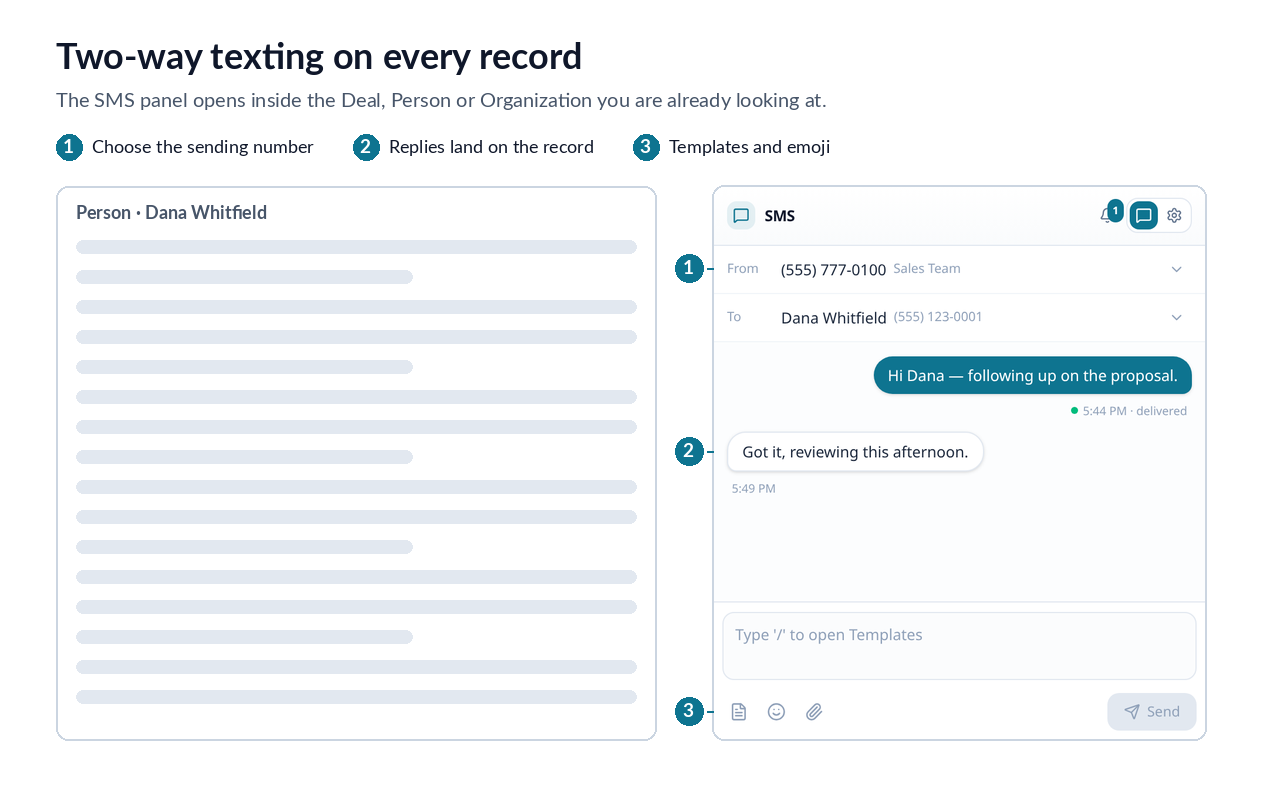
Most Pipedrive texting apps require moving your number onto their platform and charge per seat or per message for it. PipeDeck keeps you on the Twilio account and number you already have, and charges one flat fee per company instead.
What it does
Why your own Twilio account
Requirements A Twilio account and phone number. US texting requires A2P 10DLC registration, completed directly with Twilio before you can send — this happens on Twilio's side, not ours.
Try it free for 10 days, no card required.

Panels
Instantly see and interact with Twilio SMS/MMS by PipeDeck as you dive into the details of your deals/contacts in Pipedrive.
SMS Conversation
Locations:deal detailsperson detailsorganization details
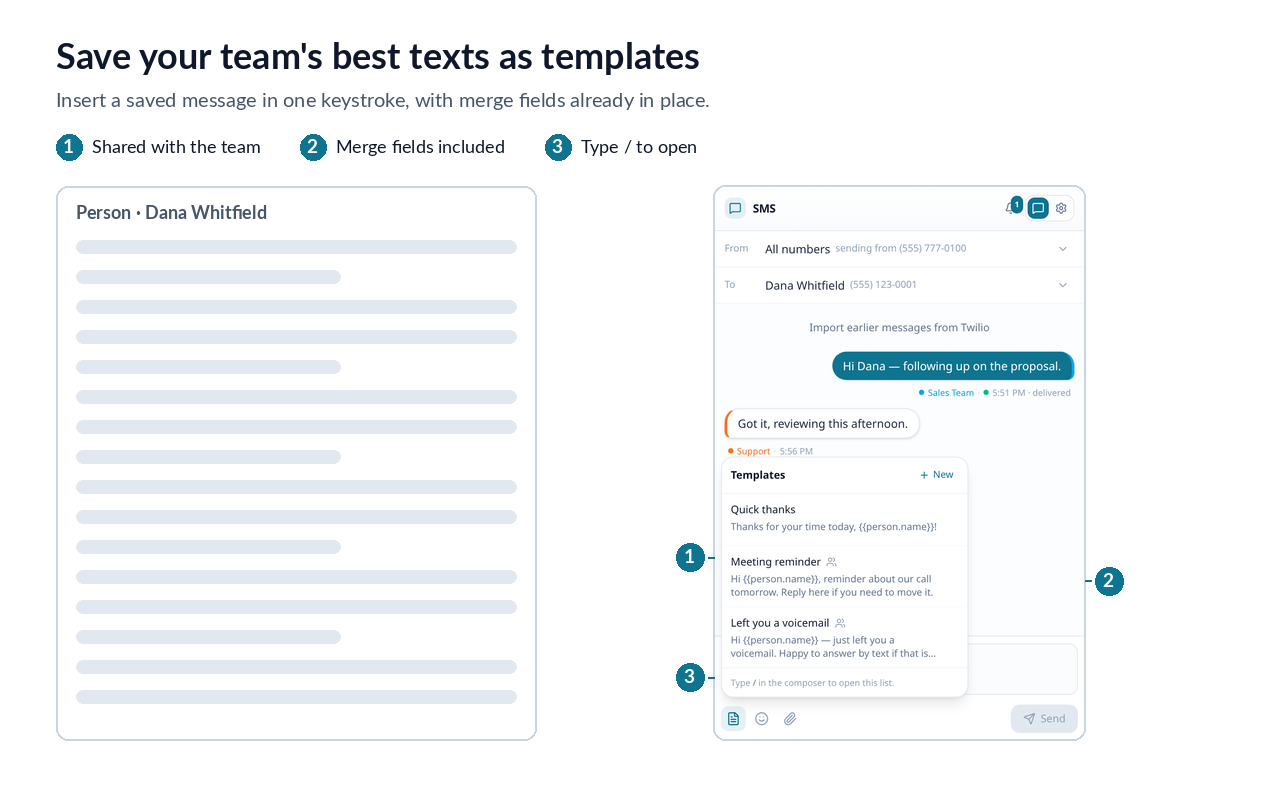
Send and receive SMS and MMS with this contact. Use templates, emojis, and store notes on your deals, people, and organizations.

Pop-up windows
Tackle complex tasks in Twilio SMS/MMS by PipeDeck without leaving Pipedrive via their customized pop-up windows.
Send Bulk SMS
Locations:organization listPeople listdeal list
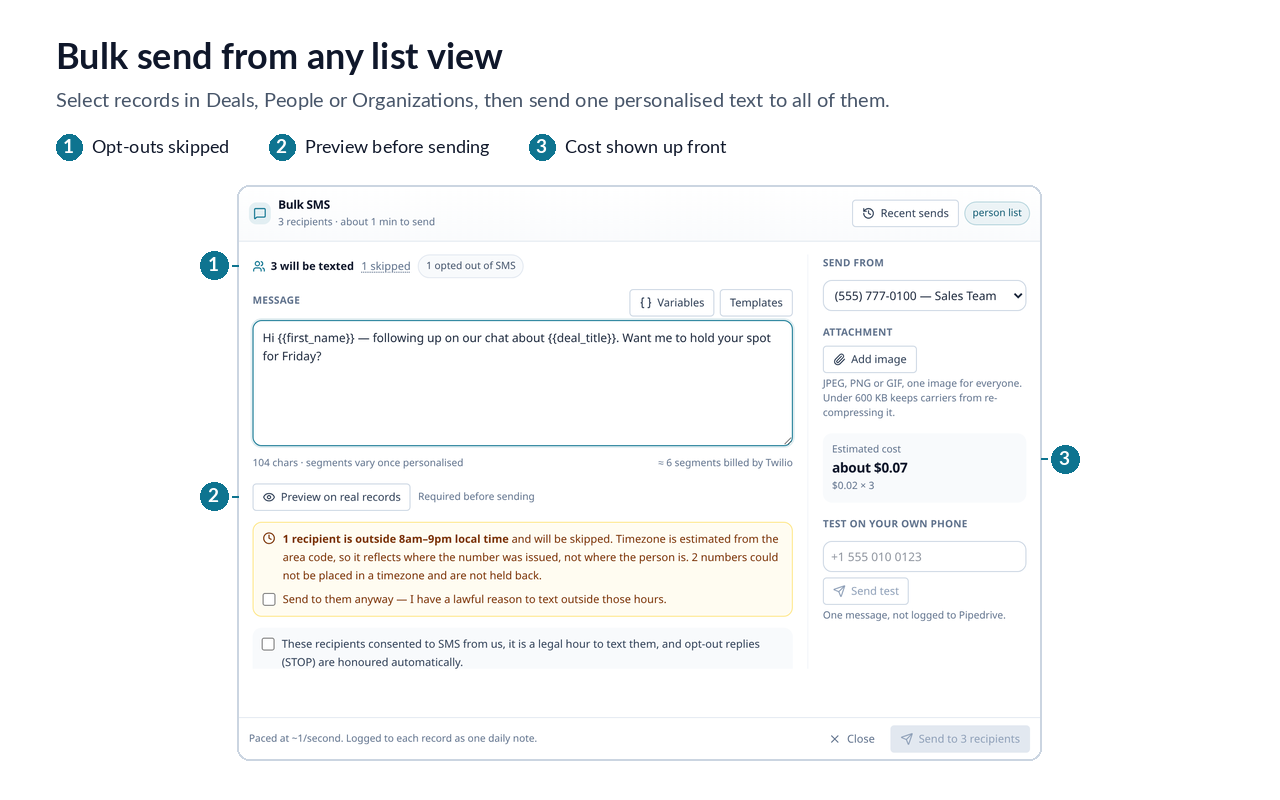
Allows you to send bulk SMS/MMS to filtered deals, people, and organizations from PipeDrive's list view.
You need a Twilio account and number. US texting requires an approved A2P 10DLC brand and campaign. Approval can take several days, so start early.
Install and authorize PipeDeck. You'll automatically start a 10-day free Business trial, no card required, with bulk sending, templates and automations unlocked.
Open PipeDeck on any Person or Deal and select Connect Twilio. Enter your Twilio Account SID and Auth Token. PipeDeck verifies them with Twilio and stores them encrypted.
Select which Twilio numbers PipeDeck can use, choose a default and optionally assign numbers to individual users. MMS-capable numbers are identified.
Open a Person with a mobile number and send a text. Messages and replies are automatically logged to the Pipedrive record.
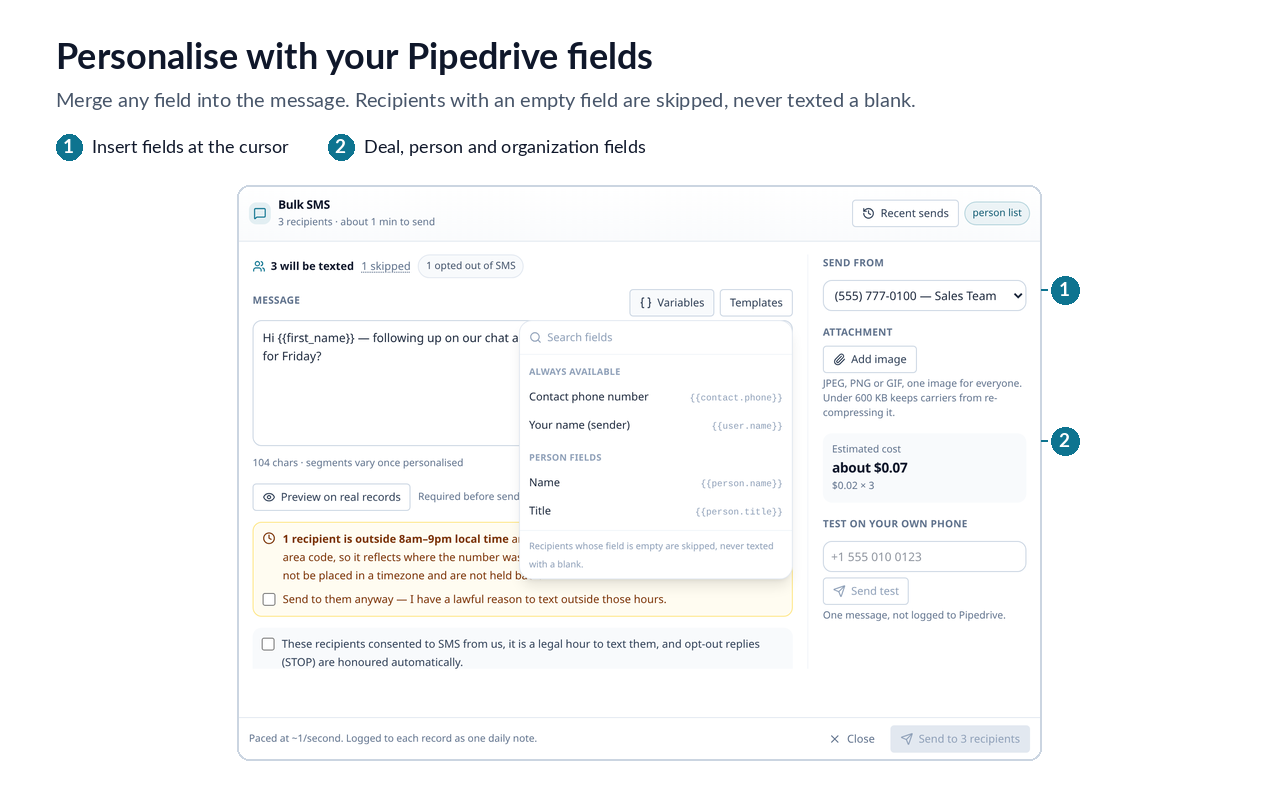
From a Deals, People or Organizations list, select records or apply a filter and choose Send SMS in bulk. Personalize, preview, confirm and send.
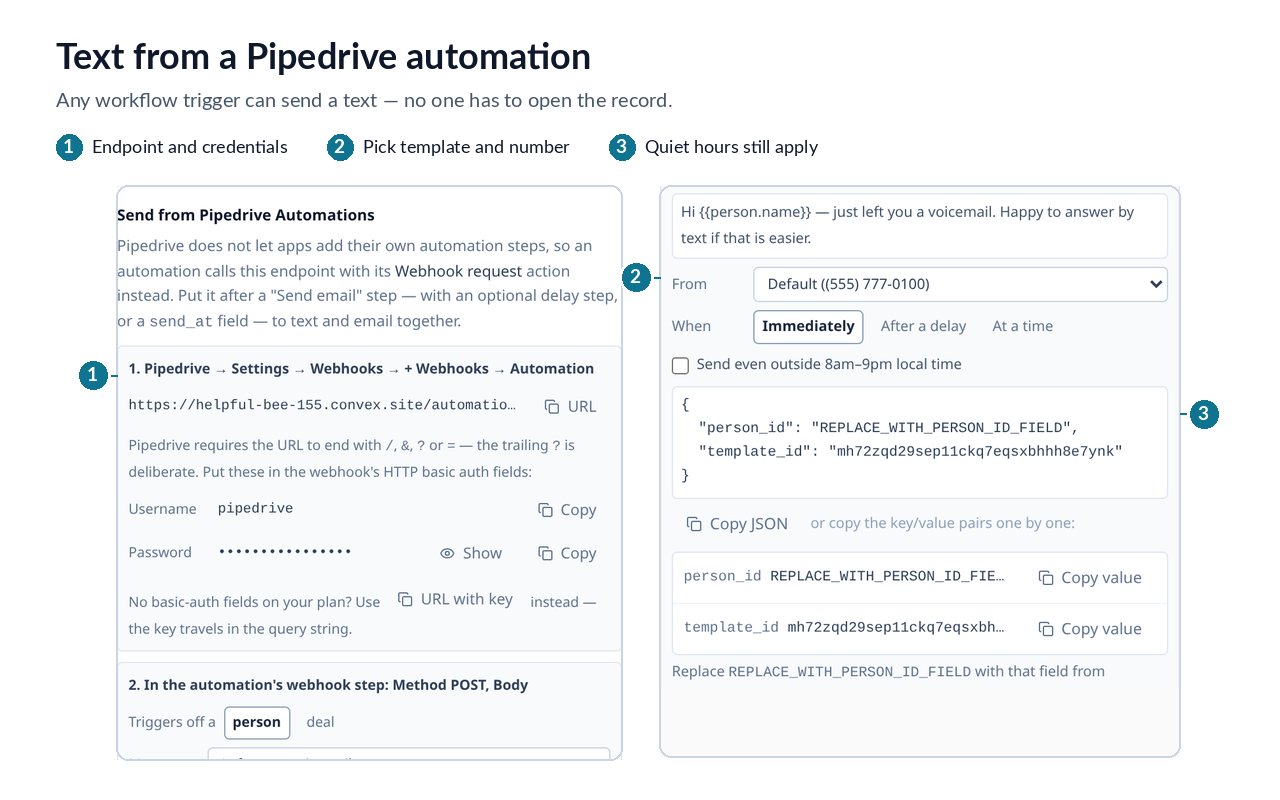
Go to Settings → Send from Pipedrive Automations and copy your webhook URL and credentials. Add them to a Pipedrive Webhook request automation, then provide the recipient and message fields. Any supported Pipedrive trigger can now send a text.
If you’re interested in this app, you might also like:


Use our powerful API to build awesome apps for either your company or for all Pipedrive users.
Build an app