Pipedrive Skills for your AI assistant
Skills are ready-made instructions that teach Claude, ChatGPT and other AI tools to handle specific sales tasks with your live Pipedrive data. Ask in plain language or run a slash command – and get an answer from your live Pipedrive data.
Pipedrive is an official connector in Claude and ChatGPT. Find it in the connector directory and connect your account.
Pipedrive Skills

PIPELINE BRIEF
Where should I focus today?
See what moved, what’s closing this week and what needs attention, ranked by your team’s own rules. Know what to work on first.

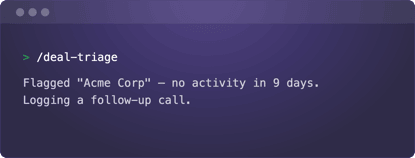
DEAL TRIAGE
What’s slipping, and what do I do next?
Catch deals before they go cold. Skills find stalled deals, explain the likely reason and suggest one next step for each.

REVENUE FORECAST
Are we on track to hit that target?
See whether you’ll hit your target this period, how the forecast was calculated and which deals are making the gap. Ask what-if questions to test different outcomes. Built for reps and sales managers.

DAILY BRIEF
What’s on my plate today?
Start the day with your meetings and the deal context behind them, plus overdue and due-today activities. Skills flag deals with no next activity, deals going stale and deals closing soon, then suggest what to schedule next.

CALL PREP
What do I need to know before this call?
Walk in prepared with the deal stage and close date, who’s on the call, a dated timeline of what’s happened and a plan for the conversation. Save the brief as a note on the deal.

CONTACT DETAILS
Who am I talking to?
See one person or organization at a glance: owner, label, open deals, recent activities and notes. Skills flag anything worth knowing before you reach out.

MEETING FOLLOW-UP
What happens after the meeting?
Log the outcome, save your notes and schedule the next activity in one go. Skills also suggest deal and label changes, and nothing updates until you say yes.

SALES OUTREACH
What should I say next?
Get an email draft built from the deal’s notes, activities and synced email, so it sounds like you know the deal. Pick from suggested next activities to keep it moving.

PIPEDRIVE
What’s going on with this deal?
Ask about any deal, person, organization, activity, lead or product in plain language. Get an answer from your live data, make small updates after your yes and get pointed to the right skill for bigger jobs.
Get started
Claude
Add the Pipedrive Skills, included in Pipedrive Sales, to Claude.
Install from GitHub. Paste this link where Claude lets you add plugins.
ChatGPT
Add Pipedrive Skills, included in Pipedrive Sales, to ChatGPT.
Install from GitHub. Paste this link where ChatGPT lets you add plugins.
Other
Add Pipedrive Skills, included in Pipedrive Sales, to your assistant.
Install from GitHub. Paste this link where your assistant lets you add plugins.
Follow these simple steps to start using Pipedrive Skills:
1. Copy the GitHub link
Copy the link to the Pipedrive Skills repository.
2. Add it to your AI assistant
Paste the link where your AI assistant lets you add plugins or skills. You only need to do this once, and then the skills are available in any chat.
Menu names vary by assistant. These instructions apply to the desktop apps for both Claude and ChatGPT. Setup in the web versions may differ.
Claude: Settings → Plugins → Add → Add marketplace
ChatGPT: Plugins → Add → Add a marketplace
3. Start using the skills
Run a skill with a command or just ask in plain language. For example:
Command: /pipeline-brief
Plain language: “What should I focus on today?”