Connect your AI assistant to Pipedrive with MCP
Empower AI assistants like ChatGPT and Claude to securely and reliably work with your Pipedrive data. Find deals, update records, get insights, move opportunities through your pipeline and automate workflows, all from your AI assistant.
Trusted by 100,000+ companies in 179 countries


How the Pipedrive MCP server works
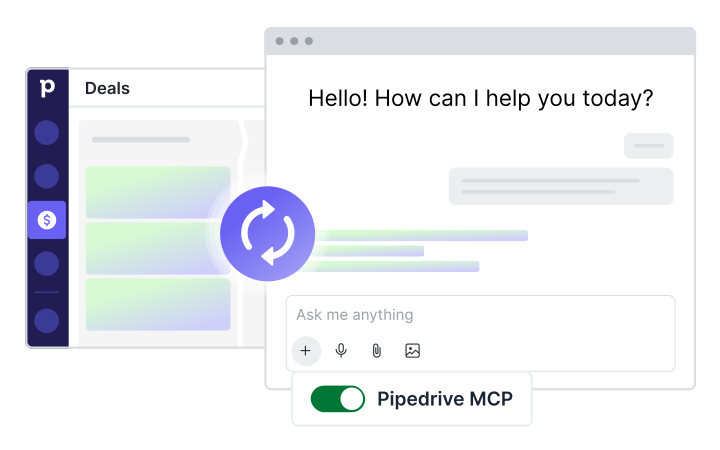
The Model Context Protocol (MCP) is an open standard that lets AI assistants securely connect to external tools and data sources. With Pipedrive MCP, your AI assistant can securely access and act on your CRM data using natural language.
Step 1: Connect securely
Connect your AI assistant to Pipedrive in minutes via a secure OAuth login. No coding, APIs, middleware or developer support required.
Step 2: Ask your AI to act
Simply tell ChatGPT or Claude what you want to do, using plain language directly from its input box.
Step 3: Get instant results
Your AI assistant can find information, update records, create activities and automate workflows using live Pipedrive data.
Bring Pipedrive into your AI assistant
Sales work is increasingly happening inside AI assistants. Pipedrive MCP brings your CRM into that workflow, giving your AI assistant secure access to your live CRM data so it can help you move deals forward, automate busywork and surface insights instantly.

Query your CRM
Search deals, contacts, organizations and leads. Retrieve pipeline details, analyze sales activity and access customer information in seconds.

Take action
Create and update deals, contacts and activities. Convert leads, schedule follow-ups and keep your CRM up to date without manual data entry.

Automate workflows
Turn meeting notes into CRM records, generate follow-up tasks and automate repetitive sales workflows through natural conversation.
Your AI assistant gets access. You stay in control.
An official, reliable and fully supported connection built and maintained by Pipedrive.


Secure by design
Your AI assistant can only work with information Pipedrive users already have permission to see/edit.

Fast and easy setup
Connect in minutes through secure OAuth. No coding, no API development, no developer required.

Live CRM data
Your AI assistant works with real-time CRM data, not delayed syncs or outdated information.
See what your AI assistant can do

Ask instead of click
“Show me all open deals over $10K that haven’t been updated in two weeks.”

Build from meeting notes
“Here are my notes from today’s call. Create a deal, contact and follow-up activity.”

Move deals through the pipeline
“Move the Acme Corp deal to Proposal Sent and schedule a follow-up for Friday.”

Create new leads instantly
"Create a new lead for TechCorp. Contact is Sarah Lee, Head of Sales."

Get instant pipeline insights
“Which deals are most likely to close this month and what are the next steps?”
Find anything in seconds
“Search deals, contacts and leads by name, email, or phone and pull up the full record.”