Product updates
Explore the latest product updates in Pipedrive – from small improvements to brand-new capabilities – shaped by customer feedback and designed to make your workflows clearer, faster and more effective over time.
Product information is subject to change without notice. Features described as “coming soon” are planned but not guaranteed and may be modified or cancelled.
Conversation intelligence built into every deal
Stay fully focused on conversations while keeping your CRM up to date with Pipedrive Nova, an AI meeting intelligence tool native to Pipedrive. Nova automatically pulls context into pre-call briefs, records and transcribes meetings and drafts ready-to-approve CRM updates directly inside your deals, people and organizations.
Learn more about Nova

Import projects via Import2 integration
Migrate existing project data straight into Pipedrive Projects without manual re-entry by importing from tools like Asana, Monday, Basecamp and more, directly from the Projects view.
Go to Projects

Edit any automation directly as a global admin
Edit, fix and update any automation in your account without transferring ownership first. As a global admin, you can jump straight in and make changes. The original owner stays unchanged for execution and permissions and receives a notification when edits are made.
Activate automations for your whole team at once
Ensure automations work consistently across your team by activating them for all selected users in one step. Automation owners and global admins can activate automations on behalf of everyone. Individual users keep full control to turn off an automation for themselves if needed.
Transfer automation ownership with a smoother handover
Hand over automations without losing context. New owners receive notifications to review and activate an automation the moment ownership is transferred. The list of selected users allowed to trigger it stays the same, and the new owner can also view and edit that list.
Better safeguards when deactivating users who own automations
Catch automations at risk before they go dark. When deactivating a user, admins will see how many active automations that user owns and be able to transfer them before proceeding. Any automations owned by deactivated users will also show up in the automations list view, automation overview dashboard and Data cleanup, so nothing slips through unnoticed.
Go to Automations

Manage products directly from your AI assistant
Build quotes, update pricing and manage your product catalog right from your external AI assistant’s chat window. You can also pull product files, images and purchase histories to better prepare for renewals and upsells.
Manage leads directly from your AI assistant
Clear your lead inbox in seconds by asking your external AI assistant to create, search, list and update leads. You can also view full lead details and convert qualified leads into deals through simple natural language commands.
Manage MCP access for your company
Control whether external AI assistants can access your company’s CRM data by managing Model Context Protocol (MCP) access in Company Settings. Turning MCP off immediately blocks new connections and removes existing ones without impacting regular Marketplace apps or API tokens.

Send emails from verified Gmail aliases
Use the right identity without switching tools by choosing any verified Gmail alias as your sender address when composing emails. Send mail from a shared team inbox or secondary professional name directly from Pipedrive and easily toggle individual aliases on or off in email settings. Available for both Personal and Team Gmail connections.
See why emails fail to send and retry instantly
Keep email outreach moving by viewing specific provider-level failure reasons – like full mailboxes, failed authentication or rate limits – directly in Outbox threads and detail views. Resolve common issues on the spot and retry sending immediately without waiting for support.
Two-way email archiving for Gmail
Keep your Pipedrive Sales Inbox and Gmail synchronized without duplicate effort with automatic two-way email archiving. Archiving or unarchiving an email thread in either Gmail or Pipedrive automatically updates the status in both places.

Average aggregation for custom numeric and monetary fields
Gain deeper performance insights by viewing the average value of custom numeric and monetary fields in Insights reports and charts.
Multiple filters on the same field
Build more precise reports without workarounds by applying multiple filter conditions to a single field in Insights.
Role-based dashboard templates for instant performance visibility
Get at-a-glance visibility into key performance signals with pre-built templates tailored for reps and managers. Cover core metrics like pipeline health, win/loss rates, overdue activities and open deals in just a few clicks.

Protect contact and lead ownership on Web Form resubmissions
Reps no longer lose ownership of a contact or lead who resubmits a web form. Pipedrive now preserves the current owner by default, applying the form’s default owner only to unowned records. Admins gain an optional setting to enforce default assignment if preferred.


Catch real duplicates with admin-configurable matching rules
Catch more person and organization duplicates on your own terms by configuring which fields and criteria count as a duplicate match. Define your matching rules

Get instant access to upcoming features and help shape what comes next

Stage names on progress bars
See which stage a deal is in without hover-over tooltips thanks to stage names with day counts directly on the deal detail progress bar.
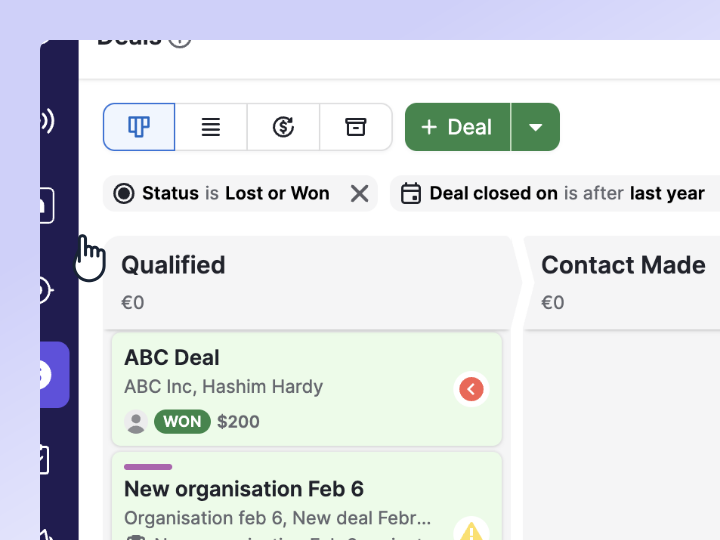
See closed deals in pipeline and list views
Maintain complete visibility over won and lost deals via a persistent toggle that shows closed deals directly in your pipeline and list views. You can also filter for more recent timeframes.
Admin toggle for AI scoring
Customize your deal detail view and keep reps aligned and focused by toggling AI scoring visibility on or off across your account.
Pass JavaScript variables into forms
Capture parent page context automatically by pulling dynamic data – like plan tiers or account IDs – straight into hidden form fields using JavaScript variables.
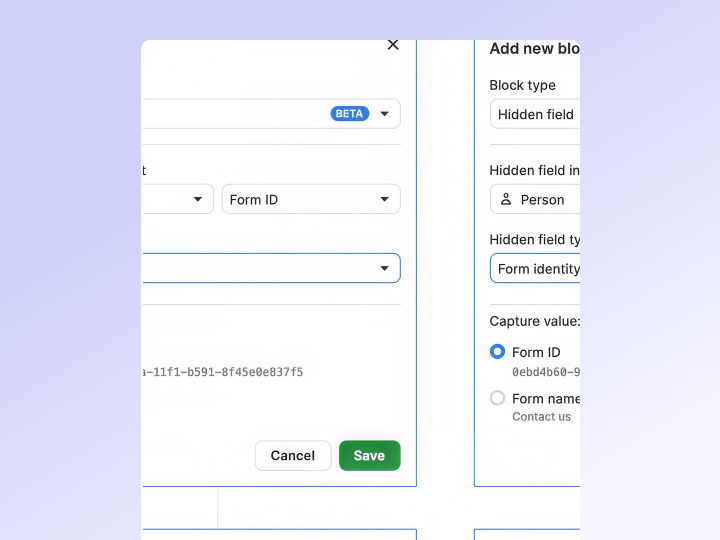
Form identity tracking and capture by referral URL and landing page
Identify lead sources clearly by automatically adding the specific form’s ID or name to CRM records upon submission. Trace traffic sources accurately by recording the exact URL a visitor came from before landing on your form. Improve attribution reporting by recording the landing page where a lead converted directly to their CRM record.
UTM parameter auto-capture and cookie value capture
Track campaign performance without asking submitters to fill extra fields. Capture UTM parameters automatically into hidden form fields. Close web analytics attribution gaps just as easily: pull browser cookies – like Google Analytics client IDs or Segment anonymous IDs – straight into hidden fields.
Failed send visibility and live retry
Avoid missed follow-ups by tracking failed email sends and initiating one-click retries directly from deal, person, organization, project and lead detail views.
Auto-populate deal participants
Reach every stakeholder faster when composing emails from a deal by automatically adding all linked deal participants as recipients.
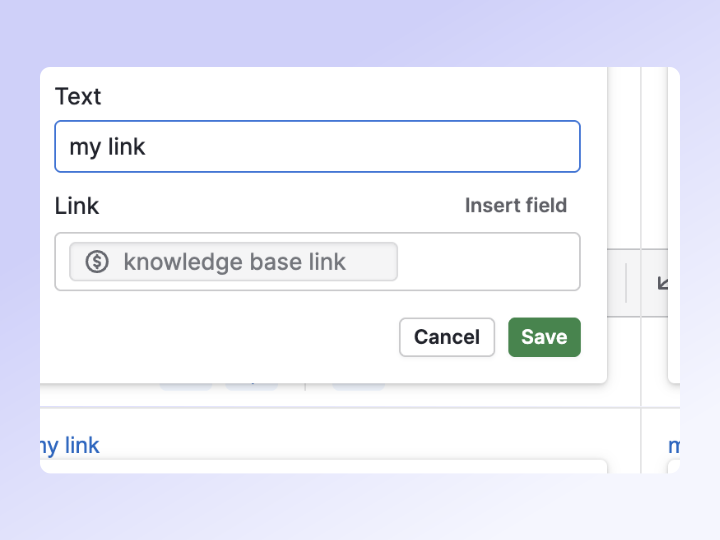
Personalized hyperlinks in email templates
Insert merge fields directly into URLs in email templates and email composer. Links to scheduling pages or deal-specific booking pages resolve automatically for the recipient or linked record.

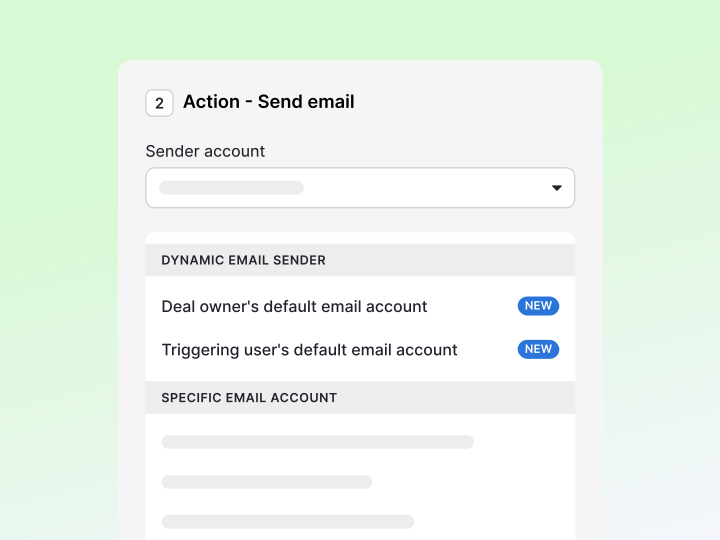
Email sender control
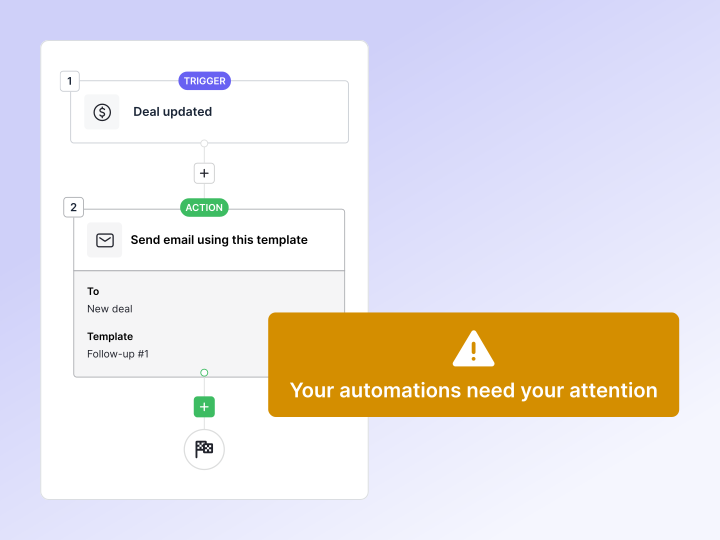
Automated emails can now be sent from the right person – automatically. Choose the automation owner, deal or account owner, triggering user or connected Team Inbox as the sender. Build one workflow for your whole team, cut down on duplicate automations and manual work, and ensure every email comes from the right person.
Copy and paste steps in the automation canvas
Build workflows faster and reduce manual errors by copying and pasting steps directly within the automation canvas. You can duplicate similar actions or conditions across complex branches without recreating them from scratch.
Preview email templates in Automations
Set up automated emails faster by previewing the full email content when choosing a template in an email action. You can see the exact design and text directly within the automation builder, removing the guesswork of selecting based on the title alone.
Chat with clients inside Pipedrive using WhatsApp
Build stronger client relationships and move deals forward faster by sending, receiving and responding to WhatsApp messages directly within Pipedrive. You can meet customers on their preferred channel while keeping full visibility into deal value, company history and previous emails right alongside your conversations.

Customize activity fields and capture sales outcomes
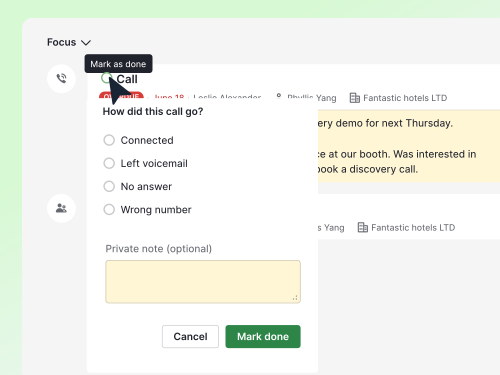
Keep activity forms relevant and data consistent across teams by configuring field visibility and requirements per activity type in the Activities tab under Settings. Admins can now make the new Outcome field, Priority or Note required before an activity is marked as done – powering sharper reporting, coaching and automations.
Manage project tasks alongside sales activities
Keep your daily workflow organized and focused by viewing and managing assigned project tasks directly within the Activities list view. A new "Project tasks" entry point displays your task count and opens a side panel where you can view tasks grouped by due date, check subtasks and click straight through to the relevant project context.
Discover project management updates without leaving your workflow
Stay informed on the latest features and enhancements by opening the new "What's new" section directly inside Projects. This gives you quick access to helpful resources and newly released functionality so you can get more value from your project management tools.

Query and update CRM data directly from your AI assistant
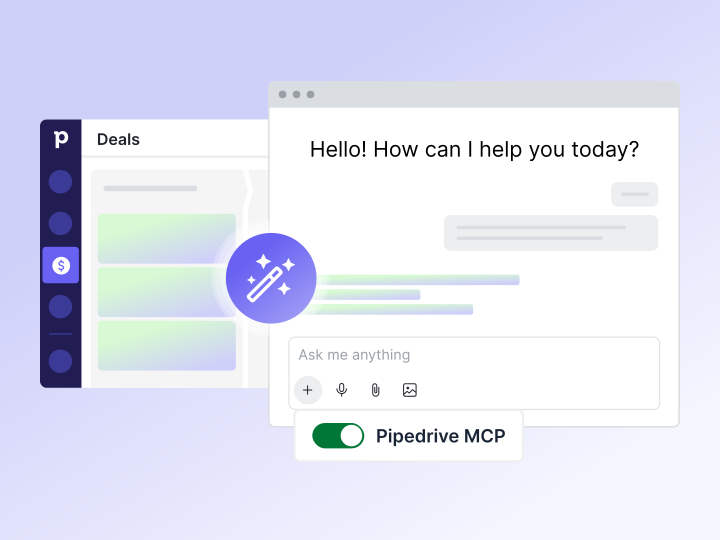
Engage with your Pipedrive data in natural language by connecting your account to AI assistants like ChatGPT and Claude via the new public MCP Server. Securely find, create or update deals, activities and contacts directly from your AI chat window – no more custom API builds or risky third-party connectors.
Copy access settings from another team member
Onboard new hires and manage role changes faster by copying permission sets and default visibility settings from an existing user. Admins can select a peer with a similar role, review the configuration in the right-side panel and apply the same access setup instantly when inviting new users or updating existing accounts.
Choose whether hidden activities and notes appear in detail views
Customize your workspace layout by toggling the visibility of hidden activities and notes in detail views from your personal preferences. For users who want to keep these items visible, improved card text now explains exactly why the content is hidden and includes a direct shortcut to instantly change your view preference.

Customize project data tracking with advanced field settings
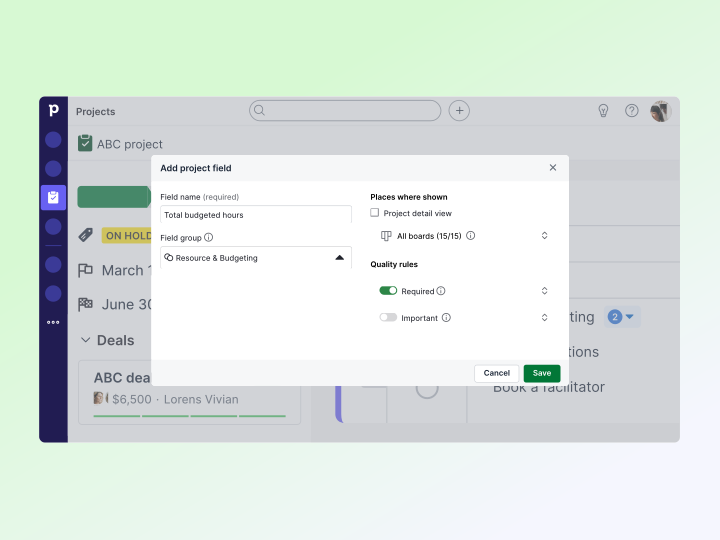
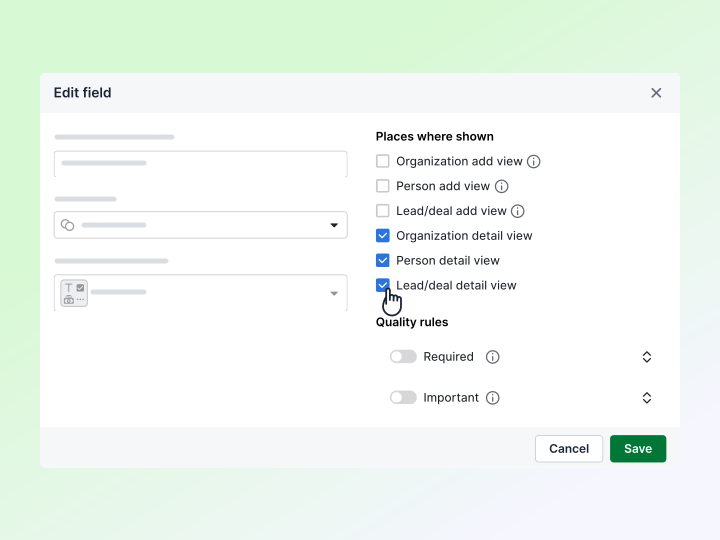
Enforce consistent data quality and align project workflows with sales processes by using new custom field capabilities inside Projects. You can now group fields, set required or important fields, manage field-level permissions and control visibility based on specific pipelines – mirroring the familiar behavior of deals.
Prevent avoidable workflow failures with proactive alerts
Keep your automations running smoothly with new safeguards and notifications that reduce downtime. Automation owners will receive email alerts when workflows fail consistently, in-product banners will warn you when frequency limits are reached, and the system will prevent you from deleting connected configurations like custom fields, webhooks and email accounts.
Enhanced automation health tracking and proactive safeguards
Keep your automation healthy and your workflows running. The new automation overview dashboard shows automation health, activity and trends at a glance. Spot execution spikes quickly, review specific failure reasons in an improved history view and see exactly which conditions blocked an automation from running. To minimize downtime, you’ll now receive immediate email alerts for workflow failures, while proactive in-product banners warn you of frequency limits, and automated safeguards prevent accidental deletions or persistent errors.

Analyze post-sale performance in Insights
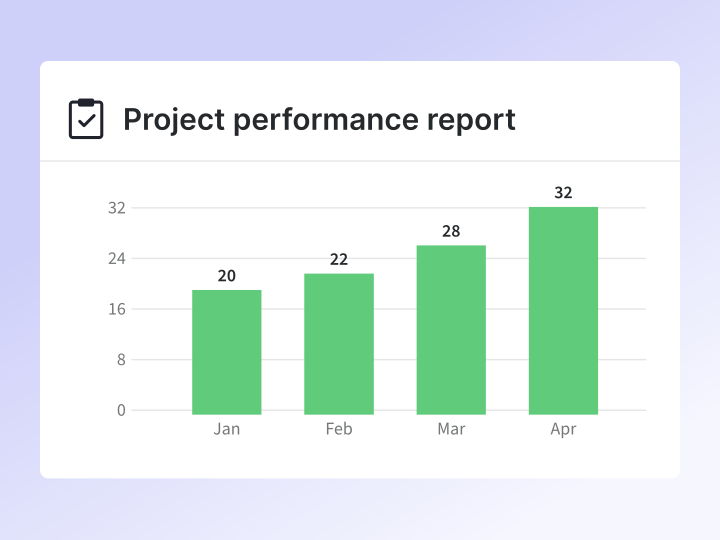
Gain full visibility into your delivery process and team throughput by creating performance reports for Projects. Measure completion rates, delivery speed and workload directly in Insights – turn your project boards into a measurable delivery system.
Projects for Android
Manage your post-sales process from anywhere by accessing core Projects functionality directly from the Pipedrive mobile app (currently available for Android only). Track progress and update tasks on the go to stay productive while away from your desk.
Better projects and deals linking
Navigate between records faster by viewing linked deal information directly on your project boards and seeing linked Projects within your deal pipeline. This update reduces clicks and ensures you always have the right context for both sales and post-sale workflows.
Manage high-volume projects data with bulk actions
Save time and reduce manual effort by updating field values or deleting multiple records at once from the Projects list view. This update brings Projects in line with other list views, allowing you to maintain data consistency across your workspace more efficiently.
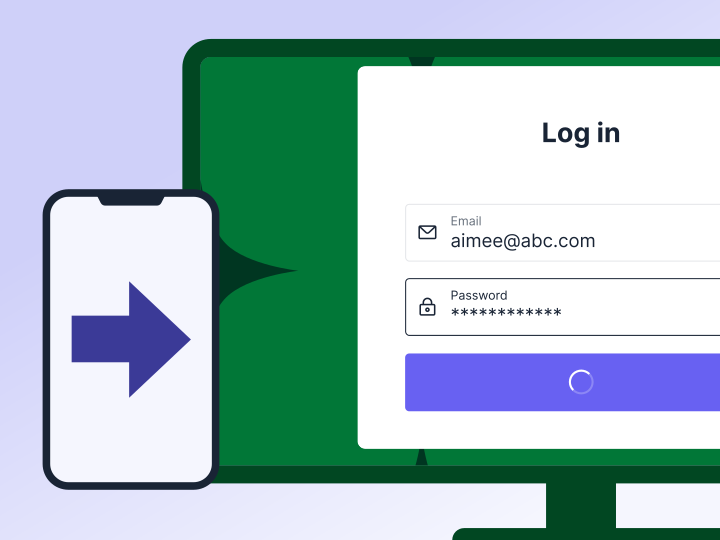
Log in securely and consistently across devices
Get a more reliable sign-in experience with a new web-based login flow for the iOS and Android apps. By using the same core surface as the web version, authentication improvements and security updates now reach mobile faster without waiting for app store release cycles.
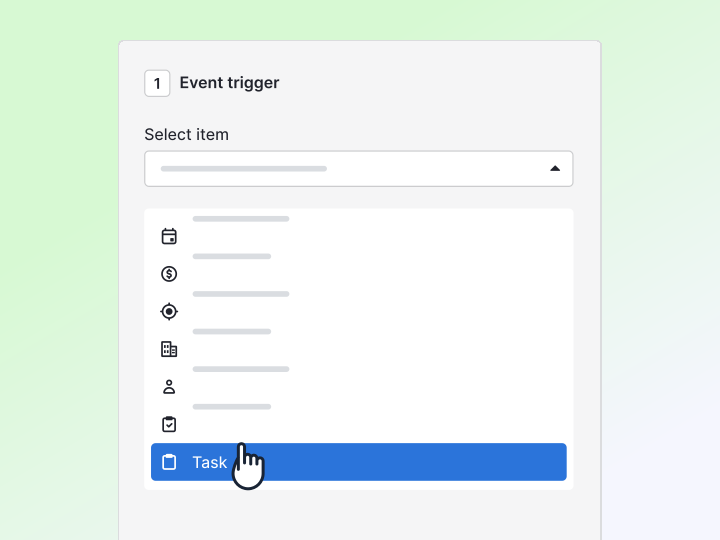
Automate tasks within Projects
Run your post-sales process consistently and efficiently by automating task-level workflows inside Projects. Trigger actions when tasks are created, completed, assigned, overdue or updated.
Import and export your project data
Migrate data, onboard teams and manage records at scale by bulk importing and exporting Projects. With full field mapping, smart title autofill and improved import flows, you save time and keep full control of your data.
Projects is included in our Premium and Ultimate plans and available as an add-on on Lite and Growth plans. Check out Projects
Automatically log emails as activities at send time
Keep your outreach reflected in activity reporting without extra steps by automatically creating a completed activity when you send an email from the Pipedrive composer.
Learn more about adding emails as activities
Bulk create activities from Sales Inbox and list views
Keep activity data accurate and complete by creating activities in bulk – from the Sales Inbox sent folder and from person, organization and lead list views – to better support high-volume workflows.
Learn more about creating activities in bulk

Hide enrichment default fields
Reduce visual clutter and avoid duplicate fields by hiding enrichment-related default fields from deal, organization and person views. You’ll have more control over your workspace while keeping enrichment data available for Insights, Automations and filters.
Transition to a new data enrichment provider
Count on strengthened reliability and long-term performance with a new external data enrichment provider. Enrichment continues to work as expected, and your existing credits and enriched data remain fully available.
Learn more about data enrichment
Revert bulk changes with confidence
Get full visibility and peace of mind when maintaining your data by viewing and reverting bulk actions from a new page in the Restore Data feature. See what changed, when and by whom, and undo bulk edits – including lead-to-deal conversions – within 30 days.
Learn more about how to restore your data

“Does not contain” filter in reports
Exclude unwanted data without workarounds by using the new “does not contain” filter option in reports for fields that already allow “contains.” This makes reports clearer and faster to set up.
Filtering with special characters
Get complete and accurate report results when filtering by values that include special characters (like *). “Contains” and “does not contain” filters in Insights now treat them as input.
Learn more about Insights

Linking contacts to deals
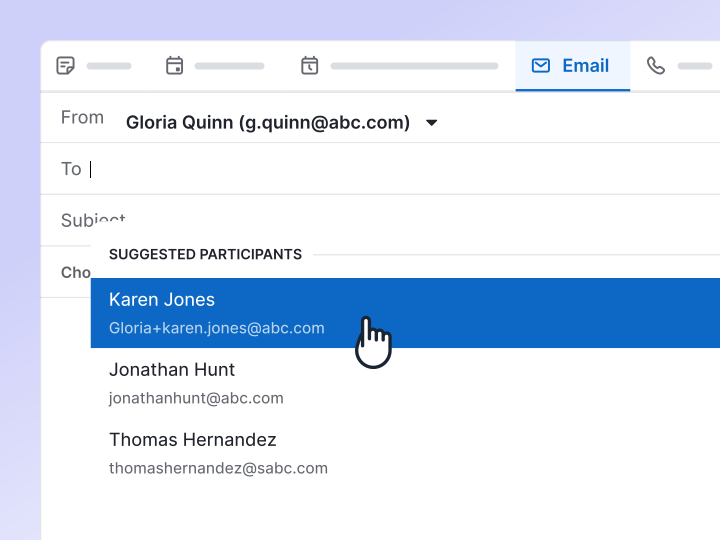
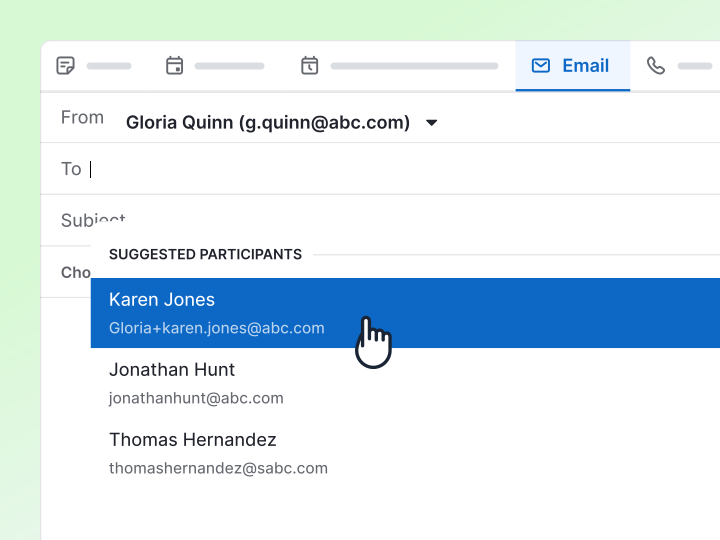
Connect the right contact faster when adding or switching a linked person on a deal. Suggested participants now appear automatically before you start typing, reducing manual search.
Adding email recipients as deal participants
Keep your buying committee complete without leaving your workflow. When composing or replying to an email linked to a deal, you can add recipients as deal participants directly from the email composer.
Adding participants to a deal from past emails
Fill in missing stakeholders from earlier conversations. If past deal emails include recipients who aren’t linked as participants yet, you’ll see a quick action in deal history to add them instantly.
Adding participants to activities
Add the right stakeholders to next steps faster. When creating an activity from a deal, suggested participants now appear in the person field so you can add them right away.
Learn more about participants
Faster logins with remembered email
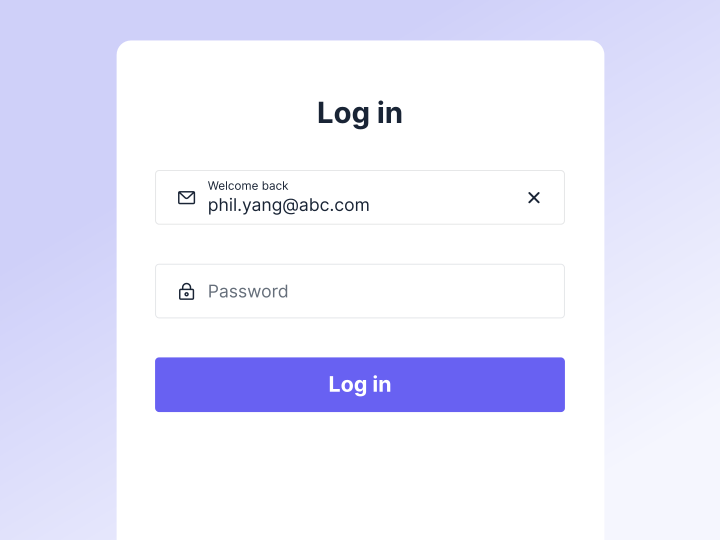
Log in faster and avoid guessing which address you used – your last sign-in email is now remembered and pre-filled on the login page. Dismiss the suggestion, and we’ll remember your preference on that device.
Retry login faster after mistakes
Get back into your account faster after a failed login attempt, with your email now staying in place so you only need to correct your password. This makes sign-in smoother, especially on mobile.

Refreshed iOS design
Enjoy a more modern, smoother look and feel in the iOS app with Apple’s new Liquid Glass visual style. It’s designed to match the latest iOS experience, so Pipedrive feels right at home on your device.
Business card scanner
Create new contacts in seconds by scanning business cards directly from the mobile app. AI extracts key details like name, company, title, email and phone, so you can review and save quickly. It’s ideal for events and meetings, with faster follow-up and fewer data-entry errors.
Learn more about the card scanner

Pinned notes
Keep the most important context within reach, with pinned notes displayed on deals, leads, people and organizations.
Agenda widget
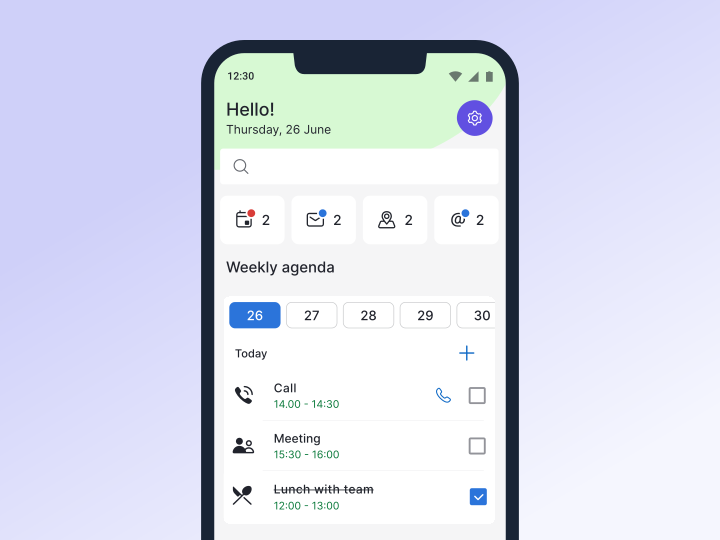
Plan your days more clearly with a redesigned widget that lets you scroll through your week faster, add activities to a specific day, and jump to a full view when your schedule gets busy.
Share function
Quickly share deals, leads, people or organizations with the share icon, found next to the edit icon. Tap it to trigger the share link component, with the link copied automatically for easy sending.
Enrichment credit top-ups
Keep enriching without waiting for your monthly reset by adding credits whenever you’re running low. If you’re on the Premium plan, you can unlock phone and email enrichment with every top-up.
Learn more about enrichment credits
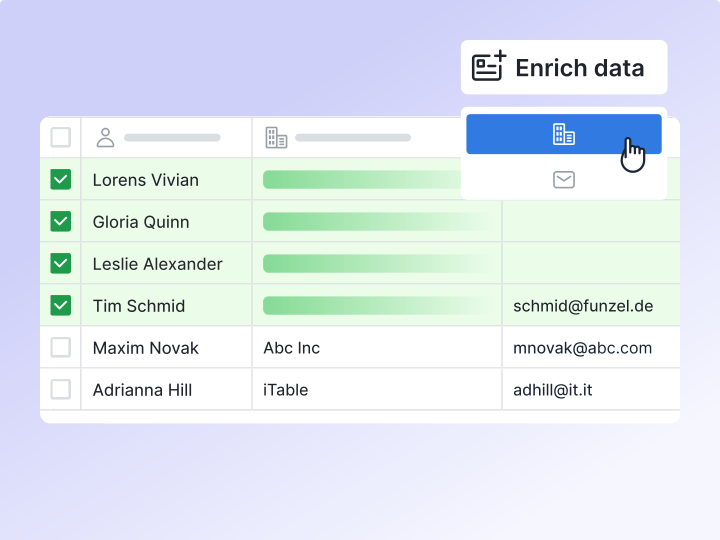
Bulk data enrichment
Skip the one-by-one busywork by enriching multiple people or organizations directly from list views.
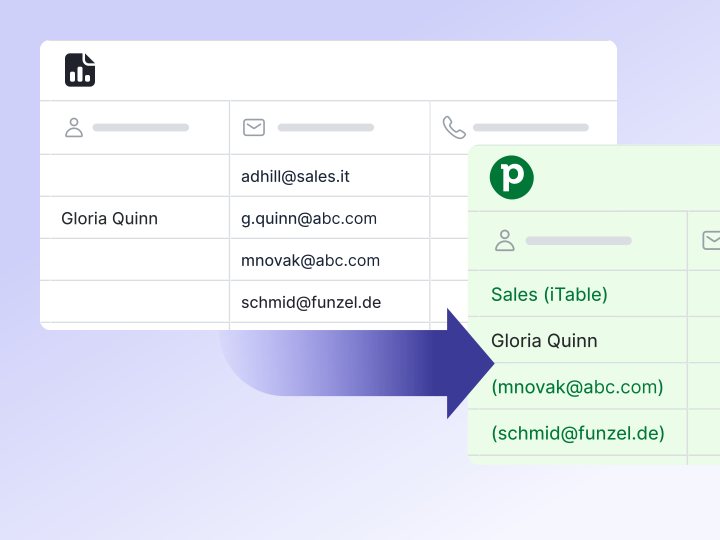
Contact import
Import people using only an email or phone number. If a contact’s name is missing, Pipedrive will use the email or number as a placeholder – saving you time as no edits or workarounds are needed.
Learn more about importing your data
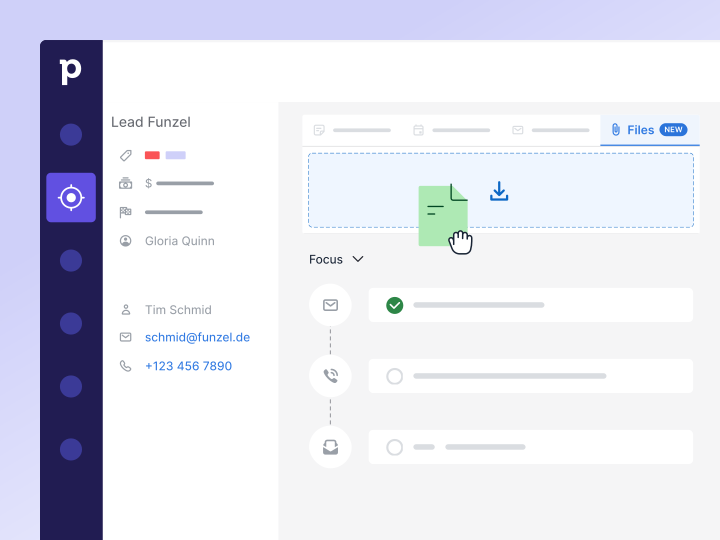
Contact info at a glance
Pull up key details without switching context – hover over person-type custom fields to see email and phone numbers in the quick info card.
Participant management
Manage multiple stakeholders without scrolling the sidebar by adding participants straight from the “…” menu in the person section.
Learn more about participants

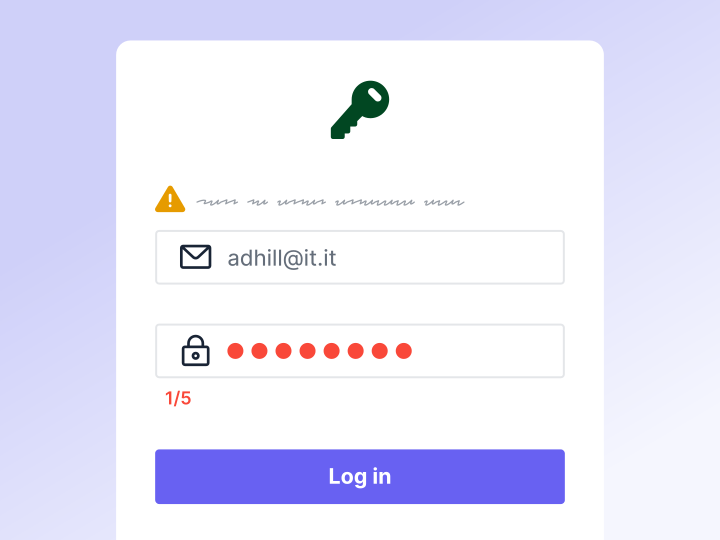
Login experience
You now have 5 sign-in attempts instead of 3, and lockouts last 20 minutes instead of 24 hours.
Sign-in feedback
Clearer error messages now appear above the login form, making it easier to see what needs fixing.
Account recovery
Password reset and lockout screens now include guidance to help you find password reset or reactivation emails faster.

Zendesk
Get more Zendesk ticket context directly in Pipedrive with a refreshed interface – view ticket correspondence and notes, and add notes from within Pipedrive.
Learn more and install Zendesk

Mailchimp
Keep your lists up to date and build sharper segments for personalized campaigns by syncing a broader set of contact data in both directions.
Learn more and install Mailchimp
Priority labels on activities
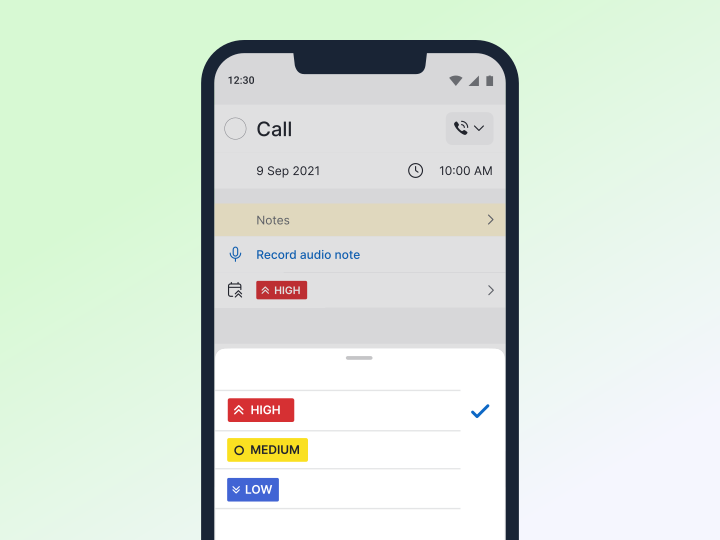
Now also available on iOS. Quickly see what to focus on next by adding, viewing and updating priorities on activities from mobile.
Assignment push notifications
Respond faster and stay on top of handoffs by getting notified when a lead, deal or activity is assigned to you.

Quick filters
Spot and share opportunities faster without changing your saved views. Apply quick filters to pipeline and contacts views, then share the exact results with a unique URL for easier collaboration.
Learn more about quick filters
Higher item limits
Run larger campaigns without splitting lists by adding up to 250 deals or leads to a single sequence.
Automatic email signatures
Default signatures are now applied automatically, keeping every sequence email polished and on-brand without extra setup.

Smarter auto-unenrollment
Keep outreach relevant and avoid over-messaging by having sequences stop automatically when deals move forward, such as when a stage changes, a field updates or an activity is completed.
Stop or skip a sequence
Stop or finish a sequence for a single contact when the conversation shifts, so you can avoid awkward follow-ups and stay in control of the experience.
Bulk unenrollment
Correct lists, adjust campaigns and stay compliant by removing multiple contacts from a sequence in a few clicks.