

Sales pipeline automation is the use of software to perform routine tasks as deals progress from first contact to a completed sale.
Predefined rules assign leads, trigger follow-ups and update deal stages. For growing sales teams, automation reduces admin and helps prevent missed follow-ups.
As more deals enter your pipeline, remembering who needs a call or which proposal needs attention becomes harder. Clear automation rules give each opportunity a next step while keeping reps responsible for the conversations and decisions that move a sale forward.
In this guide, you’ll learn which tasks automate first, how to use your sales data to shape the rules and how to set up and measure your first automation.
Key takeaways
Sales pipeline automation moves deals forward automatically using rules and triggers rather than manual updates.
Start with the highest-friction tasks: lead routing, follow-up sequences and stalled-deal alerts.
Your own sales data, deal age, stage-dwell time and rep response patterns make automation smarter, not just faster.
Pipedrive combines workflow automation, Nova for meeting follow-through and Projects for post-sale handoff in one place.
What is sales pipeline automation?
Sales pipeline automation uses software and predefined rules to automatically move deals through your sales process. When a specified event occurs, such as a lead submitting an inquiry, the system takes action, like assigning a rep or scheduling a follow-up.
Those trigger-and-action rules also underpin workflow automation, which can handle tasks across a business, including expense approvals and employee onboarding.
Sales pipeline automation narrows the focus to sales opportunities. As a form of sales process automation, it connects routine actions to the steps a prospect takes toward becoming a customer.
Key tasks to automate in your sales pipeline
Start your automated sales pipeline with the tasks most likely to delay a response or leave a deal unattended. Lead routing, follow-up sequences and stalled-deal alerts are useful starting points.
Add stage progression and customer handoffs once your team has agreed on clear rules for each transition.
Lead routing
Assign incoming leads to a rep without waiting for a manager to distribute them.
LeadBooster’s Web Forms and Chatbot capture inquiries in Pipedrive. Automatic assignment then routes new leads using rules based on criteria such as territory or product interest. You can assign matching leads to a specific owner or distribute them across a team.

Follow-up sequences
Keep outreach on schedule with a planned series of emails and activities.
Pipedrive’s Sequences lets you combine automated emails with tasks that need a rep’s attention. For example, completing a discovery call could trigger enrollment in a sequence containing a recap email and a follow-up call task.
Reps can stop the sequence when the conversation changes.
Stage progression
Update a deal’s stage when a recorded action confirms it has met your team’s criteria.
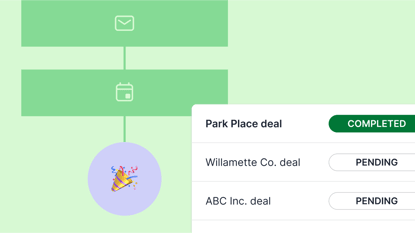
With Pipedrive’s workflow automation, an activity update can trigger a deal update. A completed demo could move an eligible deal into “Proposal preparation” and create a task for its owner.
Choose triggers that reflect genuine progress in the sale.
Stalled-deal alerts
Flag neglected opportunities, so reps know where to focus.
Pipedrive’s deal rotting feature highlights deals in red after a set number of inactive days, with a separate threshold for each stage.
A flagged deal gives its owner a reason to check the history and decide whether to follow up, revise the expected close date or close the opportunity as lost.
Note: deal rotting measures inactivity, not total time spent in a stage. Updates can reset its timer, so review time in stage separately when checking for slow-moving deals.
Customer handoff
Give delivery teams a defined starting point when a deal is won.
Pipedrive automations can create a linked project, so post-sale work stays connected to the opportunity.
Use your sales data to make automation smarter
Your deal and activity history can show where automation will help and when it should act. Effective sales pipeline management starts with rules that reflect how your customers buy and how your team works.
Pipedrive’s forecasting and reporting tools help you examine deal duration, conversion rates and activity patterns. Use those findings to choose thresholds and assignment criteria. The following examples illustrate how to turn historical data into practical rules.
Set stalled-deal thresholds by stage
If successful deals typically spend five days in the proposal stage, test sending a review reminder after seven days for deals still in the proposal stage.
Set separate thresholds for stages that usually take longer.
Adjust follow-up timing to rep response patterns
When activity records show afternoon inquiries regularly wait until the next morning, trigger a same-day follow-up task on assignment.
Notify a manager if the task remains incomplete after your agreed response window.
Route leads using source-specific win rates
If a rep consistently closes more partner referrals than peers handling comparable leads, use that history to inform your routing rules.
Check their capacity before directing more referrals their way.
Measuring ROI from sales pipeline automation
Measure the return on sales pipeline automation by comparing time saved and sales outcomes against the cost of running it.
Record a baseline before launch, then compare similar lead sources, deal types and reporting periods.
Use the measures below to see whether your rules are helping.
Area of impact | What to measure | Example |
Sales cycle speed | Average days from deal creation to closed won. | A reduction from 30 to 24 days represents a 20% shorter sales cycle. |
Lead response time | Time between an inquiry arriving and the first personal response. | Compare response times before and after automatic assignment, alongside the percentage of leads your reps reach. |
Revenue predictability | Difference between forecast and actual sales revenue for the same period. | On $3 million in actual revenue, reducing forecast error from 20% to 10% means the forecast is $300,000 closer to the result. |
Note: The figures above are illustrative calculations, not promised results.
Faster responses and shorter sales cycles can indicate progress, but you should check whether they lead to more profitable sales.
More accurate forecasts help you plan budgets and staffing, but improved accuracy alone does not increase revenue.
How Pipedrive supports sales pipeline automation
Pipedrive’s workflow automation allows teams to trigger actions automatically when deal stages change, activities are completed or fields are updated. Teams can create follow-up tasks and update records using rules that match their sales process.
Automating those steps reduces manual data entry and helps standardize follow-ups and activity tracking. Deal stages, activities and contact records stay together in the CRM, giving reps the context they need to take the next action.
Pipedrive in action: Combat Ready customized pipelines in Pipedrive to manage its different products and services and centralize sales activity. With dashboards and task tracking, the company improved visibility into sources and sales progress. Task assignments based on deal stages helped the team schedule follow-ups consistently and clarify when each person needed to act.
Automate the handoff to delivery with Projects
Projects tracks the delivery work that follows a won deal. Teams can assign tasks, set milestones and monitor progress while keeping the project linked to the original sale.
Related notes, files and emails give delivery teams context for customer commitments. Automations can also create the next task or update a project’s phase when work is completed.
With clear ownership and visible deadlines, sales and delivery teams can see what needs to happen next.
Let Nova handle your meeting follow-up automatically

Nova prepares meeting summaries and suggested next steps so reps spend less time writing up calls.
Before a meeting, it creates a briefing using your CRM data and recent activity. During the call, the AI Notetaker or Nova Companion desktop app transcribes the conversation.
Afterwards, Nova drafts a summary, identifies follow-up actions and suggests CRM updates. Nothing it suggests is applied without your review and approval.
Learn more about how Nova works.
Final thoughts
Sales pipeline automation helps growing teams maintain consistent follow-ups and spend more time with customers.
Getting started with Pipedrive’s built-in rules and templates doesn’t require a data team or engineering resources.
Choose one task that regularly slows your team down, use your sales history to guide the rule and build on what works.