
If you run an SMB, email sequences are an integral part of your cold outreach, sales follow-up and onboarding.
Instead of relying on one generic tool to create and send all your emails, it’s smarter to choose email sequencing software that suits your individual use case.
In this article, you’ll discover seven email sequencing tools that fit a range of small business needs and scenarios.
Key takeaways from email sequence software
The days of using a single all-in-one tool to send all your email sequences are over.
Email sequencing tools now have specialist features that make them excel at serving one or more niche use cases.
When you send outreach emails or sales follow-ups, use Pipedrive to keep all your communication records in one platform.
Sign up for a 14-day free trial today to see how easy it is to send email sequences with Pipedrive.
Why different email sequences require different software
The best email sequence software for your small business depends on what type of email sequence you’re sending.
Granted, some core features of email sequencing software are valuable in any situation. These include:
Writing and sending emails
Scheduling emails in advance
Mail merge so you can email multiple recipients simultaneously
A/B testing so you can test email variations to see which has the highest open rate
Analyzing email deliverability rates so messages don’t end up in the spam folder
However, the specialist features that one email tool needs to excel at a particular use case vary significantly depending on what your business needs it for. For example:
Feature | Useful for | Unhelpful for |
Add-on to find email prospects | Email outreach | Newsletter welcome sequence |
Responsiveness to customer in-app behavior | Product onboarding emails | Sales follow-up emails |
Referencing the content of an abandoned cart | Community engagement emails |
Put another way, finding the right email sequencing software doesn’t require using a single tool like HubSpot or Salesforce that has a broad but likely unnecessary range of applications.
Specialized tools can cover distinct SMB use cases for email sequences, so you’re better off choosing software that fits your exact needs.
Best 7 email sequencing tools by use case
Here’s a list of the best email sequencing software for seven common SMB scenarios:
Use case | Best software |
Cold email outreach | Pipedrive |
Onboarding | Sequenzy |
Newsletter welcome sequence | Kit |
Abandoned carts | Klaviyo |
Sales follow-up | Pipedrive |
Re-engaging dormant clients | Braze |
Community engagement | Higher Logic |
Read on to discover more about each of these tools. Feel free to skip to the section that’s most relevant to the email sequences in your business.
1. Pipedrive: best software for cold email outreach
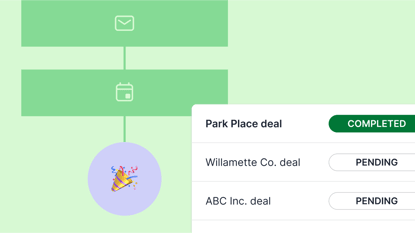
When you want to send your outreach list a drip campaign to get leads to sign up for your product or service, use Pipedrive.
Best known as a customer relationship management (CRM) tool, Pipedrive doubles as powerful outreach software for salespeople. Here’s how it works.
First, use Pipedrive’s integration with Apollo to find email addresses and store them in your CRM.
Choose a lead segment to target with a cold email sequence. This could be all the leads in one particular column in your CRM – or you could create a sequence targeting all leads with one or more custom tags.
Note: Pipedrive’s Campaigns tool gives each lead a marketing status field which must say “subscribed” for you to be able to target those contacts. This means you’ll only ever target leads who have opted in.
To write your email sequence, either adapt previous messages that you saved in Pipedrive as email templates or use Pipedrive’s AI-powered email writer tool.
Pipedrive’s AI can generate email content in seconds on the basis of the type, tone, length and language of the prompt you give it.

Once you’ve written your sequence, use the information in your CRM to personalize it. Any custom fields you’ve set up in your CRM will automatically appear as fields you can insert in your emails.
Remember to include details of previous conversations with leads. For example, if a lead’s CRM profile says they indicated interest in a secondary product feature in your last conversation, be sure to reference that in your outreach.
Pipedrive in action: Corporate education provider Trainify uses Pipedrive to streamline its email marketing efforts and feed campaign data back into its CRM. Pipedrive saves the company an average of two hours each week.
After you’ve sent your outreach emails, assign each lead to a salesperson so they can follow up. Your sales team can see email opens, clicks and replies in Pipedrive, helping them understand which messages perform best.
If your salesperson wants to give a particularly promising lead a call, Pipedrive’s integrations with JustCall and CloudTalk make it easy to switch to the phone for multi-channel outreach.
2. Sequenzy: best software for onboarding emails
Use Sequenzy to educate new customers on how to get the most out of your product.
Sequenzy’s onboarding emails trigger when a customer signs up for your free trial or first uses your product. Their ultimate goal is customer retention through the first few days and weeks.
In Sequenzy, you can send onboarding email sequences that adapt to your customers’ individual in-app behavior. For example:
Set up the onboarding sequence to end once a user has completed a key product action that demonstrates they’ve activated
Have a new onboarding sequence trigger later in the customer journey when they use a secondary feature for the first time
The tool also lets you schedule onboarding emails flexibly based on both time and in-app event triggers.
It can even pause sequences for a certain amount of time, as in the screenshot below:

As for events, you can send custom events via webhooks from your app into Sequenzy and use them to trigger automated email sequences.
Sequenzy’s built-in analytics let you define conversion events such as feature adoption or sign-ups to your free plan. You can then attribute those conversions to the specific email that drove them, allowing you to figure out which emails are performing best.
Most apps that send onboarding email sequences focus on one-way email automation rather than responses. Sequenzy tracks replies automatically and its dashboard can show the full conversation history for each subscriber.
Trigger automatic workflows when users reply, such as assigning the conversation to a specific customer support rep or account manager. This lets your team follow up personally whenever a user needs extra attention.
3. Kit: best software for newsletter welcome sequences
To send a welcome email sequence to someone who’s just signed up for your newsletter, consider Kit.
Note: A welcome sequence is not the same as a regular newsletter email. It’s a separate sequence that you send out once to a new subscriber to offer them initial value, in the hope that they don’t unsubscribe and eventually buy from you.
Kit lets you manage the whole welcome sequence process from top to bottom. You can create customizable landing pages and opt-in forms that your website visitors can use to sign up for your newsletter.
Configure your email sequence to trigger automatically as soon as someone signs up for your newsletter. Set this up with a visual automation builder that functions without code using a drag-and-drop mechanism.

You can segment leads on the basis of their behavior or the location where they signed up. For example, in a SaaS business, you might send a different welcome sequence to a lead depending on which product page they signed up from.
With automation rules and triggers, Kit adapts a subscriber’s path based on actions like clicking a link or not opening emails. This process allows you to customize your welcome sequence to a user’s level of sales engagement.
Kit also offers multiple exit conditions based on user behavior. These go beyond simply ending the sequence when a user unsubscribes. For example:
If a lead engages with three touchpoints in a row, you can remove them from the welcome sequence and add them to a hot lead sequence instead
If a lead buys your product, unsubscribe them from the welcome sequence and sign them up for an onboarding sequence
If a lead consistently indicates interest in one part of your product line, filter the emails they get so they receive more of what interests them and unsubscribe them from less relevant emails
Ultimately, personalized emails are much more effective than simply sending an identical welcome sequence to all your leads and hoping for the best.
4. Klaviyo: best software for abandoned cart emails
To encourage customers to return to your site and complete their orders after abandoning their carts, use Klaviyo.
Klaviyo offers numerous pre-built email sequence templates that you can adapt to suit your needs. If you prefer, build your own cart abandonment email sequence from scratch.
Most abandoned cart sequences in Klaviyo consist of three emails:
The initial reminder that the customer didn’t check out. A common subject line is “Did you forget something?”
Handling potential objections by sending a link to your FAQs.
Offering a discount to encourage a sense of FOMO and urgency.
Klaviyo lets you automatically insert dynamic cart items such as product images, names and prices. Here’s what those look like in an email template:

A direct link back to the checkout page is crucial for maximizing your conversion odds.
Once you’ve connected it with your e-commerce platform of choice, Klaviyo automatically detects when a user abandons their cart. The typical trigger for sending an abandoned cart sequence is:
The customer has started the check-out process
The customer did not place an order within a few hours
Klaviyo will automatically send customers like these abandoned cart emails, though it’s sometimes smarter to have it put each customer through a filtering system first. For example, a customer with a large abandoned cart might receive a separate sequence and you might prefer not to email someone who purchased recently.
If your customer places an order, Klaviyo will automatically remove them from the abandoned cart sequence. You can also remove someone manually, a useful option if they register for a sales call or input fraudulent credit card data.
5. Pipedrive: best software for sales follow-up emails
Use Pipedrive when your team needs to send a follow-up sequence after a customer has a demo or a call with a salesperson.
Pipedrive’s Kanban view makes it easy to see where leads are in your sales process and which ones need a follow-up.
Personalize your follow-up sequences using meeting notes that you captured with Fireflies AI and stored in Pipedrive’s CRM thanks to the integration of those two tools.
Your SDRs can use Pipedrive’s integrations with project management tools like Asana to schedule tasks to send sales email sequences. Pipedrive’s integration with Google Calendar means that those tasks will show up in each salesperson’s individual calendar.

When you send follow-up emails, you’re looking for a clear yes or no response. Pipedrive offers automation capabilities that cover both outcomes:
If a lead agrees to move forward, use Pipedrive’s DocuSign integration to automatically send them a contract to sign.
Workflows automatically move deals to “Lost” based on conditions you define. You can even document a lost reason so you’ll have a future record of the most common reasons you lost deals.
CRM Selection Checklist
If you want to build a multi-channel follow-up sequence across platforms like LinkedIn, SMS and phone calls, Pipedrive’s integration with sales engagement platform Klenty will let you do that. Simply track the combined results for all your follow-up activities for each lead in Pipedrive’s CRM.
6. Braze: best software for re-engagement emails
Braze lets you send a reactivation sequence to a user who hasn’t logged into their account or purchased anything from you in a long time.
You can define segments based on user behavior, such as users who haven’t been active in 180 days. These segments update in real time as user data streams in, allowing you to target currently inactive users rather than those who were inactive as of a certain date.
Braze’s visual journey builder lets you create multi-step re-engagement sequences that automatically branch according to users’ responses to messages. For example:
Pause or switch channels if a user re-engages after the first email
Escalate to push notifications to increase the chances of getting a response if they ignore multiple emails
To increase your response rate, remind users of key features they used to love or content they haven’t seen in a while.
Braze’s ability to create email variants based on past user behavior makes your outreach much more relevant and personal.

When sending re-engagement emails, it’s wise to avoid bombarding users who have been inactive for months, as this can drive churn rather than reverse it. Braze supports frequency caps and delivery window rules so you can optimize how often you contact dormant clients.
If a user opens an email or clicks on the login link to their account, Braze writes that engagement data back into their profile. This record allows you to potentially remove the user from your reactivation sequence and assign them to a higher-engagement sequence instead.
7. Higher Logic: best software for community engagement emails
If you run an online community, use Higher Logic to send a sequence that keeps members engaged.

Since Higher Logic is both a communications engine and a community platform, any engagement sequences you write will live in the same ecosystem as discussions, events and member data. This allows you to:
Reference community content like threads and user-generated content in your email sequences
Customize the sequences individual recipients receive according to the community topics they engage with the most
Let users respond to a community thread directly from Gmail or another email account in just one click
Tie all email engagement metrics to one central profile for each member, rather than keeping that data in a separate email tool
You can send the same sequence to your whole community or segment members by factors including join date, participation level and role.
For instance, a sequence that nudges users to sign up for a startup event could be a great fit for your whole community if it targets startups. On the other hand, a sequence giving ideas for your first few posts is a better fit for a new user.
Higher Logic’s Smart Campaigns feature allows you to define brand parameters for your entire community, such as preferred reading level, tone and target audience.
Feed those parameters to Higher Logic’s AI, which will help you write consistently on-brand emails without having to repeat the same parameters each time.
Final thoughts
The right email sequence software for your business depends on what type of emails you’re sending.
If you want to reach out to prospects or follow up with them after sales interactions, Pipedrive is an excellent choice. Passing lead data smoothly between your CRM platform and your email campaigns will save your sales team a huge amount of time.
Sign up for a 14-day free trial today and see how Pipedrive’s email sequences can help you acquire new customers.